

-

Jay Pocknell wrote a new post 1 week, 3 days ago
Get involved: accessibility at Audio Developer Conference 2026
 Introduction We are delighted to be a Community Sponsor for ADC Bristol 2026, taking place online and in Bristol 9-11 November 2026. ADC is an event celebrating all audio development technologies, from music applications and game audio to audio processing and embedded systems. ADC’s mission is to help attendees acquire and develop new skills, and build a network that will support their career development. It is also aimed at showcasing academic research and facilitating collaborations between research and industry. Contents Accessibility at ADC26Interactive Panel: Accessible Audio Technology (in-person)Accessibility Zone (in-person only)MIDI Association accessibility installation (in-person only)Celebrating Diversity working lunch (in-person only)Reality – A Fuzzy & Buzzy Mess (at Times) (in-person and online)Vision Without Sight: Developing Immersive Soundscapes with Hodr Engine, a Screen Reader First Spatial Audio Creation Tool (in-person and online)Accessibility in Audio Meet-up (online only)Ahead of ADC: An Evening with Mxshi MoHow to attend ADC26Accessing ADC’s online talksJoining the Accessibility in Audio Meet-up Accessibility at ADC26 We are grateful to have supported with planning some of the accessibility-related content for the conference, and excited to see accessibility featuring prominently in this year’s schedule. There are several opportunities to get involved: Interactive Panel: Accessible Audio Technology (in-person) Monday 9 November, 14:00 – 17:00 UTC, Empire. This session features a series of lightning talks, showcasing the latest developments within accessible audio technology. It will feature presentations from organisations and developers leading the field in inclusive design practices. Each half of the afternoon includes Q&A with the speakers from that half. This is your chance to steer the conversation on all things accessibility and get your questions answered!. Contributors Jay Pocknell (RNIB; Sound Without Sight) John Kelly (Musician) Tim Yates (Drake Music) Tim Adnitt (Native Instruments) Joni Turunen (oeksound) Paul McCabe (Roland) Schedule Welcome and outline+ 14:00-14:10 (10 mins)Jay Pocknell The Social Model of Disability+ 14:10-14:20 (10 mins)John Kelly and Tim Yates The Social Model of Disability has transformed how disability is defined and understood. It was born out of the disability rights movement, led by Disabled people, in the UK informing a rights based approach to practice. John and Tim will give an insight to the Social Model and how this concept applies to music-making, collaboration and music technology. Co-design in practice: The Kellycaster+ 14:20-14:40 (20 mins)John Kelly and Tim Yates For a musician who is self-described as ‘a bit of a punk at heart’, the guitar is a pretty important instrument. The Kellycaster is a custom bespoke guitar co-created by John Kelly and Charles Mathews. This session will explore how John collaborated with music technologists to develop an instrument that makes the full range of chords accessible and also maintains the full expressiveness of the guitar. John will also demonstrate the Kellycaster and how it is used in a live situation. Creating a sustainable ecosystem for music technology co-design+ 14:40-15:00 (20 mins)John Kelly and Tim Yates How can we connect as musicians, instrument makers, and developers who can work together to ensure access to playing and performing? And how can examples of successful co-design be discovered and promoted worldwide? How can Disabled musicians find out what music technology products may or may not be accessible to them? In this section, John and Tim explore Drake Music’s DMLab programme and the future Accessible Musical Instrument Collection. Opportunities and challenges of incorporating generative code within open source accessibility projects+ 15:00-15:10 (10 mins)Scott Chesworth and Jay Pocknell There’s no denying that virtual code assistants have changed the world of software development, but how much do these tools know about the intricacies and diversity of human accessibility? Considering the inherent biases within the data used to train AI models, can AI alone be trusted to make your software accessible to all users? Probably not, but when can AI be helpful in accessibility contexts? In this section, Scott Chesworth shares experiences – positive and negative – of incorporating community-submitted generative code within OSARA, the widely-used open source accessibility extension for REAPER. Creating accessible documentation for Roland products+ 15:10-15:20 (10 mins)Paul McCabe and Jay Pocknell This year, Roland Future Design Lab previewed a new concept: accessibility guides for the Roland V-Stage Performance Keyboard. The guides feature detailed product usage information tailored to the requirements of blind users, and are available in audio, HTML, PDF, and Word formats. There are also a series of accompanying videos. In this session, Paul and Jay will explore how this project came about, and feedback received on their approach so far. First-half Q&A+ 15:20-15:40 (20 mins)John Kelly, Tim Yates, Jay Pocknell, Paul McCabe Break+ 15:40-16:10 (30 mins) Giving music hardware a voice: MIDI Assistive Text+ 16:10-16:30 (20 mins)Tim Adnitt and Jay Pocknell With many developers wishing to make their products more accessible, what can MIDI do to support music-making hardware to transmit data that could be useful for accessibility? In this session, Tim Adnitt, President of the MIDI Association, will explore the principles behind MIDI Assistive Text. Currently in development, MIDI Assistive Text exploits the ability for MIDI 2.0 devices to send text, to be received by a connected device. It creates a bridge between typically inaccessible hardware devices and a connected device’s OS accessibility services. The session will include a tech demo, showing how a prototype MIDI Assistive Text specification supports an Arcana Strum to speak as the user navigates the instrument’s controls. How oeksound improved accessibility in Soothe3 and Bloom+ 16:30-16:50 (20 mins)Joni Turunen With new, accessible versions of Soothe3 and Bloom soon to be released, Joni Turunen will share insights into Oeksound’s journey and lessons learned while working on accessibility. Covering topics such as screen reader compatibility and low-vision considerations, this session aims to fast track other developers wishing to make their plugins more accessible. Second-half Q&A+ 16:50-17:00 (10 mins)Tim Adnitt, Joni Turunen, Jay Pocknell Jay Pocknell, Andre Louis, and Adi Dickens demonstrating Ableton Move at ADC24 Accessibility Zone (in-person only) Tuesday 10 and Wednesday 11 November, exhibition space. Visit this collaboration between ADC, Sound Without Sight, RNIB, Drake Music, and the MIDI Association. Learn about new accessible products from Native Instruments, Focusrite, Ableton, Avid, and Softube. Get a closer look at Mxshi Mo’s Ableton Move and Push units, modified for low vision accessibility. Connect with producer and technologist, Andre Louis. Plus, a sneak peek at a prototype of Asp, a tactile-first accessible sequencer designed by Daniel Jones and Tim Burgess. Blind musicians Trahern Culver and Andre Louis at ADC24 MIDI Association accessibility installation (in-person only) Tuesday 11 and Wednesday 12 November, exhibition space. Try an interactive jam session powered by Ableton Live and ToneAlign. Pick up an accessible instrument and instantly play in-key and with other attendees! Celebrating Diversity working lunch (in-person only) Tuesday 10 November, 12:50 – 14:00 UTC, Executive Lounge Grab some lunch from the restaurant on the first floor (via stairs in main hotel lobby) and join us in the Executive Lounge for some informal discussions around diversity in the audio community, with input and perspectives from some of our sponsors. What are you doing to promote diversity in your business? How can we do better? What tangible benefits come from a more diverse and inclusive workforce? You’re encouraged to share your ideas and experiences, or just come along to listen, learn and digest. All are welcome. Reality – A Fuzzy & Buzzy Mess (at Times) (in-person and online) Tuesday 10 November, 17:00 – 18:00 UTC, Bristol 1 and online. Presented by Dr. Kyle Keane: Resilient, Intersubjective Validation During Adaptive Frequency/Temporal Recalibration Perception is negotiated — never given. Each observer samples a noisy world at their own rate; drift is inevitable, and largely unnoticed. So what is taken from us when the channels between us are narrowed, systemically attenuated, left to decay? Recalibration is not private: it is rehearsed, repaired, held in company. Listening together | listening foreach other — the alignment is the content. A single source, however loud, is swallowed by a room built to swallow it. But many — modest, distributed, precisely in phase — synthesise a wavefront no one of them could produce, arriving with full force at a point none of them occupy, traceable to no one. This is not amplification. It is coordination: the geometry of the room made irrelevant by the geometry of the array. Resilience, then, is structural — never personal. To hold phase with one another is not passive, not neutral, not optional. It is, quite literally, world-building. Vision Without Sight: Developing Immersive Soundscapes with Hodr Engine, a Screen Reader First Spatial Audio Creation Tool (in-person and online) Wednesday 11 November, 14:00 – 14:50 UTC, Bristol 1 and online. Presented by Freya Shaw: This presentation, delivered by Freya Shaw, a registered blind Computer Science PhD student at the University of Bristol, and founder of Immersion Sound Studio, introduces Hodr Engine, a no code, spatial audio creation tool for those of any sight condition or technical skill level to create and play interactive audio experiences for immersive media, including audio games and soundscapes. The platform is accessible with VoiceOver, Apple’s screen reader. Hodr Engine uses a no code grid interface that allows users to position sound objects in 3D space, customise their spatial and behavioural properties, and apply features such as reverberation and convolution based effects. The talk will give an overview of Hodr’s development and fast growing feature set, including the new spatial audio features of the SignalFlow DSP engine that drives Hodr’s audio rendering. It will demonstrate creating a soundscape in Hodr Engine using the grid interface with VoiceOver, before exploring the completed environment using binaural audio and real time head tracking. Freya will also discuss her research at the University of Bristol to extend Hodr from a binaural headphone based system to a multi speaker environment for loudspeaker reproduction. This broadens its application to areas including immersive theatre and gallery installations, demonstrating that you don’t need sight to have vision. Accessibility in Audio Meet-up (online only) Wednesday 11 November, 15:50 – 16:30 UTC, Zoom Join us live on the final day of ADC26 to hear accessibility highlights from across the event. Meet members of Sound Without Sight and the MIDI Association’s Music Accessibility Special Interest Group for an informal chat: Learn about new accessibility innovations Chat through ideas and share knowledge Find out how to connect with community members who can provide feedback on your products Ahead of ADC: An Evening with Mxshi Mo Sunday 8 November, 16:30 – 19:30 UTC, The Arc, Bristol Join South African producer and composer Mxshi Mo for an evening of film, conversation and experimental electronic music, exploring creativity, disability and the power of sound. This special event brings together a screening of 6SENSE, a Q&A with Mxshi Mo and a live musical performance. All proceeds from the event will go directly to Mxshi Mo. 6SENSE is a short hybrid documentary following Mxshi Mo, a musician from KwaZulu-Natal, South Africa, as he navigates progressive sight loss caused by retinitis pigmentosa and discovers his talent for Gqom music production. The film explores how music and technology have enabled him to continue creating without sight, connect with artists internationally and develop a distinctive musical identity. Mxshi Mo’s work blends Gqom, techno and experimental sound, drawing on music production, technology and abstract art to explore sound, texture and memory. The evening offers a valuable opportunity to hear directly from an artist whose creative practice challenges assumptions about sight, accessibility and music-making. The programme begins with doors opening at 4.30pm, followed by the film screening at 5pm, a Q&A hosted by Mina at 5.30pm, and Mxshi Mo’s live set at 6.30pm. This event takes place the evening before the Audio Developer Conference – consider travelling early if you will be attending ADC! Tickets How to attend ADC26 You will need to be registered for an ADC26 ticket to access the sessions above. You can purchase tickets at the ADC website. Sound Without Sight community members can get 20% off using the code: ADC26_SWS20 However, if you are a disabled musician, developer, or engineer and are keen to get involved in the conference online, but ticket cost will present a barrier to participation, then please email us at: contact@soundwithoutsight.org by Friday 6 November 2025. With Sound Without Sight being a Community Sponsor for ADC25, we have a limited number of free online passes to give away! Once you have registered for a ticket, you will need to create an account on the ADC conference portal to access the sessions. This process will also ask you to join the ADC Discord Server. While this is encouraged, so that you can engage with other attendees throughout the conference, this is not strictly mandatory in order to access the core scheduled content. Learn more about accessibility on Discord. Accessing ADC’s online talks Talks and workshops on the main schedule will be delivered as Zoom Webinars. You will be able to access the link shortly before sessions begin by visiting ADC26’s accessible lobby page. You will need to be logged in to the portal to access the link. During the session, you will be able to submit questions via Zoom’s in-built Q&A function. If this is not accessible to you, then please feel free to email questions to: contact@soundwithoutsight.org Joining the Accessibility in Audio Meet-up ADC’s online meet-ups are hosted in Gather Town, a browser-based virtual online platform, similar to a top-down video game. However, because this is likely to pose access barriers to screen reader users, we are offering attendees the ability to bypass Gather Town and join the meet-up on Zoom for easier access. Please email us to request the joining link. I hope to see you there! For information about other sessions happening at ADC26, check outRead More »Get involved: accessibility at Audio Developer Conference 2026
-
Jay Pocknell wrote a new post 1 month, 1 week ago
Honing stagecraft and visual presentation as a blind or partially sighted performer
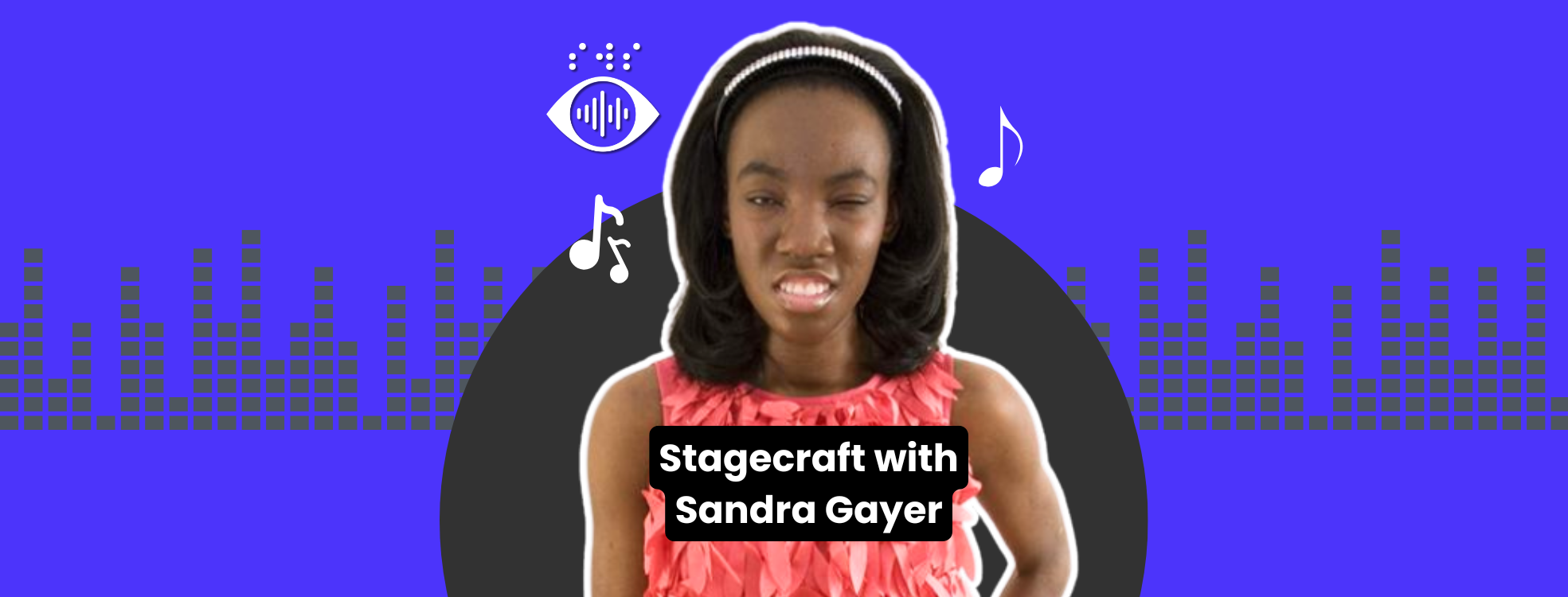 In this episode of the Sound Without Sight podcast we welcome professional singer, actor, and voiceover artist, Sandra Gayer. Sandra shares valuable insight into the importance of visual styling, stagecraft, and choreography. She explores how blind and partially sighted performers can develop these skills to deliver polished performances on stage and on screen. This podcast was recorded live, at a Sound Without Sight webinar, featuring questions submitted by our community. Catch up on the recording YouTube Spotify Apple Podcasts Acast Overview Sandra Gayer’s central message is that stagecraft is an ongoing part of a performer’s professional practice, rather than something to think about immediately before going on stage. The session focuses on the practical logistics surrounding a polished performance: how a performer presents themselves visually, how they enter and leave a performance space, how they are positioned, how they work with sighted guides and colleagues, how they deal with costumes, props, microphones and lighting, how they learn choreography, and how they communicate their access requirements. Sandra repeatedly emphasises that blind and partially sighted performers do not need to reproduce exactly what sighted performers do. Instead, they should develop reliable systems that produce the desired result, using other people, tactile information, rehearsal, sound, memory, physical awareness and technology where useful. A recurring principle is: Plan it, practise it, test it, and communicate it. Another is that asking for assistance or outsourcing something is not a failure of independence. Sandra describes this as playing to your strengths: concentrate your own time and energy on the aspects of performance in which you excel, and find effective ways of handling things you cannot access visually. Topics and solutions discussed Stagecraft is an ongoing process+ Sandra begins by defining stagecraft broadly. It includes the behind-the-scenes and audience-facing logistics that contribute to a polished performance, across: theatre; concerts; television and film; opera and musicals; voiceover and recorded work; studio work; online and remote performance. She uses “stage” as a catch-all term for whatever performance platform is involved. In television, for example, a bedroom, street corner or clifftop can effectively become the stage. Key solution: start planning early Do not leave access, movement, clothing or physical presentation until the day before a performance. Sandra gives the example of discovering that a pair of high production shoes made her look as though she was walking drunk. Rather than accepting this immediately before the performance, she investigated what was happening physically, identified problems with her leg and balance, and began strengthening and flexibility exercises. Practical takeaway:If something about the performance environment, costume or movement feels unfamiliar, identify it early enough that you have time to adapt. Developing your personal style or “brand”+ Sandra encourages performers to think about their own visual identity: what they look like, how they carry themselves, and what they want their public presentation to communicate. For a visually impaired performer, some aspects of appearance that sighted people can assess automatically have to be learned deliberately. This can include: colours; combinations of colours; clothing cuts; textures; what flatters your body shape; hair; makeup; jewellery; the overall impression created by an outfit. Sandra describes these as things that can be memorised and systematised, rather than treated as inaccessible simply because they are visual. Solution: build a system for remembering clothing Sandra keeps a section of her wardrobe specifically for performance clothing and materials. For her own online videos, she has used a spreadsheet recording things such as: date; colour; texture; video title. This helps prevent unintentionally repeating outfits and gives her a reliable record of what she has worn. Useful principle:Once you have established what works, label it, organise it, record it or otherwise make it reproducible. Learning which colours and clothes work+ Sandra suggests deliberately learning which colours complement one another and which colours suit you. Possible memory systems include: colour wheels; associating colours with positions on a clock face; poems or rhymes; written records; labelled clothing; keeping suitable combinations together. Her broader point is that a performer does not have to personally see colour in order to have a reliable understanding of their wardrobe. Solution: ask for specific visual information Instead of asking someone: “How do I look?” ask questions that have useful, objective answers. Examples include: Is this garment black or navy? Does this cut flatter this part of my body? Does the shape of these trousers work with these shoes? Does the shoe strap interrupt the line of the trousers? Can you see the outline of underwear through this fabric? Does this outfit look professional? Is this particular combination appropriate for the situation? The advantage of specific questions is that they turn a vague request for an opinion into actionable information. Finding trustworthy visual advice+ One of the recurring problems for blind performers is identifying people whose visual advice can actually be trusted. Sandra suggests looking for someone who: can see; has good judgement; understands your appearance and style; is willing to give you honest feedback; can distinguish between what genuinely works and what they merely want to reassure you about. Solution: use professional personal-shopping and styling services Sandra recommends exploring personal shopping services where available. She specifically mentions Selfridges, Harrods and John Lewis as examples of shops offering free personal shopping/styling services. The important point is not necessarily to buy everything from them. The service can help you establish: what colours work; what cuts work; what garments combine well; what styles suit your body; what constitutes a polished professional appearance. Sandra does caution that clothes bought elsewhere may have a different cut or fabric and therefore hang differently. Solution: use agents and professional contacts If you have an agent, their feedback on your photographic or modelling portfolio can also be useful. Sandra also recommends building a database of trusted people over the course of your career: photographers; makeup artists; hairdressers; casting directors; directors; repetiteurs; choreographers; other performers. Jobs and auditions can therefore become opportunities to discover people who understand how to get good visual results from a blind performer. Remote visual assistance+ Sandra mentions remote sighted-support services such as Be My Eyes and Aira, while making an important distinction between objective information and subjective judgement. For example, a remote helper can potentially tell you: whether you are too close to or far from something; whether an item is positioned correctly; what colour an item is; whether clothing is arranged correctly. But Sandra advises against relying on such services for broad subjective questions such as “Do I look good?” Solution: define the question precisely Remote assistance works particularly well when the question has a factual answer. For full-length visual information, Sandra suggests using a phone or computer camera positioned far enough away to show the whole body. Clothing for performances+ Sandra strongly recommends separating travel clothes from performance clothes when possible. For concerts, for example, a performer can travel in ordinary clothes and bring the performance outfit to the venue. Possible methods include: a suit bag; hanging clothes over the arm opposite the cane or guide dog; carefully folding clothes into a bag; using clothing that can be shaken out without retaining excessive creases. Solution: protect the performance clothing The aim is to arrive with the clothes still looking the way they were intended to look. Sandra recounts an example where someone arrived with creased clothing which was steam-ironed by a costume assistant immediately before going on set. The performer then had to wear the clothes while they were still damp. Lesson:Where possible, maintain control over your own clothing rather than leaving its preparation until the last minute. Sandra’s broader principle is: The more you are the “master of your own situation”, the less vulnerable you are to other people making decisions for you. Hair and makeup+ Sandra stresses that hair and makeup are another part of stagecraft that may require deliberate planning. Establish what works for you Consider: your preferred makeup style; products you can tolerate; cream versus powder products; how products feel on your skin; sensitivity around the eyes; mascara and eyeliner; false eyelashes; eyeshadow; how products behave under strong stage lighting. Sandra gives the example of choosing a matte-finish makeup range for harsh theatre lighting. Solution: learn the products Rather than simply having someone apply makeup to you, learn: which product does what; what it reacts with; the order in which products are applied; what feels comfortable; what causes irritation; which products produce the desired finish. Sandra suggests makeup counters as one possible source of advice and experimentation. Solution: self-advocacy with makeup teams If a particular product causes problems, tell the people who can actually change the decision. Sandra stresses that this may not always be the individual makeup artist; depending on the production, it could be the head of makeup or someone on the directing/production team. The goal is not simply to complain. The argument is: If the performer is comfortable and has appropriate autonomy over these decisions, the production gets a better result. Working with professional stylists+ If someone else is doing your hair or makeup, be very clear about what you want. Solution: use photographs or defined references If you want a particular aesthetic, provide a reference photograph where possible. For example: “This is the look I want.” “This is how I looked at this previous event.” “Please reproduce this style.” Do not assume that “natural”, “glamorous” or similar words mean exactly the same thing to everyone. Solution: stay involved during the process Sandra recommends asking: “What are you doing now?” “What product are you using?” “What are you changing?” “When are you finished?” This can provide some of the information that a sighted person might obtain by looking in a mirror during the process. If someone is assisting you by monitoring the stylist, that person also needs to be confident enough to intervene when something is going wrong. Costumes+ A major practical theme is not assuming that you know exactly how to move onstage simply because you know how to move in day-to-day life. Costumes can radically change: balance; body awareness; mobility; the sensation of the floor; the size of your body; how you sit; how you walk; how you hold props; how you interact with other people. Sandra mentions having worked in chainmail and gives examples including: tails; top hats; masks; body armour; long dresses; stilts. Solution: practise the complete physical task Practise: walking; talking; sitting; standing; lying down if necessary; manipulating the costume; using your cane or other mobility aid while wearing it; interacting with props while wearing it. Solution: request a rehearsal garment If the production cannot let you take the actual costume away, ask whether you can have: a duplicate; a similar garment; a facsimile; dedicated rehearsal time in the actual costume. The substitute does not have to be identical to be useful. Important point Even if you already know the performance venue, different shoes or clothing can change your orientation and mobility because the physical sensations are different. Entering and exiting the stage+ Sandra offers several approaches, depending on the production. The key principle is: Use whichever method allows you to feel confident and produce the most polished result. Possible methods include: cane; guide dog; sighted human guide; entering independently. There is no single correct solution. Solution: rehearse the route Know: where you start; where you are going; where you finish; how you return; where the relevant furniture or set pieces are; how much space there is. Sandra repeatedly recommends straight lines of travel rather than unnecessarily complicated routes. Sighted guide technique For concerts, Sandra often works with a sighted guide such as: the conductor; director; pianist. She particularly likes using the pianist because they are already required to be on stage, so the guide does not look like an additional person who has appeared solely to escort her. The guide can: bring her onto the stage; position her correctly; orient her towards the audience; establish the correct microphone distance; take her cane; return after the performance; give the cane back; escort her off. Every movement is planned and rehearsed. Working with a scene partner In theatre or opera, Sandra may work with a scene partner or assistant stage manager. She describes a method where she and a scene partner hook their little fingers together and walk side by side rather than using a conventional upper-arm sighted-guide grip. This provides directional information while producing a cleaner visual result. The technique is particularly useful when the guide is also part of the scene. Guiding+ The guiding arrangement should not be improvised at the last minute. Solution: decide who guides you Possible people include: stage manager; assistant stage manager; director; conductor; pianist; scene partner; another performer. Consider making guiding part of the choreography. In a large ensemble, Sandra recommends getting to know several people rather than relying on one specific person. That creates a support network rather than a single point of failure. Venue orientation+ Sandra recommends arriving early enough to properly explore the venue. If a concert starts at 4pm and soundcheck is at 3pm, she suggests arriving earlier—around 2:30pm in her example—so there is time to orient yourself. Find out: where the toilets are; where the green room is; entrances and exits; which side of the stage you are on; where you enter from; where you exit to; what objects are in your route; where the audience is; where you will be positioned; whether you are coming from an audience seat; exactly which seat you are coming from. Solution: practise the complete route If you will be guided from the audience to the stage, establish exactly: which seat; which direction; which route; where the stage begins; where you are placed. Then practise it. The goal is for the actual entrance to feel graceful and routine rather than like a navigation exercise. Microphones and microphone stands+ Sandra gives several practical strategies for microphone positioning. Solution: choose accessible equipment where possible She dislikes tripod microphone stands because their three protruding legs make it difficult to use your foot to locate the stand. She prefers a Hercules-style stand with a block/pyramid-shaped base, because the performer can place their foot into the opening and establish that they are centred. Solution: establish a repeatable microphone distance Sandra gives a tactile rule from radio broadcasting: The distance from your mouth or instrument to the microphone can be measured using the span between the tip of your longest finger and your thumb. This gives a repeatable physical reference rather than requiring sight. Fixed microphones Sandra prefers fixed microphones where possible because she does not want to have to continually manage the microphone while performing. Lapel/body microphones For theatre, musicals and opera, a body-worn microphone removes much of the positioning problem because the microphone stays attached to the performer. Tactile stage markings+ Sandra describes a simple tactile alternative when there is no microphone to act as a reference point. Solution: use a tactile floor mark Her method is: place a small square of carpet on the relevant mark; secure it with gaffer tape; be guided approximately to the position; locate the carpet with your foot; stand on the mark; perform. The tactile marker can also be adapted for wheelchair users by making it thicker or higher so that it can be detected with a wheel. Other physical reference points A podium can provide a useful orientation point. If Sandra is positioned relative to a grand piano, she can use the physical shape of the piano to establish her orientation. Applause can sometimes provide a directional cue in a smaller venue, although Sandra cautions that this is not reliable in a very large space such as the Royal Albert Hall. Instruments and equipment+ Sandra recommends getting familiar with unfamiliar equipment as early as possible. For pianists, for example: establish whether the instrument is a grand or upright; play it before the performance; establish how it feels; find out where microphones are; identify cables; understand the surrounding space. The principle applies to any instrument or technical setup. Solution: get hands-on access early Do not wait until ten minutes before the performance if there is an opportunity to explore the equipment earlier. Stage communication and cueing+ A blind performer may not be able to see a conductor, accompanist or operator looking at them. Sandra therefore recommends establishing explicit alternative signals. Example: singer and accompanist Sandra’s system is: she gives an agreed signal that she is ready; the accompanist gives an agreed signal that they are looking at her and ready; Sandra then gives her starting signal. For example, her signal may be a nod, while the pianist can use a specific physical action such as engaging/disengaging the sustain pedal. Backing tracks If working with an operator, agree how the performer will communicate readiness and how the operator will communicate back. Sandra recognises that this can sometimes fail. Solution: build in musical safety margins She sometimes chooses backing tracks with a reasonably substantial introduction. That means that if the operator starts before the agreed cue, she still has several seconds to get into position before she has to sing. Performing as part of an ensemble+ In ensembles, Sandra recommends identifying alternative ways of receiving cues. Possible solutions include: a neighbouring performer giving a discreet touch; using another performer’s movement or sound as a cue; using a section leader; agreeing a tactile signal; listening carefully to the other parts. For larger ensembles, she recommends knowing the score as comprehensively as possible. Solution: learn the whole musical environment The better you understand: other performers’ parts; entrances; exits; musical relationships; where things happen in the score; the easier it becomes to navigate the performance without depending entirely on visual cues. This is particularly important because the same musical material can sound different in different areas of a large stage. Posture, deportment and physical presence+ Sandra devotes substantial attention to posture and physical awareness. She identifies several components: posture; proprioception; interoception; weight distribution; physical confidence; the way you carry yourself while moving or standing still. Solution: build tactile/physical memory Sighted performers can often use a mirror to check posture. Sandra suggests developing an equivalent physical awareness. Practise recognising: whether your feet are parallel; how far apart they are; where your weight is; whether your back is appropriately aligned; whether your hips are level; where your arms are; whether your body is facing the intended direction. A wall can be used as a physical reference during posture exercises. The goal is to create a physical memory of what correct positioning feels like. Proprioception+ Sandra defines proprioception as the body’s external sense of itself—knowing where one part of the body is in relation to the rest. Her practical advice is to practise deliberately placing body parts in particular positions until those positions become physically familiar. Useful activities Sandra says that disciplines involving conscious movement can help develop this awareness, including: ballet; pilates; yoga; tai chi. She describes taking an online ballet course taught by a blind ballet practitioner during the COVID period and finding that it substantially improved her proprioception. The important principle is not that every performer needs to take ballet, but that deliberate physical-awareness training can make stage positioning easier. Interoception and sensory overload+ Sandra distinguishes interoception—the body’s internal sense of itself—from proprioception. She notes that performers can become disoriented by combinations of: sound; temperature; balance; sensory input; monitors; headphones; delayed audio; unfamiliar physical sensations. Solution: identify your own triggers Use rehearsals to discover what disorients or overwhelms you. For example, if headphones introduce a noticeable delay between your voice and what you hear, find this out before the live performance. “Learn the enemy” is Sandra’s practical approach: understand the conditions that can destabilise you so that you can prepare for them. Props+ Props should be treated as part of the choreography, not as an afterthought. Solution: learn the physical object Find out: what the prop is; how heavy it is; how large it is; how it feels; how it is held; how it works; what movements it requires. Sandra gives the example of using a bow and arrows on television. She had an archery lesson beforehand so that her handling looked convincing rather than like someone who had only held a bow for an hour. Solution: rehearse with the real or equivalent prop A prop can change posture and movement considerably. Test: how your body compensates for its weight; whether it changes your balance; whether it restricts movement; whether it affects the line of your body; whether it changes the way you interact with other performers. Camera work+ Sandra emphasises that television and film have different requirements from live theatre. In recorded work, production can use: action; cut; reposition; another take. This means the performer does not necessarily have to make every transition visually perfect in one uninterrupted movement. Solution: learn the space in sections When filming outdoors, Sandra has used her cane between takes to learn a route section by section. Once the route is learned, the cane does not necessarily need to appear in the filmed shot. Solution: know where the camera is A blind performer does not necessarily need to maintain conventional visual eyeline with the camera. However, Sandra says the performer should understand: where the camera is; how far away it is; where it is relative to other performers; how the camera position changes between takes. For a single-camera production, the camera position can effectively establish the “downstage” direction for that shot. For a multi-camera production, there may be a main camera, but the same principle applies. Self-advocacy on set+ One of Sandra’s strongest practical messages is: Do not allow production pressure to make you perform before you are ready. She gives an example from an advert where the production administration knew she was blind but the people working directly on set did not fully understand what she needed. When she needed more time to learn a route, she explicitly said that she was not ready. Solution: state the requirement clearly For example: “I need to walk this route again.” “I’m not ready for the take.” “I need to learn this section.” “We need to rehearse this first.” Sandra’s argument is that the production will ultimately get a better result if the performer is confident and fluent rather than rushed into an unsafe or uncertain take. Using mobility aids on camera+ A mobility aid does not necessarily have to prevent a particular visual aesthetic. Sandra gives the example of a period drama in which canes were not part of the intended visual world. Solution: use camera framing creatively If appropriate, the performer can sometimes use the cane for orientation between takes or during preparation and then have it outside the camera frame during the shot. This allows the performer to navigate confidently while still meeting the visual requirements of the production. Lighting+ Sandra describes lighting as both a potential difficulty and a useful tool. For light sensitivity If very bright lighting is uncomfortable, possible approaches include: negotiating appropriate lighting where possible; incorporating sunglasses into your established personal style if appropriate; making eye closure part of your performance aesthetic where that works for you. The larger principle is to think about how lighting interacts with your own brand and presentation. Solution: learn the lighting layout Lighting changes can also provide useful orientation opportunities. For example, if lights go down during a scene change, that can be a good opportunity to have positioning or other logistical adjustments made. Self-taping and remote presentations+ Sandra discusses her own remote setup. She recommends: using adequate front/side lighting; avoiding lighting that comes primarily from behind; avoiding problematic overhead lighting that can create glare; getting sighted feedback on what the camera actually sees; using a high-definition webcam rather than relying on a low-quality built-in camera. Solution: use hybrid visual support Sandra suggests that someone can help with lighting in person and then move to another room and look at the performer remotely. This is useful because what looks correct to someone standing in the room is not necessarily what the camera sees. The final test should therefore involve looking at the actual camera image. Choreography and dance+ Sandra treats almost all stage movement as choreography. This includes: dancing; rhythmic gestures; moving around set; interacting with people; handling props; moving around equipment; moving towards or away from a camera. Solution: find the learning method that works for you Possible approaches include: audio description; having a choreographer talk through movements; physically following another person’s limbs; having movements written down; breaking the choreography into bars; associating movements with lyrics or musical events. Sandra says her favourite approach is sometimes physically following the relevant limbs of someone who knows the choreography, combined with written information. Link choreography to lyrics or music One of Sandra’s most distinctive choreography strategies is to associate movements with particular sounds. For example, she might associate: an arm movement with a particular phoneme; a turn with a particular syllable; a movement with a specific beat. This creates a chain between sound and physical movement. If there are no lyrics, Sandra suggests: making up temporary lyrics; using syllables; attaching movements to instrumental events; following a bass line or other musical feature; creating a story to explain why a movement happens. The aim is to give each movement a memorable mental or auditory anchor. Use stories to remember choreography Sandra suggests inventing a narrative around the choreography. For example, if a sequence represents somebody running late for a concert, imagine: running towards a taxi; using an arm gesture to stop it; moving towards it; getting in. Silly or exaggerated reasons can make individual movements easier to remember. This can provide a stronger memory structure than trying to memorise a purely abstract series of movements. Turning, spinning and orientation+ Turning can be especially disorientating. Sandra suggests using environmental information to reorientate, including: the direction of the music; heat from stage lighting; a draft from air conditioning; a wind machine; the sound reflection from a nearby wall. Solution: ask for choreography to be adapted If repeated spinning, turning or diving is difficult, Sandra suggests discussing alternatives with the choreographer. Possible solutions include: reducing the number of turns; slowing the movement down; changing the movement pattern; keeping the performer relatively static while other performers move rapidly around them; creating simpler patterns that still produce an effective visual result. The objective is not necessarily to remove the visual impact, but to redistribute where the visual complexity occurs. Photography and promotional images+ During Q&A, on attendee asks about posing for photographs when someone has been blind from birth and has never seen poses, gestures or photographic conventions. Sandra’s first solution is: Work with the right photographer. She strongly advises against photographers who simply tell a blind performer to “do whatever” or “work the camera” without providing meaningful direction. Solution: choose photographers who can direct you A good photographer can create a situation in which the performer naturally produces useful expressions and poses. Sandra describes photoshoots where the photographer creates a scene—for example: drinking coffee; getting ready; doing a school run; participating in an activity. This can be much more effective than simply standing still and trying to invent a pose without visual reference. Solution: use real objects If the photograph involves a cup of coffee, use an actual cup. If the scene requires an activity, actually perform the activity. This creates natural body language rather than asking the performer to imitate something they cannot see. Solution: build a trusted photographer network Sandra says that her agent maintains a list of photographers, but she has opinions about which photographers have worked well with blind performers. Her point is that a technically polished photograph is not enough if the expression or performance does not look convincing. Eye contact+ A significant Q&A discussion concerns eye contact. Sandra’s response is that blind performers should not automatically regard the inability to make conventional eye contact as a deficiency. She argues that: there are other ways to communicate; a performer should not feel inadequate because somebody has a narrow idea of how communication works; if a production hires a blind performer for their particular qualities, those qualities should be respected. She describes being a performer on her own terms: “If they want me, that’s what they’ve got.” The underlying principle is do not allow someone else’s limited expectations to become your own judgement of your ability. Self-advocacy+ A question is raised about sighted people communicating through another person rather than directly with the blind performer. Sandra’s advice is straightforward: Answer for yourself. If someone asks a companion: “Does she want sugar?” the performer can simply answer the question themselves. Sandra acknowledges that sometimes being a tutor about blindness and access can become tiring, but she recommends not being excessively burdened by it. Professional competence can also challenge assumptions: once people see what you can do, they have less basis for making assumptions about your capability. Building a support network+ Sandra strongly recommends getting to know as many people as possible in a production, ensemble, drama school or workplace. This will allow you to find your allies – compassionate people who understand your access requirements. Solution: create a wider support network Know: several performers; stage-management contacts; fellow students; directors; teachers; other people you trust. In an ensemble, you might work next to different people on different nights. If you have established relationships with several people, you have more options when you need: guidance to the stage; assistance with positioning; feedback; mentoring; practical help. Sandra describes this as expanding your personal database of people. Ask for help without treating it as failure+ Sandra challenges the idea that doing everything yourself is necessarily the most independent approach. Her example is colour coordination: it is not one of her strengths, so she sees little value in spending huge amounts of time trying to solve it alone. Her strength is singing, so that is where she wants to invest her energy. Core principle Outsource what you do not need to personally master. Asking for help can be reframed as: Playing to your strengths. The aim is not dependence; it is efficient professional practice. Be receptive to constructive criticism+ Sandra also discusses receiving feedback. She recounts being told that she looked “drunk” when walking in particular shoes. Rather than responding defensively, she asked herself: What is it about the way I am moving that makes someone say that? She then investigated the physical cause and worked on it. Solution: separate useful information from emotional reaction When someone gives criticism, ask: What are they actually observing? Is there something useful hidden in the comment? What change would improve the performance? Can I test that change physically? Not every piece of feedback will be useful, but useful criticism can help a performer identify something they cannot see themselves. Confidence, emotional baggage and comparison+ Sandra acknowledges that blind performers can carry frustration about having to do things sighted performers do not have to do. Examples include: memorising colours; arranging clothing; learning physical placement; being guided on stage; developing tactile alternatives to mirrors; doing additional preparation. Her advice is to avoid spending excessive emotional energy comparing your preparation with that of sighted performers. Solution: focus on your own result The goal is not to reproduce the sighted performer’s process. The goal is: Can I produce the performance I want? Sandra encourages performers to focus on their own: elegance; grace; poise; confidence; craft. The visual side of performing matters+ One of the final questions asks why someone who has always been blind should care about visual presentation. Sandra’s answer is pragmatic. A performer may not personally receive the same visual feedback as a sighted person, but the audience, casting professionals, directors, producers and wider industry are operating in a visual environment. She gives an example of submitting for voiceover work without a photograph and receiving no response. When she submitted essentially the same material with a performance photograph, she received an invitation to audition. Her conclusion is that visual presentation can affect professional opportunities even when the actual skill being hired is vocal or musical. She also points out that even performers doing primarily audio work increasingly encounter: promotional photography; social media; video; online profiles. Practical conclusion Caring about visual presentation is not necessarily about vanity. It can be career strategy. The overall workflow Sandra advocates Across the entire webinar, Sandra’s individual suggestions can be condensed into a repeatable workflow. Before accepting or starting a job Identify what visual and physical elements will be involved. Establish your access requirements. Identify who is responsible for stage logistics. Identify potential guides and allies. Find out what costumes, props and equipment will be used. Ask whether you can access them early. Before rehearsals Learn the venue. Establish entrances and exits. Work out straight-line routes. Identify tactile reference points. Test mobility aids with the costume and footwear. Practise with props. Establish cueing systems. During rehearsals Test the actual physical conditions. Practise entrances and exits repeatedly. Practise guide arrangements. Check microphone positioning. Test stage marks. Test posture and movement. Identify sources of sensory disorientation. Adjust choreography where necessary. Before filming Learn the route in sections. Establish where the camera will be. Check lighting. Know where cables and equipment are. Make sure you are ready before a take. Do not allow yourself to be rushed into unfamiliar movement. For photographs and visual promotion Use a photographer who can direct you. Use real objects and activities where possible. Build a trusted list of photographers. Ask for specific feedback rather than vague reassurance. Establish your preferred aesthetic. During performance Use your agreed tactile, auditory or physical cues. Trust the systems you rehearsed. Use your guide when appropriate. Maintain physical awareness. Do not improvise navigation unnecessarily. Ask for help if something changes. Summary of principles The webinar’s advice can ultimately be reduced to a handful of principles. Prepare physically, not just mentally Stagecraft involves bodies, clothing, shoes, props, equipment, routes and physical sensations. Rehearse the actual conditions. Make visual information reproducible If you learn that a particular colour combination, hairstyle, outfit or photographic setup works, record it so you do not have to rediscover it. Replace visual feedback with another reliable system Use tactile marks, physical references, sound cues, written information, memory, technology or trusted people. Plan guiding rather than improvising it A sighted guide can be part of a polished performance when the route and movements have been deliberately rehearsed. Communicate access requirements confidently The production gets a better result when you are confident, prepared and properly supported. Ask precise questions “Is this black or navy?” is more useful than “How do I look?” Build relationships Photographers, makeup artists, stage managers, directors, fellow performers and other professionals can become part of your long-term support network. Practise unfamiliar things before they matter Costumes, shoes, props, instruments, microphones, choreography and venues should be explored as early as possible. Use your strengths Outsource tasks that are not your strengths rather than spending unnecessary energy trying to do everything yourself. You can be blind and polished Sandra’s overarching message is that visual impairment does not prevent a performer from being graceful, elegant, confident and poised. The route to that result may simply involve more deliberate planning and different feedback mechanisms from those used by sighted performers. A useful mindset The strongest recurring idea in the session is not “learn to look like a sighted performer”. It is: Work out what a successful performance needs to look and feel like, then build an accessible system that reliably gets you there. That might involve a cane, a guide, a tactile mark, a spreadsheet, a trusted photographer, a choreographer who teaches through touch, a particular microphone stand, a carefully rehearsed route, an agreed cue, a sighted person checking the camera, or simply more time to practise. The tools vary. The objective remains the same: to arrive prepared, knoRead More »Honing stagecraft and visual presentation as a blind or partially sighted performer
-
Jay Pocknell wrote a new post 3 months ago
Gary O'Donoghue Q&A: excelling in broadcast journalism
 In this episode of the Sound Without Sight podcast, we we welcome Chief North America Correspondent for BBC News, Gary O’Donoghue. Gary shares valuable insights into: His career and how he navigated a very competitive sector to reach his current position, The techniques he uses in his role to deliver outstanding live content and analysis of the biggest stories in politics and society, on TV, radio, and online. The tools and equipment he uses while reporting, We also welcome guest host and BBC presenter, Emma Tracey. This podcast was recorded live, at a Sound Without Sight webinar, featuring questions submitted by our community. Catch up on the recording YouTube Spotify Apple Podcasts Acast Summary 1. Childhood, sight loss, and education Gary O’Donoghue did not grow up with an obvious ambition to become a journalist. In the webinar, he explained that he lost his sight completely at around the age of eight, an event that changed almost every aspect of his life, particularly his education and social environment. He was initially educated at Dorton House before going to New College Worcester, where he spent much of his childhood and teenage years. The emphasis there was strongly academic, with particular importance placed on literacy and braille. Students were even timed to measure their reading speed, creating a degree of competition around braille reading. Although O’Donoghue was never the fastest braille reader, he became an experienced and highly competent one because he has used it professionally throughout his career. He explained that braille’s linear nature presents particular challenges in broadcasting: unlike a sighted person glancing a printed page, a braille reader can only process the information immediately beneath their fingers. Nevertheless, braille became an essential part of his working life. For live programmes, particularly news programmes, he relies on carefully structured braille scripts, with blank lines, clear indications of audio clips and formatting designed to make reading as fluent as possible. 2. Early interest in audio and technology O’Donoghue’s interest in audio developed partly through his time at New College Worcester. He recalled a culture among blind pupils in which sophisticated hi-fi equipment was particularly prized. He also played in a school band, Shogun, despite describing himself humorously as having very little musical talent. The band gave him practical experience with amplifiers, public-address systems and other audio equipment. As a teenager, he and his friends played pubs around Worcester and Birmingham and took part in rock-school competitions. Technology also interested him academically. When he went to university, he initially considered becoming a systems analyst after studying computing science at A-level. He enjoyed the idea of designing systems, even though he did not regard himself as a particularly gifted programmer. His eventual move towards broadcasting came through an unexpected personal connection. His father, who was a taxi driver, picked up Kevin Mulhern, a blind television producer. Mulhern encouraged Gary to visit his production company and see how television programmes were made. That meeting became an important turning point. 3. Discovering journalism While at university, O’Donoghue began gaining work experience in broadcasting. During a year abroad in France, he contributed material to the BBC’s In Touch programme. Rather than simply studying, he borrowed a reel-to-reel recorder from the BBC’s Paris bureau, went out to conduct interviews and returned with material for the programme. This experience helped establish the direction of his career. His interest in politics and current affairs had already developed during his teenage years. Journalism suited both his interests and his temperament. He particularly liked the immediacy of news, the pressure of short deadlines and the need to respond quickly to changing circumstances. He also identified listening as a significant strength. Blind people, he suggested, often develop particularly strong listening skills because of the way they navigate the world. He believes this can be a genuine advantage in journalism, where understanding people, asking questions and putting oneself in another person’s position are fundamental skills. 4. The practical challenges of being a blind journalist O’Donoghue’s career has involved overcoming both technological and attitudinal barriers. When he was working on the Today programme in his twenties, researching a story could be significantly slower than it was for sighted colleagues. Background information was often supplied as large quantities of inaccessible photocopied material that he could not read independently. He therefore had to rely on researchers, friends, and others to read information to him. The digital revolution transformed this situation. Online newspapers, the development of screen readers and other assistive technology, and the advent of smartphones dramatically increased his access to information. O’Donoghue recognised that he had to become particularly knowledgeable about accessible technology, effectively becoming his own IT specialist. He also spoke candidly about the continuing psychological pressure involved in being a blind journalist. impostor syndrome has never completely disappeared, he said, although he regards some of that pressure as useful because it prevents complacency. His philosophy is essentially to concentrate on what he can control: his skills, preparation, ideas, stories and ability to deliver. Rather than trying to persuade sceptics through argument, he believes the most effective response is simply to do the job well. 5. Developing as a radio and television journalist The first part of O’Donoghue’s career was heavily focused on radio. For roughly the first 15 years, he often worked alone, travelling and gathering material independently. He recalled the era of reel-to-reel tape, including manually editing quarter-inch tape. The arrival of digital editing initially created a new learning curve with new accessibility barriers, but many of these have since been addressed. He now uses accessible technology including REAPER and other tools, supported by scripts and software developed by the wider blind technology community. His approach demonstrates an important theme of the webinar: accessibility is not simply about having specialist equipment, but about developing effective workflows. Television presents additional challenges because pictures are central to the storytelling process. O’Donoghue cannot see the footage, so when producing television packages he works closely with colleagues to understand which shots are available and how they fit together. He stressed that writing television scripts is not simply describing what appears on screen. Instead, the words need to work with the visual sequence. He therefore asks detailed questions about the available pictures and deliberately makes sure his words complement rather than duplicate them. 6. Reporting major stories and working under pressure A particularly significant example discussed in the webinar was O’Donoghue’s coverage of the attempted assassination of President Donald Trump. He spent around six hours continuously on air, interviewing a succession of people as the story developed. He reflected that his blindness may actually have helped during one particularly important interview. An eyewitness who had seen the suspected shooter had a striking appearance, but O’Donoghue did not know what the man looked like. Consequently, he approached him without making assumptions based on appearance and simply concentrated on listening, asking straightforward questions and allowing him to explain what he had seen. There was also a tense incident in which an angry member of the public attempted to interfere with the live broadcast. O’Donoghue approached him and spoke to him directly. He felt that the man’s realisation that he was blind may have helped defuse the situation. At the same time, O’Donoghue was careful not to portray blindness as an automatic advantage. He acknowledged that there are situations in which disabled journalists may be underestimated or not treated as serious professionals. 7. Life as a BBC Correspondent O’Donoghue described television journalism as fundamentally a team effort. In the earlier part of his career he was accustomed to working independently, but for the last 15–20 years he has had a dedicated producer, which he regards as a major privilege. The producer’s role extends beyond conventional journalism: there is also a significant amount of practical facilitation involved. This requires trust and close cooperation, but O’Donoghue emphasised that having a producer is not as unusual as people might assume, since many correspondents work with producers. His current work involves reporting on the United States and explaining American politics and events to audiences in Britain and around the world. He sees this as an important responsibility because developments in Washington have consequences far beyond the United States of America. He particularly enjoys the different possibilities offered by radio, television and online journalism. Radio can provide freedom to travel, talk to people and gather material without the technical demands of television. Online writing offers another kind of freedom: the ability to concentrate directly on words, ideas and personality. 8. Mentoring and the future of journalism O’Donoghue also spoke about supporting younger blind journalists. He currently mentors blind students interested in entering the profession and acknowledged that competition for journalism jobs and apprenticeships is extremely intense. His advice is to persevere, develop stamina, build a distinctive niche and keep improving skills. He believes blind journalists can stand out precisely because they bring a different perspective, but that difference must be accompanied by strong professional ability. He also argued that accessibility should extend beyond people in front of microphones or cameras. It should become part of the culture of broadcasting and apply across many different roles. Key takeaways Blindness profoundly shaped O’Donoghue’s life, but did not determine its limits. Losing his sight at eight changed his education and opportunities, yet ultimately became one part of a much broader professional identity. Journalism emerged through opportunity rather than a childhood plan. A chance meeting involving his father and television producer Kevin Mulhern opened the door to broadcasting. Listening is a professional strength. O’Donoghue sees the listening skills developed through blindness as particularly valuable to journalism. Technology has transformed accessibility. Screen readers, smartphones and accessible audio-editing tools have removed many of the practical barriers that existed early in his career. Adaptation is essential. From reel-to-reel tape to digital editing and live television, O’Donoghue has continually developed new workflows rather than allowing inaccessible systems to dictate what he can do. Television requires collaboration. His blindness means that understanding pictures depends heavily on communication with producers and colleagues, but this can become a highly effective professional partnership. Blindness can sometimes change interactions in unexpected ways. His coverage of the Trump assassination demonstrated how approaching people without visual assumptions can occasionally produce distinctive journalistic opportunities. The barriers have not disappeared. O’Donoghue acknowledged continuing prejudice, assumptions and the extra pressure faced by disabled journalists. Resilience is central to his career philosophy. His advice is to concentrate on controllable factors—skills, preparation, ideas, stories and delivery—and respond to rejection by continuing to improve. The underlying message is one of persistence and curiosity. O’Donoghue’s career illustrates how professional success can come from combining adaptability, technical knowledge, journalistic instinct and a willingness to keep going despite setbacks. Technology solutions mentioned REAPER – Audio editing software Gary uses for cutting, mixing and producing audio. OSARA – Accessibility extension for REAPER that makes the software more usable with a screen reader. JAWS – Screen-reader software Gary uses for accessing his computer and applications. Studio Recorder (APH) – Accessible audio-recording and editing software Gary uses for quick edits. Fast Edit – An earlier digital audio-editing system Gary used in the early days of digital production. Mantis Q40 – Refreshable Braille display that Gary uses for reading scripts, taking notes and accessing his computer/phone. Braille embosser – Used to produce hard-copy Braille scripts, particularly for set-piece programmes. Zoom portable recorders – Portable audio recorders Gary uses, including as an audio interface.SE Electronics dynamic hypercardioid microphone – Gary’s preferred microphone for interviews and recording in environments where reducing room ambience is important. Omnidirectional handheld microphone – One of the microphones Gary carries for interviews. Gun/shotgun microphone – Used when he needs to capture sound from a greater distance, such as during press scrums. Wireless microphone systems – Compact wireless microphone/transmitter systems that can connect to devices such as an iPhone. Full transcript+ Please note this transcript was automatically generated so may contain errors. Sound Without Sight, connect, collaborate and create. Hello and welcome to the Sound Without Sight podcast. In this episode, we welcome chief North America correspondent for BBC News, Gary O’Donoghue. Gary shares valuable insights into his career and how he navigated a very competitive sector to reach his current position. The techniques he uses in his role to deliver outstanding live content and analysis of the biggest stories in politics and society on TV, radio and online. And the tools and equipment he uses while reporting. If you’re listening to the audio only podcast, there’s also a video version on YouTube. We also welcome guest host and BBC presenter, Emma Tracey. I’m absolutely delighted to be hosting this session today with Chief North America correspondent for BBC, Gary O’Donoghue. He’s a good friend of mine, and we support each other a lot at work. And he’s just doing brilliantly at the moment. He’s just won an RTS award, which is really big in the media circles, for his coverage of the attempted assassination of President Donald Trump. And he’s with us. Hi, Gary. Hey, Emma, how are you doing? I’m very well, thank you. I could do a whole big long intro into all of your various work, but I think it’s probably better coming from you. And I think, you know, a lot of the people listening online are both audio geeks and journalism geeks. So I think you’re right at home here. But I think, I think in order to, we’ll talk a lot more about your career as we go on. But I think in order to kind of get to the heart of the level of geekery involved here, Gary, for both things, we need to go right back and talk a little bit about you as a kid, as a teenager and what your sort of start was like before all these fancy awards and being on our televisions every week. Tell me a bit about, were you always interested in sort of words and language and journalism? It would be wrong to claim that I always wanted to be a journalist ever since I could walk. That’s certainly not true. When I lost my sight completely when I was about eight years old, and that, as you know, often certainly in those days put people on a completely different path educationally and socially in many ways as well. You’re kind of plucked out of your media center way to school, certainly in those days and everything kind of, everything changed, absolutely everything changed. I suppose, I didn’t really come from a home where people read a lot or books were a big thing and then suddenly, books were a big thing because of the nature of the education I got. Because you went to Worcester, didn’t you? Well, you went somewhere else when you were eight obviously, but you went to a school that was quite academic, is that what you’re saying? Yeah. I went to Doughton House first, which people will remember doesn’t exist anymore as a weekly border, and then at 11 went away to Worcester where you were away for three or four weeks at a time, at least sometimes. The emphasis, as everyone will know here, in Worcester was on the academic side, a lot of literacy. They even had a first year in those days where the whole just the point of the first year was to get everyone up to speed reading Braille. So it was a year before the real first year just to get people. Well, that’s really interesting. I wish I’d had that. That might help me now reading scripts in my current life. Yeah. So what did they make you speed read and speed Perkins Wright and stuff, the Braille, in your first year? They did time your reading a lot to see if you were improving. That was a lot of pressure and a lot of rivalry about that. I was firmly in the middle. I wasn’t the fastest and I wasn’t the slowest. I think that’s still true. I think there are lots of Braille readers who are faster than me. But because I think I’ve used it ever since professionally, it’s fast enough. What is still true is that reading Braille is very linear. You read what’s under your fingers most of the time, which means that it is a big challenge when you have to use it professionally nowadays, which I do every day. Do you think knowing Braille and being very proficient in reading and writing Braille has had an impact on how you work and how you’ve gotten on in your career? Yeah, I think so. I slightly hesitated on that one because there are people who can use speech output to read a script live on air, and I’m marvel at that because I can’t do that. I can’t list and talk normally in that way, but some people can do. So I have always relied in structured programs or on presenting things, live programs, on being able to read a queue in Braille. And I think it would have been difficult, particularly with news programs, which I’ve done a lot of, it would be very difficult to sort of busk your way through those introductions because there’s a lot of names and there’s a lot of facts you’ve got to get in and you really need to read what’s in front of you. And that is, you know, it’s enormously stressful at times. I mean, it’s stressful if you can see in it, there’s that added layer of braille being, you know, just not quite as efficient as being able to read print. You can’t just glance and scan if you’ve lost your place. It’s a lot harder to find it again, I think. When I do these, some of these world service programs, I do the live ones. I have people, a person who prints out the scripts for me, and I have a very sort of structured way of how I want to see things in order to make it as fluent as possible. You know, blank lines, the ways of indicating that there’s an audio clip here, making sure that links aren’t cut, you know, spread across a page turn. You know, all this sort of structure to make it as fluent as possible. And you need those symbols at the beginning of the line for a clip or whatever that you literally can just feel the shape of under your finger and then you know that. So you spent your teenage years at Worcester and I think when people like catch you on TV and hear you on the radio, they don’t actually quite know, as I do, how sort of into the audio side of thing and into the sound and into the recording element of things that you are. Did quite a lot of that come from your time with lots of other blind people in boarding school and was that one of the reasons why you went into the career you did? We used to have a joke at Worcester, which was that hi-fi was the blind man’s car. We could never have cars, so we all had these very elaborate hi-fi systems with what we used to call separate amplifiers, separate tape decks, graphic equalizers, fancy speakers and things like that. I suppose when I had some of that, I wasn’t quite the biggest nerd in that sense. But that was a bit of an introduction to the world of audio. Then also, and I’m blushed to mention this, I was in a band at school. I’m no musician. I know I’m among musicians. What was it called? It was called Shogun, believe it or not. Okay. I have no idea why. Someone obviously likes the television series or whatever. But that was a real introduction to, we had our own PA in terms of when we played gigs and amplifiers. And that whole side of it was particularly fascinating to me as well. So that was a bit of an introduction at that time. And I think I lent on a lot of that stuff that I learned then later on in life. Yeah. And how early did you know you wanted to be a journalist and a broadcast journalist? That’s an interesting question. I think when I went to university, I wasn’t really sure what I wanted to do. I had thought at one point in time that I wanted to be, what was called in those days, a systems analyst, which is I did a computing science A level and we had a fantastic teacher. And his approach really inspired me. I wasn’t a particularly skilled programmer, certainly, but I enjoyed it and the work of the systems analyst is a slightly higher level from the developer and the programmer. They design systems. I really liked the idea of that and I thought that was what I’d try and do. But there was a chance meeting between my father, who was a cab driver, a man called Kevin Mulhern, who some of you all know, who is a blind producer. I mean, he’s all sorts of things, Kevin, he’s amazing. But he had a television company in those days, a production company used to make a program called Link in Central Television in Birmingham. My father picked him up and he told him about me and he said, send him along to see if he come and have a look at the program going out. That’s really where it began. That was at university and from there, I did started to do little bits of work experience. I also started when I spent a year abroad in France, I did a couple of pieces for the In Touch program, where I was meant to be studying, I think, but I didn’t do that. And so I used to go and borrow the reel to reel, EWR as they were called in those days, the tape recorder from the BBC Bureau in Paris and go out and do little interviews and take them back to the In Touch program. So it sort of started from there really. Brilliant. Jay, we’ve got loads of community questions on how, we’ve learned how Gary sort of started working in the BBC. But we’ve got a lot of questions, haven’t we, about how he sort of developed his craft and how being blind sort of shaped that? Exactly. So yeah, I think I’ll just take a couple of these quickly if that’s okay. So are there skills that you had to hone or put extra effort into? In a lot of places, journalists are expected to be a jack of all trades, including lots of visual aspects. So I guess, yeah, which aspects of journalism did you feel like you really had to put a lot of effort into? It’s a good question because it’s changed over the years. In terms of the skill set, there’s been a whole bunch of revolutions in audio and in journalism and in the nature of digital news certainly since I started. The first thing I’d say is I think blind people, it’s difficult to say this without sounding a bit vague, but I think we have a natural proclivity towards these professions because we spend so much of our time listening, understanding other people because we’re forced to understand other people, particularly because sometimes their reactions to us, that makes us think a lot more about other people and putting ourselves in other people’s shoes. That’s a key skill for journalists in any case. I think that helps, that’s an advantage if you like. When I started out, there were things that were huge barriers, and I don’t just mean attitudinal barriers, but real practical barriers. For example, when I was on the Today program in my mid-20s, if you were trying to research a story, they had this department called News Information, and you would go down and you’d ask them to pull out some background research and it would come as a massive photocopy of A3 articles, reams of this paper. And of course, I couldn’t read it and I had to beg, borrow time from researchers to read to me and take it home at night and ask girlfriends to read it to me, which didn’t go down particularly well. And that meant you were behind by a day or two days, but just because you didn’t have that ability. And certainly, when the digital revolution came along and newspapers went online and information became more available to us with screen readers and eventually with iPhones, I sort of, like all of us, I embraced it. And I also decided, I think, at that point in time that we have to sort of, or I had to go further. I had to understand the technology a bit more than perhaps I would naturally, if I could see, because I needed to exploit it as much as possible to my advantage. And so, in the same way as we have to often be our own IT person, because IT departments see a screen reader and throw their hands up and say, you know, there’s a problem, there must be that. In the same way that happens, people don’t really understand how we absorb and seek out information and sort of filter it, because we do it very differently. So that’s been a real skill that I’ve gone further than I perhaps would have done to develop. Absolutely. And the amount of material nowadays, of course, is still a big challenge because there’s so much to try and get through. And reading social media and stuff like that as well, like that kind of trying to keep up with all the stuff coming in as well, is quite tricky when it’s not hugely accessible. James Rysdon had an interesting question, actually. So James is asking, considering your blindness, how has that kind of influenced the type of journalist that you are, Gary, and your approach to pursuing stories and facts? And Rhianna kind of has a similar question but asks, how does your blindness offer a unique perspective or offer an advantage in your journalistic work? It’s a good question, really good questions. There is a sense in which you can, I suppose, play to your strengths. And certainly my interest in politics goes back a long way. I was very interested as a teenager and not politically active in that sense, but very interested in current affairs and news. So that has, I think, influenced the direction I’ve gone in. I find and have always found the kind of the news environment, an exciting environment. It’s very immediate. The deadlines are quite short. I think I have a sort of personality that responds quite well at times, certainly at times to that sort of pressure. I think that works for me. Yeah. Is it an advantage? I mean, as I mentioned before, I think our ability to listen is a huge advantage. I think there are times perhaps where in difficult situations, where your blindness is not a threat in the way that sometimes journalists are perceived as a threat. You’ve only started talking about that, I feel like, recently, in terms of your award-winning piece of work that you did around the attempted assassination of President Donald Trump. Talk a bit more. I would think about how your blindness kind of was a bit of a thing in that situation. Yeah. It’s interesting because you don’t really notice or you don’t really understand at the time what’s happening. I mean, there’s a couple of things. There is that night, which was an extraordinary night and it’s been gone over a million times. But one of the key moments was an interview we got with an eyewitness who had seen the guy who shot Trump. I had no idea because it was a stream of, I was on air for six hours straight and there was a stream of people I was interviewing. My producer was feeding them to me and I was doing it. But the big guy who we got, who blew it all apart, turned out to be a very striking looking, the way he was dressed, he had this weird wig-type hat on, he had a can of beer in his hand, he was the sort of person that if you could see, there is a Or to ask him different questions or treat him differently. Yes. Maybe treat him differently. I don’t know is the honest truth, but because I had no idea, I talked to him in a way that I think he was quite surprised, just going over it, letting him talk, asking basic questions, going back over things. I think blindness was possibly an advantage. The other interesting moment that night was when someone did try to take us off air. There was a guy who was very angry. Most people were actually fine, but there was a guy who was very angry that we were continuing to broadcast and he put himself physically between me and my cameraman, and was yelling and shouting and stuff. He was a couple of feet in front of me. I went over and put my hands on his arm and started talking to him. This is all live on TV. And I think by that point in time, I think he knew I was blind. And I think I wasn’t a threat. And perhaps that’s the thing that diffused the situation a bit in that case. I mean, it’s difficult to know, but I think it did. And you do get instances like that. But also, there are times where you perhaps get treated like you’re not a serious person as well. I mean, there can be a downside to it too. Yeah, I mean, I’ll take this one if it’s okay, Jay. You know, Gary, you’ve proven yourself over and over again. You’ve got lots of confidence now in your ability and you’ve got to a quite high level really in journalism. But Ollie Clay wants to know how, and I also want to know, and I’m in the middle of my career, how you deal with imposter syndrome and how you get that in the bin. Because it’s hard when you feel, you know, when you’re blind and you don’t know, you know, you feel like you maybe you feel like you have to be better than everybody else or maybe you feel like some of the things you’re a bit slower at some things, Yeah, I mean, it’s still there. I wish I could say it goes away. It doesn’t go away or certainly hasn’t gone away for me. I think in some senses that kind of nervousness or that sort of pressure can be a good thing. Because it can, you know, can stop you becoming complacent or lazy. It is still true that lots of stuff takes me longer than other people. And I’m in the lucky position nowadays where I can delegate some of that stuff that takes long time to do. But yeah, the thing about journalism, I think it’s a pretty macho profession. Certainly seen by a lot of people. It’s changed a bit now, but it’s been seen in the past as a macho profession and so there’s always been a very sort of, sort of, identicate view of what foreign correspondents are like or should be like and should look like. And I think for some people, particularly older people in the profession, a disabled person coming along or someone from a different kind of background coming along and doing the job, can be a bit unnerving. I mean, I do wonder whether sometimes it may sort of perhaps undermine their own view of themselves or what they’ve achieved, if you see what I mean. I’m speculating, of course I am. Well, yeah. What can Ollie do? Maybe a mindset or a way of thinking about it that will help with kind of thinking that maybe you are not good enough or you’re not as good as other people. Well, you can only control what you can control, right? So you cannot persuade doubters other than by just doing it. That means focusing all your strength and your sort of time and effort on the skill set, on the ideas, on the stories, on delivering it on time and properly. Easier said than done, but not worrying too much about how you’re perceived. Because the evidence is the thing that counts at the end of the day. It’s sort of doing it day in, day out, isn’t it? It’s the thing that counts. And there will, after years and years, still be some people who are sceptics. And there’ll be some people who don’t like you for different reasons. Not because you’re blind and you don’t like you or you’re only good. But control what you can control. Well, part of that is the equipment that you use and the tools that you use for your job, getting to know them really well and controlling maybe that little pocket of things. Let’s talk a bit about that and let’s talk about the microphones and the recorders. It’s changed a lot. Oh, here we go. I don’t even have to talk now. I can just sit back for 10 minutes. That’s changed a lot over the years, right? Yeah. So when I started, it was quarter-inch tape for radio, so reel-to-reel tape. And I learned to edit quarter-inch tape. In fact, it became, I think it was, I was pretty quick at it, actually. We used to, I mean, I know some of you on here will know this and many of you won’t, but what you did in those days when you recorded an interview on a reel-to-reel tape recorder and the tapes lasted 15 minutes. So you’re always very focused about your interviews because, otherwise you had to change the tape. Then you took it back and you cut it up. You literally cut the tape with a razor blade. I had this little device that someone found from the film industry, that it was a little lever thing that you bring down and cut the tape. But I would mark the tape in the same way as everyone else with what was called a China graph pencil, and you could feel these marks on the back of the tape. So accessible. It was very analog in a literal sense and very physical, and it was fun. You hang bits of tape around your neck, in case you wanted to put that sentence back in. Then I suppose that was the first five or six years of my career, we would do that. Then the first digital editors came along in terms of, I think the first one I used was something called FastEdit, which kind of worked, and that was in the early days of Jaws as well. And I spent hours trying to finish a three-minute piece, hours and hours and hours. You were like, bring back the tape. Well, the thing about the tape was that the final mix was done by a studio manager. So suddenly you had a whole new area of work you had to take on, you had to deliver a final mixed piece. At four o’clock in the morning, that felt like quite hard work. So yeah, so that was one of the big revolutions was the change to digital. And then the portable recorders that we’ve used over the years have moved from that quarter-inch tape through, I think mini-disc was the next generation. Oh yes, the end search button where you had to hold the mini-disc to your ear to make sure that you weren’t going to record. When you finished recording to make sure it didn’t corrupt, it wrote the index or whatever. I used to hold mine to my ear to make sure to hear the little, when it was finished, got to sort itself out, oh, it was so stressful. It was stressful. And what do you use now? Brittany Wolf wants to know what you use now. Oh wow. Okay. So I have a bit of a weakness for gear and the microphone. So I buy too much and I fiddle around with too much. So I have a bunch of these new Zoom recorders, the accessible ones. In fact, I’m using one of them tonight as an audio interface. And for those who care, I am talking to you on an SE Electronics dynamic microphone, hypercardioid microphone, which I carry around with me everywhere because I’m often in hotel rooms like this and it’s fantastic for getting rid of quite a lot of room reverb and things like that. So it sounds reasonably good. So that’s going into the Zoom, which is then going into my Mac. So I have a couple of the Zooms. I tend to carry this microphone around with me. I carry an omni-directional handheld microphone around with me for doing interviews. And I carry a gun mic around with me for when you’re in a scrum and you want to get something that’s a bit further away, a bit more focused. And that’s probably it. I mean, I do. Oh, that’s all, is it? Well, I do have some of these new radio, these wireless mics, which I do some. We used those, didn’t we? At Seesum. We did. They come in like a little head, like your little buds come in, your little wireless buds, these little microphones. There’s two of them in this little teeny tiny box. Yeah. There’s a whole bunch of them out there now and they’re much more affordable. And they’re kind of, they’re getting used a lot by vloggers and TikTok people and YouTubers and things like that. But they’re starting to creep in to the professional or the journalism world a little bit as well. Because they are so cheap and some of them you can just plug straight into an iPhone and you can do a video and have at least a reasonable sound, rather than something that sounds six feet away. I don’t know if you have to edit packages anymore, but what do you use for your, because we all have our likes and dislikes and we’ve all gone through various levels of accessibility in different editors. What do you use just now? I use Reaper. I don’t do as much editing as I used to. Again, because I work with a producer the whole time who’s faster than I am. Sometimes I do occasionally cut short news pieces, with a couple of clips in them. Occasionally I do a package, but very rarely nowadays. But I find Reaper really good. It works on the Mac and on the PC. BBC is moving to Reaper very shortly, moving away from something called Sady, which I never used. And Reaper is in many ways designed for musicians, but it works fine as an audio editor for radio or for recording TV tracks. Better than me still on my Soundforge 9. If it works, if it works. There’s one other piece of editor I use, which is Studio Recorder, which is the one from APH, which is not a multitrack door in any sense. But sometimes for something just literally topping and tailing a clip, doing something quick and down and dirty, it’s a lot quicker because you don’t have to render the file out like you have to do in Reaper. Okay, cool. Jay, is there anything you want to pop in with before I go on to the next? Just one thing about Reaper. I’m just wondering if you use it, Gary, with the Osara add-on and stuff like that, or whether you’re using it just out of the box with a screen reader. I do use it with Osara. And eternally grateful to all the people who put all that time and effort into Osara and into the development of that. I mean, those of us who do rely on it, owe them a huge debt of gratitude. And as you know, there’s a huge community around Reaper, Scotch, Hesworth, all those people and putting in a lot of their own time and sharing their knowledge, which, you know, I’m full of admiration for that, the sort of community that surrounds that. I also use the Jaws scripts that Jim Snowbarger makes because they add some added sort of benefits. So you still do making scripts? Yes, he is. That’s amazing. Yeah, he is still doing a radio show and still making scripts, you know, they’re free. So all those in combination, that works really well. But I’m doing quite basic stuff, you know, when it comes to editing, topping and tailing clips, mixing some actuality underneath, you know, a few, you know, plot a few fades, and I think I’m, you know, a master editor. But, you know, so, but, you know, it does work really well. And it takes a certain amount of learning because it has this whole sort of concept of items and things like that, which you have to sort of get your head around and, and that, but it’s worth it in the end. And I certainly think if, you know, big organizations like the BBC are moving towards it, then it’s become, it will become a bit more of a standard. You know, the BBC for years, certainly in its, in sort of on laptops, so, you know, for mobile editing, they used to use call edit pro, which is now audition. And I know people have tried over the years to get hold of it, but I don’t, I’m not sure I’ve ever met someone, a blind person who’s ever, you know, really, really mastered it. I could be wrong, but it was always pretty tricky as far as I could tell. Cool, well, thank you so much. I’ll make sure to include links to all of these things. And then just for anyone that’s listening. So OSARA is the kind of add-on that’s been made by the community, open source community that really exposes a lot of the functions within Reaper to screen reader access. So thank you very much. Emma, if I hand back to you and we’ll go to the next section. Yeah, absolutely. It’s quite a lot of really interesting questions that I would have asked anyway. And this one’s all could be coming back to you pretty soon, Jay. But let’s talk a bit, Gary, about the techniques you use for delivering kind of live content and analysis. So kind of tell us how that works anyway, because most of us won’t work in TV very often. And then tell us maybe what you might do differently as a blind person in terms of preparing and delivering. You do so much and have done so much now on TV as a blind person. Yeah. I mean, so I suppose we can divide it into sort of live stuff, live contributions and what we would call packaging. So, cut pieces or VT, or all sorts of different names for these things. In terms of the live stuff, it’s often going somewhere, an event or a sort of breaking news story. I’ve done a whole bunch of like mass shootings in the States where you hear reports of people being shot and a gunman in a school or college or whatever, shopping mall, and you’re sent on the next plane, and you go and set up nearby and you’re doing sort of endless live injections into the very sort of rolling news channels. In terms of the techniques for me, what do I care about? What I try and do is not hide my blindness, but I also try and make sure that it doesn’t get in the way of communicating. I’ve always thought that it’s a tricky line to tread. If for example, one of the basic things is you really, when you’re doing a live like that as a reporter, you really do need to look down the barrel of the camera. If you’re looking for- How do you do that? Asking for a friend. Your team. You have to ask your team. You have to trust the professionals you work with, the cameramen, the producers. And so, I often work with cameramen I’ve known for years, and they’ll just say, you need to look right a bit, look left a bit, you’re off there, or you’re too high, too low. So they’ll say, but you can be working with someone you haven’t worked before, and you can sense that they’re too embarrassed or too unsure about saying it. And so, you know, my producer, for example, will insist on having a look in the viewfinder to see if it looks all right. And I will go out of my way to say to people, these cameramen who I don’t know, you have to tell me. You have permission to tell me if I’m not doing, if this doesn’t look right, because I want to know. Because if I’m looking off too much, you know, it’s a complete distraction. Everyone’s going to hear what you’re saying, because they think, what’s he looking at? Well, you know, what’s going on? Why isn’t he looking at me? As it were. So that’s a basic, one of the sort of basic things I make sure of. Obviously, you want to trust the people you work with too. I mean, you know, I wear suits a lot of the time. And, you know, if you’ve got your breakfast down your tie, you want someone to tell you. So again, that’s building trust with the people you work with, making sure that you want to know that stuff. Yeah, and that it’s okay to see it. Yeah. Absolutely. Some of the harder stuff is like, how do you deal with visual information that you’re conveying? So, you know, if you’re standing outside a school where there’s been a shooting, and, you know, just before you go in the air, your producer says, oh, there’s a whole bunch of, you know, ambulance people coming out with stretches, body bags, or whatever. How do you phrase that without suggesting that you’ve seen it? You know, so, you know, I will say things like, you know, we’ve just seen the medics coming out of the school with some stretches and things like that. Because I think, you know, I can’t pretend I saw it, but, you know, I indeed do need to phrase it in a way that the audience will understand. So even just putting that we in it. I think it’s an honest thing, you know, it’s not claiming it’s me, and it’s not distracting, you know, and I think it’s still conveying meaning. But, you know, these are all, these are all sort of things I sort of wrestle with and have done over the years. There was one, there’s one interesting thing, which I mentioned to you at one point, Emma, about sometimes you have to read something out on air, like a statement, you know, a statement from the police or whatever it is. You know, and so I remember going to sort of some of the people in news and saying, you know, when I first started doing television, say, you know, how, what would, you know, what do we want to see? You know, cause I’m, if I’m reading this on Braille, do you want to see it on screen? Do you want people to, you know, see the workings as it were? And no one would really sort of engage with the issue. So I had to sort of develop my own kind of, you know, thoughts about it and you know, and how to, cause you know, if you’re reading Braille, standing up, you know, as you- You put it against your tummy. Exactly, really upside down. And that’s kind of gonna look weird, right? Yeah. So I sort of, you know, developed this technique of holding it like a normal piece of paper in one hand and sort of bending the paper so I could then use my other hand with one finger to read across. So at least it could be in shot, even though people- That sounds so stressful. Well, a little bit, but you know- Do you do that now? Is that what you do? I do, but only for short quotes and things like that. So I just think people to see it, and the more they see it, the more they get used to it and eventually they don’t care. Yeah, and as you’re so well known now that actually it’s most people know you can’t see, and therefore reading Braille is not a step too far for them. It’s just a gentle acknowledgement of that. Jay, we’ve got some great community questions on this topic, haven’t we? We do. I’m just going to rewind slightly actually, just because we’re talking about Braille. Dave Williams had a few in-depth questions really, just on the Braille for a second. Dave’s asking how you use Braille specifically, and I think I’m going to tweak that slightly and ask, you’re just talking about hard copy Braille there. Do you ever use a Braille display? Yes, all the time. The main Braille display I use is a Mantis, the APH Mantis, which obviously can connect to a phone and a computer as well. Particularly when I’m in the field, at a rally or an event, where you obviously can’t print like an embosser around, I can read a script of that reasonably well. It’s only 40 cells, so it helps that you’ve usually written the thing you’re reading in terms of a script. But yeah, I use a Braille display multiple times a day, as well as my embosser in the office and when I’m doing set piece programs. I use it for taking notes. So if I’m watching a press conference, I jot things down in the Braille editor on there, in my own shorthand kind of thing. Which of course, you know, contracted Braille in combination with your own shorthand kind of mnemonics and things. Means you can get pretty close to verbatim. Yeah. You just don’t want anyone else to see it. Because they’re like, what is that? Well, it’s weird though, because a lot of journalists now don’t learn shorthand and so they’re kind of slightly behind the curve. You have the quotes written down and they have to go back and listen back for stuff. So, yeah, it’s absolutely essential to what I do day in, day out. Amazing. That’s super, super interesting. Just to dig in a little bit more on the practicalities of working in TV. So, Onya is asking, what sort of prep do you do for a live report in the field? What support do you receive from other colleagues on site, I guess, when you’re preparing to do a live report? Yeah. Television is a team effort, no question. No one part can do it on its own. So, we operate often in teams of three. So, what we call a shoot edit, which is a person who does the camera and edits when we’re cutting packages. We have a producer and then you have a correspondent. That team tends to be nowadays the unit that travels together. What preparation do you do? It depends how much time you’ve got. Sometimes, there’s a breaking news story and the news channels of various kind are screaming to have you on air immediately before you know anything. Sometimes, you have to resist because you don’t know anything. It’s okay going on air and not knowing anything or not being certain about things as long as you say so. So sometimes, you have almost no preparation. And that’s where your kind of background knowledge comes in and your sort of experience of being able to talk. You know, I often do 15 or 20 minutes is what we call a presenter’s friend. So, you know, the presenter is there on location, you’re there with them talking about maybe not much very happening, waiting for something to happen in the Oval Office or whatever. And because you’ve spent so much time in the environment and thinking about these stories, you know, the stuff that just comes to the surface to say and to talk about, you know, not dry up. So that sort of preparation over the long period of time, I think, does help. But also if I’m going to, so for example, I think it’s Monday week, I’ve got to go to Canada because King Charles is opening the Canadian Parliament. And so that’s a sort of set piece thing. So I’ll do a bunch of reading before that about, you know, make sure I’m up to speed with the latest in Canada, US problems, what people have said, you know, what, you know, what, I don’t know, just a lot of background stuff just so I can have some stuff to say as well as what’s actually happening on the day. The difficult stuff is commentating on live events. I mean, I think that’s really problematic for us as blind people. But what I have noticed over time is that the presenters on news channels that I work with, the experienced ones, often take over in those circumstances, because they’re seeing the pictures, the feed of the pictures in the studio. So they will often say, and yeah, Gary, we can now see this happening, you know. Oh, that’s good. And it just, the really good ones do it in such a way as you don’t even notice. Yeah. As opposed to the correspondent like me trying to turn around and point and say, oh, you can see him over there, can’t you come over the door? Which I think, you know, is a bit, you know, can be a bit awkward anyway. But yeah, that’s a way in which I think I’ve noticed colleagues, you know, who I’ve known for a long time, adapt. I didn’t talk about cutting pieces for television. Oh, and you had a great question about that as well. So you can just go on into that, yeah. Because this is, I mean, it’s really interesting because this is where you have to, you know, understand the pictures you’re working with and write to those pictures without kind of saying what you see, because that’s not what writing for television is. You’re not saying what you see, you’re sort of reflecting what’s on the screen at the time. And I, you know, I mean, depending on deadlines, some of this goes out the window when you’ve got an hour and you want to hack some a minute and a half together for the 6 o’clock news. But, you know, I make sure that the people I work with tell me what the best shots are. And the best shots is a subjective thing, but everyone knows what you mean, you know, what, you know, what to start on, what, what, what there is, the clips, if you like, what, what we call shots, which are sound on film, sound on tape. You know, the actual words people say, that’s the easy bit, you know, because you can just say that’s the clip we want. It’s what comes in between that’s the hard thing. And I am, I’m very sort of forceful about understanding the visuals that there are, and making sure that my words fit and work with them. And, you know, because I say you, it’s much easier to change your words than it is to change the pictures. So I think, I think I ask more questions. I think visually about these, you know, when I’m cutting these pieces, I do think because there’s a certain kind of, a certain grammar of television that you can understand through over time and experience. Even if you can’t see the pictures themselves, you know that a sequence, let me give you a silly, tiny example. If you’ve got a prime minister or a president, who’s about to make a speech, often you’ll see a shot of them walking onto stage or, or sort of getting out of their car, and outside a building, something boring like that. You have to have ways of getting them physically into a position where they can start talking in the clip. Because if you sort of cut from them to them, it looks really awkward. And you can understand that grammar without being able to see it. So you can know, I know to ask, do we have a cutaway camera? What cutaways do we have? So that allows me to write in a way that I can go from this to this, and know that the pictures will work. But I obviously do rely on people to say, this looks fantastic. This bit here is really kind of saying something, and then you try and reflect that in the word. So I make an absolute effort to think visually, which I know sounds weird, but it is true. I think I asked more questions about pictures than some of my sighted colleagues do. Yeah, it’s really interesting. You actually are expected to do that, to play your part. You have to write for it, so you need to know exactly what’s happening. We’ve got a question, building on that really. Have you ever hired a specific assistant or support worker, or do you handle everything within the team that you’ve got around you? If you have, what are the pros and cons of having an assistant? Yeah, so I suppose for the first 15 years of my career, I tended to work on my own. Certainly in radio, all the reporters would go out on their own to do packages on the Today program. Certainly in the early part of those years, there was no mobile phone, so you had to find phone boxes to ring the office and things. So yeah, I have worked alone and I’ve traveled abroad alone before to do a lot of gathering and radio material. In the last 15 or 20 years, I’ve had a dedicated producer, which is a huge privilege and it’s someone I get to interview and pick and that works very well. It’s not as unusual as it sounds because most correspondents are given a producer to work with, not necessarily the same one the whole time. Yeah. What’s the difference between yours and someone else’s? The only difference is that I have someone who’s dedicated. So you don’t want to have to explain everything all over again to someone new, just because there’s a rotation going on or something like that. So it’s a very important thing. Over time, they understand accessibility issues, they understand how to get information to you quickly, they understand how you digest information in a different way to other people. There’s a lot of trust involved. Of course, there’s lots of practical things they have to do guiding you around and things like that. I think it’s a pretty stressful job actually, because they’re not just a producer, they’re what we call a facilitator as well. I mean, I’ve got a fantastic producer at the moment who juggles all those things incredibly well. That’s a huge help. But I am in a slightly privileged position, I suppose, but not as unique as you might think, given the way other people’s work is organized, cited correspondence who do have a producer with them most of the time. Well, what are the practical things that your producer does for you that maybe Sarah Smith’s producer doesn’t have to do for her? Or doesn’t have to do, but doesn’t do? Well, some of its tiny things, like we turn up in a hotel, I will get her to find CNN on the telly for me. Because hotel tellies, as you know, completely useless. Yeah, touchpads mostly now, I find. Just awful. I mean, these sounds so micro, but they’re important. Work out how the air conditioning works, so you can get a proper night’s sleep. Things that other people just don’t have to worry about. She will also, if there’s some breaking news, she will trawl for stuff for me to read, send it to me in the way I can consume it the quickest, which is in the body of an email, not a link. But the text, as quickly as possible, she will describe things to me. She will, if we’re in a place, she will take a bit of time out to what’s happening, what does it look like, what’s the crowd like, what are people doing, what are they wearing? That sort of description. So there’s a whole sort of range of things, as well as the sort of standard stuff producers do, liaising with London, working out a list of demands, what we can do, what we can’t do, making sure the technical stuff is there, that we’ve got the right accreditation. I mean, the list is never ending. There’s loads of producer-y stuff that producers do. But I do think it’s useful for people earlier in their career and a different part of their career to know that you do have support with those things and that they don’t necessarily have to struggle on and pretend to be able to, or try and find I think the one thing it’s always difficult to explain to, I suppose for want of a better word, bosses or people who manage. The difficult thing to explain is that accessibility, particularly for information or whatever, is not a on or off switch. Often there are things that we can do with time, but they take too long in the context. That’s where help is really useful. It can look like you’re just passing stuff off to other people, because you can’t be bothered. But it’s because you need to maximize the thing that you’re useful for, which is writing and telling a story and broadcasting, not navigating a website. That’s not what we’re paid to do. I think it will be interesting going forward in the next few years around AI and that kind of thing, whether we’re expected that people will go, well, you can do that with AI now, can’t you? You can get a video description of that, you can just get all of that information and suck it down into a little pot. My mom would kill me for saying this, but she now sends me screenshots of everything, like she sends the rest of the family because she knows that I can, and I’m like, mom, it takes me five minutes to go through all the steps to put it through. How many taps does it take? Whereas actually you could just write it out for me, but she treats me the same. Now she thinks I can do it. She’s like, right, we’ll do it then. It’s going to be an interesting in the future, isn’t it, for us? It makes one a bit reluctant to say that these things are useful, because people immediately say, that problem is solved then, as you say. It’s like I’ve been trying to learn teams recently, because we’ve switched over to teams. I did a really useful three hours with someone who understood Jaws. I need to get their name, actually. Let’s talk about this after the session. But people think, okay, so now you can use it, right? I can use the little bits I looked at, but it’s very difficult to explain to sighted people how we use technology and how you can’t just absorb a screen and understand. They don’t understand, obviously, that this stuff is designed for them, not for us. So what do you think the future is? Is it bright for blind journalists, visually impaired journalists going forward? Is it going to be easier? Is it going to be, is the road, you’ve paved the road a bit, maybe? Well, I have to say that, you know, I’m a mentor a couple of young journalists who are still at college who are blind. It’s so competitive, much more. I mean, it was competitive when I was there, but it’s really competitive now. I mean, there are crazy numbers of people applying for jobs, applying for even apprenticeships. You know, thousands of people were applying for, you know, a handful of apprenticeships at the BBC. So, you know, it would be wrong to pretend. So what advice are you giving them? Yeah. Well, I think, you know, if you want to do it, you have to, you know, you have to keep going. You have to have some stamina and, you know, you have to sort of carve out, you know, a bit of a niche. I mean, the one thing we have is that we are, we do stand out a bit. You know, we are, we are different in, and that is something that means we do stand out from the crowd a little bit. And that can be, you know, can be an advantage. And, you know, building that, well, having built all that resilience, which blind, I think blind youngsters have to do at a much earlier age, perhaps in some of their sighted contemporaries, is really useful when it comes to that sort of battle, that Jay, I’ll go over to you to go through some of the questions that are left. Absolutely. Yes. Just to wrap up this section on kind of the techniques that you use in your role, Gary. Rihanna is asking, so you’ve worked across radio, television and online platforms. How does your approach to reporting differ across these mediums? That’s a good question. I mean, in many ways, the online medium is much more sort of, I suppose, pure, is that a word? I mean, when I was writing after the Trump assassination thing, I had to write quite a lot of pieces very quickly for online because it’s a huge priority for us now. I discovered a sort of real pleasure in just you and the keyboard, and none of the sort of technical distractions that certainly television can bring and the limitations, and the fact that it takes time to do stuff. That’s something that I’ve really enjoyed when I get down to write, because I enjoy the writing and I enjoy thinking about the words that are used, and making sure that there’s some of your personality in it as well. People can take it or leave it, but it seems to me a quite important thing in terms of connecting with the people who are reading. I suppose television is again about what’s possible in the time, because gathering takes a long time, editing takes a long time, feeding material takes a long time. I mean, we did a big documentary for BBC One back in October last year when Trump went back to the place where he was shot. We were filming in 4K, and sending those rushes back to London took a long, long time. These huge hours you have to factor into the process and things. So that becomes influences the way you approach what you’re doing. Radio is lovely, because you and a tape recorder or a Zoom recorder nowadays, I did a documentary for the World Service, and it was me and a producer in a car in the middle of nowhere in Kansas for a few days. And it was a joy. It was a real joy to have that freedom just to wander around, talk to people, do interviews, see what was happening. So again, that makes for a different kind of experience, I suppose. Amazing. Yes, super, super interesting. So Rhianna actually had another question, which is, what are some of the biggest challenges and rewards of covering US politics, but for a UK audience? Like it or not, the US is the most powerful country in the world. What happens in Washington matters everywhere, has an impact and effect everywhere. And so trying to explain and contextualize that for UK audience and indeed audiences around the world, which we do, that’s what makes it worthwhile, actually, because the number of times I’ve been wrong over the last 10 years, I hate to think because it’s been an extraordinary change in what’s possible politically. And a lot of the old assumptions have gone out of the window, as you know, and trying to sort of grapple with that in real time, literally in real time, is a huge challenge. And we’ve often failed to do it properly, and we’ve often done it in a half-baked way because, you know, first draft of history and all that kind of thing. But I get stopped in the street here. I mean, I’m in the UK at the moment. And I get stopped in the street here, you know, several times a day by people saying, you know, really enjoy it. Thank you very much for what you do. That’s what makes it worth it. That’s awesome. I mean, it’s great to hear that you have such recognition. You totally, totally deserve it. And I think, you know, just hearing your speech from your award, just showing that it really can be done. Yeah, it’s super, super inspiring. And yeah, just thank you so much. A real pleasure. So kind of on that theme a little bit, Peter Bowsher offers firstly, some warm congratulations on on that award and your amazing career. So he says you’ve achieved so much thanks to a combination of talent, confidence, and sheer determination. So you’ve shown it can be done for roles in front of the mic and the camera. But what about behind the mic technical roles? He’s only aware of two blind sound engineers that have worked at the BBC and both, unfortunately, weren’t retained due to accessibility issues. So what do you feel like can be done to improve that situation? Yeah, I think it’s a really surprising situation to me because there are lots of things that should lend themselves to that being possible. I know certainly in some stages, not just the BBC, but the BBC trains most of the industry when it comes to sound engineers, even now, I think. But there was lots of sort of fixation on whether you could see the level meters and things like that. That always struck me as something that was kind of, if there was a solution, that would work. But it seemed to me there were always ways around that because you can use your ears for a start, you can get used to a certain desk. I never understood why there was sort of resistance to blind people doing those sorts of roles. So I don’t have a straightforward answer to that, I’m afraid. I think one issue has, whilst the digital revolution has certainly helped me as a journalist, it’s opened up the access to information. Some of the digital revolution in terms of sound engineering has gone a bit the other way because desks are so, got lots of screens on them now and stuff like that. Not all those manual pots that were there are all done by other kinds of configuration which must make things a bit harder. But I don’t, Peter, honestly, have an answer for you and I think it’s something where the industry does need to do a lot better. I think there’s sometimes an over focus on proving in a very obvious way that progress is being made, and that can be done by people in front of the camera or the microphone, whereas actually this is something that should go through the whole kind of culture right across the kinds of job that people do. So I mean, I don’t honestly have an answer and I don’t understand why it’s been so difficult and why there’s been, and there clearly has been resistance in all sorts of areas to something that Harry, thanks so much. It’s been a fascinating, hi there. It’s been a fascinating session. What you just said is kind of at the core of what Sound Without Sight is trying to do. And the two people that I know of, the first one was in the days of analog, the cutting tape with razor blades that you were talking about earlier on. And she had to leave because of the change over to digital systems. She then went on to have a very successful academic career. The second one is me. And the problems that I had when I was working as a studio manager with radio drama, there was a machine that played in sound effects that didn’t have a, it wasn’t possible to put a screen reader on it. That there was a desk which was entirely visually driven, that kind of thing. And while I was there, I had countless meetings of people talking about improving accessibility. And lots of people made helpful, helpful noises, but nothing actually came of it. And I’m just wondering how Sound Without Sight might be able to get some kind of traction in there. If there’s anything you can think of, that’s kind of what’s behind my question. I mean, I think there’s a genuine wish at the top of organizations, and not just the BBC, but others too, other organizations too, to make their workforces more inclusive, more representative, because they know that that’s the way… If you reflect the country, you operate in more, better, then you get better products and better engagement with audiences and all that sort of thing. So I think the strategy has to be, I think, to go to the top and to ask the questions about what can we do to change this? But I don’t pretend to know how to move things. I mean, there are still barriers. I still come across barriers now, and sometimes you have no idea why they’re there. So I think, obviously, showing work that people do can be a huge way of persuading people. So what you do, you’re showcasing people who are running studios, mixing music, all those sorts of things, is a way to show people that this is possible. Then when it comes to particular things, I wonder, there’s usually another way. I’ll give you a small example. When I’m presenting a live radio program, they have a big sheet of glass, as you know, Peter, between what we call the studio and the cubicle, which is all the control room. And one of the reasons there’s a great big sheet of glass is because for decades, people have believed there has to be a sort of visual contact between the presenter and the studio manager or the producer or the studio director, whatever they call them nowadays. But if I want to add lib into a tape, I can do that in all sorts of ways. I don’t have to have eye contact with the studio manager. Often on television, when I’m talking into a clip, they’ll say to me, what are your run words? What are your in words? I’ll say, I’ll make it obvious. Oh yes, I say that all the time. It works. It seems to me there are different ways to get around what practices people have done for years. But I think you have to go to the top because I think that’s where, once there’s buy-in and it’s genuine, that’s the thing that filters down. But it is very, very difficult to know how to shift that sort of thing even when, I think there is a lot of goodwill, but people are slightly daunted perhaps by or imagine problems that don’t exist. Perhaps that’s what I mean. Yeah, there are always solutions, but it’s getting that message across. Thanks so much. That’s beautiful. Lovely to hear you. Thanks so much for that, Peter and Gary, for your response. Emma, I know we’ve only got you for a few more minutes. Was there anything else that you were hoping to ask? No, I asked about the road ahead for blind journalists, and I think that’s the, you know, and then Peter asked about accessibility, because, you know, if we’re very honest, we are wading through that sort of stuff all the time in and out of work. It’s all hard work. So I think you answered that as well. So, Noah, I think I’ve asked all my questions. Thank you so much, Gary, for answering them. And thanks to everybody in this fabulous community for all your excellent questions. You’ve basically let me off the hook mostly. So I really appreciate it. And thanks for having me. Emma, well, thank you so much for leading the main part of the Q&A. Yeah, masterfully led. Yeah, thank you so much for your time and your expertise. And yeah, you made it a very, very smooth session. I’m doing my, I’m doing, I’m waving. Bye. We had a question from David Brookmeyer. So we’re moving into slightly kind of political waters now. So maybe just answer as much as you feel like you can. So David is asking, how has the climate in the US changed politically in the past six months since the election? Well, it’s no secret that these are extraordinary times, and the media is often an object of this administration’s anger and ir. And so it is a challenging time. The big challenge is the, if you’re talking about the current administration, is the sheer sort of speed and quantity of what is coming at us every day, trying to process, contextualize, check, fact check, all that kind of thing, with so much avalanche of stuff. They described it as flooding the zone. And that is a huge journalistic challenge for everyone, and particularly because the news cycle gets ever shorter because of the amount of different outlets and digital and live streams and things like that, that you get less and less time. I was reading something the other day about people who were count covering the famine back in the 1980s in Ethiopia and Tigray, and how they were talking about on their flight back to London, where they were sort of crafting their scripts. And I thought, chance would be a fine thing, if you had a few days on the way home to write your script, when actually what people want it now, what they want is something in five minutes time. I really appreciate that. I just want to reiterate the thanks again for just joining us. You guys have been very informative. Thank you. I feel like a white belt is beginning a lot of these aspects in my respect, so it’s just been very informative. Just a bit more of a fun one really to lighten the mood a little bit. What instrument did you play when you were in the band at school? Because I just have some musical interests myself, so I just thought I’d throw that one in there. I played the guitar very badly. I was one of those people who’s like rhythm guitar, which means you can’t really play. That’s not fair, but I could hack a few chords, and we had an awful lot of fun. We were 16, 17, I mean, I don’t think you’d be able to do this now. We would play the pubs around Worcester and Birmingham, and get paid in beer, basically. It was a huge fun. It was really huge fun. We used to do the TSB Rock School competition, which we never got very far in, but we used to do that. I did a couple of grades of classical guitar, but as I say, I am a terrible musician. I have no talent in that realm, or much to my shagging, but it was a lot of fun while it lasted. And I sold my guitar when I left school, and basically haven’t picked one up since. Well, hopefully, you might be able to pick one up again soon. But as a fellow guitar player, I can relate to that. So thanks, Gary, again, for everything. Thank you. And there was a related question actually from Adele, who was asking, have you ever been tempted to try and make the music for the shows that you present on? No, I think that would be a bad idea. Yeah, I think I’ll leave that to the professionals. Brilliant. Thank you very much for that one. And I guess vaguely similar, what’s your relationship with podcasting? Have you ever been tempted to make your own podcast? I mean, I do appear on quite a lot of podcasts nowadays. We obviously, the BBC Newscast, the main newscast, I do that quite often nowadays. I’ve done a couple of other sort of external ones. I don’t have a particular yen to do one of my own. I mean, the space is quite crowded, so to do something that’s distinct, I’m not sure. In many ways, on-demand radio is quite close to podcasts. So I do some programs for the World Service, there’s one particular one called The Enquiry, which is 25-minute deep dive into a particular subject, and I do a few of those each year. They go up effectively as podcasts, and I really enjoy those. But twice a week or something, and having to come up with the material all the time, doesn’t attract me particularly at the moment anyway. Yeah, fair enough. You probably got your hands full with everything that’s going on at the BBC. Sounds like such a great and rewarding role, but yeah, a lot to it for sure. So we’ve got a question in the chat from Katie. Hi Gary, very nice to hear from you, and just wanted to find out a bit about how you manage with speaking to senior political figures in terms of whether being blind has an impact on whether you get picked for questions when you’re having to say who you are, and I guess being from the BBC makes a big difference to that is helpful anyway. Also, on a one-to-one basis, do you find that there’s any discomfort or more openness, and do you actually feel conscious about it anymore, or do you just get The question about press conferences and getting picked is an interesting one, because I think that’s really hard, because it’s often about trying to catch the eye of whoever it is giving the press conference, or getting in their line of sight, and that’s quite hard to do. I mean, when I worked at Westminster, which I did for 10 years, that wasn’t so hard there. But in America, where you’re not as well known to the politicians, that is difficult. I do tell you a story, it just really occurred to me. I remember one Welsh Labour MP, when I was a very young political reporter, tapping me on the shoulder and saying, I’m terribly sorry for your affliction. It made me laugh because that’s such an old-fashioned word. Sometimes you get there. But what I don’t do is, if I’m going to turn up to interview someone for a radio piece and I’m on my own, I don’t turn up cold having not told them that I can’t see. So I give them some time to adjust to the idea. I’ll say something like, you’ll let me because I’ll have a white cane because I can’t see. If I’m in a team with my colleagues doing television, then I wouldn’t bother because I don’t think there’s any need. But I want to give people some time to absorb it if I’m going to be the only person going to their house or something like that. That’s really, really interesting. Thank you so much. Yeah, great, great insight. So we’ve got a hand up from Marsha, which I think is the final question actually. Hi, Gary. It’s a great honour. I’ve heard you on TV countless times without actually knowing that you were visually impaired. So it’s a great honour. But yeah, I’m always fascinated about, because I’m a football fan and I’m always fascinated about how all sports stuff works on BBC Radio, specifically BBC Radio Derby. From what I’ve heard from you, it’s probably possible for someone like me to get into those rooms and at least experience what’s going on. I’ve always wanted to do radio and or sound engineering in studios. What would be the best advice to get going? One thing I would suggest is, and just because you mentioned Radio Derby, often it’s a sad indictment really. Radio, local radio is so understaffed that they’re often very grateful for any help they can get. So it’s definitely worth approaching local radio stations and seeing if there’s anyone who can let you in to do some stuff. I mean, I think that’s one thing. The other suggestion I would make to Jay is that you should manage I think I’m going to start with the one that I’m going to ask me on, who is a sports producer, reporter, presenter, who’s also totally blind, works for the BBC, unknown many for years. And if people are particularly interested in sports broadcasting and what’s doable, I mean, he ran a podcast for years called World Football. He covered a bunch of World Cups and Paralympics and things like that. Travels quite a lot. He might be a super guest to talk about. Yeah, the area of journalism. Oh, I would love to get his contact details some type. of details. That would be interesting because I often get, as a studio engineer and particularly an analog engineer, I always get fascinated about if I go to a Derby game and I sit in the ground with my earpiece in or my IEMs in, the referee will blow his Well, I know a lot of them use the commentators. I have one of these. It’s like a headset mic, so it’s a very close mic and it’s amazing how much it excludes the noise around. But people don’t, even though they can’t hear themselves talk, they’re actually really clear. But there’s a real proper technique in using them without popping a lot. Yeah, without clicking them. Below the mouth line and things like that. You can tell with some other less experienced sports broadcasters, other networks, where they’re just constantly, right on top of this or that. You don’t realize how annoying and hard it is to listen to when people don’t have a good mic technique, you know? Yeah, definitely one for a green or good mic technique. Yeah, even 20 or 30 dollar mics can be fine if you use them properly. You don’t have to spend a fortune. Yeah, I mean, we were doing a single mic recording today. We were doing a single mic recording experiment where we tried to do everything in bits, but it was just a single 57. So we did 57 on the piano, 57 on the guitar, 57 on the drums, and it was the same 57. It just got moved. I think that’s the mic that they’re using in the White House for presidential press conferences. And I think they’ve used it for years. I think so. I think they’ve used it for years. Yeah. And you’d think, wouldn’t you, just because it’s the American White House, it’s the superpower of the world. You’d think it was a bleeding Shure SM7B or a U47 or something like that. You wouldn’t think, you wouldn’t think it was a 57. It doesn’t feed back. It’s an absolute course. Well, thank you so much, Gary. I think we are at time now. I don’t want to take any more of your time than we said we would. Yeah, it’s been fun. Yeah, it has been super, super fun and super interesting. So many really important insights that I’m hoping will, as you said in your speech, it really can be done and you’ve shown that. And it’s been good to expand on that tonight. Just wondering if you had any closing thoughts before we wrap up? I don’t have anything particularly profound to say. I mean, I think the thing with, you’ve got to really enjoy, and I’ve been very lucky to do a job that I enjoy, and not everyone gets that chance. And so I think you should follow your heart a bit, and the knockbacks, I’m afraid, do come and will come, and they are hard to take. And I think you have to sort of get up and do it again. I would stress just building skills and building workflows that mean some of the frustrations and the time-consuming stuff is eliminated. I mean, one can get too obsessed with sort of software and bits of kit and things like that, and lose track of what you’re actually doing. There is a danger of that. But we do need to be as efficient as we can if we then want to have the time to be creative, be it musically or journalistically. So it’s worth putting some of that time in to learn how this or that software works, master it, and call on other people who have done it before. Because we are a community and we should. Absolutely. It’s totally an investment of time really, on any kind of specialism that you want to do, whether it’s journalism, whether it’s the audio side, there are people who have explored that particular path before and there will be solutions for sure. So it’s just about finding those solutions. So that’s what we’re all about here. So Gary, again, thank you so much for your time. Thank you. We’ve had so many comments in the chat thanking you and saying it’s been really interesting and people really appreciate it. Thank you for the invitation. It’s lovely to be here. Thank you for listening to this episode of the Sound Without Sight podcast. Sound Without Sight is a community-driven online hub, collating resources and opportunities to enable blind and partially sighted musicians and audio engineers to break down access barriers. Why not share some accessibility solutions you’ve found on our Knowledge Hub? You can learn more and get involved at soundwithoutsight.org. If you’ve enjoyed listening to this podcast, please consider making a donation to support the project. You can do so at soundwithoutsight.org/donate. The music you’re listening to was composed by Andre Louis and members of the Sound Without SigRead More »Gary O’Donoghue Q&A: excelling in broadcast journalism
-
Jay Pocknell wrote a new post 3 months, 1 week ago
Making digital mixing consoles talk, with DiGiCo and the Audio Accessibility Alliance
 In this episode of the Sound Without Sight podcast, we explore how DiGiCo have made their new range of digital mixing consoles talk, with support from the Audio Accessibility Alliance. Representatives from DiGiCo demonstrate their technology prototype, codenamed “DiGiVoice”, which aims to make digital mixing workflows accessible to blind and low vision engineers. We also hear from Jon and Michelle from the Audio Accessibility Alliance. The team share insight into the development process, plans for further refinement, and for making the technology available more widely. This podcast was recorded live, at a Sound Without Sight webinar in May 2026. Catch up on the recording YouTube Spotify Apple Podcasts Acast Summary 1. Project overview The webinar explored a collaboration between DiGiCo and the Audio Accessibility Alliance (AAA) to make professional digital mixing consoles more accessible to blind and visually impaired audio engineers. The prototype, currently known by the working title “DiGiVoice”, adds spoken feedback to DiGiCo’s Quantum mixing consoles. DiGiCo develops professional digital consoles for live sound, theatre, broadcast and other audio applications. Its current Quantum range grew from the company’s earlier D and SD series consoles. The accessibility prototype is being developed initially on the Quantum 1, the smallest control surface in the Quantum range, although the underlying technology has potential applications beyond this particular console. The Audio Accessibility Alliance advocates for equality in audio hardware, software, education and employment, particularly for professionals who are blind or have other disabilities. Its involvement has ensured that development is informed directly by working audio professionals with lived experience of visual impairment. 2. How the collaboration began The project developed from conversations involving AAA members Michelle Guadalupe Felix Garcia and Jon Lemon and the DiGiCo team. Lemon has worked professionally in live sound for decades while living with Stargardt disease and has extensive experience finding practical ways to operate audio equipment with limited sight. When DiGiCo’s R&D team was told directly that its consoles were not accessible, Head of R&D Mike Aitchison described recognising that the company had overlooked an important issue. Development of the Quantum 1 created an opportunity to begin addressing it. Rather than attempting to design accessibility features without specialist input, DiGiCo established an ongoing dialogue with blind and visually impaired engineers. A major theme of the webinar was the importance of co-design: manufacturers need to work with disabled users throughout development rather than simply adding accessibility after a product has been completed. 3. What DiGiVoice currently does The prototype provides speech feedback for physical and onscreen controls. During the demonstration, touching a fader caused the system to announce information such as the channel name and current level. Mute and solo controls could similarly report their identity and state before an action was taken. Speech feedback also extended to more complex parameters such as EQ and dynamics. For example, selecting an EQ control could announce the relevant channel, parameter and numerical value. This is especially important because modern digital consoles contain multifunction encoders whose purpose changes depending on the currently selected screen or processing section. The speech rate can be adjusted to suit individual users. The demonstration also showed that new speech can interrupt an earlier announcement rather than forcing the engineer to wait for every message to finish. A multitrack recording was played through the console to demonstrate the technology in a more realistic mixing context. Parameters including vocal EQ, channel levels and kick-drum level were adjusted while the prototype announced the relevant controls and values. 4. Designing useful spoken feedback A key lesson from the discussion was that accessibility involves more than simply making everything on the screen speak. Digital consoles were historically designed around visual interfaces. Reading a visual interface aloud in exactly the order in which it appears may therefore produce slow, confusing or excessively verbose feedback. Information needs to be reorganised appropriately for listening. Participants suggested prioritising the information that an engineer needs at that particular moment. For example, when touching a fader, identifying the channel may be more urgent than hearing its exact numerical level. In another situation, such as checking a mute control, its current state might be the most important information. The eventual system should therefore offer considerable customisation of verbosity and feedback. Experienced engineers may want to disable announcements they no longer need, while newer users may prefer more detailed guidance. Quickly stopping or switching speech on and off was also suggested. This could potentially be assigned to a programmable console button or even a footswitch. 5. Accessibility beyond speech Although speech is central to the current prototype, the discussion emphasised that different users access technology differently. Speech alone should not become the definition of accessibility. Possible future outputs include: enlarged text for partially sighted engineers; refreshable braille displays; braille keyboard input for tasks such as channel labelling; screen-reader integration; magnification and zoom functions; external computers and mobile devices alongside onboard accessibility. This flexibility is particularly important in live sound because engineers need to listen critically to programme audio. Constant spoken information competing with the mix may not always be desirable. The project also has potential benefits for sighted engineers. Spoken feedback could reduce the need to look away from performers or the stage, reduce visual fatigue, and provide an additional training tool. 6. Open-source ambitions and industry standards One of the project’s most significant ambitions is to avoid creating an accessibility solution that works only with DiGiCo products. Currently, the console generates text describing an action or parameter and sends it over a network connection to a companion application, which converts it into speech. DiGiCo intends eventually to define and share parts of this system, including the communication protocol and voice application, on an open-source basis. The longer-term vision is that equipment from different manufacturers could communicate with a common accessibility layer. A user might select the manufacturer and device they are operating while retaining familiar accessibility settings and workflows. DiGiCo hopes this work will encourage accessibility across the wider professional-audio industry, including other mixing-console manufacturers and potentially products such as DJ equipment, synthesizers and wireless microphone systems. 7. Current limitations and future development Codename DiGiVoice remains a prototype rather than a finished product. Onscreen menus, pop-ups and complex visual structures remain challenging, and the team is still determining how best to represent these through non-visual interaction. Other areas discussed for future development included Windows support, accessible remote-control applications, onboard speech, multiple languages and improved compatibility with existing assistive technologies. Retrofitting the technology to older DiGiCo consoles may be difficult, so current development is focused on the modern Quantum platform. 8. Wider significance The project ultimately addresses more than the accessibility of one mixing console. Accessible equipment needs to be accompanied by accessible training, education and employment opportunities. Blind engineers currently may have to memorise complex control sequences or rely on workarounds that become unreliable when another user changes a console’s configuration. Built-in accessibility can replace this dependence on memorisation with direct, independent access to information. The longer-term aim expressed by both AAA and DiGiCo is therefore an audio industry in which accessibility becomes a normal part of product design. Open standards, collaboration between manufacturers, accessible training environments and sustained input from disabled professionals could allow engineers to approach unfamiliar equipment and begin working without disability creating an unnecessary barrier. Key takeaways Accessibility should be built in, not added later. The DiGiVoice project demonstrates the value of considering blind and visually impaired users as part of the core product-design process. Co-design is essential. DiGiCo’s collaboration with the Audio Accessibility Alliance brings engineers with lived experience of visual impairment directly into development and testing. DiGiVoice provides spoken console feedback. The prototype can identify channels, controls, parameter values and control states, allowing engineers to obtain information that would normally be presented visually. Good accessibility is more than reading the screen aloud. Spoken information needs to be prioritised and structured around the engineer’s workflow so that feedback remains fast and useful during live production. Users need control over accessibility. Speech rate, verbosity and the type of information announced should be customisable, with quick ways to enable, disable or interrupt feedback. Speech is only one accessibility method. Future solutions could combine speech with Braille, enlarged text, screen readers, keyboard input, magnification and external devices. Accessibility can benefit everyone. Spoken feedback could also help sighted engineers by reducing visual workload, allowing them to keep their attention on the stage, and supporting training and familiarisation. Open standards could have industry-wide impact. DiGiCo’s ambition to open-source elements of the technology could allow other manufacturers to support a common accessibility system rather than developing incompatible solutions independently. The project is still evolving. DiGiVoice remains a prototype, with challenges including complex menus, remote applications, operating-system support, multilingual speech and integration with existing assistive technologies. The wider goal is equal participation in professional audio. Accessible equipment, training and workplaces can reduce unnecessary barriers and enable blind and visually impaired engineers to work more independently across the industry. About the Audio Accessibility Alliance (AAA) AAA’s mission is to empower all audio engineers to reach their full potential. We envision a world where every audio professional has an equal chance to succeed. By levelling the playing field and inspiring leadership to make an inclusive live music industry accessible to all abilities, we strive towards a world where careers in event sound can be pursued with open doors to competitive employment, leading to equal success outcomes. About Jon Lemon Jon is an award-winning mixing engineer who has spent decades behind the console with artists including The Cure, Nine Inch Nails, Depeche Mode, Roger Waters, Sia, and Lana Del Rey, among many others. Diagnosed with Stargardts disease at an early age, Jon has navigated the analogue world and experienced firsthand how technology can both open and close doors. His involvement in the early stages of text-to-speech programs has given him a profound appreciation of including the end-user in the development process. Where sighted audio professionals see barriers, those who are blind or have low vision can discover innovative pathways. Jon joined the Audio Accessibility Alliance to help create a live sound industry that is more inclusive, practical, and standardized to drive pathways for the best audio professionals to thrive in the industry he has long called home. About Michelle Guadalupe Felix Garcia Michelle is a Mexican audio engineer, and a graduate of the San Diego State University Music Recording Technology and Audio Design program. Michelle’s passion for sound began when she taught herself audio hardware and editing skills at the age of 13. Her live audio career started to take shape four years later, at a Coldplay concert, where she had the chance to play piano with the band, and witness their team working together to bring the show to life. After graduating with honors, Michelle began advocating for equal employment opportunities by educating others in the industry about the capabilities and competence of audio professionals who are blind or have low vision. Through a 20-video Frequently Asked Questions series about how blind audio professionals work with digital audio workstations, Michelle generated more than half a million views. Her current goals include becoming a working member of the industry she haRead More »Making digital mixing consoles talk, with DiGiCo and the Audio Accessibility Alliance
-
Jay Pocknell wrote a new post 5 months ago
Introducing our community-led user testing initiatives: help drive accessibility innovation in music and audio
 At Sound Without Sight, we firmly believe that the most effective accessibility solutions are co-created with blind and partially sighted people, not simply for them. That’s why we’re excited to be launching a new community-led user testing initiative, designed to connect blind and partially sighted people with developers, arts organisations and technology companies seeking authentic accessibility feedback. The pilot programme, which will begin to roll out this month, aims to bridge the gap between product creators and people with relevant lived experience, helping to build more inclusive products, services and cultural experiences. Thank you to all community members, audio developers, and arts organisations who shared thoughts through our ‘Access Through Collaboration’ research over the last few months. The insights reflect a growing need for meaningful engagement between the blind and partially sighted community and those developing products, services and experiences. Get involved We are excited to be piloting three routes for collaboration: Open user testing, suitable gathering or providing user feedback for open-source projects or products already announced; Closed (invite-only) user testing, suitable for commercial projects requiring an NDA or a specific profile of tester; Accessibility consultancy, suitable for co-design and/or technical collaboration with experienced consultants. You can learn more about the different options and register your interest now. Why is this important? As accessibility expectations continue to grow across technology, culture and the creative industries, we believe collaboration is more important than ever. Our new user testing service provides a practical way for organisations to engage with the people who use their products while empowering our community to help shape a more accessible future. Whether you’re a developer seeking feedback or a blind or partially sighted person interested in becoming a tester, we invite you to join us and become part of the conversation. Together, we can create products, services and experiences that work better for everyone. What’s in it for testers? For our community members, joining our user testing initiatives offers a unique opportunity to influence the future of accessible design. Testers can gain early access to new technologies, products and services while helping shape how they evolve. Rather than accessibility being treated as an afterthought, participants can play a direct role in identifying barriers and suggesting improvements before products reach the wider market. User testing can also provide valuable personal and professional development opportunities. Participants often develop skills in accessibility evaluation, critical feedback, communication and problem-solving. Many testers gain insights into product development processes and build relationships with organisations, developers and industry professionals. For those interested in careers in technology, accessibility, music, audio or the creative industries, user testing can be an excellent way to gain experience and make connections. We also recommend that companies compensate you for your time, for example through access to products, vouchers, etc. What’s in it for companies and organisations? For organisations, the value is equally compelling. Accessibility issues identified during development are often significantly less costly to address than those discovered after launch. Engaging users with lived experience can reveal barriers that internal teams may overlook, helping companies create products that are more usable, inclusive and appealing to a broader audience. User-centred testing is increasingly recognised as a critical component of effective product development and accessibility strategy. Our community is uniquely positioned to support this work. Sound Without Sight brings together blind and partially sighted musicians, audio professionals, technology users, students, educators and enthusiasts from a wide range of backgrounds and experience levels. This diversity enables organisations to receive feedback from people with different needs, preferences and workflows. Whether you’re creating music software, audio hardware, digital platforms, websites, mobile apps or cultural experiences, involving users fromRead More »Introducing our community-led user testing initiatives: help drive accessibility innovation in music and audio
-
Jay Pocknell wrote a new post 5 months ago
Replay webinar: Using VOCR to access music software on macOS
 In this episode of the Sound Without Sight podcast, artist and producer, Andre Louis, demonstrates VOCR – a third-party add-on for macOS that enables VoiceOver to recognise text and other visual elements that would otherwise prove inaccessible. Andre shares: Where to get VOCR and how to set it up, How to use VOCR to access graphical user interfaces, using examples such as Logic Pro’s Quick Sampler and Spectrasonics Omnisphere, When VOCR’s AI image recognition can prove helpful in a music production context. This podcast was recorded live, at a Sound Without Sight webinar in April 2026. Catch up on the recording YouTube Spotify Apple Podcasts Acast Summary What is VOCR? VOCR (VoiceOver OCR) is a free accessibility tool for macOS developed by Chi Kim. It extends the capabilities of Apple’s VoiceOver screen reader by using Optical Character Recognition (OCR) to identify and read text that VoiceOver cannot normally access. The webinar was presented by Andre Louis, who demonstrated how VOCR helps blind and visually impaired users access software, websites, documents, and graphical interfaces that would otherwise be inaccessible. VOCR GitHub Why VOCR was developed While screen readers on Windows, such as JAWS and NVDA, have included OCR functionality for many years, VoiceOver users on macOS have had fewer options. VOCR was created to: Bridge accessibility gaps on macOS. Improve access to software with poor VoiceOver support. Help blind musicians and producers use audio software. Provide a general-purpose OCR solution for all Mac users. Although originally developed with music production in mind, VOCR has become useful across many different applications and workflows. Key features of VOCR OCR screen reading VOCR can: Scan active windows. Recognise text displayed on screen. Read inaccessible dialogue boxes and menus. Access information hidden from VoiceOver. This allows users to obtain information that would otherwise be unavailable. Interface navigation Beyond reading text, VOCR can: Identify buttons and controls. Navigate between detected elements. Click controls directly. Interact with inaccessible software interfaces. This makes VOCR much more powerful than a simple OCR reader. System-wide accessibility VOCR can be used throughout macOS, including: Applications Documents Images PDFs Websites Software plugins VOCR in music production A major focus of the webinar was the use of VOCR in music production. Many music plugins and virtual instruments rely on graphical interfaces that are inaccessible to VoiceOver. VOCR can scan these interfaces and identify: Buttons Menus Preset names Parameter labels Controls and settings This enables blind musicians to work independently with software that would otherwise be difficult or impossible to use. Examples of Use VOCR can assist with: Plugins in Logic Pro (and other DAWs) Virtual instruments Effects processors Preset browsers Mixing and production tools While not every plugin works perfectly, VOCR significantly increases accessibility across many products. AI integration and image description One of the most exciting developments discussed was the use of AI alongside VOCR. Screenshots captured through VOCR can be analysed by AI tools such as: ChatGPT Google Gemini Other image-description systems AI can provide: Descriptions of screen layouts Explanations of graphical elements Context about visual interfaces Additional information beyond simple OCR text extraction This combination of OCR and AI can help users understand complex software interfaces more effectively. Limitations of OCR and AI Although VOCR is powerful, it is not perfect. OCR limitations OCR can: Read visible text. Detect many interface elements. However, it may struggle to determine: Whether a checkbox is checked. The state of switches or toggles. Graphical indicators without text labels. Complex visual relationships. AI limitations AI descriptions can help fill some gaps but are not always accurate. In the current version of VOCR, users can also not interact directly with elements that have been identified by AI. Users should: Treat AI-generated descriptions as guidance. Verify important information where possible. Understand that AI can occasionally make mistakes. Demonstration highlights During the live demonstration, Andre showed how users can: Scan the active window using keyboard shortcuts. Review recognised text and controls. Navigate through detected elements. Interact with otherwise inaccessible software. The demonstration illustrated how VOCR can provide access to interfaces that VoiceOver alone cannot handle. Customisation options VOCR offers several configuration features to improve usability. Target windows Users can specify a target window for scanning, which is useful when: Applications intercept keyboard commands. Multiple windows are open. VoiceOver navigation becomes unreliable. Automatic rescanning VOCR can automatically rescan a window after actions are performed, helping users keep information up to date. Keyboard shortcuts Custom hotkeys allow users to quickly access VOCR functions and streamline their workflow. Benefits beyond music Although VOCR is popular among musicians, the webinar highlighted many other applications. Users can employ VOCR to: Read inaccessible PDF documents. Extract text from images. Access information in websites. Read subtitles in videos. Explore software interfaces. Understand screenshots and graphics. Many users may find themselves relying on VOCR for everyday computing tasks as much as for music production. Cost and availability One of VOCR’s biggest advantages is that it is free. You can download VOCR from its GitHub page. Benefits include: No purchase cost. Regular development and improvement. Compatibility with VoiceOver. Access to powerful OCR functionality on macOS. While some AI services may require subscriptions, free options such as Google Gemini are available, and some AI models can be run locally on modern Macs. Key Takeaways VOCR is a free OCR accessibility tool for macOS. It enhances VoiceOver by reading inaccessible text and interfaces. It is particularly valuable for music production software. Users can navigate and interact with controls that VoiceOver cannot access directly. AI integration provides additional image and interface descriptions. VOCR works across many applications, documents, and images. While OCR and AI have limitations, they greatly expand access to otherwise inaccessible content. For many blind and visually impaired Mac users, VOCR has become an essential accessibility tool. About Andre Andre is a versatile musician from London. Gigging and composing many styles of music In this ever-changing, ever-growing musical landscape of artists, Andre tries to find his own inimitable style and bring it to any project he’s a part of. Since 2021 Andre has worked with renowned Drum and Bass producer Zero T under his stage-name Onj. So far they’ve released two albums through a record label and a handful of other tracks in conjunction with other artists. Andre has also been at the forefront of helping to make Native Instruments products more accessible to those with a visual impairment. In recent times he has begun teaching blind students to use the industry-standard DAW, Logic Pro, in hopes of giving them an outlet for their own musical creations. Full transcript+ Full transcriRead More »Replay webinar: Using VOCR to access music software on macOS
-
Jay Pocknell wrote a new post 6 months ago
Joey Stuckey Q&A: creativity, accessibility and authenticity
 In this episode of the Sound Without Sight podcast, we welcome Joey Stuckey, a performer, producer, studio owner, and accessible music tech connoisseur. Joey shares insight into: The solutions he has found throughout his career to enable him to produce and perform, How he runs Shadow Sound Studio, Accessibility trends he is noticing in the industry, His top picks for accessible music tech from this year’s NAMM Show. This podcast was recorded live, at a Sound Without Sight webinar in February 2026. Catch up on the recording YouTube Spotify Apple Podcasts Acast Summary Joey Stuckey shares an honest and inspiring insight into his career in music, accessibility in audio production, touring as a blind artist, and the future of AI in music technology. From recording air conditioners on cheap microphones as a teenager to advising accessibility groups at major industry organisations, Stuckey’s story is one of persistence, experimentation and refusing to accept exclusion from the music industry. Discovering sound through radio Stuckey explained that his fascination with sound began after a childhood brain tumour left him blind and facing multiple health challenges. During a long recovery from pneumonia at age 13, he discovered old-time radio dramas and became captivated by storytelling through sound design, dialogue and music. Without formal training, he began experimenting with recording equipment using what he described as “the scientific method” — simply asking, “What happens if I do this?” Armed with a pair of inexpensive microphones and a tape recorder, he spent countless hours capturing and analysing sounds. That curiosity eventually evolved into a full-time career spanning recording engineering, production, session work, broadcasting, journalism and education. Stuckey now divides his professional life between three core areas: performing as an artist, educating and speaking, and working as a producer and engineer. Building a career by staying authentic One of the strongest themes throughout the webinar was authenticity. Stuckey described himself as “an eclectic soul” whose influences span rock, blues, jazz, classical, country and hip hop. While he was often advised to “pick a lane” early in his career, he instead chose to embrace his varied musical interests. He argued that in today’s music industry, especially amid rapid technological change and AI disruption, individuality matters more than fitting neatly into a commercial category. According to Stuckey, building a smaller but deeply engaged audience is often more sustainable than chasing mass-market appeal. This philosophy also shaped his development as a guitarist. Inspired by players ranging from Jimi Hendrix to Miles Davis, he focused less on technical perfection and more on emotional expression and musical communication. He encouraged musicians to deeply study the music they love, paying close attention to arrangement, space and interaction between instruments. As an example, he highlighted the album Kind of Blue as an essential listening experience for understanding restraint and musical space. Learning through collaboration Stuckey’s early experiences playing in bands became foundational to his production approach. After initially being pushed into playing bass guitar for a local group, he found himself teaching other members their individual parts because they lacked the patience to learn detailed arrangements. That process taught him how instruments interact within an ensemble and ultimately led him toward producing and arranging music professionally. He emphasised that successful collaboration depends on listening carefully and allowing each musician to occupy their own sonic space. He also noted the difference between solo and ensemble performance. While solo acoustic shows require him to maintain harmonic structure and rhythm simultaneously, playing with a band gives him freedom to explore improvisation and lead guitar work more fully. Touring, energy management, and accessibility Touring presents additional logistical challenges as a blind musician, particularly when travelling with instruments and medical equipment. Stuckey spoke candidly about navigating airports with bulky guitar cases, mobility aids and luggage while managing complex health conditions caused by his childhood brain tumour. Planning and preparation, he explained, are essential. He builds extra time into every stage of travel, keeps detailed written documentation of plans and agreements, and develops multiple backup plans for unexpected disruptions. He also stressed the importance of energy management. Because he no longer produces adrenaline naturally, he carefully structures his routines before performances to conserve energy and maintain consistency on stage. For performers more broadly, he believes boundaries are critical in an industry that often rewards overwork. He referenced artists such as Adele and Meghan Trainor, both of whom have publicly dealt with exhaustion during demanding touring schedules. Studio accessibility: low-tech solutions still matter Much of the discussion focused on accessible music production workflows. Stuckey described beginning his engineering career in an era with virtually no accessible recording technology. Early on, he relied entirely on listening rather than visual metering, learning equipment behaviour through repetition and experimentation. Even today, many of his accessibility solutions remain surprisingly simple. In his analogue studio setup, he uses small pieces of tape to mark unity gain positions on faders and tactile notches cut into knobs to identify orientation points quickly by touch. He emphasised that accessible design does not always require sophisticated technology. Consistent layouts, tactile references and memorisation can significantly improve independence in studio environments. Stuckey also defended the value of trusting one’s ears over relying solely on visual information. Referring to his lecture series on “soundblindness”, he argued that technical perfection is less important than emotional impact: “If it sounds good, it is good.” The evolving accessibility of digital audio workstations Although Stuckey considers himself “an analogue guy,” he acknowledged the growing importance of accessible digital workflows. Over the years he has worked with multiple DAWs, including Sonar, Samplitude and Pro Tools. His conclusion was pragmatic: no single DAW is perfect, but accessibility support has improved significantly across platforms. He praised recent advances in Pro Tools accessibility in particular, explaining that he plans to transition fully to a Mac and Pro Tools-based workflow because it currently offers the most stable and comprehensive accessibility support for blind users. At the same time, he highlighted the additional learning burden faced by blind producers, who often rely heavily on keyboard shortcuts and screen reader integrations rather than graphical interfaces. NAMM 2026: signs of real progress One of the webinar’s most optimistic sections centred on accessibility innovations showcased at the 2026 NAMM Show. Stuckey singled out DiGiCo for developing fully accessible digital live sound consoles. The system provides spoken feedback for controls, including channel names, EQ settings and mute states, using a touch-based interaction model similar to screen readers on smartphones. Stuckey described the experience as emotional and transformative, noting that blind engineers could finally access complex live mixing environments independently. He was equally impressed by DiGiCo’s decision to make the accessibility framework open source so that other manufacturers can adopt similar systems. Looking ahead, he believes haptic feedback could further reduce cognitive overload by allowing engineers to feel information such as clipping or level changes rather than relying entirely on audio prompts. AI: threat, tool, or accessibility revolution? The webinar concluded with a nuanced discussion about AI in music creation. Stuckey warned that copyright and ownership laws surrounding AI-generated music remain unresolved, particularly in the United States, where fully AI-generated works currently lack copyright protection. However, he sees enormous potential for AI as an accessibility tool rather than a replacement for human creativity. He described a future where AI systems could interpret inaccessible plugin interfaces, identify controls automatically and allow blind producers to interact with software conversationally instead of through complicated screen reader workflows. Ultimately, Stuckey believes listeners will continue seeking authentic human connection in music, even as AI-generated content becomes more common. He pointed to intimate live performances and direct fan engagement as proof that audiences still value genuine artistic experiences over algorithmically generated content. As he concluded, success comes from persistence, community and embracing individuality — advice that resonates far beyond the music industry itself. Key takeaways Authenticity matters more than fitting into a genre. Joey encouraged musicians to embrace their individuality rather than “pick a lane,” arguing that deeply authentic work builds stronger long-term connections with audiences. Experimentation is a powerful learning tool. Much of Joey’s early knowledge came from trial and error — recording sounds, moving microphones and learning by listening rather than through formal training. Accessibility often starts with practical, low-tech solutions. Tactile tape markers, modified knobs and memorised layouts helped Joey work independently in studio environments long before accessible software became available. Critical listening is more important than visual perfection. Joey stressed that engineers should trust their ears first: “If it sounds good, it is good.” Technical imperfections do not necessarily reduce emotional impact. Networking and visibility create opportunities. Many of Joey’s collaborations came from simply being present in industry spaces, building relationships and consistently participating in the music community. Energy management is essential for sustainable touring. Joey spoke openly about balancing performance demands with health limitations, highlighting the importance of routines, planning and setting boundaries. Accessible music technology is improving rapidly. Joey highlighted major accessibility advances at the 2026 NAMM Show, particularly DiGiCo’s accessible live sound consoles and growing interest in haptic feedback systems. AI should assist creativity, not replace it. While cautious about AI-generated music, Joey sees huge potential for AI-powered accessibility tools that can help blind musicians interact more independently with studio software. Direct fan connection is more valuable than streaming numbers alone. Joey emphasised that engaged audiences who attend shows and buy merchandise are often more valuable than large but passive streaming audiences. Persistence is often the deciding factor. Throughout the webinar, Joey repeatedly returned to the importance of staying motivated, adapting to challenges and continuing to create despite obstacles. About Joey Joey Stuckey is a blind guitarist, composer, and vocalist who has been performing for decades. Over the course of his career he has received many accolades, such as being inducted into the Atlanta Country Music Hall of Fame and becoming the Georgia Music Awards Jazz Artist of the year. Stuckey has released numerous acclaimed albums, including ‘Mixture,’ celebrated for its bold fusion of styles, and ‘Ironies, Pain and The Light That Guides,’ a deeply personal exploration of life and loss. Stuckey is also the owner and chief engineer of Shadow Sound Studio, which is a recording facility in Macon, Georgia. He has collaborated with musicians such as Alan Parsons, Chuck Leavell, and Mike Mills of R.E.M. and has gained a reputation as a seasoned producer and audio engineer. Beyond his celebrated career, Stuckey participates in speaking engagements to help inspire others. He turns his life story into presentations that emphasise the power of perseverance, the power of creativity, and the positive impact that music can have. Full transcript+ Please note this is an automated transcription and may contain errors. Hello and welcome to the Sound Without Sight podcast. You’ve just been listening to Blind Man Drivin’ by Joey Stuckey, a performer, producer, studio owner and accessible music tech connoisseur. We’re very lucky to welcome Joey as our guest in this episode. Joey shares insight into the solutions he’s found throughout his career to enable him to produce and perform, how he runs Shadow Sound Studio, accessibility trends he’s noticing in the industry, and his top picks for accessible music tech from this year’s NAMM show. Recorded at our February 2026 webinar, Joey begins by sharing how he originally got into music and sound. As a very sick child, I had a brain tumour, which left me blind and with a host of other health challenges. And so my earliest years were really just a fight for survival. I didn’t really get into sound until I was about 13 years old. And when I had pneumonia really bad, had to be hospitalized for that, and then took the whole summer to recover. And what I discovered was the old time radio shows. And these old time radio shows in the UK, you guys are so lucky, because the BBC still values radio dramas and still produces amazing radio dramas. In the United States, it wasn’t really that way. We sort of stopped our golden age of radio in the 1950s. But I was listening to these old time radio shows, and as a blind child, the light bulb just went off of my head, and I thought, this is amazing. They’re telling stories with sound effects, dialogue, and music, and I can create this stuff. I could record this stuff. And that is the moment that the recording engineer was born in me. And so I just became obsessed with not only sound, but recording sound. Like, you know, how does the acoustical sound in the environment sound different when you put a microphone to capture that sound when you start doing those things? So that’s really the start of my career as a recording engineer. And it was a watershed moment. And I just sort of employed the scientific method, which was basically what happens if I do this. I had no knowledge of physics or knowledge of sound or any kind of guidance. I just convinced my mom and dad to buy me a couple of really cheap microphones. I mean, these are like $15, $20 microphones. I mean, they were awful. But I just convinced them to get me a couple and something to record them on, and just started experimenting. And so as time moved on, that grew into my full-time career. I’ve never had another job outside of the recording sciences and music. So what I do on a daily basis, and what I have done since I was about 19 years old getting paid to do it, I’ve been a recording engineer, a producer, session musician, I’m a recording artist as well, and then I own a recording studio. And then on top of that, I’ve had a number of other hats that I’ve done over the years. I’ve done terrestrial radio, web radio, TV shows. I’ve been a print media journalist and done journalism in both accessible technology for the blind and the music space. And I’m also, I’m not a lawyer, but I am very well versed in the music business side of things. So I preach a lot about that and try to make sure people understand how to maneuver through the music industry in a way that’s successful. So I do a lot of those different things. And currently I kind of have, I guess for lack of a better word, I have sort of a three pillared approach to my life at the moment. I divide my time up between being an artist, being an educator slash speaker, and then being a recording engineer producer. So those are sort of the three big things that I do. But yeah, I mean, I could go on forever, but that’s kind of what I am and what I do. And I do music because I feel spiritually compelled to do so. I mean, it’s a job, but it’s anathema to breathing for me because I really have to do it or I am not satisfied in my spirit. It’s a compulsion, really. I mean, I think it’s a healthy one. I think it’s a healthy obsession, but it really is an obsession. I mean, I basically wake up in the morning, start listening to music, go to work, make music, and come home and listen to more music. 5:25 Guitar Playing Style Obviously, you’re known quite widely for your guitar playing, because you have this very signature sound, like you blend rock, jazz, and blues. And I was just wondering how you got into guitar? What attracted you to the instrument and how you developed that sound over time? Yeah, that’s a great question. I appreciate you asking that. I’ll tell you something that goes a little bit against traditional wisdom. I’m an eclectic soul, and traditionally in the music business model, that’s kind of a bad thing. Like people used to say to me as a youngster, stick, you know, pick a lane, pick a sound. And there’s some, there is some business sensibility behind that idea. But I really believe, especially in today’s music business, which is really the wild west once again with AI, and we’ll talk about that I’m sure later, but I really feel like leaning into who you are and being your authentic self while might pose some marketing challenges initially is the way to go. That’s, that’s, that’s what you should do. And I don’t really know how to be anything except what I am. And so rather than kind of like, you know, run from the eclecticism, I just sort of leaned into it and said, well, you know, maybe I’ll have a smaller target audience, maybe, you know, maybe I won’t sell out Wembley Stadium, but I can have a career that I value and that means something to me. So to answer your question, I mean, the combination, the sounds comes from my absolute love of all music. I mean, I absolutely adore every genre. I mean, from classical to hip hop, heavy metal, to country, to blues. I mean, if it’s done well, and it’s done with artistic integrity, where the music communicates a message, I will enjoy it. And so I have a little bit of a restless spirit. I find that one sound is not enough to encompass my full attention or imagination. Now, interestingly, as a session musician and producer, I can turn that switch off and be very narrowly focused and very specific and very traditional. I go, this is country, I need to play a country guitar line or whatever. But for my own music, I just write what I write and then hope that somebody likes it. But I mean, as far as the guitar, it is interesting and I wonder how many other blind folks have gotten this. Everyone I meet when they hear I’m a musician assumes I’m a piano player because of Stevie Wonder and Ronnie Millsap and Ray Charles and poor Jeff Healy is one of the few blind guitar players out there. And so it’s kind of interesting because of those famous blind musicians that everybody thinks they assume if you’re blind, you must be a piano player. I don’t know, I just never, I mean, I play keyboard at a low side of adequate. So every once in a while, I’ll play keyboard in the studio because it’s like, well, this is so easy, I can play this, I don’t need to pay somebody to come do this. But I’m not a good piano player at all. And I cheat, I use both hands for one part. And I mean, I’m really bad. It sometimes gets the job done, but it’s not good. But the guitar, what drew me to it is, you can bend the notes and you can really make the guitar sing. You can really get in there and interact between the strings in your hands, and really create a lot of different tension and release, which is the whole point of the song. And I was just always inspired by the kinds of sounds that you could get from a guitar. And my dad was an amateur musician and played guitar. So there was music always in our house, but I was too sick to play. I didn’t start playing until I was 17. I started getting healthier in my teenage years, and so I started then. But I loved guitar music and I love all the greats, Jimi Hendrix and Van Halen and all the different greats, but also Joe Pass from the Jazz World or Michael Stern or some of those greats. I mean, there’s so many great guitar players out there. What’s amazing about music is that whether you’ve been playing six months or 20 years, I can learn something from you. There’s something unique about each player that translates to how the instrument expresses itself. And you can really enjoy that unique sound that each person brings to the instruments because there is, you know, it really has to do with your hands and your technique and how you approach the guitar. I’m pretty aggressive. So I like to hit the guitar. I like to play it with a certain amount of authority and firmness. And there’s a reason for that. Technically, the harder you play an instrument, whether it’s a drum or a guitar or whatever, the harder you strike it, the more fundamental frequency will be produced. And the lighter you strike it, the more overtones and partials will be produced. So you really can control an enormous amount of expression from how hard or soft you’re playing. So I tend to be pretty aggressive. But anyway, hopefully that answers the question. Yeah. 11:32 First Music Job So like you mentioned that when you were 19, you became a session musician. I was just wondering how you decided that you wanted to get a career in music and what steps you initially took to make this a reality. Well, that’s a great question. So to backtrack slightly, as I said, when I was 13, I became obsessed with sound and started recording everything. And again, my parents were like so sweet. I mean, here comes this 13-year-old kid, on vacation, lugging a tape deck and microphones, whatever he went and letting me just record. I mean, I would hear an air condition in a hotel room and go, oh, I got to record this air condition. It’s interesting. This is an interesting sound. So I did all that. And then when I was 13, I mentioned those old time radio shows that I listened to. As I think you can probably tell, Tilly, I’ve never met a stranger. So, you know, I’m glad to be friends with everybody, and I’m immediately pretty much open about my life. I don’t really have anything to, I mean, I’ll just, I’ll tell you anything pretty much. And so I called the radio DJ that played these old-time radio shows when I was 13 and told him how much it meant to me as a blind child and how obsessed I was with this idea of recording. And he actually came to visit me and taught me a little bit, he didn’t know a lot, but taught me a little bit about what he knew about recording. And fast-forward a couple of years, I’m now 15 years old, and I moved with my parents to a new town. And this DJ, I stayed in touch with him. And here locally, there was a museum that had a planetarium. And the planetarium, the head of the planetarium and this DJ were friends. And the planetarium guy was complaining to the DJ that I met, whose name is Rob Thomas, I’ll never forget him. He was just saying that the sound they had in the planetarium was really bad and they were just really discouraged by it. And the shows didn’t sound good. And that DJ said, well, I know this kid that’s kind of sharp with sound. He’s got really good ears. And you ought to get him to come in there and work on your speakers. Now, I was not like soldering with a soldering iron or anything like that, but just do an EQ and speaker placement and stuff like that. Because remember, that’s how I started, was just like, what happens if I do this? What happens if I do that? And so I just learned from doing. So I got my first job at 15 as the sound tech for this planetarium. And what happened then was that the other people that worked there were in their early 20s, typically. And they all had local bands. And they said, oh, we understand you’ve got some home recording equipment. Can my band come record a demo? And I’m like, oh, sure. So I started recording demos for bands, just because they said, oh, you got microphones and can we record? And so I started doing that. And one day, I had a fairly encyclopedic knowledge of the music of my generation. And so most of the bands were playing what we call cover songs or copy songs. Some people call them that, but songs by other artists that were already famous. And this one band came in and said they played a song, and it was really good. And I said, that’s a really great song. I was like, I don’t know that song. I’m not sure how I’ve missed the song. Who wrote this? And they said, we wrote it. And that was kind of a watershed moment for me because I realized that I wanted to express myself through music. And if they could do it, I could do it. And I had something to say and music was going to be the vehicle through which I told my story and shared my life. So that was the moment that I decided I needed to learn to play the guitar. So I found a teacher and started taking lessons. And then, as I say, by the time I was 19 years old or so, I was getting paid to play on people’s records and produce records and record records and do all this stuff. And it’s like anything. I literally, I was going to college at the same time. I graduated high school when I was 14 and started college when I was 16. So I was going to college at the same time, but I really spent every waking moment doing music. And I’m sure the earliest, I can’t remember anymore, but I’m sure the first stuff I did wasn’t very good. But over time, the experience and just the sheer, relentless pursuit of the music was enough to make it into an actual job, an actual career path. And because I love so many different types of music, I’m a good session player because I can play a heavy metal record or I can play a jazz record. I can get in there and I consume a lot of music, even today, I still consume a lot of music. So I buy a lot of music so that when someone says, hey, I want to sound like Lady Gaga, I know what that means. I want to sound like Kimma Jamar. I know what that means. So I stay on top of things so that I understand what people are looking for. But yeah, that’s really what happened. I mean, it was just being at the right place at the right time, with the right set of circumstances, and then being very passionate about… Initially, I didn’t really have many skills, but I had a passion that just wouldn’t stop. I mean, I didn’t want to sleep. And I still don’t like sleeping. I want to make music all day long, and I want to do it continually. So it really… That kind of dedication, I think, is what it takes in any field, no matter what you choose. I mean, it takes that kind of just sheer, relentless pursuit of, I’m gonna make this happen. 18:17 Band Versus Solo You talk about being able to perform as a session musician, but also being able to perform solo and have your own signature sound. And I was just wondering if you think being able to perform in a band and blend in with other musicians has helped you with your career in terms of progressing it. And what advice would you give to musicians who want to build a wide repertoire of skills and be able to perform both solo and in a band? Yeah, that’s a really cool question. I’ll tell you, interestingly, when I first started my first band, as I say, I was 18, 19 years old. My guitar teacher, I’m sure that there are some other people here that can relate to the challenges of being a blind teenager. You know, you can’t drive. It’s harder to meet people your own age. You know, it’s harder to be mobile, especially if you can’t drive and you don’t live in walking distance of your school or whatever. That was a real challenge. My guitar teacher actually said to me, I want you to be in a band. You need to be out playing. He said, you’ve got some talent and you need to be out playing. I’ve got some other students that are trying to form a band and they need a bass player. I said, well, I’m a guitar player. I don’t know anything about bass. He’s like, you’ll figure it out. Here’s a bass. Go learn to play the bass. So I did. What was interesting was the guys that became my first band and my friends were really lazy. They were not good and not interested in learning the parts of the song. You had a band full of three guitar players and a bass player and a drummer, and they all just wanted to know that everybody played the same chord, everybody played the same part, and I just wasn’t having it. And I was like, no, no, this is guitar part number one, here’s guitar part number two, you play this, you play that. And what happened was, because of their laziness and my sort of obsession, I would learn all the parts and then I would teach them all the parts. And that’s how we started having a band that sounded like something, where you realize there’s a bass line and the guitar complements that, the drums complement that. So that’s really how me being a producer got started, was listening and really these other teenagers not just not having the patience or interest or ability to learn their parts. And so I would learn all the parts, including the drum parts. And I’m a low side of adequate drummer, but I was able to show what needed to be done. So the key aspect of being in a band really is listening to each other and carving out a place where everybody has a function. And so that really makes a big difference. When we’re producing, when I’m producing records, I mean, that’s the thing. We’re constantly analyzing what we need or what we don’t need, or should there be more space, should there be less space, all these different things. And real subtle, small, nitpicky changes can change the entire sound of a song. And it seems crazy. And I’ll say something like, hey, we need to change your bass rhythm and your kick drum rhythm are fighting each other. Let’s make those figures the same pattern for the chorus. And then all of a sudden everything clears up. So anyway, being able to play with other people requires that you are able to listen to other people and sort of fit in with them. And then being able to play on your own, because I do a whole tour with just me and the guitar, just acoustic guitar and vocal. And I do that a lot because it’s cheap, it’s easy. And I’m good enough to be able to hold people’s attention with just the guitar and my voice. But I do prefer a band because it allows me to explore more ideas and to play more lead guitar and to do that kind of stuff. But it really is two different processes because what you’re playing will change based on if it’s just you or if you’re with an ensemble. Because when you’re in an ensemble, you can focus on parts that interweave and interact with each other. When you’re by yourself, you have to hold the chords down. You have to pick the most important thing and cover that. So you have to make choices that will keep the song grounded. So it really is two different sets of skills. But I think the best thing you can possibly do, and I’m all for music school, if that’s what you want to do. I went to music school and it was difficult as a blind person. There wasn’t a lot of accessibility. There was nobody for 300 miles that taught braille music, so I still don’t know how to read braille music. It was an uphill climb, but I went and I got kind of what I wanted from it. But really what makes a difference, and a lot of celebrities, big stars, that have no formal music training, we’ll back this up, is just listen to your favorite music, and really get to know it, and just dissect it and play it back, and learn all the different elements of your favorite music. I really have to say, whether you’re a jazz fan or not, if everybody on this call would go out and buy the Miles Davis Kind of Blue album from 1959, preferably on vinyl if you can get it, because it just lends itself to that medium, I think. But that record changed my life because it taught me about space and how not to play too much. Miles Davis could play a thousand notes a second, and sometimes he did, but sometimes he played two or three notes, and he’d let you really dig what he just played before he played the next thing. Every student that I have or every intern that I get in my studio, I gift them with that record because it’s just such an educational piece. There’s lots of other people you can learn from too. But anyway, playing with a band and playing solo are very, very different just because of what you have to do versus what you can do. I mean, we just did a show at the world famous Whiskey A Go Go in LA while I was on tour, and I had some friends that are LA session players that backed me up, and people were really blown away by it. People that had heard me play before, just me and the guitar were really excited by the lead guitar stuff that I was doing. They’re like, why don’t you play like that when it’s just you and the guitar? I was like, because I can’t. I have to have the chords supporting my vocal. I can’t play the lead guitar and have no bottom in and no other chordal structures under my voice. I have to hold down the chords. I can’t do all that other fancy stuff because then there’s no context for anything else. So it is a very different thing. 26:08 Energy Management and Touring Challenges When you perform solo, I’m guessing you have to have more of an energetic stage presence because it’s just you. How do you keep that energy going all throughout the set? What methods have you come up with to help you do this over time? Interestingly, I’m pretty much the same level of energy either way. When I take a stage, it’s my stage. I’m a little more amped up than I am sitting here talking to you. But I’d say 30 percent of my show is stories and bad jokes, and the rest of it’s all music. But the energy level is pretty much the same. It’s just put in different places, whereas when I’m playing with a band, I can give a lot of energy to the lead guitar stuff and do things that are interesting there, and then I can give a lot of energy to the vocals and do things that are interesting there. But the energy level stays pretty much consistent. When it’s just me and the guitar, the vocal energy gets a little bit more push because it’s what I can improvise with. So I try to make every show a little different. I sort of have a loose framework that I work with inside, so there is some structure and some plan. But I also try to leave room for inspiration so that if you see me Monday night, and you come see me Wednesday night, you’re getting a little bit of different show. They’re like moments in time that are unique and different. And I think that makes for a more compelling experience. And so with the solo shows, I stretch vocally a little more because I really have to just keep the rhythm driving with the guitar. I can’t, and again, I keep the guitar with a big presence. I choose chords that really have some heft to them, that ring. I choose chord inversions that give me some interesting things happening in the bass, and some things like that that will ground everything and keep driving along. But from an energy perspective, I’d say it’s slightly more on the vocal when it’s just me and the guitar because that’s where I can flex more and improvise more. Whereas the guitar, I have to keep a little bit more dialed in to a specific thing because it’s just the chords in me. I can play bass lines and chords at the same time, and I do that sometimes. I’ll play altering bass lines with chords on certain songs that need it. Some songs don’t need it, so I don’t do it. I will say that I tend to favor, when it’s just me and the guitar, I tend to favor chords that have more open strings because I think tone on the acoustic guitar is better, the more open strings you have. So I will tend to favor those chord types a little bit more when it’s just me. But just sort of a weird side note that you didn’t really ask. But I don’t make adrenaline. The brain tumor took my endocrine system. So the being blind parts, obviously, actually the easiest thing to manage. But what I have to do to manage my day is I don’t have adrenal function. So I’ve had to learn over the years how to protect my energy because once it’s gone, it’s gone. I don’t have any more to give. So I have a very controlled routines that I do before shows and that kind of stuff so that I can go out and leave my guts on the stage and just like give you everything I’ve got. But then after I’m done performing, I’m exhausted and so I don’t make me more adrenaline, so I can’t really replenish that. So I still stay after shows and shake hands and take pictures and whatever anybody wants. But I do manage my energy very carefully so that I can go out there and ramp it up to a show time level. But if you met me in a social setting, I talk a lot and I laugh a lot. And so my stage energy levels, not a huge difference from my normal energy level. I mean, there is a difference, but it’s maybe a 15 or 20 percent change over my main energy level throughout the day. But it is important, I think, to whether you make adrenaline or you don’t, I think for performers to carefully manage their energy so that they can give the kind of shows they want to give. If you look at several years ago, Adele and Meghan Trainor both had to be hospitalized for exhaustion. And in this business, it’s hard to say no. You always want to say yes to every opportunity. But I do think that just a little PSA here, managing your energy and saying, I can’t do that, it’s not healthy for me or whatever. I think those are good boundaries to have. Because if you don’t look out for your well-being, I mean, nobody else is. It’s interesting because you talk about going on tour a lot, and I’m getting the impression that that’s quite a big part of your career. And I was just wondering if you could tell me if there were any challenges that you faced initially in terms of like logistics or to do with your blindness at all, and what steps did you take to overcome these challenges? Well, I will tell you, traveling in an airport with a guitar is awful. You know, when I go, and certain airports are worse than others, you know, forgive me for this. Hopefully, nobody will hear this and lambast me for it. But I hate LAX so much. It is like the worst airport ever. And it just recently got slightly better. So I’m going to give it some props. But I’ve been traveling back and forth to LAX for 10 years, doing a lot of stuff in LA. And that airport is just brutal. And the thing is, until literally this year, every time we were in LAX, there was new construction. And you’d have to walk about a mile and a half to get to where you could catch a cab or an Uber or a shuttle or whatever. And my wife and I, when we’re touring just the two of us, which is most of the time, because of logistics, because it’s easier to handle two people scheduled in 10. You know, it’s easier to get paid when you have just two people. You got to pay as opposed to five or six guys or whatever. So it’s just the two of us. And so I’m blind and I have a, another thing the brain tumor did was made my bones kind of crumbly. So I have a metal shoulder and a metal hip. And so with my right arm, I can’t really pull like anything super heavy. I mean, I can do normal stuff, but I have to be careful with it. So I have my cane typically in my right hand, and I have my other hand on my wife’s backpack. And then we off we go into the wild blue yonder. And so one of the things that you’re probably aware of is that sighted people don’t look where they’re going. Like everybody’s got their face in their phone. And so it’s a real minefield. And then the luggage carts are so small. And we have a lot of luggage because we have all of our clothes. We also have the guitar. And then we also have a suitcase full of medicine. My wife happens to be an advanced practice nurse. So she has a master’s degree in nursing and she’s also a midwife. And that turns out to be pretty handy. So we carry a bag full of medicine that we can basically take care of any issue I might have. Like our goal is to stay out of the hospital. Because my case is so complicated, if I get sick, it oftentimes can be very problematic to deal with. And we know how to handle it. We got it. So we have this suitcase full of medicine. And then we’ve got two or three suitcases full of clothes. And then we have the guitar. And the guitar is a really awkward shape. And so it’s in a flight case, which is this large rectangle, bulky thing. And the reason it’s in a flight case is because we put it in the belly of the plane. And this case, like, I mean, you could drop this case from like a three story building and the guitar would be fine. So you have to travel with those kind of cases if you travel a lot. So it’s just real awkward. So, you know, we’ve got this cart teetering with cases stacked on top of cases. And, you know, this, you know, blind guy coming through and nobody looking where they’re going and, you know, people running into you and, you know, it’s just this whole thing. So that’s always kind of stressful. I mean, it never gets any better. And then the other thing is because I have a metal shoulder and a metal hip, they have to search me when I go through security lines. So that’s the whole thing. And what’s really quite baffling is that you think they’ve never seen a blind person before. When I say I’m blind, I’ve got a metal shoulder, a metal hip, they just kind of stand there like, well, what am I supposed to do with you? And, you know, and so it’s just always kind of a stressful thing. But once that part’s over, you know, the touring is not that bad. I mean, it really, you know, it’s just the airport that’s kind of a nightmare. And some airports are worse than others. I live in Georgia, and the Atlanta airport is actually very easy to navigate. But like LAX is just brutal. And one year, 2018, 2019, this lady was yelling at me to get out of her way because she wanted to come through. I didn’t move fast enough. So she literally on purpose rammed her luggage cart into our luggage cart. And then what happened was our luggage cart started falling on top of me. I had to take a step back because the cart was falling on me. But I had to take a step back into the street where cars were coming. And then our luggage went everywhere. Unfortunately, some people ran to our aid and helped us get resituated. I mean, these kind of weird things sometimes happen. And so that’s the hardest part. I mean, logistically, you know, I have a real organized mind and my wife does too. And so logistically, it’s fairly easy to manage. But just that navigating through the airport. And again, the guitar is what makes it so hard because it’s an awkward shape and it sticks out. It sticks way off the edge of the cart. You can’t fit it on the cart properly. And what I’ve started doing, I started having enough friends in the UK and enough friends in LA, and some of the places that I visit more frequently, that I have actually started saying to people like, can I just borrow your guitar when I get in country? Can I just not bring mine? And unfortunately, I’ve got good enough friends who have good instruments, like Martins and Telecasters and stuff like that. But I’ve been able to start borrowing people’s instruments once I get in country, and that has saved so much stress. So much stress. But it’s all about planning, making sure that you have a good executable plan, and that you give yourself extra time for things to go wrong. So I have, as a brain tumor survivor, I have learned to have backup plans to my backup plans. So we always have wiggle room. We always get to the airport like three hours early, even though we have to kind of sit there for a while, because you just never know what’s going to happen. I always have extra time that we don’t need when I’m on tour, and we double and triple check everything we do. And the other thing I will say is I get everything in writing. So when we have plans and agreements and moving pieces, there’s documentation of everything so that you have a very clear cut set of notes and a very clear cut plan, and you can reference those if you need to. 39:29 Networking and Community Importance That’s great. We’ve had a community question come in from Adel, and he wants to know, you’ve had a lot of bookings from very big artists. How did those come about? I’m guessing it’s probably a lot to do with networking and getting to know people in the industry. Well, I’m just a handsome man. Yeah, so I’m going to answer this in two ways. The first thing is I love working with established artists. I think that’s awesome. I love it. It validates the work that I do, that somebody at a higher level in the food chain wants me to participate in some fashion. So that’s cool. And oftentimes, these artists are a joy to be around, and you just learn from just being in the same room, and you come away a better player, better engineer, all those kinds of things. But I honestly value most when I get an opportunity to work with a new artist who’s beginning their journey and give them an experience that will set them on a path for success. I really value that more because I feel like I’m being of service, and I feel like I’m helping someone to realize their dream and their vision, and that is very rewarding. But yeah, it does come down to being in the right place at the right time. For people with a disability, whether it’s blindness or whatever, travel can be really a real challenge. You know, I’m on several accessibility committees for the Audio Engineering Society and for the Recording Academy, which are the Grammys, and I serve on several different boards. And I’m constantly sort of brainstorming with them how to make things more accessible and easier to navigate. And, you know, a lot of that, I guess, for good or ill has been, well, we’ll have hybrid events where you can be in person or you can be online and still participate. And I think that’s great. I mean, I think I certainly like that. I do believe if you’re able, being in the same room is always better. It really does come down to working hard and getting noticed and just kind of being where things are happening. That’s the big deal. I mean, it’s amazing. I was on tour three weeks in LA and Anaheim and different places all throughout January. And just because I was in the right place at the right time, I had so many interesting things, new projects materialize because I was there and I was able to, somebody had a need and they figured out that I was the right solution for that need. And I was able to advocate for myself and say, you know, yeah, I can do that for you or yeah, I’ve got the solution for that. You know, maybe let me let you hear some of my music and see if I’m the right fit for what you’re trying to do or whatever, but you’re able to have these conversations. So it really does boil down to being where things are happening. And that’s the hardest part. And when I was younger, one of the reasons that I picked building a studio in my hometown of Macon, Georgia at an early age, you know, when I was a teenager, when I was 19, 20 years old, whatever, I had a home studio, but then I moved to a commercial space when I was about 19 or 20. But one of the reasons I did that was because it would bring people to me because people are used to having to go to a studio to work. So it took some of the burden of me having to get somewhere else off the table. And it didn’t seem weird. It was like, of course, we have to go to the studio where all the equipment is. So that was a calculated move to remove that burden. Now, since I’ve been doing this a while and I have enough of a career, I have my wonderful wife, I have some employees, we have Uber. So things are not as difficult as they once were in regard to being where things are happening. But basically, you just keep getting out there and keep making yourself visible. You just keep on pushing. And I will say, try to be everywhere if you can, so that when people think of recording, it’s not that there’s not somebody else to do it, but they see me a lot and they think of me first because I’m present and I’m part of the community. So it’s a lot about building community. But we played with some big names and we keep skirting. We can’t keep skirting the edge of the bigger names. It’s certainly not all that work. I mean, the majority of my work is with newer artists. And I think that’s a good segue actually. 45:07 Studio Accessibility So you’ve spoken about Joey the performer, that’s been the majority of what we’ve spoken about so far. So I want to get into Joey the producer. Yeah. So you spoke there about deciding to set up your own studio, Shadow Sound Studio. So Timothy Jones was asking, what inspired you to pursue music production? We’ve heard a little bit of that already. So I guess I’m going to flip that question slightly. When you were setting up that studio, what inspired you in that process? And I guess what design aspects did you implement to make being an engineer more accessible to you? Yeah. You know, it’s funny because I’m in my late 40s now, and I got started pretty young, and there was no accessibility. I mean, it just was what it was. And I mean, the first recording deck I had was just a cassette deck. So casting my mind back a long way. But I had a cassette deck, I had a little three-channel mixer which had no EQ on it. It was just like volume and pan. And I had two desktop microphones that were not designed for anything special. Talking to them doesn’t sound terrible. And that’s what I had. So no ability to read the meters. And so you develop pretty quick, you develop your ear and you learn the gear that you’ve got. And you realize, hey, if I push this fader past two-thirds of the way up, it sounds bad. So you do that. As I moved into more real equipment, multi-track stuff, again, on either reel-to-reel or cassette, it was all about just learning the gear. And I was just too stubborn to quit. I started editing tape with a razor blade and cut myself a million times. And just, you know, it’s a terrible idea, really. But I started editing tape with a razor blade and it was painstaking. It was awful. And, you know, the tape would get stuck together. And that’s when I learned how to swear. So but it was, you know, I just like that was how it was done. And I just refused not to participate. I should say that the planetarium job that I mentioned earlier, one of the other things I did besides tune the speakers, I used that word sort of broadly. We weren’t we weren’t pinging white noise or pink noise. And we weren’t calibrating with the oscilloscopes and all that kind of stuff. But but we were tuning the speakers in that I was moving their locations and their throw. And I was I was using three octave EQ to balance out the room and stuff like that. So anyway, but but one of the other things that I did besides, you know, try to make the room sound better was we did a laser laser light show to popular rock music of the day. And we had a four track reel to reel. And the visual cues were like the lasers and the lights and all that stuff were synced to the music. So we had to stripe the tape with simply time code on track four, I think is what we used. And then on tracks one and two, we would put the music that they used. And I would have to get those songs back to back. So there was no stopping. There was like a clean transition. You couldn’t crossfade because there weren’t enough tracks. So one of the things that I did was just use my ears, because I couldn’t read the meters. So I would just use my ears. I would have a sighted person give me the first reference. So, okay, here’s the song. Here’s where the meter is hitting. And then by ear, I would make sure every song was the exact same level. And so I just used, it was terribly inaccessible. But I just kept persisting at it till I was good at it. As I got older, memorizing your knobs, and I’m an analog guy, so I have tons of very expensive analog outboard gear. And it turns out that I like that because of the character. But I also like it because the third knob to the left does the same thing every time. And you don’t have to deal with soft functions and stuff like that. So I really memorized all my gear and all my layout, and I really just got to know what I had. And so early days, there really wasn’t much accessibility at all. Then eventually I moved into digital tape. And then finally, around 2005, I went into the computer domain. And that’s, as you know, the accessibility has waxed and waned quite a lot and changed quite a lot over the years. So it’s been a constant effort, I guess struggle might be the wrong word, but it’s been a constant effort to stay on top of the most accessible things, to advocate for those things, to support those things, and to try and always have what will let me do the same job as my sighted counterparts equally as effectively, with the tools at hand. So that’s a constant evolving, moving target. I think we’ll dig into that technology in a second. Okay. I quite like to understand if there are any low tech solutions that you use that could potentially be replicated in other studios that would just make those environments easier to navigate, easier to be an engineer in, or is it all high tech No, you’re right. I do stuff with my faders on the console. I have a large analog console. It’s a Soundtracks Jade, and I am retiring her in the next month. This board was built in 1990, and you just can’t get parts for it anymore. And it’s just, you know, it’s becoming, even with my ingenuity, it’s becoming difficult to keep it running at peak efficiency. And so I just spent more money than I want to think about buying the brand new SSL Origin Evo console, which was debuted at NAMM a couple of weeks ago. They literally, you know, had the first one come out of the factory, like two or three days before NAMM. But anyway, yeah, it’s exciting. It’s, you know, it’s the price of a small house. I mean, but anyway, the thing is what I have done on my, on the consoles to help with quickly being able to do things is I have a small piece of tape on the fader section of the console that tells me where zero is. And so I can know, because I know where zero is, and I can know where plus five is or minus five or what. I’ve got that tactile reference. It’s just a little piece of tape. It’s clear tape. It’s not distracting to the look or anything like that. So I just have a little piece of tape that will very quickly let me zero, unity gain the faders if I need it. The other thing that I did, well, I say I did it, I didn’t do it. I had someone that could see do it. I have, there’s a little device called a Dremel. And a Dremel is just like a little, it’s like a little sort of a little blade that can cut into like plastic. And what I did was I made a small nick on all my knobs on the console where the arrow is that tells you, you know, where your knob is oriented. Because it was not tactile at all. It was just like painted on. You know, there was no rays, there was nothing raised. So I just had someone that could see, go through, and it was very time consuming, but go through and make a very small, again, nothing that’s really cosmetically like destructive, it didn’t look weird. I mean, you don’t, people don’t even really notice it. But I went through and did all of that so that I could really, you know, very easily tell where that arrow was. And that becomes a pretty big deal when you’re dealing with pan or you’re dealing with, especially if you’re making very subtle changes. If you’re sweeping frequencies with an EQ, you know, you need to know where the arrow, I mean, you know, it helps know where the arrow is at. So I’ve done a few things like that. And then interestingly, I think the other thing is, I spend time, you know, learning the board and learning how it sounds when I’m starting to get into clip range. The console I have has a lot of headroom, so I can slam it pretty hard and not really distort. And I’ll tell you this, and I’m not ashamed of it, I will occasionally have a sighted person go, hey, you’re clipping so far on this channel, it’s in the red this much. And I’ll go solo it and go, eh, sounds fine, just leave it, it’s good. Yeah, clipping is not always bad, right? Especially in the analog world. Sometimes you like a little saturation, but one of my big soap boxes at the moment, I’ve been doing a keynote address for the past four or five years at different universities and conferences, and it’s called How to Avoid Soundblindness and Return to Critical Listening. And the actual point of the condensing a 90-minute presentation down to a paragraph. But basically, it’s like, if it sounds good, it is good, leave it alone. So if you can see maybe that channel clipped, but did you hear it? If you didn’t hear it, who cares? I mean, and I take hit songs that are number one charting songs on the billboard charts, and I point out everything that’s wrong with them, and then ask people if they care or like the song any less, and invariably nobody does. So anyway, there are plenty of records out there that are not perfectly mixed. Totally agree. 56:00 Digital Audio Workstations So you said you’re an analog man, but I’m going to drag you into the digital domain just for a little bit. So we’ve got a question from Alejandro, who is asking which DAW you use, and if you were starting again right now, would you use the same one or might there be a more accessible option if you’re starting afresh? Yeah, so this is the thing. It’s exhausting. I mean, so for our sighted counterparts, a DAW is a DAW is a DAW by and large. I mean, they all basically work the same. The only real differences, you know, tend to be sort of like workflow differences, like how do they make sense to your brain? And so, you know, some people like Reaper better than ProTools. And, you know, but really, they all function pretty well. I don’t think there’s a DAW out there that I go, don’t use that or you’re not a professional. So, I mean, I think, you know, whatever you’ve got access to that works for you is fine. With me, I got stuck in the PC world because when I first got back into computers in the early aughts, the PCs had the best accessibility for music. And Jaws and the kind of scripting you could do with Jaws, you know, was tedious, but it wasn’t rocket science. You know, you could do a lot of things. And so, you know, I started with Sonar and Dancing Dots. They had the cake-talking solution. I stayed there till I absolutely had to leave until my version was so old that it was like, we’re going to stop working. You know, it’s like, you know, like once you get something set up the way you and you know it and you’re fast, you know, you just, oh God, you just hate to change, or at least I did. And so then when I moved away from Sonar, I tried a number of different DAWs, ended up going with Samplitude, and that had a lot of wonderful things. But about two, three years ago, Pro Tools made a significant jump in accessibility. And I mean, it really is now as good as it gets. And so, I told you I’m buying a new console, and I’m also switching, when I do it, when I do that, I’m switching to Mac and switching to Pro Tools this year. So in April, this is going to happen roughly in April. So I’m buying brand new AD converters. I mean, some of them are good, but they’re old and they’re, you know, they still work, but the computer doesn’t like them. So I’m switching, I’m going to Pro Tools. I think it has the best accessibility. I mean, there’s good accessibility with Reaper, there’s good accessibility with Ableton. But, you know, I was at a conference on the place of the modern studio while I was in LA. And one of the guys there said that you need to be able to use all the DAWs. I just don’t have the time. He was like, you should learn how to use Ableton, and you should learn how to use Logic, and I was like, man, I don’t know how you have the time to do that, but Joey is not doing that. I mean, I’m going to pick one and stick with it. I mean, I get it. I mean, I get that Ableton does certain things a little better in some aspects than Pro Tools, and they all kind of have their strengths and their niche sort of things they do well. But I just don’t know how you have time to work and learn all those different DAWs. And for us, for us as the blind practitioners, we have the added complication of not being able to use a mouse and use everything like keyboard commands. And then you have to make sure those keyboard commands are not overriding proprietary internal keyboard commands. It’s just a whole extra layer of education. And I just, man, I just don’t have the time. I’m going to go slightly off-piece now and then slightly future looking. So you mentioned Pro Tools there. Obviously Flow Tools has been around for a little while. That’s a great set up for a lot of people. I’ve seen Avid shouting a lot lately about Soundflow and the AI session assistant that now is part of that. Is that something that you’ve explored? I have not explored that, but I have, I do have a lot of thoughts on AI. But I know that I’m going to have to spend a little bit of time relearning a bunch when I move to Pro Tools in the next two months. Fortunately for me, my assistant at the studio is a Pro Tool whiz. And so, if I can’t do something, I’ll just let him do it. And he, you know, honestly, I’m friends with a legendary engineer named Alan Parsons, and worked with the Beatles and Pink Floyd and Alan Parsons project, and all this stuff. And, you know, he has been so gracious and kind to me, and been a real role model. And I actually have a video, it’s on my YouTube channel, I’m not ashamed to say, where he sent me a message and said that I had the best ears in the music business. And that’s high praise. And I’m not saying it’s true, but I am saying he said it. But my point in telling you this is that Alan, I’ve had the pleasure of being part of some sessions with him, and being of some nominal service to him. And he has a young fella that runs the computer, and Alan never touches it. Alan works at the console, and does everything without board gear, just like I do, basically. And he does somebody else, he just doesn’t do it. And so I don’t feel too bad that sometimes I have a sighted assistant that just runs the computer while I’m running the console. And that’s just kind of the workflow that I’ve sort of established. But ideally, of course, the goal is to be totally independent. I’m gonna have some homework I’ve gotta do. And it’s a real juggle between keeping the sessions going and not getting behind while learning a new skill set. I do feel that Pro Tools, I’ve really thought about this very carefully. And I really feel like that’s where I need to be. And that they seem to have enough institutional will to keep the accessibility viable. Whereas what tends to kind of happen is that as some people step up to the plate, others step back. And so accessibility for the various gauze sort of waxes and wanes. And I feel like, you know, Pro Tools is gonna be a more stable environment moving forward. 1:03:26 NAMM Accessibility Highlights Great insight. Thank you very much. So I want to make sure we’ve got enough time to talk about all of the new tech that you came across at the NAMM show. I was wondering if first, for anyone that doesn’t know, if you could explain what the NAMM show is. Yeah, the NAMM show is a huge conference that takes place over about a week. I think it’s like Tuesday through Sunday or something like that. It happens typically, there used to be two of them. There would be one in Nashville, and then there would be one in Anaheim, California. The Nashville one, since COVID, I don’t know if they’re still doing that one, but it was always a smaller show. And what happens is people get together and show off all of their new products for the coming year. So all the music manufacturers do that. But over the years, it’s become so much more. It has all kinds of workshops, panel discussions, lectures, concerts, award shows. It really has become just an incredible space to be. And you just can’t see it all. It’s impossible. Even if you go the whole week like I did, you just can’t. I mean, there’s just so much stuff. It’s literally thousands and thousands of exhibitors, right? Yes. And also, let me say, thousands and thousands of students and music store owners and professional musicians and everybody is playing instruments and nobody’s playing the same song. It is a cacophony. I mean, it’s like literally my wife and I, every couple of hours, we’re like, we got to take a step outside for a second because the noise is just unbelievable. But I mean, it’s a beautiful chaos. It really is. But I mean, you do have to take a break. You’re like, okay, we got to go. Yeah, small doses. Yeah. And the problem is every year, I don’t know if you experienced this or not, but every year I go, everybody that goes comes away with what we call the NAM flu. Like everybody gets a cold at the end of NAM. And it’s like, because there’s so many people. And you know, and so we thought we’d missed it this year, but we didn’t. We got home and then it got me. But the thing about it is, I mean, there’s so many interesting things, and you’re able to meet, oftentimes, with like the heads of the companies, like their research and development teams. So there’s really an opportunity to discuss in real time future products. And what I’ve always tried to do is educate about, I don’t care about, well, let’s just pick Isotope, for example. I don’t care about RX9 accessibility. Let’s think forward to building it into the ground level DNA of RX11. And let’s talk about that. Let’s talk about… So you get a chance to really talk to these guys in a meaningful way. And sometimes, if you’re really lucky and really persuasive, you can convince them to let you buy them dinner and have an even better conversation. So anyway, yeah, lots of amazing stuff at NAMM, and accessibility this year has been… It’s given me hope. It’s the best I’ve ever seen it. I mean, it’s really exciting. So what was your number one product that you discovered? So basically, the thing… I mean, there was a lot of interesting things. But the thing that I think everybody should go support in whatever way they can, even if it’s just a note saying thank you, is a company called Digico that’s based in the UK. And I met the entire team from Digico. Their products are live sound consoles for venues and stuff like that. They’re not studio consoles, really. I mean, you can use a live sound console for the studio, but there are some differences in my mind. But anyway, they have made their digital screen-driven consoles totally accessible to the blind practitioner. And it works very much in the same manner as those of us who use Apple products. The first time you touch it, it tells you what you’re touching. The second time you touch it, it activates. So the kind of things, the information it was providing me. I mean, we were almost in tears. We, I mean, you know, my wife and I were just like, I can’t believe this is real. You know, my face was hurting from smiling so big. I guess, you know, I just, it was, it was incredible. So, you know, the first thing you touch channel one, and it says channel one kick drum. And then you move the fader and it says plus plus four DB. You then touch the mute button. It says mute. And then, actually when it says mute, not active or something like that, not active. And then you press it again, it says mute active. Same thing with the solo buttons. Same thing with the EQ, 700 Hertz boosted 2 DB. All these things that, you know, we never had access to before. And it’s just effortless. And it’s just so clean and so easy. And it just, it just works. The consoles, by the way, feel great. They’re nice consoles. They actually sound really good as well, but it’s all digital. So it’s broadcasting the status of everything that’s going on, on the console. Now, the other thing that’s exciting about this is that they have made the accessibility solution they created open source. It’s free, and they’re trying to give the tech away and share their journey with other music manufacturers so that other music manufacturers can adopt the same system and use the same accessibility solution for their own products. And that, to me, is just, that is absolutely outstanding and shows that the company has heart. I mean, I just, you know, it would be very easy to say, well, we’ve spent all this money in R&D and we’re, you know, it’s proprietary, but that’s not what they, they are truly, I’ll admit, I only spent 20 minutes with them, but from that experience, they are truly joyful about what they have done. And they are so excited for our community. And it just was an incredible experience. My only comment about this that I intend to share with the company, and I don’t know how practical it is, but I do believe that the blind practitioner is asking an awful lot of their ears. We’re getting audio feedback of not only the music or the sound or whatever we’re doing, but we’re also getting status feedback from the product, whether it’s JAWS or whatever. And that means you’re having to process a lot of audio information at the same time. I would like to see Haptics take a little bit bigger role in some accessibility technology. So for example, one of the things they’ve done is they’ve got the live soundboard, they’ve got it where you can send it to Bluetooth earbuds. So if you’re a live sound mixer in a venue, you can have a speaker reading you what the console is doing. But that’s not necessarily the most practical thing. So they’ve made it where you can send it to earbuds. But if you’re mixing a live show and you’ve got earbuds in, one earbud with the status being read to you, and maybe one ear clear where you’re listening to the mix or whatever, it seems to me that if we can have some Haptics get involved, so our ears could focus primarily on the musical balancing, I think that would be really helpful. And I’m just talking about simple things like if your meter clips, maybe the fader cap vibrates or something like that. I’ve done a lot of projects with a lot of different universities over the years in assistive technology. And the sad thing is the universities are not really geared to take their amazing doctoral projects and take them from the university into the real world. But there was a gentleman whose name eludes me at the moment, who was an Australian gentleman, and he had vibrating fader caps that could be set to give a vibration if there was a clip. So something like that, I think, would be the next evolution of the technology. My gosh, I mean, I am not complaining. Don’t think I’m complaining. Yeah, so positive for the future. And I don’t know exactly how it works. I’ve not used it myself. But my understanding is that that controller information, so what’s effectively a text that you’re hearing through a screen reader, that’s sent through, by default, it’s sent through a network to another device. So you would be accessing that on perhaps your phone or a satellite computer or something like that. That’s my understanding as well. And like I say, I mean, it’s cool that you can put it to Bluetooth headphones and stuff like that. I mean, that’s obviously a good solution, but it just seems like if we could get more information haptically. Absolutely. And I think this is something that is being looked at as well by the Media Association and their Accessibility Special Interest Group. There’s definitely been some, I can’t share too much, but there’s definitely been some talks in there about how we can make use of haptics a lot more. And actually, they were doing a demo at NAM on that particular thing, which was almost like, I think they had it set up as a level meter whereby, once your level goes over a certain threshold, your phone vibrates or something like that. Yeah. I saw that last year, but it wasn’t the MIDI group. It was an independent group from a university that was doing it. And they were just using cell phones, because your cell phone already has the haptic technology built into it. Exactly. So, yeah. Yeah. So, it was a good idea. But that’s what I say, the problem with all this stuff is that the universities just don’t know how to transition from- Yeah, to commercialize it. Yeah. And I’ve tried to help with that on a number of occasions, but it’s a real quagmire. But I think it’s definitely possible, but I really feel that Digico has their heart in the right place, and is interested in possibilities. It’s such an exciting development, and I think in some ways it’s similar to the solution that Ableton have implemented with the Move. Similar in that you’re accessing it through a network interface, and you can have your screen reader pointed at that text window, but you can also have a Braille display pointed at it, and get the information that way for people to read Braille. Yeah, I don’t know if there’s a Braille solution for the Digico thing or not. I didn’t get that far, I confess my ignorance. Well, I mean, that’s potentially a question for our session next month, because we’re very much hoping that Digico will be joining us for our next webinar. Yeah, that would be awesome. So, yeah, just wanted to slip that in there, so everyone gather your questions. That would be brilliant, I mean, and Braille displays have gotten so good, too. And, you know, it’s interesting, I don’t use Braille as much as I should have. I didn’t learn it till I was about 12 years old, because there was no one to teach it in my area. And so I’m pretty clumsy, but I mean, I can read it, but it’s, you know, I’m not, I’m not a whiz. It really is another alternate way of accessing the technology. And I think the more choices we have, the more we can sort of independently set up our personal preference of workflow, the better off we’ll be. So we’re just starting to run short of time. I wanted to, I know we spoke originally, you were thinking maybe we might speak a little bit about AI and general kind of trends that you’re seeing and stuff you’d like to see in the future. 1:16:19 AI Music Future I’ll let you pick from those general topics, Joey, what do you think we should finish on? The thing I think about AI and this is a two-part statement. The first thing is that currently people using AI for a creative process needs to understand, and I can only speak for the US. I don’t know the UK’s laws like I know the US laws. But currently, the Copyright Office does not recognize AI compositions. So there’s a real problem in who owns it. What in practice would probably happen if you put out an AI song is that you could upload it to some sort of distribution service. You could put it on Spotify and all these things. You could collect the money because you set it up to come to you. But if it became a hit, then when there’s no money involved, nobody cares. When there’s money involved, so people start getting interested and they want their cut. Then you’d start having an issue because you technically can’t register the solely generated AI work as a copyright. If you can’t do that, you cannot exercise the six exclusive rights that a copyright holder has. In the United States, while technically there’s this vague law that says the minute a work is created, it is copyrighted, you actually cannot adjudicate any kind of disagreement in the court system without filing the proper paperwork. You can’t file the paperwork because they don’t recognize the AI. The Recording Academy, where I serve as a governor, also does not recognize solely generated AI work for any type of Grammy Award. So I personally feel these things are as they should be. There’s going to be people that don’t agree with that and that’s fine. So just know that it’s the Wild West out there and using it, there’s a lot of unsettled, unanswered questions. Yeah. I think not many people here, I hope, will be a massive fan of using AI to replace the creativity and the actual things, the musical ideas. I think where AI could be really, really helpful is as an assistant during that process. So AI taking over the annoying parts of the job, right? Well, that’s the thing. I went to two symposiums on AI while I was in California, and Will.i.am was from Black Eyed Peas, was speaking at one, and there’s… So that was the other thing I was going to say. The assistive aspect, there were some people using AI in very interesting ways. And the way that I have been for the past six or seven years advocating into machine learning and training and moving away from the clunky screen reader. I feel like we should be able to train the AI to see a third-party plug-in inside our DAW. And it says, oh, there’s a threshold, there’s a ratio, there’s an attack, there’s a release. I’m looking at some kind of compressor. And I feel like we should be able to communicate with the AI to interact as our eyes and our go-between in the digital world. And that’s kind of the role that I see it using. And there is a company right now based in Poland, who makes a hardware unit, Bita Makers, I think I’m pronouncing it wrong, but so is my screen reader. But they have an EQ plug-in, and they have made a tube, a modern recreation of the famous Pultec EQ. But it has AI built into it, and you can talk to the EQ and tell it what you want it to do. And it has knobs, so you can turn the knobs if you want. But you can also say, hey, do the Pultec trick, which I won’t worry what that is. But anyway, there’s a famous flaw in the Pultec that people like, and so it’s called the Pultec trick. So it says, hey, do the Pultec trick, or okay, now add 10k at 2dB. And all of that is also recallable. And so that is the kind of thing that I really want to see more of with AI, I think, as it pertains to the music business and for the blind practitioner in general. If you’re able to talk to your equipment and tell it what you need done, and not have to worry about where’s my mouse, where’s my keyboard shortcut, you’re able to have a conversation. I think that’s amazing and I’m really excited about that possibility. But there was a guy who was feeding into ChatGPT, a producer at one of the symposiums. And he was saying stuff like, how did the Beatles get George Harrison’s guitar sound on the white album on Revolution No. 9, the guitar that’s on the left channel that’s distorted? He gave it all this information. And then ChatGPT came back with, oh, it was using this kind of speaker and this kind of that, and this kind of, and he said that it helped him, it wasn’t perfect, but it helped him get the sound he was looking for faster. So he used it as a research tool to try and not replicate the Beatles, but to kind of get that vibe. So I thought that was terribly fascinating. But the big thing that Will.i.am said, and I’m condensing a two-hour panel discussion down, but he said that basically one of the problems we have right now is that everything’s a subscription model, and that what he thinks would make AI more equitable is that you own the AI you use. It’s not owned by a company. You’re not paying 10 bucks a month for it or whatever. You own the AI that you use, and you also own everything you feed it, and then you also own your digital footprint, and in our cyber world. And if you owned all those things, then the way you manipulate AI would be a lot more transparent, would be a lot more controlled. There’d be less issues with copyrights and all that. Less opportunity for evil. Yeah, yeah, yeah. So, I mean, it’s an interesting… I mean, I’m really abbreviating it immensely. But the thing is, I mean, right now, there’s not much transparency into what’s being scraped and how the AIs are being trained and all that kind of stuff. So there’s a lot of room for abuse. But I do feel like my personal dream is to move from the screen reader to an AI agent that I can talk to and get information about the world around me. And we’re seeing that in the meta glasses, and I’ve got a pair where you can say, what’s around me? And it tells you, and this is a realizable dream. I think it’s starting for sure. Yeah. I mean, it’s headed that direction. So it’s really interesting. And I do think that AI taking the place in my eyes is like something I can get behind. I like that idea. I also think just for those who did a music creatives, I do feel like there will be a moment in time where music is more disposable and there’s a lot of AI generated music out there that’s kind of beige. And I think that that’s going to be a disruptor a little bit. I think we’re going to have to kind of stumble our way through how that works. But I do believe that there will be a time where people realize that what they really want is collaborations between living beings. And I say that now because there’s a small shift in the music industry. It’s subtle, but it’s starting where people are wanting to own things again, and not just have subscriptions to Netflix or Spotify. Because today your favorite TV show is on Netflix, and tomorrow maybe it is, and maybe it’s not. And I think people are going to want to take back some of that ownership of what they consume. There seems to be a small tick in that direction. I think as well, the more, yeah, there might be more AI generated content happening, more beige, more middle of the road. But that creates space for people to be unashamedly themselves as well. And I think that brings us back to your career path that you were talking about earlier, is just you being yourself. And there is a real place for that, and people do latch on to that and love that. That is exactly right. I’m so glad you said that because that’s exactly what I was going to say. Because, I mean, just, you know, lean into who you are. And I will tell you, I went back to school, to Berkeley, to work on my master’s degree in music business. And then I had the metal shoulder happen unexpectedly. And I just kind of got sidetracked and never finished. I never finished my degree, but maybe one day I will. But I started working towards a master’s degree in music business. And as I say, I never, I sort of sidelined that. But what I did learn and what I was told by one of my professors was that from her perspective, she knew, because I’m a worrier at heart. I mean, my mom’s a worrier, I’m a worrier, I’m a worrier about stuff. Yeah, she wants to worry about stuff. I want plans for everything. And so I was worried about trying to promote one of my records. And you take advantage of these professors because at Berkeley, they’re the top of the top. They’re people that used to work for Warner Brothers, and they’ve seen it all, and you take advantage of their knowledge. And so she said, I know that you worry about marketing your record more narrowly because you’re an eclectic soul and you found that that’s a little bit difficult at times. But she said, if you just be you, people are going to love it and they’re going to enjoy it, and you don’t need to worry about it so much. And I think that was really important for me to hear. It does mean that it’s harder to, if you’re real eclectic, it’s maybe harder to find. It’s more of a niche market. So it’s a little bit smaller market. But what you’ll find is that the people that really love it, really love it, and are excited to be part of your artistic journey and excited to support that with their financial contributions, buying tickets to shows or buying a t-shirt or whatever So I think that’s an important point as well, is having a thousand people who are semi-engaged and just listening to you on streaming platforms, in terms of your income as an artist, that’s pennies. That’s ridiculous. Having one person that buys one ticket or buys one vinyl or CD, that’s more than those thousand people who are semi-invested, right? Oh, gosh, you’re absolutely right. But everybody’s chasing Spotify. I can’t tell you how many junk e-mails come into my inbox, like, get on the Spotify playlist and get your streams up. I’m not saying that’s a bad thing to have good streams, but I’m saying they’re paying you tenths of a penny. For me, the joy is like right now, being here with all of you tonight is an absolute privilege and is a joy to get to share in each other’s stories. That human connection with the studio, with the touring, with the art, it’s all worth it for that for me. I mean, I got to eat, so I got to make sure I make a living. But outside of that, the joy, the process and the connection is the joy. And you will find it if you can stay in the game long enough. If you can stay motivated and stay focused, it happens. And I’ll just say, one of the best things that I ever did was this lady approached me about doing a house party, which we don’t normally do. And so we agreed on a price and we agreed on a set, you know, a length of time. And it was just me and the guitar. And I had to drive about an hour to get to where she was. But I, like everybody came because they wanted to hear my music, they wanted to hear original music, they wanted to meet the artists and be part of that world. And I sold thousands of dollars worth of mercs that night. And the thing that was so amazing was like none of them were even like had Spotify on their phone. Like they weren’t, I mean, they were so interested in the organic experience, sold a ton of vinyl, and they just came because they wanted to experience something real and it can happen. It was such a great experience. So you can find places where you’re valued. And I think that’s just, that’s the trick is just kind of figuring out like those places where you’ll be valued. I think that people really will want to hear what you have to say because everybody’s unique and has something new and interesting to communicate. And it doesn’t matter if you’ve been doing it a year or you’ve been doing 20 years. You know, it really is out there for you to grab and hold. So anyway, I just I want to make sure that that message is clear because my path has been blessed in many ways and has been extremely difficult in many ways. And I just keep on keep on trucking because I’m too dumb to quit. And I think that’s an amazing way to wrap us up actually, Joey. Yeah, I love what you do. I love your energy. Thank you so, so, so much for your time and your expertise. Oh, my pleasure. I hope everybody had a good time. I’m just so grateful that what you guys are doing exists and that people are able to meet up and share. That is so cool. I’m so proud to see this happen. It needed to happen and I’m so glad you’re doing it. Amazing. Well, thank you so much for your time and hopefully see you at another one of the events. Absolutely. I’m going to play out with You Know My Name. Thank you for listening to this episode of the Sound Without Sight podcast. Sound Without Sight is a community-driven online hub, collating resources and opportunities to enable blind and partially sighted musicians and audio engineers to break down access barriers. Why not share some accessibility solutions you’ve found on our Knowledge Hub? You can learn more and get involved at soundwithoutsight.org. If you’ve enjoyed listening to this podcast, please consider making a donation to support the project. You can do so at soundwithoRead More »Joey Stuckey Q&A: creativity, accessibility and authenticity
-
Jay Pocknell wrote a new post 8 months ago
Q&A with Lachi: artist, producer, and music industry executive
 In this episode of the Sound Without Sight podcast, wwe welcome Lachi, a musician, producer, CEO and all-round disability icon. Lachi shares insights into her career journey so far, her organisation RAMPD, the process of writing her first book, and her approaches to songwriting and music production. This podcast was recorded live, at a Sound Without Sight webinar in January 2026. Catch up on the recording YouTube Spotify Apple Podcasts Acast Summary Introduction The music industry has long been shaped by creativity, innovation, and cultural expression. Yet accessibility and inclusion have not always been part of that conversation. In this Sound Without Sight webinar, recording artist and disability advocate Lachi shared her experiences navigating the industry as a blind and neurodivergent musician. Lachi is a recording artist, songwriter, producer, and founder of RAMPD (Recording Artists and Music Professionals with Disabilities). She has collaborated with global artists including Alicia Keys, Snoop Dogg, and Armin van Buuren, while also working to improve representation and accessibility across the music sector. Her message throughout the webinar was clear: disability should not be hidden or treated as a limitation—it can be a source of identity, creativity, and leadership. A musical journey built on identity and confidence Lachi’s connection to music began early in childhood. Growing up with partial blindness, she initially studied classical music and played composers like Chopin and Beethoven by ear. Over time, her influences expanded across genres including R&B, hip-hop, rock, and electronic music. These diverse influences shaped her unique artistic voice and songwriting style. Many of her early songs focused on themes of belonging, identity, and advocacy—reflecting the challenges she experienced navigating the world as a disabled person. However, as her career progressed, her creative voice evolved. Earlier in her career, Lachi felt pressure and insecurity about her blindness and neurodivergence. Over time, building experience and working with major artists helped her gain confidence. That confidence changed the tone of her music—from seeking acceptance to celebrating empowerment. Today her music often embraces bold themes of resilience and self-worth. Songs such as Life on Hard express pride in overcoming challenges and thriving despite barriers. Removing the “mask”: authenticity and self-advocacy A major theme of the discussion was masking—the act of hiding aspects of identity to avoid judgement or discrimination. For many disabled people, masking can mean avoiding assistive tools or not speaking openly about access needs. Lachi described how earlier in her career she felt embarrassed about using a white cane, worried about being perceived differently in professional spaces. Eventually she realised that masking was actually limiting her success. When she began openly communicating her access needs—such as requesting accommodations in studios or events—her work improved and her confidence grew. Self-advocacy became a powerful turning point in her career. Examples of accommodations she now regularly requests include: Clear studio spaces without loose cables Descriptions of visual elements during music production sessions Stage walk-throughs before performances Accessible layouts and lighting in venues A sighted guide for travel and live events Many of these adjustments are small but have a significant impact on accessibility and productivity. Developing RAMPD Lachi’s advocacy expanded beyond her own career when she helped launch RAMPD (Recording Artists and Music Professionals with Disabilities). The organisation began after a panel discussion about accessibility in the music industry went viral. Following the event, many disabled creators reached out expressing the same feeling: isolation. Many artists believed they were the only disabled professional in their field. Recognising this shared experience, Lachi began connecting musicians, producers, engineers, and other industry professionals with disabilities. What started as informal conversations quickly grew into a global network. Today, RAMPD works with major organisations including: The Recording Academy (Grammys) Live Nation Spotify Netflix Tidal The organisation provides: Industry accessibility consulting Training for companies Networking opportunities Mentorship programmes Songwriting retreats Financial support for professional travel RAMPD’s core mission is to ensure disabled music professionals can build sustainable careers without needing to hide their identities. Networking, visibility, and breaking industry barriers Networking plays a crucial role in the music industry, but it can present challenges for blind professionals—particularly in crowded social events or visually-driven environments. Lachi emphasised that visibility and confidence can turn these situations into opportunities. One of her most memorable solutions was transforming the traditional white cane into a fashion accessory, leading to her “Glam Canes” brand. These decorative canes often act as conversation starters at events, encouraging people to approach and start discussions. This simple idea highlights how accessibility tools can also serve as empowerment and identity markers. Her networking advice focused on three key principles: Be authentic – confidence and openness attract connections. Build strong relationships – most opportunities come through personal networks rather than cold outreach. Develop your craft – excellence remains essential regardless of identity. As she explained, the combination of strong talent and a unique perspective can become a powerful professional advantage. Balancing creativity, leadership, and advocacy Lachi’s career spans multiple roles: musician, activist, entrepreneur, author, and speaker. When asked how she manages so many responsibilities, she explained that she actually sees them as part of the same mission. Her work—whether through music, fashion, writing, or public speaking—has a single goal: To entertain and inspire people into caring about accessibility and disability culture. Rather than approaching advocacy through confrontation, she focuses on humour, creativity, and storytelling to engage audiences. This approach encourages conversations about accessibility in ways that feel inclusive and empowering. Changing the system through culture Throughout the webinar, Lachi emphasised the importance of shifting how society views disability. She contrasted three perspectives: Medical model: Disability is a problem to be cured. Charity model: Disabled people are objects of pity. Social model: Society should remove barriers so everyone can participate. Her work embraces the social model, promoting accessibility as something that benefits everyone. Music, she believes, is one of the most powerful tools for cultural change. By increasing visibility of disabled creators in music and media, the industry can reshape public attitudes and open doors for future generations. Key Takeaways Creativity and advocacy can work together to reshape how society understands disability. Disability can be a powerful part of artistic identity. Self-advocacy and accessibility requests are essential for creative success. Strong networks and communities help combat isolation in the industry. Inclusion in music requires both cultural change and practical accessibility improvements. About Lachi Lachi is an award-winning recording artist, songwriter, record producer, TV personality, and globally touring author. Many know Lachi as the viral Instagram rapper who openly discusses her experience as a blind woman, while others know her for her advocacy partnering with the GRAMMYs, Live Nation and others to bring career opportunities to music creators and professionals with disabilities and neurodivergence through her organization RAMPD.org. Her pop track “Lift Me Up” in homage to Judy Heumann peaked at #29 on U.S. Adult Contemporary radio, her 2024 award-winning Amazon Music Studios acoustic concert series “Mad Different” found features in Hollywood Reporter and Makers, and her 2025 electronic strut rap “The Bag” found viral LGBTQ+ cult support after being praised by SZA for having great penwork. Named a USA Today Woman of the Year, an ADCOLOR Innovator and included on both the Billboard Pride and Forbes Accessibility 100 lists, Lachi’s blending of art and activism has landed her spots on national ads and TEDx stages, discussions with the White House, NPR, and the BBC, and features in People, Time Magazine, Good Morning America and the New York Times. Full transcript+ TranscriptRead More »Q&A with Lachi: artist, producer, and music industry executive
-
Jay Pocknell wrote a new post 8 months, 1 week ago
SightlessKombat: Audio Innovations in Game Accessibility
 In this episode of the Sound Without Sight podcast, we welcome gaming accessibility consultant, SightlessKombat, who shares examples of some of the audio innovations that are improving access to video games. He shares clips showing how sound cues, narration and audio description are used to enable blind players to navigate and interact within game worlds and menus, as well as to support combat and driving. SK also answers questions from our community. This podcast was recorded live, as part of the Sound Without Sight Monthly Meet-up for August 2025. Catch up on the recording YouTube Spotify Apple Podcasts Acast Resources mentioned RNIB’s ‘Design for Every Gamer’ initiative, DevKit, and player testing panel Email: gaming@rnib.org.uk Find SightlessKombat at his website, YouTube channel, Twitch, BlueSky. Documentation example: Accessibility in Gears 5 Can I Play That? Able to Play Family Gaming Database Summary Purpose of the session This webinar explores how audio-based accessibility innovations are transforming the video game industry, enabling blind and partially sighted people to play games independently. Accessibility consultant and gamer SightlessKombat shares practical examples from recent games, demonstrating how sound design, narration, and audio cues are increasingly being used to replace or supplement visual information. 1. Foundations of Accessible Game Design Accessible gaming requires multiple interconnected features that allow players with disabilities to interact with a game independently. For blind or visually impaired players, the most critical components include: Menu and UI narration Audio description (AD) of visual scenes Navigation assistance Audio-based combat cues Accessible aiming and targeting systems Vehicle navigation cues Together, these features help replicate the information normally delivered visually. Without them, blind players must rely on external tools such as optical character recognition (OCR) or sighted assistance, which limits independence and accuracy. 2. Menu Narration and Screen Readers Menu narration allows game interfaces to be read aloud automatically. This lets players configure settings, select game modes, and navigate menus without outside help. A community example is Hearthstone Access, a modification that integrates screen reader support into Blizzard’s card game Hearthstone. The mod reads card information, menu options, and game states, demonstrating how community-driven accessibility can open up previously inaccessible titles. 3. Audio Description in Games Audio description (AD) explains visual information that is not conveyed through dialogue or sound effects. Originally common in film and television, AD is increasingly appearing in games. Examples include: Sequence Storm – uses text-to-speech to describe story scenes. As Dusk Falls – integrates narration and accessibility setup early in the game. Marvel’s Spider-Man 2 – combines cinematic audio description with spoken button prompts during gameplay events. These systems allow blind players to follow story events, understand character actions, and react during fast-paced sequences. 4. Navigation Through Sound Navigating a game world is one of the biggest challenges for players without sight. Developers have introduced several sound-based solutions: Directional audio pings (e.g., Gears 5) guide players toward objectives. Orientation cues (e.g., Diablo IV) signal whether the player is facing the correct direction. Automatic camera alignment systems help maintain orientation in 3D environments. These methods allow players to move through complex spaces without relying on visual maps or assistance. 5. Accessible Combat Systems Combat can also be translated into audio information. Examples include: Mortal Kombat 1 – provides distance indicators, attack-type sounds, and cues for blocking or ducking. God of War Ragnarök – uses audio signals to identify attacks that must be blocked, dodged, or parried. The Last of Us – incorporates auto-targeting systems with audio cues to indicate enemy body positions. Sea of Thieves introduced audio aiming cues that indicate enemy direction and targeting alignment. These cues allow players to interpret battle mechanics through sound in real time. 6. Vehicle Navigation Vehicle control has also become more accessible: Forza Motorsport provides sound cues for racing lines, turns, and track limits. F1 25 includes spoken corner descriptions and directional cues. These innovations demonstrate that even highly visual gameplay styles can be adapted through carefully designed audio systems. Key Takeaway Accessibility in gaming has advanced rapidly in recent years. Through features such as menu narration, audio description, navigation cues, and audio-based combat systems, developers are making complex games playable for blind and visually impaired players. While challenges remain, these innovations show that inclusive design can significantly expand who gets to participate in modern gaming. About SightlessKombat SK, real name Ben, has worked on games such as God of War Ragnarök, Sea of Thieves, and Gears 5. As well as consulting with developers, SK shares his knowledge and experience through accessibility reviews on his website, streams on Twitch and YouTube, as well as presentations at events such as the Game Accessibility Conference and Axe Con. Ben is also Accessible Gaming Officer at the Royal National Institute of Blind People (RNIB). Full transcript+ Please note this transcript was generated automatically and may contain errors. Sound Without Sight, connect, collaborate and create. Hello and welcome to the Sound Without Sight podcast. In this episode, we welcome gaming accessibility consultant SightlessKombat, who shares examples of some of the audio innovations that are improving access to video games. He shares clips that show how sound cues, narration and audio description are used to enable blind players to navigate and interact within game worlds and menus, as well as to support combat and driving. SK also answers questions from our community. This podcast was recorded live as part of the Sound Without Sight monthly meetup for August 2025. If you’re listening to the audio only podcast, there’s also a video version on YouTube. Hello, everybody. I’m SightlessKombat, and welcome to Gaming Without Sight, Auditory Innovations. Now, once again, I want to thank Jay for inviting me to be a part of this. Really, really appreciate that. And the opportunity to share my knowledge, such as it is, with all of you. Now, I’ll go into what we’re going to cover today in a minute. But first, by way of a little introduction, who am I? There’s a picture of me, for those of you that can’t see, there’s a picture of me smiling with an RNIB cap and shirt on. And what we call the wall of stuff behind me, which is a load of various merchandise, pop vinyls, figures, various pieces of merch and things that I’ve accumulated over the years. But as for me, I am SightlessKombat’s award-winning, multi-credited accessibility consultant and gamer without sight. I use the term gamer without sight as legal blindness, often just shortened to being blind, and can and often does include usable and or residual vision, which I’ve never had. So it’s basically a way for people to know, oh, how much can you see? I’ve just told you, I can’t see anything at all, and I’ve never been able to. Of course, acknowledging that sight loss is a spectrum as well. So I try and make that distinction. I am also RNIB, that is Royal National Institute of Blind People’s accessible gaming officer as of July 2022. I’ve consulted with various studios. So I said I’m multi-credited. I’ve worked on games like God of War, Ragnarok, Sea of Thieves, Killer Instinct, Horizon of Bitten West, The Veil, Shadow of the Crown, Stories of Blossom and Star Wars Outlaws, just to name a few. And I’ve also done presentations, much like the one you’re watching now at events like AxeCon. So the big digital accessibility conference that happens every year. EGX, I’ve done ones and of course, the Game Accessibility Conference as well, which included moderating a panel, which was a lot of fun. One year, that was very cool to be able to do. I also write accessibility reviews, which some of you may have read over the years. I’ve been doing that for over 10 years now. I’ve been writing reviews from my firsthand perspective, and I’ve also been streaming on Twitch and other platforms for a number of years as well, showing how accessibility works firsthand, either with or without sighted assistance. Now, today’s presentation is going to be discussing audio innovations in accessibility in gaming over the past few years, covering a few sort of key elements that we’ve seen sort of come to prominence. And there have been innovations, of course, since The Last of Us Part 2 brought accessibility arguably into the mainstream. But of course, you know, there are other innovations that have led us to where we are now from then, and even before then as well, before Last of Us Part 2. And I will give a disclaimer, not all of the games shown here are going to be 100% playable without sighted assistance. That is just an unfortunate caveat. But the importance of these titles is not to be understated, of course. 3:57 Accessibility Foundations Now, what makes a game accessible? So we have key components here as a slide. Key of course being a pun because there is a massive key in the middle of the screen with various components, pun intended, going around from clockwise from top left. We have a sports car. The audio description symbol, so AED are the letters in a speech bubble, a sniper rifle, a man talking into a microphone with headphones on, a historical reenactment scene going on with a bunch of people mid battle, and a compass. You will see how all of these are relevant as we go along. Now, the components to make a game accessible are of course numerous and varied, with each game trying to cater to various different disabilities with its numerous features. And of course, as a gamer without sight or a gamer with sight loss, you’ve likely seen advancements over the past several years, but you will probably still have needed assistance at one time or another for something. But of course, accessibility has been attempted to various fashions, and those attempts have been successful to varying degrees, including in fields, but not limited to, of course, things like menu narration or well menu and UI narration. We have the picture of the man with the microphone and the headphones as the backing image here. So with games new and old, it doesn’t matter. The point being, if you’re trying to set up a game, you want independence, that is to be able to set up the game to your needs. And whether that’s adjusting things like turning on high contrast elements for certain things, should you need that adjusting sound levels or even just enabling straightforward things like auto pickup that pretty much everybody probably has turned on because it means that you’re mashing triangle less when you’re running around in most games. But when menus aren’t narrated or the user interface or the UI isn’t narrated, you have to rely on things like optical character recognition or OCR. And for those of you that aren’t familiar, OCR is essentially you take a picture via software or things like a phone app, and it will then the app or software will attempt to recognize what’s on the screen and present you with text that is readable to your screen reader or just in general. And unfortunately, that method, though it can be useful and has been known to be useful at points, can be kind of usable at best and outright garbled at worst. So having menus that actually speak, which is the whole idea of menu and UI narration, the menus are automatically read and the UI is read as well. You know, having that be available is crucial to having games be accessible. Now, it isn’t just games that are natively supporting it that we’re going to be covering, because we’re going to start with Hearthstone Access. Some of you may be familiar with this already. This is a modded piece of accessibility. So a modification introduced external to the game’s standard development, mostly by community, mostly by the community members. And Hearthstone Access is no exception. With Hearthstone, that is a popular card game, digital collectible card game from Blizzard. And we’re not going to discuss the pay to win elements of the game here. But the fact of the matter is, the community stepped up and modded this a good few years ago now and made it so that as a screen reader user, you can actually play this. And that includes, you know, online as well against other people. Now, Blizzard did say several years ago that they would look into this in terms of adding native accessibility into Hearthstone. Though thus far, as far as I’ve seen anyway, nothing has actually happened on this front, and we are still waiting. But if it does ever actually come to light, then rest assured, I will be yelling about it from various places as well. But what you’re about to see is a very brief clip of the game in action. And you’re going to hear my screen reader as well. So if you’re wondering what the strange voice is, that’s my screen reader. So let’s roll the clip. Here’s footage of Hearthstone Access. So as you can hear, there is a lot of information there. You know, reading things like your hand, the field as well, your opponent’s elements as well, when those would come into play, turns ending, you know, where to summon things, all sorts of intricacies that are all covered in what is also an accessible tutorial as well. There is an accessible tutorial available. We will come on to screen readers later briefly, in terms of a certain setting, which I’m not going to spoil. But if you’re wondering what any of that was, because you can understand it, then do for free to let me know and I will endeavor to do what I can. But moving from a PC game with a mod, yeah, Half-Life Access is only compatible with a PC version. Sadly, at this point in time, we are going to go to a console game, which is As Dusk Falls. So some of you might already be familiar with this as well. Now, this released in 2022 and was much liked by myself and others because it was a choice based narrative that was actually fully playable if missing a few things, which were added by the PS5 port and updates to other versions as well. This game is available on Xbox, PC, PS5 and other places as well. But enabling narration is actually one of the first things that this game lets you do, if not the first. And that, of course, satisfies all the haters who believe their consoles and PCs and devices are possessed, which is very interesting indeed when you get people saying, oh, why is it talking to me? And you’re just like, okay, well, it’s just the narration. It is totally fine. And it gets you, it allows you to adjust related settings without having to worry too much in this particular game’s case. And I’ll just roll the clip and you’ll see what I mean as well. So let’s have footage from as Duskfalls. When using audio description, we recommend adjusting music volume to 60 and SFX volume to 40 for an optimal experience. Would you like to do this now? Yes. You are turning on in-game accessibility narration. Would you also like to disable the choice timer for assistance? Yes. No. It’s highly recommended to enable the extended QTE timer if you’re using audio description at standard speed. Would you like to enable the exten- Yes. No. Narration speed. Value 1, minimum 1, maximum 10. Narration volume, narration speed. Value 7, minimum 1, maximum 10. So that is, as Duskfall is showing, that auto-adjusting kind of workflow, whereby it realizes you’re putting on accessibility features and lets you tweak other things as well, which is very handy, particularly as it saves you time scrolling through myriad menus. Now, speech speed was seen there very briefly, and you can, of course, hear the contrast between the default speeds that most people might think that I’m looking through the menus at. Let’s say, and the speed that I actually set it to in the end, which was a lot faster. There’s actually a YouTube short that I put together a good while ago on a similar subject, showing the speeds people think I read at and the speed I actually read at or around that, which is very much interesting to people who are unaware. 12:26 Audio Description Now, from menu narration, of course, to audio description, which was actually mentioned in As Dusk Falls. Ironically, we have the photo of the AD symbol here. We have the image here, just the letters AD in a speech bubble. So AD, audio description, is actually a very recent trend in gaming, starting really with trailers, things like Watch Dogs Legion. I’m actually a certified audio describer, as well as being a musician, but that latter part isn’t related to this. But I actually described Watch Dogs Legion’s tipping point cinematic when that released. So if you go back and watch the AD version of that video, then you will hear my voice on that. So that’s pretty cool. And I’ve also AD’d the Accessibility Summer Showcase over the past few years, a great event showcasing games, including ones that are playable without sighted assistance as well. But what is AD? AD is essentially a secondary track that is also massively popular in film, TV and theatre. All sorts of other industries are getting into it as well. Several adverts as well have recently started doing it. And essentially it describes what is going on in terms of the visuals on screen. So things like, you know, characters coming in and out of scenes, what characters even look like as well, which is good to keep track of who’s who, particularly when characters haven’t been named yet, for instance. Gestures, costumes, things that aren’t basically covered by the dialogue, you know, to elaborate on what all those sound effects mean, which is very, very useful. And one such example of AD in games actually comes from the first example, at least comes from a small game called Sequence Storm. Now, if you’ve not heard of this one, it is a brutal rhythm racing game, brutally hard in places in the gameplay, but fully accessible without assistance. I’ve actually beaten the main game and it is very challenging, but good fun and many narration is present as well. It’s one of the first things you get to enable. And audio cues are of course available to get you through the various gameplay elements. But here, of course, the key thing is audio description for the story. Now, Sequence Storm does have a full on story mode. I’m only going to show you a clip from the very opening of the game, but this is using text to speech. So here is footage of the very opening mission of Sequence Storm. Story screen. Press enter to continue through dialogues. Press escape to skip the story. Inside Elijah Gale’s apartment building. Elijah Gale is a young computer engineer sitting at his computer terminal in his apartment. The apartment is a bit of a mess, with tools and equipment strewn around. The computer terminal is a nest of wires and cables. Outside of the small, round window, we see a dismal cityscape of identical apartment buildings. Elijah says computer, connect me to Midori Raceway. The terminal displays neural link activated. Connecting. By authentication for user, Elijah Gale. Complete. Connected to Midori Raceway. An animated avatar appears on the screen. He is a small pink cartoon of a man wearing a racing suit and helmet. Jelly says welcome to Midori Raceway. I’m Jelly, your personal concierge. Elijah says hi Jelly. Jelly says yeah, hi, are you going to place a bet or not? So on that slightly ominous sounding note, we end that clip. And the thing with that is you would not know what Jelly looks like, for instance, on that screen. You would have no sense of that without that AD. And it’s actually the same voice that’s used for many narrations. So it all runs through your standard Windows text to speech setup, at least on my side. Now, this is from a very small, if not solo, team, which is absolutely wonderful to see. Proving that accessibility, of course, isn’t just happening in the AAA space. But speaking of AAA, or, you know, large scale mainstream games, we have Marvel’s Spider-Man 2. I wonder how many of you have played or watched playthroughs of this. And there will be an opportunity to have questions at the end as well, if you’ve thought of anything so far that you might want to ask. So please hold your questions until the end. But Marvel’s Spider-Man 2 released in March 2023. In March of 2024, there was a retrofit patch that added not just audio description for cinematics and that includes QTEs or quick time events where you’re basically pressing buttons for things to happen. That’s a massive simplification, but I hope that makes sense. But it also added TTS, which the game, or text to speech, which the game calls screen reader, which allows you to read all the menus and have those QTEs spoken. And the two elements, AD and the screen reader, seamlessly merge together in a fantastic display of what is a very, very accessible action game in the, well, it’s the most accessible superhero action game we’ve seen yet. But I’m just going to roll a clip from a sequence relatively mid-game, a pretty iconic sequence that those of you who’ve watched my streams for a while would have seen me play through live on stream as well. So here’s this Marvel’s Spider-Man 2 sequence. Peter scales the towers as it smashes through the track for the speed demon roller coaster. Cars full of people pull toward the gap. Triangle button. Peter helps civilians off the front row of the coaster. It’s gonna be okay. The coaster tips forward over the missing track. Peter webs it up, barely holding it in place. Hold. Left stick down left. Hold. Right stick down left. Peter attaches a web from the front of the coaster to the intact track, immobilizing it. He then leaps toward a second coaster. He lands on the coaster. Don’t worry. I’ve got you. Peter catches a crossbow bolt. Circle button. He dodges shots from hunters. Peter flips toward them. L1 button. He redirects a rocket onto the hunters, then lands on the coaster. It barrels toward the first one. Once again, we leave on a kind of ominous note there, but that is very well-delivered indeed. Just like the movies, of course, that is taking influence from the ideas delivered by a human in comparison to the previous example where it was text-to-speech. But the button prompts, of course, are text-to-speech, and those are giving the various movement instructions, even if they could have been improved by not necessarily needing the word button, for instance. But those are things that can be worked on over time as things improve and are undertaken forward from things like feedback. Now, if you wanted to play Marvel’s Spider-Man 2 yourself, unfortunately, there are sticking points in this game for accessibility without sight. But the majority of the game is playable without assistance. There are a couple of guides online to specific missions, should you want to play those through yourself. Though they did add puzzle skips for those afterwards as well. If you really get stuck and you feel like that’s the only way to get through. 19:20 Navigation Assistance Now, most of the assistance I needed for Spider-Man 2 came from our next topic. Navigation, and there’s the compass there that we saw earlier. Now, even if, let’s say, you had a game that had all the setup and menus narrated, even with audio description, there are still of course key barriers that you might face. Now, if you dropped into a new world in a video game, what is the first thing a sighted person would look for? A way to get out of the room they’re currently in, probably. At least that’s the way I’ve looked at this when I’ve worked with this before. Now, as a gamer without sight or a gamer with sight loss, you would of course seek the same thing. But without Navigation Assist of any kind, you’re probably going to struggle to get past the first area of pretty much any game in the last 40 or 50 years. Now, Navigation Assist examples go way back. The earliest examples that I’m aware of are dating back to the original Gears of War in 2006, which is coincidentally getting a remaster releasing in a few days’ time as of this presentation’s original recording, Gears of War Reloaded, which will be very interesting to see how that comes out. And then of course, you’ve got other Navigation examples like Dead Space, the original Dead Space in 2008, all the way up to relatively recently with The Last of Us Part II, God of War Ragnarok and the Dead Space remake. Now, all of those examples utilize camera turning systems, but thankfully, we’ve seen a rise in systems that aren’t just automatic and not necessarily leaving you in an on-rails kind of scenario. Like Gears 5, Escaping. This is actually a game that I worked on, full disclosure, or a feature that I worked on. And there is a blog post, which if you’re interested to read it, I’m sure we can sort the link out for you to have a look at afterwards, put up by The Coalition to make Gears. And put the feature together alongside consultancy from individuals like myself. Now, what is Navigation Ping Escape Mode, or Escape Ping as we shorten it down to in Gears 5? So Escape is a mode where three people go in to a level, they plant an explosive and seal it away as the enemies are taken out inside, essentially. So it’s a sort of a team-based escape mode, hence the name. Now, the Escape Ping feature which was added after launch allows you to navigate through kind of like a sonar system. You have a pinging noise that you can follow, hence again the feature’s name, and that will be given to you based on the tile you are currently on because the maps are generated through tiles. So you’ll go along one tile, you’ll hear the ping change in pan for direction, so panning left to right, and volume and frequency of the ping, so how rapidly it’s pinging, and the pitch of it as well based on the proximity to the next tile. So they’re like small individual waypoints, if you will. Now, as much as this system is flawed, as acknowledged again by the Coalition, as they put together information on behind the scenes for it, it doesn’t allow you to find supplies or your downed teammates to revive them, etc. It does allow me to run with or even lead a squad in terms of, you know, in a multiplayer setting, bear in mind, and, you know, with no automatic camera turning required, being part of, as the sci-fi movie Oblivion once put it, an effective team. So now I’m just going to show you this because my explanation might have been a little confusing. So I’m just going to show you this in action. So here is Gears 5 escape ping. Leave it to Hoffman to think up some crazy sh** like this. As a wise Gears said to me, let’s do it! So, that might have looked a little hectic, but that was the very beginning of an escape match. And you might have heard an extra cue there, which was actually a vaultable element in the environment. That’s the great thing about this. It may not be perfect, but it definitely shows how things can improve with just one feature. And the fluidity and agency that’s provided in, again, a multiplayer setting, where historically accessibility is something that’s arguably less considered or seemingly harder to implement or have happened. Now, speaking of accessibility in multiplayer, we have Diablo 4, another live service multiplayer game, where accessibility has been improved on over time and added in during patches. This game actually has a pretty simple premise. You kill monsters to gain XP and loot, to then help you kill monsters better, I suppose. Oh, and yes, there’s a story, a very long, slightly frustrating story, for reasons we’ll come on to in a minute. But this game is played from a top-down perspective, so no camera movement needed. You move in eight directions, so not four, as you might have necessarily expected, but the camera is one less obstacle to worry about. But amongst the many other things that they’ve added and adjusted over the game’s life cycle up to now, there is Overworld Navigation as a series of audio cues that were added in a patch in late 2024. Now, I’m just going to show you these, and then I’ll briefly try and explain how they work. But again, you are going to hear my screen reader, and this is basically set up as if I’m just going to leave town to go on a side quest. Yep, so as that clip fades away, you might notice there are three audio cues there. So there is one for when you are facing exactly the right way, one when you are basically facing the right way, and can keep going in that direction roughly, and one when you are facing completely the wrong way and need to turn around, which is very useful indeed, particularly for people like me who get slightly lost and confused during the heat of battle. And what you just saw, unfortunately doesn’t apply to dungeons, which is a core part of Diablo’s story and gameplay loop. Dungeons are essentially small, closed off areas that are not part of the overworld. But that is a feature, dungeon navigation, that is being worked on by the team. We have no timeline as to when that’s going to be introduced, but I very much look forward to the day when it is. Coincidentally, Drew from the Diablo team is going to be talking at the Game Accessibility Conference in the US at the end of September, and actually potentially discussing behind the scenes elements of that. We don’t know whether that’s going to be covered, but here’s hoping we get a release date for that, because it is a feature that has been a long time coming. But at least we have overworld. Now, moving from hitting things at all sorts of ranges in Diablo to gain experience to the experience of fighting up close. 27:10 Combat Accessibility With melee combat, and we have our friendly reenactment people fighting each other here in this image in historical attire. Let’s say you have an open world game where all the objectives are narrated. The map is a list, can be rendered as a list of icons that you can scroll through and just track what you want. No mouse pointer style free cursors needed. And then let’s say further that stealth has gone horribly wrong in an encounter, even if it is accessible, and you have to engage with a combatant firsthand, pun intended. Now, how do you make these fights fair? With innovations like you may have seen in Mortal Kombat 1, for example. Now MK1, as I’m going to call it from here on out, is arguably the gold standard within fully accessible fighting games now. Even though Street Fighter VI does come close according to some, I personally am not of that opinion, but Mortal Kombat 1’s full menu narration plus audio description, very well written and by a human team as well, which is fantastic. It also includes distance cues, hit types and ducking and blocking cues as well that have leveled the playing field in terms of my comprehension, at the very least, of understanding just what’s going on mid-battle. Now I’m just going to play this clip and then I’ll explain a few things, but see if you can figure out what cue is what in terms of this. So let’s play some Mortal Kombat 1. And yep, there’s that. And that was practice mode footage, if you were curious as to why my opponent wasn’t fighting back. And as a fun point of fact, all the footage you’re seeing throughout this presentation has actually been edited by me as well. If you’re interested in learning about that, I’d be happy to discuss outside of this. But you’re probably wondering what that clicking noise was, because that’s the first question I normally get when I’ve shown footage of this game off before. So the Geiger counter-like sound is actually your distance cue. So it indicates how far away you are from your opponent. And you’ll have heard the hit types for high, low and mid. The various pitched tones there, which are very handy. And they all mean that if I’m getting hit, I understand how my opponent is hitting me in terms of where I need to block. And that’s also very useful indeed. And if I was to duck or block, that’s all part of the strategy as to how to avoid some of the attacks or better counter things. Now, speaking of strategy, there are other forms of fighting in video games that have had innovations over the past few years. Specifically looking at a game in this case called God of War Ragnarok, which once again, I actually had the great opportunity to work on. Now, whilst this game does have its issues in terms of some of the systems not being as complete as would be anywhere near ideal in certain cases, and also, of course, content that is locked off behind various elements of the game that aren’t playable without assistance. The one thing the game does do well, most certainly, is combat cues. Now, granted, elements of the combat are thanks to unintentional accessibility, as it were, so sound cues from enemies, rather than specific accessibility centric cues that you have to turn on. But there are also accessibility centric ones in terms of audio cues that are for things like blockable attacks, unblockable attacks, parables. Yeah, so you have for cues, attacks that you need to dodge, block, or, you know, sort of essentially get away from or work with from range. So in terms of all of this, God of War Ragnarok is one of those games where there is a lot to look at and a lot to listen for. But once you go through it and you understand how it works, partly thanks to an audio glossary that is available in game, then you will probably have a better handle on it than, you know, a lot of people just trying to dive in for the first time. I’m going to show you footage of a 1v1 fight. So me versus a boss in this case from relatively early on in the game. See if you can figure out what all of these cues are and just how they fit together. Now, what I didn’t tell you before I started that footage was that was being played on the hardest possible difficulty level, Give Me God of War, with a shield designed for parries. So, yeah, very, very fun indeed trying to challenge myself for that. And you know, a lot of people underestimate how much processing you can do in terms of audio, but when I show people clips like that, it’s great to see the looks on their faces. You’re like, you know, they’re saying, how can you understand all of this? And I just say, essentially, the way it ends up is that I process audio cues the way most people process graphics. Once you understand how it works, and as long as there’s not too much overload, then you can work pretty well with that. And that is all just on, I’m mostly playing on a standard stereo set of headphones, but I have played on surround setups as well. And these cues work very well on that too, including the cues for perfect parries, which are very satisfying when you hear those at full volume. Now from, I briefly mentioned it earlier, but let’s move on to the next aspect of combat, which is ranged combat. Now we’ve got the photo of the sniper rifle here. And of course, whilst up close combat is brutal and fun, sometimes it can be overwhelming in terms of the sheer number of opponents you have to deal with, and they are best removed from afar. Now without knowing where your enemies are, which can happen by audio, but isn’t always reliable, particularly when enemies are behind walls and things, or just getting sighted assistance is usually more straightforward. You still want to have the satisfaction and frustration of being able to try and hit shots in iconic games with a little help from accessibility innovations, such as you may have seen in The Last of Us Part 1 Remastered, for example. Now this game, if you’ve not played it, has solid sound design and a load of the other features that we’ve seen so far. So things like menu narration, navigation to its own degree and audio description. But here the key thing is, it’s a system where there’s actually two systems of play. One is auto-targeting, which is not necessarily ideal, but you’ll see why shortly. But the type of auto-targeting that you have in The Last of Us, part one and two, because the systems are shared between entries in this franchise. The key thing is that it allows you to aim for the head, the center of mass or the legs via this auto-targeting system, which are actually tied to audio cues. Now, in the footage I’m about to show, you’re going to see me using a bow and arrow to take out an enemy, and you’ll hear these cues in action, because they are pretty distinct, and you’ll get to see just how this works in practice when I am in relative stealth. You’ll see what I mean. I was about to give up, and she started shooting at us. It’s stupid, she could have got away. I had two other guys keep her busy. I took out my rifle, lined up a little head in the crosshairs, and… You see anything over there? Hey, are you okay? Comedic and arguably lethal timing aside for that individual, possibly thanks to the amount of practice I had to actually put that footage together. Yes, it took me a while to get it right. The key thing is I was able to do that all because of those cues, and they are very, very useful indeed, as is the navigation assist, which even though it’s on rails, it does allow you to get through the game. And so that’s actually in contrast to the auto-targeting and lock-on style of aiming, which you can change. You can actually aim for enemies freely, but it is a lot of trouble because the game isn’t technically designed to directly support that without sight, arguably. The contrast is our next game, Sea of Thieves. Again, a game that you may have heard me talk about over the years, partly because I had a hand in what I’m about to discuss. Sea of Thieves is a contrast because not only is it a multiplayer pirate sandbox game, but it also had aim cues retrofitted after launch, and it’s had other features for various demographics fitted as well, put in to allow more people to play, and the team are constantly working on stuff like that. So in 2023, Audio Aim Assist, as it was known and still is, as a feature was introduced. Now, I personally call it Audio Aim, because Assist implies extra handholding that the game isn’t actually doing, i.e. moving your gun for you automatically, let’s say, which the game doesn’t do, because the audio aim system that you’re about to see actually just gives you cues for the reticle. Now, the reason I’m talking about this so passionately is because it is so much fun. Bear in mind, Sea of Thieves has been out for about five years at that point when that feature released, and I was able to then use the hand held, various hand held weapons. So things like the Eye of Reach, that game’s equivalent of a sniper rifle, various pistols, throwing knives and all sorts of other fun things to take out. Not only human players, but also enemy skeletons as well, and other denizens of the Sea of Thieves. Now, in the footage you’re about to hear, you won’t hear my sighted crew. That’s the one caveat I’ll give about this game. Sea of Thieves, much like Diablo, realistically requires a sighted crew to get through, at least in my personal opinion and experience, especially with Sea of Thieves, though that is true, because there is nothing in the way of navigational aids to help you actually get through the game yourself, even finding your ship. In the footage you’re about to hear, though, you won’t hear my crew putting me into position to make the shots that I will then take. But the reticle movement, which comes after that, is all me. So let’s roll the footage and listen and see if you can work out how this all fits together. And then I’ll give a little explanation. I’m going to press the Ctrl or X button, set sail length. There’s that fun, wait for it, moment right at the end there. Yeah, so essentially the way that system works is you’ll hear the clicking noise, which is the reticle, and it pans based on the location of the target. So the game is basically saying there’s an enemy over there. And you will point towards that via, you know, left and right, moving to the analog stick. And then it will be a higher pitch sound if you need to move down, or a lower pitch sound if you need to move up. And then you’ll hear the noise is the best way I can describe it. And everything goes silent. That means you are on your target. And if they haven’t moved behind a rock, you can take the shot and hopefully, it will connect with a very satisfying noise. 40:22 Vehicle Accessibility Now, moving from aiming at long range, or aiming at long distance rather, to moving long distances in vehicles. And there’s a sports car there. There’s the sports car from earlier. Now, with vehicles, you want to be able to navigate as easily as you would generally, of course. You know, seamlessly, ideally, with no extra buttons required. Now, very few games have actually allowed for vehicle control without constant assistance of some kind. But here are two games over the last couple of years that have achieved such a goal. Starting with Forza Motorsport, of course. When I said vehicles, most of you probably thought, oh, is Forza going to come up? Yes, it has. So this is very much an on-track system because it is a track racer, so there’s no open world stuff here, unfortunately. But the ideas here are a brilliant beginning that we’ve seen as a sort of bar to set for the rest of the industry in terms of how to look at racing games. So the cues you’re going to hear are of various volumes and settings. You can calibrate those yourself if you ever decide to play the game. The key one to focus on is the racing line, which is actually the car’s engine. So the line that most sightseers people would follow to say where to go and when to brake and accelerate as well, that is cued by your car’s engine. And there are actually deceleration cues as well. It’s a shame there aren’t actually cues for the reverse when you can speed up, but that might be a future development. That’d be cool. But there are also cues for upcoming turns and things as well, and narration for other elements of information. So, I’m going to show you footage of a 33 second lap that I ran against a fellow gamer with Sight when around the time the game first came out, really. So, if the game looks or sounds a little different, that is why. But here is me speeding around a track in Forza with no assistance. Record segment plus 25CXP. Left four long. Segment score 8.3. Segment score 5.0. Last lap, 0.00 minutes, 33.739 seconds. And you’ll have heard a small beeping noise to the left or right. Those are track limit cues as well. And what I should have said earlier was no sighted assistance, because I did have a few assists on, and to be honest, I can’t really race well around anything other than an oval. That is my own admission, and I’m not afraid to say that. But the fact of the matter is that makes those cues make the game really, really good fun with a bunch of friends and so many people on track that carnage will definitely ensue. Speaking of carnage definitely ensuing, a game that came out earlier this year and took cues from Forza is F125, where I very much have trouble driving, because I’m not used to playing F1 games like this. But with cues once again similar to Forza, sadly though with no menu narration, I’ve actually been able to somewhat figure it out. Now, as I said, there is no menu narration, so I had to use a guide to set that up. Much like with God of War Ragnarok, where I co-wrote a guide alongside a fellow gamer with outside and somebody who works on the game directly, there has been a guide written for F125 by very, very helpful community members who’ve taken it upon themselves to put it together. So you can actually navigate through, find the correct settings and put it all together with a controller as well. The footage you’re about to see is just a quick flavor of how the cues work. You’ll notice they are very different in terms of tone to how Forza does it, including text to speech for the turns as well. But it’s a good start for a series that hasn’t necessarily tried it before in terms of adding accessibility for gamers without sight. So here’s footage of me in time trial slightly edited for time. And for the record, that is the PC version. Not that it necessarily matters, but I thought it was worth mentioning because I used obstacle character recognition to get through the menus. But it still took a while. And even though I still have a long way to go in terms of learning this game, it’s a good start and an interesting experience driving around in a different type of car to what I’m normally used to in other games. 45:46 Future Initiatives Now, this is a non-exhaustive list, of course, of innovations and interesting things that have happened over the past several years. I haven’t been able to talk about things like smart wrapping menus that are outside the scope of this, whereby if you move up, if you hold up or down on the d-pad in a menu, it will stop at the top or bottom of the list, which is it might seem like not very much, but it’s a very useful little accessibility adjustment that I’ve seen games try to make. Things like haptics for immersion or for useful information, so things like rain haptics in Last of Us, or features being available at all difficulty levels, which is something that I’ve seen either used to great advantage or not in some cases. Alt text for character creators, something I would love to see improved and worked on more. But if you want to know about these and other ideas, I’m happy to talk at length about these potential innovations and improvements, which will lead me on to my next slide in a second. I’m sure, of course, we can all think of games that we would love to play or would love to have plays that could greatly benefit from including any or all of these various aspects where applicable, because of course, each game is different. But it would be something great to see as part of the future of gaming. Speaking of the future, and there is a link up here, rnib.in slash design for every gamer. And of course, you can type rnibdfeg into your search bar of choice. Now, I and rnib, of course, are working with various developers, studios, publishers. Essentially, anyone who’s willing to listen, we want to work with to help make their current and future projects accessible. There is an element of hope in that because much like, as Star Wars once put it, much like Rebellion’s, accessibility is built on hope, to a point. And rnib is working to help the process with a couple of different things as part of the Design for Every Gamer initiative, which is I alluded to just now. Now, the Design for Every Gamer initiative encompasses multiple strands, but two of those are the DevKit, the Best Practice in Accessible Gaming DevKit, which is a living document that is available for the industry to contribute to as well, showcasing best practice in accessibility and discussing how various types of games can be made accessible and the spectrum of sight loss elements of that that could be useful for any prospective developers, whether large scale or tiny indie teams have won that kind of thing regardless of who wants to go and look at it. And the other side to that proverbial coin is the player panel, which all of you can actually go and join if you haven’t already. Now, the player panel was actually asked for by the industry a few years ago at the Accessible Gaming Symposium that RNIB ran, and the industry essentially said, hey, look, we would love to test with gamers with sight loss, but we don’t know where to start. And the player panel is essentially 200 plus gamers with varying levels of sight from across all walks of life with varying levels of game experience. So if you want to be a part of any industry opportunities, then you can find the information on that Design for Every Gamer page. There are actually two forms. There’s one for industry and one, of course, for players as well. So people who want to provide the feedback to the industry. Now, you can’t spell accessibility without ability. And I want to thank Jay once again for the opportunity to be here and share these innovations as they’ve happened, such as they are. And of course, I will put my links and things up on the next slide. And you will have the opportunity to ask any questions. I hope you found this useful. And thank you very much for listening. And there are my links, which Jay has hopefully put into the chat. So let’s jump in some Q&A. And I’ve selected some questions that were submitted in advance. And I think we’ll go through them generally in this order. So there’s a few around kind of the gaming community and the gaming industry. And then there’s some about how to get started with accessible gaming. There’s a few about specific games and specific types of game. And then there’s more kind of technical ones about specific audio cues and ways the audio is used or could be used. 50:17 Community Industry Okay. So I think if we look at the community and the industry first, we had a question from Adele who was asking, how could gaming be possible as a person without sight? And you’ve showed many examples of how it can. So I think we’re going to reframe that slightly and say, how can we reframe gaming as an accessible hobby? I mean, yeah, because there’s this misconception that gaming, you know, video games are visual, you know, this kind of whole idea. But then you’ve got games that thrive on their audio. So stuff like The Veil Shadow of the Crown, where there are sort of abstract graphics, as I describe it, you know, where it’s designed to be that kind of immersive experience through audio. But equally, gaming can be accessible with the right features. That’s the other thing. You know, I’ve played through Last of Us Parts 1 and 2 multiple times. I’ve played through God of War Ragnarok multiple times. And those games, they may have their flaws, but they are accessible examples of what could be possible. And they are bars to reach for in their respective genres, arguably, and surpass, of course. So being able to show that it can be done is half a battle, really. Even if you need assistance from, say, a co-pilot, so using setups where you have, you know, I have control and somebody else has control, whether that’s locally in the same room via things like controller assist or assist controller on Xbox and PS5, or through things like Parsec, which unfortunately had an accessibility-related element removed recently, but they’re planning to put it back in. So I’ve heard in the future at some point, potentially. The fact of the matter is it doesn’t matter how you’re playing, as long as you’re enjoying it and having fun. If you’re playing the way you want to play, that’s half of it. But of course, encouraging accessibility is the big thing. Making people aware of how much you want to play and how much of an impact the accessibility features are having. Of course, doing so constructively and being mindful of the humans on the other end as well. I think is a good way to look at it. Brilliant. And Tilly is asking, how do you think accessible game design is perceived within the industry at the moment? Do you think game developers are going out their way to make a conscious effort? Is there real momentum, you feel? And how do you think that might develop in future? That’s an interesting question. These are all good questions, of course. But in terms of that, I feel like there are people who really want to make games accessible, but unfortunately, there are barriers preventing it from happening. So we’ve seen projects that could have potentially been accessible be canceled and have production issues, features be not quite as complete as they could be. And I feel like accessibility needs to be normalized in terms of this needs to be a starting point for development. Without accessibility, we don’t go any further kind of thing. You know, have it as a core piece of the puzzle that is game development and, you know, getting people involved from early on, you know, consultants being a part of it through the entire life cycle of the game, including post launch and things. So I feel like there is, there has been a shift for the better over the past few years. But unfortunately, because of how long games take to make, it can be a while between releases that have enough accessibility to be playable as well. I think the key thing as well with that is to try and keep as positive as you can, just finding the releases that you can play, yelling about those. And then sometimes that can get through to other people. So they’re like, oh, you know, this is accessible now. What can we do to surpass it? So there’s a lot of moving parts there. And I feel like we are getting towards a better sort of future with accessibility. But with engines not having native support for accessibility things, so menu narration is still hard to put together. Navigation is still extremely hard to put together. You know, those are just two examples. The fact of the matter is, I think engines need to do more. I feel like accessibility needs to be planned in more. But even though we have a really long way to go, we are still seeing things improve and that is still progress. Yeah, I guess a lot of this stuff is happening for the first time. And it’s like just making sure that when a good development does happen, it just gets the biggest spotlight possible and shared widely so that people know that it’s there. Because I think a lot of developers might look at usage statistics, who’s using these features. And it’s almost like a chicken and egg situation. Because if people don’t know they’re there, then they’re not going to use them. And you won’t get people kind of jumping into the gaming world. So yeah. Yeah. Yeah, very, very much so. You know, and also as well, you know, having systems where people vote on ideas and having accessibility included in that, I am really not a big fan of that because accessibility ideas often don’t get voted up as high as they should. And instead, it’s all like, oh, give us colors, give us visual skins or whatever. And I understand that’s the majority. I completely appreciate that those ideas might be valid, but have a separate section for accessibility related ideas and go from that. Not saying treat accessibility as a completely different thing. I’m saying, treat it equally. Give it the respect it deserves arguably, because everybody is going to need accessibility features one day. And if you don’t start including it now, then it’s going to make it worse later down the line potentially. Is the other way to look at it. Yeah. And somewhat related to that, Mary is asking, how can I get involved in the gaming consulting community? So Mary is saying she’s got a YouTube channel, but it’s quite small. She’s written to game developers, but hasn’t heard much back apart from Blizzard. She just wants to be part of that community. How can she kind of get there? That’s a very good question. I mean, it’s kind of about finding your niche and going with it, finding the games you want to play. Sometimes, it’s about just being… It is a lot sometimes about luck as well. When I first started out, I was writing unboxing, essentially unboxing instructions as a part of my reviews. That was how I started out. I was like, hey, could I have… I’m interested in reviewing this product. I’ve got no sight at all. Would you be interested in helping me out with this? And sometimes you’ll get no response, sometimes you’ll get a no, and other times you’ll get a yes. And even still other times, you’ll get a yes and then future collaborations with that client when you reach out again. And that took a while to get right. So it’s mostly a matter of finding the kinds of games you want to play or the types of games you’re interested in. And just sometimes it’s being in and around the communities as well. There’s all sorts of ways you can look into it. But I think part of it is just learning to sort of cope with the fact that sometimes you won’t hear back. But just because you don’t hear back doesn’t mean the feedback you’re giving or whatever isn’t being looked into either. Look at, say, potentially user research stuff as a player. Player research, do things. The Game Accessibility Conference might be a good place to look at in terms of networking. Of course, RNIB may be able to put you in contact with things as well, potentially. There’s all sorts of avenues to look at in terms of that. But I’d be interested to see where you’ve got to at this point as well, because sometimes it’s good to then get feedback and think, oh, you know, what could be done differently? Because that’s what I’m always looking at as well. I’m always interested to know what my community think I could do differently, or what content they would want to see. Because sometimes it can just take one video or one piece of work that you’ve done, and people recognize that, and they’re like, oh, you did this video. I was really interested in that. And that can start conversations as well. So there’s all sorts of elements to the puzzle, I guess. Lots of this is about puzzles, I don’t know why, but so. No, no, really good feedback, though. And yeah, great suggestions there. Specific one from Karen, who is asking, have you had any experience with the Jingle Jam fund? Can you share anything about that? Yeah, I did actually, when RNIB was partnered with Jingle Jam a couple of years ago, it was one of the charity partners, I actually did fundraising for it. And that was a lot of fun, doing all the streams and things. That was great. I can’t even think of how many times I streamed during that sort of month or a couple of weeks or a few weeks of time. But that was great fun to be able to be a part of that. I actually followed a couple of creators from that, who I still drop into their streams from time to time. So it does happen. It’s quite a cool thing to be able to be a part of. And new people were dropping in to donate and things as well. And it was great being able to acknowledge those donations when they came in, thanks to accessible streaming software like Firebot, which is a chatbot that I use, where it essentially throws… It can be set up to do audio alerts and text to speech and put messages in chat, all kinds of things. So it’s very useful to be able to have that. And let’s say you, Jay, dropped in and donated, you know, 100 pounds or whatever. I’d be like, Oh my goodness me, Jay has dropped in and donated 100 pounds. Thank you so much. And then you’ve put a message saying, wait, you’ve put a message saying, play Last of Us Part 2 in mono? What? What are you thinking? So it’s all about that kind of community, you know, fostering that community and being able to be a part of that, a bigger event like that was fantastic. It was great fun. Awesome. That’s great to hear. And yeah, probably a community is naturally formed around that. Yeah. Yeah. 1:00:29 Game Specifics So in terms of getting started, got a question from Scarlett who’s asking, what games would you recommend for a totally blind beginner? Where would they go to get started? I mean, that partly depends on your platform. Scarlett has suggested PlayStation or laptop. Okay. So I mean, yeah, because I was going to say with mobile, you’ve got stuff like Land of Livia, which is an interesting one to get started with. But PlayStation or laptop wise, I would say as I begin, depends how familiar you are with, say, audio only games, if you’re not familiar with that as well, you might be interested in stuff like the Veil Shadow of the Crown. So it’s kind of a mainstream flavored audio experience, I guess. So it’s a linear narrative RPG type thing. So you’re sort of fantasy RPG. You play as a blind protagonist. It’s got controller support. It’s keyboard compatible as well. I actually tested it. It was a lot of fun. And it does have its difficulty spikes in a couple of places. But I would say that’s a fairly decent place to start if you’ve not necessarily played, you know, a mainstream game before. But if you want to dive in at the deep end and you have a rig that can run it, so a PlayStation would run it or a PC as well, potentially. The Last of Us might be something you’re interested in. It is very heavy story wise. I would suggest the first one. Personally, I prefer the pacing and the story of the first one, and it still holds up well, even after, did this make 12 years? Well, that seems like a very long time. Yeah, 12 years of it being in existence. The Last of Us part one still holds up well. But if you’ve not played a mainstream game, that can be quite a lot because it kind of expects you to understand how mechanics work. And if I’ve seen people try and go through it and they’re not necessarily familiar, and it’s interesting, it can have a learning curve much like, you know, Forza or things like that. So you do have options, of course, you know, with fighting games as well. But it all depends on what kind of genre you want to go for. And then, of course, there’s Hearthstone Access as well, which I mentioned before, but does have its pay to win elements to to an extent, much like any, you know, collectible card game. So you have options, you know, that there is opportunity for further discussion there as well. But I hope that’s potentially useful insight. There’s stuff like the Family Gaming Database and Can I Play That as well? The RNIB disseminates in terms of, you know, sites you can look at and able to play as well to figure out, you know, what kind of games you want to play and whether they have the accessibility features that meet your needs. Yeah. And that actually leads on really well to our next question. You’ve shown clips from so many games that maybe some attendees didn’t realize were accessible or accessible to a certain degree anyway. Nicole is asking, besides word of mouth, what are some ways one can find out which games have accessibility built in before purchasing them? So, I mean, a lot of the time I end up getting my information through other people, which doesn’t necessarily help, but I do, you know, I will sometimes have heard about releases and I will investigate those myself. So, you know, if I if I’ve had like a review code through, I will look at the release and then, you know, I will then be able to say to other people, oh, this is this is useful. But sometimes developers will release stuff in terms of accessibility info. So things like Star Wars Outlaws, they released information a while before. I know various Ubisoft or Ubisoft titles have done it. Various Sony ones have done it as well. I’m curious to see what happens with Naughty Dog’s upcoming title whenever that gets more information. Intergalactic, the heretic prophet. I think I got the name right. Long title. But yeah, so keeping an eye out on channels of various companies, like Xbox, PlayStation, that kind of thing. You might not find accessibility centric information, but you might find out about a game you are interested in, and then you may be able to glean information from press releases and things like that. In terms of actual accessibility specific info, sometimes if you have a look at a game’s features, there are store tags now which do have their problems at the moment, their teething problems. For instance, Elden Ring was labelled as a game with I believe it was no precise button inputs and you could pause it at any time, neither of which are true for Elden Ring. But granted that initiative is in its early stages. And then of course you’ve got stuff like Able to Play and Can I Play that Family Gaming Database where you can potentially search through and find stuff without it being recommended to you directly necessarily. So I know that’s not quite necessarily what you were asking, but I hope that’s useful anyway. Yeah, and I just want to say thank you very much for this presentation. Like I said, I’m new to gaming and I’m really enjoying it. So I do have Twitch and I will be looking for you and possibly interacting in the future. Oh, cool. Thank you very much. That’s lovely. I’m glad this presentation has been helpful and useful. I’m looking forward to seeing what you end up playing in the future as well. Thanks to some of the games you’ve mentioned. I’ve actually started playing like The Last of Us and Sequence Storm and as Dusk Falls. So brilliant. Yeah. All right. Thank you. Thanks, Nicole. So you mentioned briefly the store tags there. So I think that came out of the Accessible Gaming Initiative. Yes. There have been talks of doing stuff similar for music products. I’m quite interested. How successful do you feel like they’ve been in the gaming world? I feel like the only time I’ve really heard about the store tags is when they are slightly broken. Sure. I mean, then again, that’s with most things, isn’t it? Not to throw shade at Elden Ring, but I saw the only articles I’d seen about it on Switch 2 was Elden Ring is a disaster in handheld mode. I think that’s the thing, though. Negative publicity for games often is the first thing you end up seeing. But with the store tags, I feel like there’s potential there. But by the same token, when things are labeled differently to how you might expect, or there aren’t labels for certain features that I might necessarily use, for example, then that can cause problems. But I feel like I haven’t seen any major backlash. I think people understand the importance of it, and they see the value in it, which is a great start. It’ll be interesting to see how that evolves, particularly with various platforms having different needs or requirements or abilities or capabilities rather. So there’s a lot to like there, but it’ll be interesting to see how it evolves, particularly with more games hopefully becoming accessible in the future. Absolutely. Okay. So let’s move on to some specific questions about specific games or genres. Ross Megan is asking about GTA 6. Obviously, that’s going to be a huge release. It was only a matter of time. Probably the biggest of the century so far. Have you heard anything about accessibility in GTA? Yeah, could lay down a real strong marker if there was some kind of accessibility. Alas, I haven’t in terms of GTA 6. And even if I had, I may not have been able to say anything. But by the same token, I know GTA 5 had an accessibility mod that was being looked at, that didn’t necessarily allow you to complete. Well, I’d heard mixed things from people as to what they could do with it. But it could have been the basis for potential future investment, maybe from even a community standpoint. But with GTA 6, I know as much as everybody else does, i.e. not very much in terms of that side of it. But I will be very interested to see what appears, given so much has happened between GTA 5 and 6, and particularly the industry’s shift towards accessibility. It will be very, very interesting to see what happens. Maybe eye-opening, who knows as to how that game has been working accessibility and if it has. Here’s hoping it has, because there was alt text on the images on, I think it was on the GTA 6, one of the sites for it had alt text on the images. I’m not saying that necessarily means anything, but you never know, we’ll take what we can get, right? So, you know, who knows, alt text could mean other accessibility is at least being looked at. We live in hope. Brilliant. A great answer. So question now from Chloe. So Chloe’s asking, besides remasters, re-releases or new games in general, have you checked out any accessibility add-ons for retro games? Or might there be any older games that you’d really like accessibility to be added to? Oh, okay. So it depends on what you’re defining as retro, because of course that can mean many things to many people. I know there’s of course the Pokemon Access mod that’s been around for a number of years. I’ve tried to play it and personally never got on with it, partly because I found it a little finicky to get running. It never seemed to quite work right for me in certain situations, but that’s probably just due to my setup. But equally, you know, there’s stuff like, you know what, I’ve heard of a project that’s trying to get Diablo 1 to be fully accessible, which is well, not fully accessible, but like screen reader accessible, which is a very interesting project. And I’m following that with interest, because I’m a Diablo fan, as much as there are, you know, accessibility issues with the franchise in terms of dungeons and things in fall. So, you know, there’s that Diablo project. There is also, of course, the Legend of Zelda Ocarina of Time project, which I’m keeping an eye on. But again, getting that to run can be kind of tricky, given what you have to do to get it to run. I’m not going to go into the details of that. But again, keep my eye on that. There’s Fallout and Skyrim modding being looked into by a particularly interesting project, or sort of like a project and a fork of it, I guess. So there’s all sorts of fun games. In terms of games, I would love to see be fully accessible. I mean, if Killer Instincts Reboot had menu narration, I would be trying to get through Shadowlords, the sort of RPG single player thing they added in. I would be trying to get through that, because I’ve got a very few, a very small number of achievements left to get on that, to get the 100% and they are all in Shadowlords from what I remember, which is infuriating because that is basically mostly menu driven. And if it just had menu narration, that would solve it. Oh, goodness me. I mean, if you were to name a game, a popular game from the last 40 or so years or 50 years, I would probably want to play it. If you said to me, Fortnite is fully accessible without needing a mod, because there is a mod for it that apparently works. From what I’ve heard from some people, there’s been mixed results. I’ve tried to get it to work and it’s been spotty, unfortunately. But if you said that or the next Call of Duty will have full accessibility, or they’re making Titanfall 3, that’s going to be fully playable. I would gladly play any and all of those. Same goes for older games as well. If you said, oh, there’s a way to hook in menu narration to PlayStation 2 games, and there was a menu based, turn based RPG thing, you would not see me for several weeks, or rather you would, but you would see me streaming it constantly. That’s great. There’s lots of answers there. Thank you. Yeah, loads of old games that I also struggle with defining what retro is. I mean, usually if someone says something is retro and I can’t believe it’s so old that it’s retro, that must mean it’s retro. But yeah, that’s awesome. I mean, I’d love to see the fours are like sound pings maybe applied to the first Super Mario or something. All right. Yeah, so for navigational. Yeah, that’d be cool. Yeah, going way back, seeing navigation cues added into ancient retro side scrollers, that’d be cool. That’d be great. That was awesome. But yeah, thank you. And great talk. Thank you. That’s very kind of you. Thank you. 1:13:49 Technical Outlook So we’ve got time for a few of these technical ones. So first one from Sam Kenyon. How useful do you find thematic and adaptive music to be when playing a game? Could this play a bigger role in audio description to limit the amount of speech overlaid in some situations? I that oh yeah, adaptive music is a fun one. I’m just I’ve just got doom music in my head now. It’s not quite adaptive in the in the sense of there are tons and tons and tons of layers. Because normally doom, Dark Ages, Doom Eternal, Doom 2016, kind of goes into the level of there is combat music or there is ambient music. And that’s usually it. But that in itself can be useful because then you know you’re in an area where there is going to be a fight happening at some point in the very near future. But then you’ve got stuff like Killer Instincts, where in the reboot they actually did dynamic music and they did a whole presentation on elements of the audio designing KI that I watched. Actually, the other day I was rewatching it. It’s fascinating to look at in terms of the level of detail they went into in terms of that. But you’ve got stuff in there, like your Instincts meter, so the gauge where you get to do very cool special ability things for lack of a better description in brevity, that has a specific musical element tied to it as a part of it. So if you know what to listen for, you could in theory know that’s there before a sighted person looks up at the bars and realizes, oh, it’s there. So it could be useful for things like, let’s say you’re in one of these big RPGs and a boss comes in, and you know that’s the boss theme music or whatever. You could use it for that potentially. But it’s not really been utilized to that level, not that I can think of off the top of my head. But it’s interesting to think about in terms of maybe certain motifs meaning certain things. So like if you’re inside versus outside, if you’re in like a dungeon versus a, I don’t know, a tower or whatever, any number of things you could tie it to potentially. But I don’t think it would necessarily need to interfere with audio description as well. I don’t think those two need to be tied together because AD can give you the details that are just not there necessarily through just a piece of music in a set of ambience. So I feel like they need to co-exist if they’re going to do anything at all. I don’t think it should take away from here’s all this detail. If you’re going to give detailed descriptions, then give the user the ability to turn those down, I guess, in terms of the amount of stuff being thrown at you, speech-wise based on user preference. But that’s just me. So, yeah, I hope that gives enough of an answer. Yeah, for sure, for sure. So Ava, Ava is asking about the, I guess, the contrast between text-to-speech quite robotic narration and human sounding or human recorded voiceover instead. Are there situations where one is preferred to the other? I think, well, I think the real situation where it’s preferable is when you’re trying to get speed out of things. So menu narration is the real example there. So I mean, as you’ve heard throughout this presentation, my screen reader reads at a speed that most wouldn’t expect. And if you try and get some sort of text-to-speech stuff to go up to that level, when it’s just the default system voice on the PS5, for instance, it won’t necessarily go to that level. But having text-to-speech that can read that fast for massive long inventory screens like Diablo, for instance, is invaluable. But if you try and get a human to read all of that, that’s going to be masses and masses of data that then has to all be read at one speed. It’s like if you were trying to sit down and have it be like, you know, this is 720 of 746, or whatever. You could be there for days recording stuff, particularly when you’ve got dynamic content involved. So if you’re adding items each season, you don’t want to have to get a human voice actor in all the time. And admittedly, yes, you could use AI, potentially. There is an element of that. But by the same token, you know, the AI versus, you know, even if the AI stuff sounds good, it usually doesn’t always sound great at higher speeds. And pronunciation can be an issue. So if you’re using an actual sort of standard text to speech system, you can try and sculpt the pronunciation a little to make it work. Of course, there have been times where issues have come up, where certain things have been misspoken to quite comedic effects. But that’s that’s a whole other story. But I’d say human AED is preferable, very much so, because then if you’re and that includes scripting as well, because if you script it with a human, you know, rate it with a human, it’s all quality checked by humans, then you’re going to get a much cleaner, clearer, more detailed experience out of it. So take like your Spider-Man 2 versus, say, God of War Ragnarok, where we’re not quite sure how the script was generated, but the end result was unusual, to say the least, because there were articles missing in the wording. There was speed changes where they tried to fit the lines in, even if they weren’t necessarily needed to be sped up. All sorts of unusual things with that set up, because it was all text to speech and very robotic, as was said in the question. But yeah, so I’d say for menus, use TTS, that’s fine, but for narration, for AD, get humans involved. Brilliant. Thank you very much. In terms of playing games that might have some small accessibility hurdles, do you have an experience of using SharePlay on the PlayStation to have a kind of sighted partner to support you to get over those hurdles? I do indeed. And funnily enough, I worked on a feature. Well, I say I worked on a feature. I was involved in discussions that became Horizon Forbidden West’s co-pilot feature. So that is native in-game co-pilot. This is before, you know, sort of assist controller on PS5 came into being to allow you to simultaneously control in any game. And that’s only local as well. So the co-pilot feature in Horizon, you can actually use over the internet with SharePlay. So even last night, as of the time of this recording, I was playing with a person in the States, my co-pilot, DB, who some of you may have heard on streams. And he and I were playing through more of Horizon Forbidden West together as a team. So with traditional SharePlay in most games, you would have to pass the controller from one person to the other. Whereas I very much prefer being able to control it together. So if my co-pilot tells me, OK, we’re going to run forward and jump, when I say so, you know, he will say, OK, three, two, one, go. And, you know, I will then head jump on his cue and hopefully we’ll land it, you know, that kind of thing. So I’ve used SharePlay, but not necessarily in the way you’d think. You know, I’d rather play stuff myself if I can. And I’m not necessarily a fan of being told, OK, go five steps to your left and then now four forward. Sea of Thieves, I think, is the only game where I do that. And that’s because it’s full on multiplayer crew dynamic and it works quite well. But a lot of traditional games, I wouldn’t do that in because it just makes things tedious. But there is a use there is a use case for, you know, sort of share play slash assist controller, those kinds of things under certain situations. I think it can be very useful. The unfortunate concept or the unfortunate caveat is that you need PlayStation Plus on both sides to be able to effectively use SharePlay, at least from my memory of it, which is a prohibitively expensive cost just to try and get through a part of a game. Arguably, it shouldn’t have to be that way. Yeah, yeah. Interesting, interesting. Well, it’s good to know that technically the solution is there. Well, there’s parts of the solution that are there. So SharePlay is one person has a controller or the other person has a controller, and they’ve got Assist Controller, which is both people can have a controller at once, but they both control the same character. What needs to happen is that gap needs to be bridged, so that, say, you and I can just hook in via SharePlay and both have control of the same character, should we choose. That hasn’t happened yet, but here’s hoping it does. Sure, sure. Okay, well, I’m going to take one more question from the chat, and then we’ll go to, we’ve got a raised hand from Marshall, but firstly, just a quick one in the chat from Damian. What’s your favorite recent game audio accessibility feature? Can you pick just one? No, you can’t pick just one. That’s not how this works. No, I’ll be honest. I have a soft spot for Sea of Thieves, of course, because being able to aim and shoot skeletons in pirate costumes and stuff is very good fun. Being able to do that without needing assistance to actually hit those targets is great. But of course, you know, we have to give props to Diablo with its navigation, because without that, I would not have had the patience to brute force my way through the campaign. You know, I had assistance for Dungeons. I worked with either a full party or even just a second person or, you know, however many people to get through the Dungeons side of it. But when I was in the open world, it was pretty much just all me. And that was amazing. Being able to just sit there for a while. And I’m like, I’m going to go and grind for more loot and get levels or whatever. I could just do that on my own. That was fantastic. So yeah, I feel like navigation and aiming are the two big ones at the minute for me. But I’m looking forward to seeing what else comes out of current and future projects. Brilliant, brilliant. Okay, but we’ll go to Marshall with the last question and then I’ll wrap us up just after. Wow, that was absolutely amazing. Yeah, that was absolutely amazing. I didn’t know about F125, to be honest. No, I mean, it kind of, it sort of just appeared out of nowhere. That was the interesting part of it. It kind of just was like, oh, this has driving cues. And then I was like, wait, I’ve got to try this now. And I mean, it will take you a while to get it set up with, without of course, many narration be in there. But if you’ve got assistance, a lot of people say sighted assistance is a luxury, or there are some who do. I would say, you know, if you’ve got it and you’ve got people who are willing to help you with it, you know, take the opportunity when it’s there, in terms of setting stuff up like this, or in terms of getting through parts that otherwise would stop you. You know, that kind of thing. Because it’s fun to game with, you know, friends, relatives, et cetera, who are willing to help you. And, you know, they might enjoy it as well. They might not realize they’re going to enjoy it, but they might do. Yeah, so I’m just going to wrap us up with one slightly more philosophical one in terms of the accuracy of 3D audio in games. Do you feel we’ll get to a point in future where the audio engines are so good that so much stuff doesn’t need to be described in quite the same way? Will we get to a point where we have audio ray tracing effectively, where you get a lot of high quality cues from the environment as you walk around, almost like echolocation, or is that still a long way off? Well, as it happens, I believe it’s currently being looked into, and there’s actually a demo on YouTube that I saw fairly recently that shows a working prototype. From what I remember, I’ll have to see if I can find it. But it does apparently exist and it’s being looked into. I personally still believe there is always going to be a case for cues and things. Partly because, let’s say, if you want to challenge yourself and play The Last of Us Part 2 in mono, you want to know where the stuff is left, right, behind you, that kind of thing, which you could do via additional little extra cues. But those cues, if you wanted to then try and play that in full 3D, you don’t want to have to rely on people having really expensive headsets or specialized rigs or anything like that to just enjoy a game. Also, don’t forget, let’s say you’ve just been to a concert, you come back, you want to play, you’ve just been to see Sleep Token, I don’t know. You want to come back and you want to just play a casual video game at home, and your ears are slightly still ringing and your hearing is not 100 percent, let’s say, even with earplugs in from the gig. You try and play, but because the game is trying to force you to rely on that 3D audio, it’s more frustrating. You should never force the player to rely on one singular method of navigation, arguably, in terms of audio stuff. Because not everybody can process it that well. I’ve had times where people have said, oh, it’s definitely this. I’m like, well, no, it doesn’t sound like that to me. So it would need a fair amount of work. But it’s an interesting thing to think about in terms of how clear it could be, how useful it could be, that kind of stuff. It’s definitely an interesting sort of future development to look into. And the thing is, I’m hoping for many more games to be accessible. I’m trying to look long term to see what’s missing. That’s why I mentioned about engines earlier. And it will be interesting to see where that goes. But I’m hoping, you know, that we’ll see in the next sort of few years, we’ll see more games embracing, you know, the innovations that have come up to now. So stuff like audio navigation, audio aim, audio description, many narration with adjustable speeds, that kind of stuff. So it might seem like the basic things, but the basic things create a good solid foundation for the advanced stuff. So, yeah, I mean, this year is arguably a turning point. It’s been five years since Last of Us, well, Last of Us Part II, ten years since I’ve been doing this. But we’ve seen progress in that time. And here’s to another ten plus, you know, longer than that years of accessibility progress. And who knows, maybe in 2035, I’ll come back and do a similar thing to this and be like, yeah, we’ve seen audio innovations in, I don’t know, VR over the past ten years. That have allowed me to play a fully accessible VR game. That’s, you know, mainstream, that kind of thing. So who knows? Brilliant. Well, that’s a great, great time to wind this up, I think. Amazing presentation and great Q&A session as well. So thank you so much for your time. Thank you so much, Jay. And if any of you want to connect with me afterwards, you can find me as SightlessKombat on socials and things, S-I-G-H-T-L-E-S-S-K-O-M-B-A-T. And of course, if you want to e-mail RNIB to get any gaming questions through there, you can do so at gaming at rnib.org.uk. And don’t forget, if you want to read about the Design for Every Gamer initiative, you can type in rnibdfeg into your search bar of choice. Thank you for listening to this episode of the Sound Without Sight podcast. Sound Without Sight is a community-driven online hub, collating resources and opportunities to enable blind and partially sighted musicians and audio engineers to break down access barriers. Why not share some accessibility solutions you’ve found on our Knowledge Hub? You can learn more and get involved at soundwithoutsight.org. If you’ve enjoyed listening to this podcast, please consider making a donation to support the project. You can do so at soundwithoutsight.org/donate. The music you’re listening to was composed by André Louis and members of the Sound Without Sight commRead More »SightlessKombat: Audio Innovations in Game Accessibility
-
Jay Pocknell wrote a new post 9 months, 2 weeks ago
Access Through Collaboration: help us create a more inclusive music industry
 We are excited to be launching a new survey, which aims to shape our future work. We want to more closely involve our members to improve accessibility within music and sound. Over the last few months, we have seen an increase in enquiries from music technology developers, seeking advice on ways to make their products more accessible. We have also been contacted by arts organisations wishing to improve accessibility within their programmes and content. We are aware that many of our members have valuable lived experience and may be keen to help create a more inclusive industry. We would like to understand requirements from both sides so that we can build a robust and useful platform that connects developers and organisations with individuals who can provide real-world user feedback on accessibility. We would like collaborations to be genuinely valuable for both sides. We would therefore very much appreciate your thoughts in one or both of the ‘Access Through Collaboration’ surveys linked below, which are open to all! This is your opportunity to register your interest in developing or joining a feedback panel across categories such as: Audio or music related software and hardware Music venues and festivals Music industry programmes and opportunities Music-related digital platforms The surveys are just a few questions long, and you can complete them anonymously if you prefer. Thank you very much for sharingRead More »Access Through Collaboration: help us create a more inclusive music industry
-
Jay Pocknell wrote a new post 10 months ago
-
Jay Pocknell wrote a new post 11 months ago
Replay now: Playing in an orchestra at the BBC Proms as a blind musician
 In this episode of the Sound Without Sight podcast, we welcome recorder player James Risdon. whose work has led him from Bach to Bowie, the Middle Ages to Minimalism. He recently performed with Paraorchestra and the Breath at the BBC Proms. James speaks about his experience as orchestral musician, focusing on the Proms concert, including: The techniques he used to learn his parts, combining braille music and audio. His experiences of navigating rehearsals. And of course, performing in the Proms itself, including some audio clips… This podcast was recorded live, as part of the Sound Without Sight Monthly Meet-up for September 2025, featuring questions from our community. Catch up on the recording YouTube Spotify Apple Podcasts Acast Summary Purpose of the session James’s primary motivation was not self-promotion, but to inspire blind and partially sighted musicians, as well as parents and teachers. He aimed to demonstrate that, with preparation, appropriate tools, and supportive environments, it is entirely possible for a blind musician to perform in an orchestra, including at the highest-profile events such as the BBC Proms. This message challenges assumptions James himself grew up with, when orchestral playing felt inaccessible. Context: blind musicians and orchestral playing Blind musicians appearing at the Proms remain relatively rare. While there are notable examples – including soloists such as pianist Nobuyuki Tsujii and orchestral players within inclusive ensembles – orchestral work presents distinct challenges compared with solo performance. James distinguishes clearly between the two roles: Soloists lead interpretation, tempo, and phrasing, with the orchestra following. Orchestral musicians must combine, complement, and coordinate, functioning as one small part of a much larger musical structure. Orchestral parts are often textural, repetitive, or rhythmically complex rather than melodic, making them harder to memorise. For blind musicians, this adds a further layer of difficulty, as orchestral culture typically assumes sight-reading and visual cues from a conductor. Paraorchestra: an inclusive model Paraorchestra was founded in 2012 by conductor Charles Hazlewood, inspired by his desire to see greater representation of disabled musicians in professional music-making. Established in the year of the London Paralympics, the ensemble takes its name from the Greek para (“beside” or “equal”). Key characteristics of Paraorchestra include: A project-based model, rather than a permanent, full-time orchestra. Work across a wide range of genres, from Mozart to minimalism, rock, and collaborations with artists such as Coldplay and David Bowie. Around 80 musicians, with approximately half identifying as deaf, disabled, or neurodivergent. A strong emphasis on professional development, research, and experimentation, alongside performance. Paraorchestra has performed at major events including two BBC Proms concerts and the London 2012 Paralympics closing ceremony, and has received a Royal Philharmonic Society Award. The Proms project The Proms concert discussed in the seminar was a collaboration between Paraorchestra and The Breath, featuring 12 newly arranged songs orchestrated by Oliver Vibrance for a 36-piece ensemble. The arrangements were complex, detailed, and rhythmically demanding. James had approximately two months to prepare the entire programme, while balancing family life, professional work, and other musical commitments. Learning strategies and tools James emphasised that audio alone or notation alone is insufficient for learning orchestral music. His approach relied on combining both. Key strategies included: Using MusicXML files, converted into braille using free tools such as SMB (Sao Mai Braille convertor) or GOODFEEL. Editing braille scores in Duxbury to improve usability: highlighting song structures (verse, chorus, instrumental sections), reducing clutter, and prioritising musically meaningful landmarks. Intensive listening while reading braille, using accessible media players such as Calliope that allow rapid pausing and rewinding. Reformatting music into clear phrases and patterns to aid memorisation and mental visualisation. James stressed that this level of preparation is labour-intensive, but essential. For him, the process of reformatting and analysing the music deeply supports secure memorisation and confident performance. Rehearsals, conducting, and cues Seeing a conductor presents a particular challenge in orchestral contexts. Solutions varied depending on the music: In rhythmically free or complex passages, James worked with a trusted colleague who provided physical cues, such as tapping his shoulder to indicate pulse or entries. In other cases, careful counting, deep familiarity with surrounding instrumental lines, and recognising structural cues replaced visual conducting. James noted that cues practised at home often sound different in rehearsal, due to acoustics, amplification, and live balance. Rehearsals therefore became crucial for orientation and listening, rather than basic note-learning. Practical considerations Getting on and off stage safely was addressed through planned sighted guiding, rehearsed in advance. Paraorchestra’s flexible, informal approach to stage entrances reduced pressure and supported musicians with varied access needs. James highlighted that inclusion depends not only on individual skill, but on organisational willingness to adapt. Reflections and key messages Blind musicians can play in orchestras, but it requires time, preparation, and supportive structures. Full-time orchestral careers may be difficult due to the speed at which repertoire must be learned, but project-based participation is realistic and achievable. Age is not a barrier to musical development; experience often brings greater self-awareness and effective learning strategies. Inclusive practices benefit everyone and enrich musical outcomes. James concluded by expressing hope that conversations like this seminar will help more ensembles adopt inclusive models, allowing blind musicians to participate fully in orchestral life. About James James Risdon’s work as a recorder player has led him from Bach to Bowie, the Middle Ages to Minimalism, traditional Scottish folk music to experimental improvisation. In 2011 he was placed runner-up in an international competition for blind musicians in Prague and in 2012 he was part of the Paraorchestra’s debut performance with Coldplay at the closing of the Paralympic Games in London. His solo album, Echoes of Arcadia, highlights the capability and versatility of the recorder. James was formerly the Music Officer at RNIB and now combines freelance work in the role of Access Lead at ABRSM. Full transcript+ Please note this transcript is automatically generated, so may contain errors. Sound Without Sight, connect, collaborate, and create. Hello and welcome to the Sound Without Sight podcast. In this episode, we welcome recorder player James Risdon, whose work has led him from Bach to Bowie, and the Middle Ages to minimalism. He recently performed with Paraorchestra and the Breath at the BBC Proms. James speaks about his experience as an orchestral musician, focusing on the Proms concert, including the techniques he used to learn his parts, combining braille music and audio, his experiences of navigating rehearsals, and of course, performing in the Proms itself, including some audio clips. This podcast was recorded live, as part of the Sound Without Sight monthly meetup for September 2025, featuring questions from our community. Well, Jay and I talked about this. My motivation wasn’t really just to talk about me. You’ll be glad to know this is not really about me and how wonderful it was to play in the Proms. Although, of course, like many people, I grew up watching the Proms on telly and thinking, wow, that’s amazing. I’d love to do that one day. Never, ever thinking I would have the remotest opportunity to play in an orchestra or be a soloist and be part of this amazing classical festival. So it really came out of the blue, and it’s a complete joy. But my real motivation is, I suppose, to, yes, relive some of the memories and share some of those, and share a little bit about how I went about the process of preparing to play in the Proms and the process itself on the day and rehearsals and all that kind of stuff. But actually, my main purpose is to do something to inspire young blind musicians and their parents and teachers, and just show that actually with a bit of preparation, a bit of hard work and a bit of thought and the tools to do the job, of course, it is absolutely possible for a blind person to play in an orchestra. And that’s not something that I grew up thinking. So I hope that that’s a little small way in which the world has maybe changed in the many years since I was at that age. So what I’m going to cover, so I’m going to talk a little bit about, I’m just going to set the scene and the context really for playing in orchestras, because I think that’s important. So a little bit of background. A bit about Paraorchestra. So for those of you who don’t know what Paraorchestra is and who it is, I’ll talk a little bit about that. Then I’ll talk about the music and how I went about learning it. We’ll cover some practical considerations, things like seeing conductors and getting on and off stage, and those kind of things. Then just a final couple of reflections. So I suppose the first thing to say is that there aren’t many of us who have actually done this. 2:43 Orchestral Playing Challenges So this is quite a rare thing. I think I’m possibly unique now in having been a former Paralympian and playing at the Proms. I don’t know, but it doesn’t feel like there are many blind people who have played in the Proms. There are a couple. So my good friend Takashi Kikuchi, viola player, played last year with Paraorchestra. Kate Risdon, my sister, played seven years ago, also made her Proms debut at the age of 47, which I think must be a bit of a sibling record. She played with the Bournemouth Symphony Orchestra, Resound, which is a small chamber group embedded in the Bournemouth Symphony Orchestra. I’m pretty sure there are others. I’m pretty sure Matt Wadsworth might have played in the Proms, but I haven’t specifically asked him. Matt is a blind theorbo player and has done a huge amount of orchestral playing in his very long and illustrious career. Some of you may remember the name Nobuyuki Tsuji. He appeared in 2013, but not in the orchestra, actually a soloist in Rachmaninoff’s Piano Concerto, and that’s available on YouTube. It’s well worth a listen, not least, for the rousing reception at the end. It’s an absolutely uplifting experience to hear the end of that concerto, even online through some dodgy PC speakers. And going back years, there are actually lots and lots of accounts of blind musicians, usually playing a soloist with an orchestra, but it’s certainly not something new. If any of you want some background reading to give you an idea of some of the concert programs and the amount of music that blind musicians were learning and performing regularly, I’d recommend a book called A Blind Musician Looks Back by Alfred Hollins, who was a very famous blind organist and composer at the tail end of the 19th century into the 20th century. Some of the detail in there is absolutely fascinating. There are, of course, a few differences between being a soloist and being an orchestral musician. I suppose being a soloist, it’s really the All About You show. Most soloists are playing concertos, and most concertos are written to show off you as a soloist and a musician, and you, your instrument, quite often to breaking point on both. But to some degree or other, you are the subject of that show. And therefore, much of the artistic direction in terms of tempo, how fast you play, rubato, how much time you take, and how the phrasing is done, and coming in and all that kind of stuff is led by you. And the conductor is in many ways the sort of mediator between you, the soloist and the orchestral musicians that he or she is directing. So that’s really the soloist role. An orchestral musician, I think of sort of three Cs, combining, complementing with an E and coordinating. You are really one part, one small part of a huge machine. Might be 10 people in a sort of chamber, early music orchestra. It might be 110 people if you’re playing a big symphonic piece. But you are basically one part of a huge machine, one part of the music. And your job is really to play your part with as much accuracy and as much combining and coordinating with the other musicians as possible. It’s not really about you. Obviously, you need to play your part with feeling and musicianship and all those kind of things. But actually, you are an ingredient in a much bigger cake. And that’s very much how I felt in this gig. It isn’t really about me as a recorder player. Obviously, there are some more soloistic moments where you come to the fore and can be expressive and have the limelight for a fleeting moment. But a lot of the time, you’re in a mix, a big orchestral mix. So it’s a very different discipline. It’s a very different thing to learn. And I’ll come on to that in a bit. It’s a very different process having done both. I enjoy both, but I would say the orchestral musician is just a different discipline. And of course, I suppose the other thing to say as blind musicians, most orchestras don’t really require you to play by ear or respond to what you hear or improvise. And those are all skills which many of us who are blind musicians have sort of grown up either through circumstance or natural talent, or just that’s what we’ve done for a lot of our time. So those aren’t things that most orchestras really want you to do. They want you to turn up and play what’s written, and they want you to do it when the conductor says. I think it’s interesting to dwell on, and I’ve been thinking about this a lot really in the context of some of my professional work. Orchestral playing is really a mainstay of many sort of amateur and serious and professional musicians. There are many, many hundreds of orchestras in the country, even around London. If you do a search for orchestras around London, you will find in the hundreds. So many people who have played an instrument to a sort of intermediate, advanced level, many people who have, almost everybody who has studied music, have played orchestral concerts. It’s just a part of what you do. So in the course of even your formation, your training, you will play dozens and dozens, probably hundreds of gigs. I estimate by contrast, I probably played about 10 or 15, maybe 20 professional orchestral gigs. That’s quite a deficit and quite a lot to catch up. And so being a blind musician is still quite a rare thing. And it did lead me to have sort of a pinch me moment. Gosh, is this really happening to me? What have I done to deserve this? Or have I ended up here? I wouldn’t say imposter syndrome. That’s a sort of new term. I don’t feel that because I’m confident in what I can do, but I do feel sometimes I don’t have as much experience as some of the sighted professional musicians alongside me. So I feel like I’m working much harder to catch up and to be on that level. I did, however, play for about eight years in a youth orchestra when I was a teenager at a school in Worcester. And I’m just going to share one very quick anecdote because I think it demonstrates beautifully that inclusion, and we are talking about inclusion here because it’s with the Paraorchestra and Paraorchestra, as I’ll mention, is about inclusion. Inclusion isn’t a new thing. There were examples of inclusion happening decades ago. It just wasn’t really something that people talked about or considered, but it was something that happened. So some of you may know there’s a famous orchestral overture by Mendelssohn called Fingal’s Cave or Hebrides Overture. It’s very famous. You can Google it. There’s a clarinet solo. I was playing the clarinet in the middle of it, and it’s almost impossible to tell from the conductor how fast it should be played because the music slows down and there’s no pulse. So it’s very difficult to place your first note and to know how fast it should be. And the conductor very sensibly said to all the other musicians, well, Jim, she used to call me Jim, Jim’s the only person that needs to see me and he can’t. So I’m actually just going to stop conducting and you can just listen to him. And that was a really beautiful sort of shift in power because rather than me trying to work out what she was trying to do and sort of always feel like it was a bit of a compromise, it actually put me in the driving seat. So for that few seconds, I had complete control of this symphony orchestra, which was quite a cool thing. So learning dots, learning music for orchestral work is not always easy. And there’s a good reason for this. As I said, you’re not the limelight, it’s not all about you. So a lot of what you might be playing is not melodic, it’s not tunes, it’s not sort of the top line in whatever you can hear in an orchestra because that gets shared out among all the different families and instruments in the orchestra. You might be playing something that’s quite a filling part. I’m just going to ask Jay to play a file here to illustrate this. I’d like you to listen to this. It’s the viola part of a very, very famous piece of music. I’d like you to imagine learning this as opposed to a tune or song that you might play normally. So Jay, let’s have a listen to this Mozart. That’s great. Thank you. That sounds quite daunting to me. It sounds like lots of notes, lots of patterns, something sort of sounding like they’re repeating, but not quite. It’s actually the viola part to Mozart’s 40th Symphony at the opening. You’ll know it when you hear it probably. That’s the piece that Tekashi played in last year’s Prom. And I think it’s absolutely testament to Tekashi’s incredible mind and memory and capacity to learn music that he took on that challenge last year. It’s an incredible feat. But it just shows you that actually what we’re dealing with here is sometimes on the face of it quite minimalist stuff. And only when you hear things in the context of what else is happening, does it all make sense. So I’m going to leave that thought there and I’m going to come back and talk about the music in a second. 11:35 Paraorchestra Proms Project But before I do, I just want to mention a little bit about Paraorchestra because there might be some of you outside the UK who don’t know what Paraorchestra is and who it is. So Paraorchestra, obviously a combination of the words para, meaning beside or equal, and orchestra, taken very much, I suppose, in the same vein as the Paralympics. And indeed Paraorchestra was established in 2012, the same year as the London Paralympics. And it was a sort of personal and musical conviction and passion of one man, Charles Hazelwood, who was a renowned conductor, TV presenter, broadcaster, composer. And it came out of very personal reasons. He has a daughter who’s disabled and he tells the story still now because it’s a very powerful story that he looked around the orchestra as he was conducting and didn’t see many disabled people represented, and obviously began to wonder where they all were. And through his single-minded determination, he formed a group in 2012 and eventually landed the opportunity to play our first gig at the closing ceremony of London 2012 Paralympic Games, which was absolutely incredible. There’s some clips on YouTube still, you can Google it. But it’s quite something that our first gig, as well as rearranging the Paralympic anthem between us, was accompanying Coldplay in one of their songs. Absolutely incredible. And it sort of set the tone for what Paraorchestra became. It’s always done quite big splash moments. I think of them quite big shows, new things, innovative things. It’s not like a regular orchestra that does sort of 250 gigs a year, playing programs all around, you know, a couple of times a week. Paraorchestra does mainly project work. And I think what sets it apart, well, many things, but are the fact that it works in so many different genres. So Jay mentioned Coldplay, Minimalism, David Bowie, all the way through to Mozart. And we did a rock album a couple of years ago with covers of all sorts of things. We’ve done an electroacoustic album with Hannah Peele. So the variety of music and the variety of settings in which Paraorchestra works is incredible. It’s been established for 10 years as a charity based in Bristol. It’s already launched a Christmas single years ago. It’s got two albums, one of which top the classical charts briefly, two Proms concerts now, and earlier this year, a Royal Philharmonic Society Award. So it really has grown very successfully into an organization employing a good dozen or more people now. And with around 80 musicians on its books, around half of whom identify as deaf or disabled or neurodiverse. I suppose the other thing, it doesn’t run like most orchestras because it does other stuff. So Paraorchestra is very determined to change the landscape for disabled musicians and artists. So it has a very comprehensive stream of continuing professional development, which is not something that most orchestral players enjoy. So there are funding streams, opportunity to pilot work, to trial projects, to run research and development projects, go and see other artists. So anything that goes into planning your next project or developing your skills and your professional toolbox, Paraorchestra is really determined to help that as well as obviously giving people employment in the music business through its own work. So it’s a very forward-looking organization, I think. And this prom sums up much of what Paraorchestra feels like it’s about. So let’s get into the concert itself. One of the reasons Paraorchestra is not a regular orchestra is because Charles often talks at the beginning. Most orchestras come on in their suits, the conductor turns to the orchestra and they start playing. Charles isn’t like that. So, Jay, do you want to play the intro for Charles and just give people a flavor of the beginning of this concert? And we often get greeted with a rapturous sort of welcome from followers, and it does sort of set you up when you’re playing in the orchestra. It does sort of set you up to sort of think, wow, this is quite something and what a thing to be part of it. It does, every single concert feels like a big occasion. So let’s just bring ourselves into the atmosphere of the concert. So to tell us more, I am delighted to welcome our conductor, Charles Hazelwood. Hello. Charles, thank you so much for joining me. And tell me why you have this absolute conviction that the Breath and Paraorchestra were destined to work together. Oh, that’s a very good question. We first saw the Breath play live in Manchester last year. Now, many of you will know their records, which are fantastic. But my goodness, nothing prepares you for when you see them live. And it’s like in that moment, my heart skipped several beats, my life began again. And I thought these guys and us are like a marriage made in heaven. So here we are doing a thing about a year later. Most orchestras don’t start their gigs with such enthusiasm. Charles has just boundless enthusiasm and communication skills. And one of the first projects I did with Paraorchestra was a TED Talk in Brussels. And he has not lost any of the absolute conviction in this work and this power to communicate about music. And that really does make these concerts quite special, in my view. They’re great to be part of. So what was this project? 17:09 Music Learning Strategies This project was 12 songs, a collaboration with the Breath. I absolutely recommend that you check them out. An amazing band, just two of them. Rihanna, Connelly and Stuart McCallum. Vocals, Rihanna plays flute and shrewty box and percussion, and Stuart’s a guitarist of many guitars. They make an incredible sound, but I just find their music absolutely captivating. And even before I had a note of music for the project, I listened to their songs and just fell in love with the sound world and the riffs, and the character of these folk songs. They’re not really folk songs at all, but they’re inspired by folk, I guess. What happened as well for Paraorchestra, we were a 36-piece orchestra combining strings, woodwind, brass, and a few other surprises along the way. We commissioned a guy called Oliver Vibrance to write arrangements of these songs, but they’re really reimaginings with full orchestration, and they really lift the songs into a new world. The parts that we were given, I have to say, were pretty complicated and pretty full. There was quite a lot to do, lots and lots of detail. I had 12 songs to learn about two months. You could say, well, that’s about 60 days, 12 songs that doesn’t feel like even with a few days off, that’s four days per song. And I think someone posted a question about, how do you balance learning this and preparing and other things in life? And that’s a really serious consideration. So before you start to sit down and memorize all of this, I’m not 17 anymore, I’m 47. My brain isn’t as quick as it used to be. And so learning a whole program like this now does feel a little bit daunting because I know, A, my brain isn’t as elastic as it was. But also, life just fills up, doesn’t it? I’m lucky enough to have a family and a day job and other gigs coming in between this. So it was a little bit daunting. And so rather than thinking about, well, I’ve got four days to learn each song, I set myself a task of like, well, within about 10 days, I want to be really familiar with how these songs sound. I want to know which title is which. I want to know, roughly, I want to have an idea in my head of what each song sounds like. And if you play me a song, I want to know what it is, and I want to know roughly what I’ve got to do, and if I can hear any recorder parts in them. So what I was sent are music XML files, which you can turn into braille. And I used for this project, the Samoy Braille converter. I could have equally used Goodfeel. The results that they give in braille are pretty comparable for this project. But I really would like to put on record a shout out to the Daisy Consortium, the Samoy Braille organization and Sarah Morley-Wilkins, who project manages a lot of this work. The tools that have been developed and the ease with which now they can be used, and the fact that they are free of charge is absolutely life-changing and career-changing. So the fact that I could be sent XML files and within really just a matter of a few key presses, five minutes, I can have a BRF, a braille-ready file on my computer ready to look at is exceptional, and that wouldn’t have been possible when I was growing up. So I’ve talked about the XML files. So what I tended to do, my workflow ended up being listening intently to each song two or three times, and then reading along while I listen. I use Calliope as a media player. I found it recently. I think it’s a really accessible, neat audio player, and importantly for me, what it allows me to do is play and pause really easily, but also rewind very easily and quickly to a suitable place. Much of what I want to do is listening and rewinding, and I’ve found this the first media player I’ve actually had. There are probably many others, but it’s the first one I found that makes that really easy. One of the things about the Braille, I’ll just talk about the Braille and what I did. Braille by default had all the bar numbers down the left, which is fine. There were no rehearsal markers in this music, but what it did do is put all of the time signatures and other directions centered on a new line. But all the things like verse and chorus and instrumental and middle eight and intro and outro, all those markers, which are really important, were sort of embedded in the music. And although I think there’s probably a way I could have automated this so that that was different, I didn’t want to waste my time getting in broad in software, and I much prefer reading music dots. So I edited the files in Duxbury, my Braille editor, so that all of the things like verse and chorus were centered and really, really easy to find with the correct bar number. The time signature changes are not really important for this. There are time signature changes from sort of 4, 4 to 5, 4 or whatever else, but they’re not really a significantly important thing. So I didn’t want those cluttering up the page. So yeah, the first job is to really identify the scale of the task at hand. How much have I got to do in each piece? What’s the nature of the part? Is it solo? Is it coloring? Is it texture? Is it patterns? Like we just heard, is it percussive? Is it rhythmic or is it melodic? Is it free? So does any of it repeat? How do my parts fit in the overall structure? Am I playing in the intro and then the first verse and then nothing else? Or am I playing in the outro or where am I? So what recorder will it be on? Are there changes? It was actually scored for three different recorders, but I ended up using a few more just because some bits landed more naturally on different recorders, different pitches. So what I wanted to do first in the first 10 days or so is get a really good overview of where each song was, recognize each song and also then have a really good overview of what I need to do, because that then tells me how much work have I got to do, and where do I need to focus my efforts. Listening and reading together is really, really powerful. The audio alone would have been absolutely hopeless. I could not have learned this from audio alone. I could have only learned it approximately. The braille alone would have been incredibly challenging and very, very time consuming, because I wouldn’t have had the context of knowing how my part fitted with anyone else, and I wouldn’t have had any audio cues. I’m going to illustrate this with the opening to a song called Antwerp, and you’ll hear in this piece that it’s very, very free to start with, and there are lots of little interjections, little stabs, they’re called, instrumental stabs. In many instruments, there’s strings and winds, percussion. Only later, you’ll hear halfway through the guitar enters with a very rhythmic two-bar riff. In the audio files I was in, I was also sent audio files from the notation files. This didn’t exist, so that part was blank and silent. It’s a really good indication of how stuff sounds different live than it does in a mock-up file that you might get. So you’ll hear from this that it would have been impossible to learn this without notation, but also pretty impossible to learn it from notation alone without hearing what else was going on. So this is Antwerp, the beginning of. That was Antwerp. Gives you a little flavor of some of the more tricky things to memorize certainly and count and learn. So what I did, I made a word file and I put any kind of questions or queries for the composer in here. Any bits I thought were going to be really hard, any bits where I thought I might need a cue at the beginning, and sort of just made a mental note of a few questions, which I got answered and I’d done all that within about a month. So we’re talking from the beginning of June now to the beginning of July. Some of the parts were really melodic and some parts were just coloring. Some parts like the one I’m going to show you next were very on their own, very minimalist and quite difficult to hear. So this next piece is a bit from a song called Too Many Have Gone. It’s an instrumental section written for bass recorder. Now, one of the slightly frustrating things is that you probably can’t hear the bass recorder. But it’s really important that it’s there because it dovetails with clarinets and violas and cellos. So if I’ve got it wrong, it would have been actually quite confusing to other musicians and not particularly helpful. But actually in the overall mix, it’s not very high. It just adds a little bit of warmth and color. But my part on its own sounds a little bit sort of like… And then a long rest and then more. In a not very regular pattern, none of this was sort of, you do four of these, and then three of these, and then four of these. It wasn’t ever as regular as that. So it just needed learning. And the way I did this was to format the braille into phrases so that each of my phrases started on a new line, even if I didn’t need one. And sometimes by doing that, I could recognize that, oh, this is a mirror image of these two bars, or a sort of mirror image with a bar’s rest in the middle, or this is a seven bar riff and it happens twice. So by dissecting the braille a little bit and looking at it, you are sometimes able to deduce a pattern or a way of memorizing it and a way of visualizing it. So when I play this, I’m actually visualizing the braille passing under my fingers, which is quite hard to explain to sighted people, but I’m sure many of you who read braille will understand. So, Jay, can we hear the… Too many have gone in bass instrumental. And then I’m glad to say you arrive at the end of that instrumental miraculously in the right place and you can move on. As you can hear though, it’s really stunningly beautiful music. Well, I think so anyway. And one of the things about learning music from scratch is that learning good music and nice music and music that you want to play is so much easier than playing music that you don’t really feel for. And I have to say, many of the 12 songs contained earworms that became very consistent companions to me for the two months I was preparing this gig. And they still are, in fact. Some of you have asked, and I was going to talk about it anyway, about seeing the conductor, because this gig was absolutely conducted. Conductors not only bring you in and bring you off, but they also convey a little bit about how the music is to be played, whether it’s quiet and understated or big and bold, whether it’s very staccato or very smooth and legato. So some of that you just have to know, and you just have to learn from the score or it might come out in discussion. In terms of coming in, a lot of it depends on counting and knowing where you are in a piece of music. And sometimes that’s easy to do, and sometimes it’s a little bit more difficult to do. And there’s nowhere more difficult than at the beginning of a piece, when there’s no pulse that you can hear. And I’m going to illustrate this with another song called Cleona’s Wave in a second. This is scored for flutes, recorder and strings. And you’ll hear it’s the most beautiful, evocative, sort of ethereal melody. You can try and work out what time it’s written in. You probably won’t because it changes all over the place. And the rhythm is actually quite sort of detailed. And there are lots of triplets and notes tied over bars and all that kind of thing. It’s quite rhythmically precise. So playing it in time when you can’t see a beat is a real challenge. And the way that we got around this is to have my neighbor, Clowness’ Lloyd Coleman, tap me on the shoulder. So he gave me a bar in, or tried to give me a bar in, and then kept tapping the pulse on my shoulder as we were playing. I’ll talk a little bit more about that after we’ve heard this, the opening to Cleona’s Wave. There we go. It sounds so beautiful and effortless, sort of a silky thread hanging it all together. But behind that was someone tapping me on the shoulder. It’s very low tech, there are probably higher tech ways of doing it. I know there have been various projects at various times to have some kind of Bluetooth receiver or some kind of wearable haptic device. So I’ve had someone offstage with a microphone and an earpiece in my ear and being queued. But for this, we went low tech and had someone next to me. And it worked absolutely fabulously in rehearsals and all was going fine. It worked pretty much all right in the concert. It’s probably something that needs to be refined and without getting into too much detail, the shoulder is not the most sensitive part of the body. And probably the thigh would be more sensitive. I can’t say I was too worried about being tapped on the thigh by colleague. But actually, my motivation for using the shoulder was I wanted it to be discreet. And I had not actually realized how many people could see it from the audience. So it was a lesson to me as a blind person that actually, what I think is quite discreet and quite subtle, actually seemed to be quite visible to most of the audience. And in a way, that’s nice. It’s nice to see inclusion happening in front of you. But I’m always quite keen to sort of see if you can sort of hide some of the mystique. So we might refine that in the future, but it worked pretty well. It’s 20 to 8, so I’m going to stop there. And sort of, I mean, there’s a couple of other things I was going to mention, but that’s the sort of majority of what I’d hope to sort of say. One other thing, actually one other thing before I, well, so while you’re queuing up your questions, when I started with the Braille, I just to get a sense of what I had to do in a piece, I would put all of my entries on a new line and make sure that it had a bar number, regardless of where it was. When I got to know the pieces a little bit better and did a bit more listening, I realized that actually what would be more helpful is to show, for example, where a chorus might start or where a riff might start. Actually, what I’m playing might not start at the beginning of that, it might be two bars or three bars into it. I then went through the process of reformatting stuff, showing the bar number of where the chorus and the riff or the pattern might start and showing maybe a bar’s rest at the beginning of the line before my part. What this helped me do is actually work out where I fitted into the song structure. That was a really helpful moment. There’s one example I can think of which was really helpful. In one part of another song, I nominally had a chorus and then nine bars rest before I came in. Nine bars is a lot to count, isn’t it? It’s quite tricky. What happens if you miss the first bar and where are you in that cycle? Actually, what I realized is it was eight bars of a riff, an eight bar riff, and then I came in on bar two of the next riff round. So once you know that, you can just listen to the baseline. You don’t have to count. Counting is quite stressful and prone to error. But if you listen to a baseline and know where you are in that cycle, it’s much easier to make sure that you come in in the right place. So that was one example of how I reformatted my scores as I got to know the music. And you’ll see it’s quite labor intensive, some of this. And it might sound like a lot of work that other musicians won’t have to do. And that is of course true. But for me personally, I find that tinkering with all of these things and getting really deeply involved in the pieces in quite granular detail is actually the way I get inside them and learn them. And it helps me visualize them when I’m playing. So that’s an example of how I went about the memorizing process. I’m going to stop. I can hear there are a few hands up already. So I know Jay and Sam and Tilly will take questions and I’ll do my best to answer them. But thank you so much for listening. And I hope some of that’s been of interest. Thank you so much, James. 34:35 Q&A Reflections Yeah, really, really interesting. So yeah, we’ve got one hand up from Ella. We’ll come to you in just a second, Ella. Firstly, I wanted to go to just a couple that we had in advance. So one from Scarlett Humphrey. So slightly apart from the concert, do you feel that starting an instrument at a young age is important? And do you feel like getting through graded exams helps you as a musician? Or do you feel like you can develop as a musician at any age? Gosh, loads of really great questions. Thanks, Scarlett. I don’t necessarily think you have to start young. I know there are examples of people who came to their instrument much later than you might imagine, maybe in their teens or even later. So I don’t think that’s necessarily a big thing. You obviously hear about the sort of Wunderkinds who started at the age of four and gave their first concerto performance at the age of six. That’s very eye-catching and headline-grabbing, but I don’t think it necessarily has to be that way. In terms of doing grades, well, I should absolutely hold my hands up here and say that in my day job, I work for the Associated Board of the Royal Schools of Music. And our main thing that we’re known for most is music exams. So I suppose I’m contractually bound to say that music exams can be really good for you and they can give you a guided and structured path to learn your instrument and develop your all-round musical skills. But if you ask me if they’re absolutely necessary, then of course, no, you don’t have to do an exam to get to a standard. If you want to do auditions and that kind of thing, often going through the hoops of an exam to tell other people where you’ve got to in your musical training is sometimes necessary and helpful. But in and of themselves, no, I don’t think they are. But actually, more than taking the exam, what they are good for is preparing yourself to perform something to someone, whether that be an examiner or a video or doing a practice performance to some friends and family or whatever else. So the discipline of preparing for an exam is a little bit like the discipline of preparing for a concert. So in that way, I think they give a lot of transferable skills. So one now about practice. I know you covered this slightly, but so Nayoung Lee is asking, how many hours do you practice daily? I guess it’s a question about balancing, I guess, your skill on your instrument with learning music, and those are two different things really, aren’t they? Learning music and practicing your instrument. How do you strike that balance? That is a really good point, and I think it’s something that all of us who are blind musicians will absolutely identify with. Thank you Nayoung for posing the question. I actually saw the question last night and have been thinking all day about how to answer it. Yeah. Obviously, there are two things. You need to practice on your instrument because you need the facility on your instrument to play whatever is put in front of you with, if not ease, then you’ve got to be able to know that you can do it. That’s an important part of any concert. I suppose like any professional musician, it’s about the combination of keeping your skills and what I would call your match fitness to use a sporting analogy up to date. Yes, practicing long notes and breath control and scales and articulation and tone projection and all of the technical aspects of playing, absolutely. You still need to keep those practiced. They’ll be different for different musicians. So brass players in particular do a lot of work just keeping their ombouchure and their lips in good shape. Pianists will do lots of finger exercises. Woodwind players like myself, it’s really about the apparatus of playing. So it starts with your diaphragm, your breathing, your articulation, your finger work. And all of that goes, I suppose, for granted. You take that for granted. And I suppose the more subtle answer is that you know, as you get more experience, what you need to do in order to be match fit and ready for any particular concert. So as it happens in this particular concert, there was nothing massively technical that was too difficult to play. There were bits which were, if I can say a little bit fiddly, because they were in strange keys for the recorder, and just little bits of passage work and little figurations which were a little bit tricky. And you just have to have them under your fingers and play them enough so that you can just do them naturally on demand. But it wasn’t quite like playing a sort of rap man enough piano concerto, which I imagine is sort of technically terrifying. But the second part of your question, really important, you have to balance the time that you spend doing all the things I’ve talked about and learning the music. And as blind musicians, that obviously means that you don’t have twice the time in your life. If anything, like I said, I’ve got a family, I’ve got work, my time for practicing is an absolute premium. So I have to really balance that time taken to play and the time taken to practice. And what I tend to do is do the two in hand in hand. So as I’m learning, I will learn little passages, little patterns or figurations and I will practice them there and then and get them under my fingers, even before I’ve learned that in the context of the whole piece. Thanks so much, James. Yeah. Great comprehensive answer there. So we’ll go to Ella now. You have your hand up, Ella. You should now be able to unmute. Hi, Ella. Hello. So I mainly not so much to ask a question, but to just to talk about just comment a little bit, because you mentioned like specifically orchestral playing. And while I am not a professional, I do play violin and viola in a community orchestra, and I was also in youth string ensemble. So I would say I do want to say for me, I feel like there is a difference between being in a string section and being in a wind section, in that as a violist or violist, and just because attacks on string instruments are quite gentle, versus attacks, say, on a trumpet or horn, which are very sharp, woodwinds are in between. But really, with strings, I find that if I, because I’m in a section of 10 or 12 people, it’s like, okay, well, if I am just a tiny bit late or coming in or just cutting off a tiny bit early, no one is really going to notice. So I don’t really stress about people needing to tap me on the shoulder or anything, because basically, I practice with YouTube so much, and so I know where my entrances should generally be, and if things are a little not perfect, I don’t stress about it too much, because basically, I know it’s not going to be really noticeable. I’m on the ball 99 percent of the time anyway. But if this was a wind player, if you’re the only one on your part in an orchestral context, this is where I think it does become a little bit more, you will need more explicit cues or you will really need to know. In this moment, I need to come in now because especially with say a brass section, if you are a fraction of a second late or cutting off a fraction of a second early, it’s really obvious. Same with woodwinds. But whereas with strings, it’s just, yeah, I find that part. But I also just practicing with audio, I mean, I don’t memorize viola parts. It doesn’t take me necessarily much longer to memorize the average viola part compared to the average violin part necessarily, because I practice with YouTube all the time. Like I practice with the recordings and I’m listening a lot and reading along. And so basically I can tell, okay, well, this instrument is playing the melody and I have this and it just makes total sense. So I kind of just go through it that way. But also just, especially for classical music, it’s being aware of things like sonata form or ABA form or rondo form. These things can really help too. So I would say just memorizing the piece. But anyway, that’s, well, I would say one more thing about strings, Bowings. I have not really found a great solution to this other than if there’s a Bowing that I’m doing wrong, someone just has to tell me that is one thing about strings, is that you can’t be totally sure if your Bowings match everyone else, you just have to find your bowing yourself. Anyway, that’s basically all I have to say. Ella, some amazing points there. Thank you. It’d be really interesting to talk to you more about your experiences of doing all this. But it sounds like we’re doing a lot of similar stuff. I can’t talk about Bowing. I don’t even know which way to hold a viola, to be honest. But I’m sure Takashi, who I mentioned before, would tell you a lot about this. Your last point about knowing where you are in a piece is just really important and hearing the cues around you. And quite often in a rehearsal, I’ll just talk about this, Jay, because I know someone else asked about managing rehearsals and what the rehearsals look like. Quite often for me, it’s knowing what else is happening around me. And although I had some mock-up files from Sibelius, so sort of MP3 exports of the music notation, they sound nothing like what you get in the room. And what I found is that, and I find all the time I do this, things that you hear, that you practice with, cues that you practice with, sort of disappear in the room because we were amplified, so we had fold-back monitors. And obviously the sound that we get in the orchestra is very different to the front of house sound that you’re hearing on these recordings. So a lot of the cues sort of disappeared and I couldn’t hear them. And then a lot of things sort of emerged out of the sound world that I’d never heard before. And I was sitting next to clarinets and flutes and I heard things which, I, to be honest, hadn’t really heard because Sibelius sort of homogenizes the sound a lot. So the rehearsal time for me is very much about orientation and listening like crazy to what else is happening. And sometimes Charles will say, can we just run the second chorus from 64 or whatever? And I say, Ashley, can we go back like four bars? Because I need to really nail the transition into this because actually hearing the downbeat of the chorus might be really important for me. So being able to know myself where my pinch points are and where the difficult things are is really important because you don’t get many runs of this in a rehearsal. So you need to be really on top of actually prioritizing where you’d really like to have another pass. And because Paraorchestra is so inclusive, I know that I can always say, can I just ask a question about what happens here? And can I just hear this or can we just run this? And generally, there’s time to do that. But you can’t do that for every single place where you might have a question. So you do need to be incredibly prepared and flexible. So yeah, it’s a challenge of knowing what you’re doing, but also then what else is going on around you. Brilliant. Thank you very much. So we’ve got two hands up. Yeah. We’ve got a question from Adele as well, and then we’ve got a couple more that were submitted in advance. But I think we’ll go to Alexandru first now and then Ian after that. Hi, Alexandru. Hey James. Hi. This is Alexandru from Romania. Nice to see you. How are you? Great. Thank you. I just wanted to touch a little bit on getting on and off the stage, if you will. From experience, it usually used to be one of my colleagues, Clarnet or friends from within the orchestra. What about you? I also experimented, for example, with landmarking the stage with ropes and stuff like that. Oh yeah. Yeah, it’s so uncommon that, yeah. That’s a great question. Thanks, Alex. It’s really good to see as well. I do this differently in different contexts. I know Matt Wadsworth, who I mentioned earlier, when he does solo recitals, I’m sure he used to tell me that he strung up a little string from the stage door to the back of the chair where he would sit, and he could follow that, and it was very discreet, and it didn’t really get in the way of what people were looking at on stage, and it meant that he had confidence to get on and off himself, especially if he was doing a solo gig. For these concerts with Paraorchestra, we tend to, certainly the ones that I’ve been involved with, and I’m not involved in everything, but when I’ve been involved, we’ve done a very relaxed, informal gradual going on to stage. So we don’t do a big, now let’s welcome Paraorchestra on to stage, and we all emerge from a back door, because actually logistically, it’s really difficult. You might have people who have physical difficulties. You might have people in wheelchairs. We often have a split stage. We have an awful lot of electronics and microphones and monitors all over the place. So actually getting on and off stage just takes a bit of time. And so rather than making a big deal of it, we tend to come on in a sort of 10-minute window and get set up. So what I do is get a sighted guide to take me on. That might be someone that Paraorchestra have put in place for me because brilliantly, and in the model of absolute exemplar support, they provide me with a sighted guide for projects. And that’s partly so my life is made easier and I can focus on what I’m doing. But actually, in a stage environment, there are actually lots of instruments, and like I said, lots of wires and equipment, and it’s just not safe for me to be trampling around there on my own. So that’s great. So I get a guide on to stage. I usually go on relatively early because I like to get my instruments set up next to me and I like to get, if I have music with me just for reference, I like to get that on a stand to the side. I like to know where my microphones are. So I just like to get on stage. I don’t like to be rushed. But if I’m doing a gig in a sort of ensemble, and there’s no microphones or anything like that, I usually just ask someone if I can take an arm and go on stage with them. And we rehearse it in advance. The crucial thing is that whatever you do, you rehearse in advance and the person guiding you knows what they’re doing. So it’s no good saying it two minutes to seven, oh, can you give us an arm on stage? Because I don’t know where I’m going. That doesn’t work because you’re going to terrify the person guiding you. It’s going to look a shambles and the audience is going to be left thinking, oh gosh, I hope he’s in the right place. Or why did that person turn him around? He’s not facing the right way or does he know there’s a step next to him and they’re not listening to you. So whatever I do in whatever context, I like to make sure that we’ve rehearsed it. Even with someone I’ve played with for 15 years, we will quite often organize what we do going on and off stage as the last thing we do in the rehearsal. Because to be honest, you don’t want that stress, do you? You want to know that that’s just going to happen. You don’t want to be worrying about it when you’ve got a whole head full of music. Amazing. Thank you very much. Makes sense. We had that same question from Bill as well, so thank you. Yeah, thanks Bill. Good question. We’re going to go to Ian now. I’m just so impressed. I think it’s incredible. I take my hat off to you, sir. Well, that’s very kind of you. Well, I should explain, James gave me a few recorder lessons. But talking about age, actually one thing I would mention, I think it was Scarlett saying about a good time to learn. And I’m 60 and I’ve just, jazz, James, no, I tried having to go up the recorder. And I’ve also just started trying to learn the fiddle, which I appreciate is probably a bit of a challenge at 60. But I think it’s never too late. It’s not always about becoming professional, is it? It’s actually just playing music because you enjoy it. Yeah, it’s really important. You can learn music for any number of reasons, and learning an instrument because you want to know how the instrument works. If you can’t see, you might not know what a fiddle looks like particularly, until you actually have a lesson and hold it and know how it works. So I think there are many reasons for learning an instrument. The one thing I would say with age, in my experience, is that although I feel like my head is just full of day-to-day stuff, and all the concerns of everything in life, I feel like I know myself better, and I know more about music every day. Every day is a school day, and you always learn something, whatever you do. I feel like I’m more aware of how I learn and what I need to do. So even though when I got the parts for this, I was really quite daunted, and I actually so daunted that I didn’t tell anyone. Imagine getting your debut concert in the Proms, and you’re just absolutely too scared to tell anyone. I didn’t put it on social media or tell anyone for a good few weeks, until I was confident I could really do an amazing job, which hopefully I did, but I was daunted, even at my age and experience. But I think deep down, I knew that I had the skills to be able to do it. All I needed to do was carve out the time and the constant time, and give myself time to learn and forget and relearn on all those things, and I knew that I wanted to be done a couple of weeks out. I think with age comes a bit of wisdom, hopefully. I think had I been asked to do this when I was 18, I really would have struggled. I don’t think I had maybe the musical experience to do it, but also the self-awareness of knowing how to learn. I think that’s a positive thing about maybe doing this in later years. Thank you, James. Brilliant. Thank you. No worries. I’m going to bring in Adel now. Just while you’re unmuting Adel, I’ll read out the question that you submitted in advance. You were asking about how Paraorchestra compares to a symphony orchestra, I guess, in terms of the makeup of the orchestra and what instruments are in it, that kind of thing. In many ways, Paraorchestra flexes depending on the project that it is doing. Sometimes it might look like a very regular symphony orchestra. Last year when they played Mozart’s 40th Symphony, you had a string section, a wind section, timpani, brass. But it can also look very different. We’ve done gigs where we’ve had three or four percussionists, three or four guitarists, synthesizers, and many other different instruments. I did one project where we had lots and lots of bass instruments. So we had bass trombone, contrabass clarinets, octo bass string instruments. So it’s really, really flexible, and rather than having full-time musicians who play in the orchestra all the time, the membership for each project changes depending on what’s needed. So for this project, we did have a string section. We had woodwinds, but in the woodwinds, we had flute doubling, bass flute. We had obviously me on recorders. We had two bass clarinets, one doubling regular clarinet. And we also had some small pipes. So the brass section had cornets, euphoniums and trombones. So it’s really, really varied. It’s not really possible, I guess, to say what a standard Paraorchestra looks like, because there isn’t one. We’re just going to go to George now. So George, you should be able to unmute yourself. Good evening. So yeah, I’m George. I’m from Romania and I have actually two questions. I’m going to keep it short. The first one would be, so I’ll give you a little bit of context. I finished the conservatory last year. I got my bachelor’s degree into jazz piano, but I switched basically, and I’m going to start studying musicology. Because of that, I’m going to say I will try to do some studies and more research about blind musicians, blind composers and performers. Maybe you know that there were some even in the classical period. There was this pianist called Maria Teresa van Paradis, who actually played in front of Mozart, one of his concertos. Yes, yes, indeed. And based on the reviews, she must have been great. I mean, but my question would be, do you think we as blind people could adapt or would that be any chance for us to be a part of a regular, let’s say more mainstream orchestra? Because unfortunately we don’t have Paraorchestras in our cities. Yes, that’s a great question. Thanks, George. And congratulations on your studies and good luck with the next lot of studies. It’s great to hear. I suppose I started by saying I want to inspire people to know that it’s possible. So yes, I think fundamentally, I think it’s absolutely possible to play in an orchestra. There are a couple of caveats or conditions, I suppose. The one is that I imagine that there is, well, I know that there is some music that is more easy to learn and memorize than others, and I know that there is some music that’s probably more easy to play if you can’t see a conductor than others. So if you were to ask me, could you play a Mozart symphony with a complete orchestra of blind musicians, or could a blind musician take up a place in a regular orchestra and play sort of classical works from that period, then absolutely. I don’t see why not. If you’re asking me if they could play lots of contemporary 21st century repertoire, or even some big things like Rite of Spring or Shostakovich, I think that would take a lot more work and preparation. I think it’s possible. But the reason I think that it wouldn’t be possible to do it full-time in a regular orchestra is because most orchestras are geared up to play lots and lots of pieces on rotation with not very much rehearsal. And I think the problem is not necessarily whether it’s possible to play in an orchestra, but whether there’s an orchestra geared up to accommodate a blind person playing in their ranks. And I think the problem would be that you simply can’t learn the volume of music quickly enough to take a full-time place. What I think would be possible is to say, actually, for three concerts a year, I’m going to join you, and I’m going to learn the parts for this program. And in fact, there’s a good friend of mine, Liz Hargest, who’s a flautist here in the UK, who for many years played in her local symphony orchestra and would do, I think, a concert a year or program a year, and she would learn a symphony. And she would then sit alongside the other first flute and play the symphony together. And it’s an incredible achievement. It took a lot of work. And I think it’s just not possible to scale that up to do it full time. But thanks, George. That’s a great question. It’s a really interesting area, isn’t it? Because we talk about inclusion, and I think ultimately you can be as inclusive as you like, but there is a limit to how much you can learn and how much you can actually do. So while this is possible, I don’t think it’s ever going to be the case that a blind person has a full time orchestral career. But whether it’s possible to do a lot more, absolutely. OK, thank you, James. So we’ve got one final hand up from Matthew, then we’ll go to two final questions from Tilly that were submitted in advance. I mean, this was fabulous. Thank you very much for just being so candid. I think it’s quite often when I hear career conversations and things like this, there’s an element of bravado about it, and there hasn’t been that state. It’s been really nice to hear. Oh, that’s very kind. I can relate to a lot of what you’ve said in a singing context. The thing that particularly stuck out to me was how much reformatting of your braille you did. I also do this, and I wondered not necessarily the tooling that you’re using to produce the braille music, because I imagine that’s probably in flux at the moment. But that specific bit, that last mile of actually inserting all of those new lines and making sure that when you insert the new lines that the page numbers stay in the right place. I do it in notepad and it’s a pain. So what program are you using to do that last mile? What’s the process of that last bit? That’s a great question. So I basically use SMB to create the music file or I might use Good Feel. To be honest, use them basically interchangeably. I save a BRF file and bring it into Duxbury. So I’m using Duxbury. I got into using Duxbury actually when I was the music officer at RNIB before Jay. Years and years ago, we were supporting a student in the National Children’s Orchestra. And me and Sally Zimmerman, who was my boss at the time, were doing a lot of music creation and trying to think how a young blind musician had a hope of learning all this stuff. It’s quite daunting for me. I was thinking when I was producing it, crikey, I’m glad this isn’t me learning all this. And we did quite a lot of work on how to format stuff so that in a rehearsal setting you can go to where you need or to show musically what’s happening. So if you’ve got a phrase that happens four times or it’s repeated, rather than just having it in a different place, I’m quite a visual learner, so I like stuff that happens the same. I like it to look the same on the page, and that might mean that it’s kind of indented the same, or it might mean that it’s not split over a page break, one of my absolute bug bears. One of the things I did was I don’t need bar numbers all the way down on every single line because they’re not really important. I only need bar numbers where they’re important, where I know from experience that the conductor is going to go from because that’s what I need to find in the rehearsal. So when I’ve got a bit of recorded music that starts, I take out all the bar numbers by indent the music so that I can see this is a chunk of music. This is a chunk that I’ve got to learn and it goes all the way from bar 64 through to 82. And I can see that absolutely at a glance. And it just means that in a rehearsal setting, I’m almost as quick as anyone else. Thank you. And it’s good to know that Duxbury is reliable at doing that. I’ve been put off doing it in Duxbury. Oh! Yeah, if it’s reliable enough to do it. I mean, I’m not an expert. I mean, there are people in the world who know an awful lot more about styles and automated things and can probably write macros to do all of this really quickly and easily. I don’t. So it’s quite fiddly. I’m lucky that it’s a single line instrument. It’s not a piano score. I don’t have words. I don’t have chord lead sheets or anything like that. So I’m dealing in the probably the most simple form of braille music. And it’s very easy to sort of configure it. What I do find though is by doing this work, I might have a score that goes from say three pages, which is a pain, even on double sided, onto two pages. So it’s one piece of paper that I can turn over. So I just tend to find that it just means I carry around slightly less paper, but also it’s just neater and tidier. And it helps me visualize it if it’s neater and tidier. Yeah, brilliant. Thank you. No, thanks for asking. It’s a really interesting. We could talk all night, but I don’t think anyone else wants to listen to us all night, talking about Braille formatting. But it is a significant part of the workflow, I think. And sighted musicians don’t tend to worry about this. They can play from scores which are covered in highlighter and pencil and Tip-X and all sorts, and seem to be able to see the wood for the trees. I can’t do that. I need a tidy score for a tidy mind. That’s how I need it. Thanks so much, James. Okay, to wrap us up, Tilly was asking actually about your album. What was the inspiration behind your solo album, and do you have plans to release another one in future? Oh, crikey. Thank you, Tilly. It’s a long time ago now. The inspiration really was very simple. I have to say it was kind of partly artistic because I had an idea for a sort of album or a concert program that I didn’t think had been done before. So for those of you who don’t know a quick plug, it’s called Echoes of Arcadia, and it’s sort of blending music from the very early days of the recorder, so 17th, 18th century and trying to find pieces from 20th and 21st century repertoire that complement them, that go alongside them. So it was a sort of Echoes of Arcadia. And I hadn’t seen it done before, but actually more pragmatically, I suppose, I realized that having a recording and a CD and an album was a bit like having a calling card, and I didn’t have one. And I think in order, quite honestly, to be taken a little bit more seriously and to maybe get a bit more work and to look a bit more professional and to have something to sell after concerts, I needed to do a CD. And to be honest, no one was going to come and ask me to do one. And at the age of whatever I was then, 34, 35, I thought the only way to do it is to plan it and do it myself. So it was from invention to recording to production. I didn’t record it, obviously, and I didn’t do the CD, but I did all the work to get it done and paid for it all, and it was an entire cottage industry. But it’s very kind of you to mention, people still listen to it and say kind things about it. And at some point, I’d love to do another one. But since then, I’ve had children, and obviously the cost of living has gone up. And so having available budget to do a CD like that is not quite as easy as it was 10, 12 years ago. So I need to think about how I might finance it. But yes, I’ve got ideas for a couple of albums. And one day, I’d love to get around to doing them. But it’s a great process. I love recording. I’ve done a bit of recording with Paraorchestra as well. And I love the process. But it’s a lot of work to do your own CD. I actually recorded it in two separate takes. Most people do a CD recording in three days because they get it all done in one go and it’s cheaper. I did one half of it in January and the other half in March because I couldn’t find time to get a whole CD rehearsed up in one go. So I split it in half. That’s really interesting to hear. I was also wondering if there is any way that people can keep up to date with your latest work and any way they can support you in what you’re doing, like if you have a newsletter or anything. Thank you. You’re too kind, but you’re exposing the complete lack of time and energy I have put into my own publicity and marketing. Because I hate talking about myself despite doing tonight, and I’m not very good at doing all that kind of stuff. I do have a website, jamesrisdon.co.uk. It’s probably the best place to find me. You can certainly e-mail me through there at jamesrisdon.co.uk. I crop up on Facebook from time to time and LinkedIn, I find quite an interesting platform. I had lots of lofty ambitions to do a newsletter, and I just haven’t got around to doing it. Mainly, my excuse is that actually doing the work just seems to take me a lot of time and all my energy. And so by the time I get to having an evening, I think actually I’ve got work to do and I can’t really afford the time to put together a newsletter. And that’s been the reality for the last 10 years. I think probably I should just give up on the idea of doing a newsletter and just rely on other means. But yeah, thank you for asking. It’s very kind of you. Thank you very much. Well, James, I think we’ve covered everything. We’ve given you a proper grilling. Thank you so much for giving up your time this evening. Not at all. It’s a great pleasure. And yeah, I don’t like to talk about myself, but I quite like talking about the process and all of the stuff that goes into it. So thank you all for listening and thank you for your very insightful and thoughtful questions and kind comments and I hope some of it’s been interesting. But thanks for having me. It’s been really good fun to relive some of these moments and hear some of those clips. I’ve got a clip. Can we play out a little clip? Yeah. There’s a track on there called Land Of My Other and this is a beautiful track and it’s the bit that makes me feel nostalgic for the evening because we have only performed this once so far. So you’re going to hear a little bit of Rihanna playing the Irish flute and it goes into a theme of an instrumental and it’s a beautiful folk theme that fits really well on a high recorder and it’s just a really joyful, uplifting piece of instrumental writing that brings back lots of happy memories. So let’s play out with that. It’s called The Land of My Other. James, thank you so much. Thank you. To George’s comment earlier, I hope we can get a resource out of this that helps more orchestras feel like Paraorchestra. Thank you so much and good night, everyone. Thank you for listening to this episode of the Sound Without Sight podcast. Sound Without Sight is a community-driven online hub, collating resources and opportunities to enable blind and partially sighted musicians and audio engineers to break down access barriers. Why not share some accessibility solutions you’ve found on our Knowledge Hub? You can learn more and get involved at soundwithoutsight.org. If you’ve enjoyed listening to this podcast, please consider making a donation to support the project. You can do so at soundwithoutsight.org/donate. The music you’re listening to was composedRead More »Replay now: Playing in an orchestra at the BBC Proms as a blind musician
-
Jay Pocknell wrote a new post 11 months, 2 weeks ago
Replay now: making the BBC Radio documentary 'Joining the Dots – 200 Years of Braille Music'
 In this episode of the Sound Without Sight podcast, we explore the making of the BBC Radio 3 documentary, “Joining the Dots – 200 years of Braille Music”. Producer, Kevin Satizabal, and presenter, Matthew Wadsworth, will provide behind-the-scenes insights into: How they got into their roles. The inspiration behind the documentary. Its recording and editing process, and the gear they used. They also share some clips from the documentary and answer questions from our community. This podcast was recorded live, as part of the Sound Without Sight Monthly Meet-up for October 2025. Catch up on the recording YouTube Spotify Apple Podcasts Acast Resources mentioned during the session Link to the BBC documentary Info about the BBC Extend scheme Info on the Louis Braille Museum, which was featured in the documentary History on the National Institute for Blind Youth, where Louis was educated Info on accessibility of the Zoom Essential Recorders List of accessibility resources for REAPER Deux-Elles – Matthew’s record label Matthew’s website Cohler Classical – Matthew’s REAPER add-on Kevin on X About Kevin Kevin Satizabal works as Assistant Producer at BBC Radio 3, having previously been a BBC Production trainee in 2022-23. Outside of his BBC work, Kevin is a composer and versatile and engaging pianist, who specialises in performing Classical repertoire, pop, R&B and Salsa. As a soloist and member of Paraorchestra and The Inner Vision Orchestra, Kevin has performed at leading concert venues such as the Wigmore Hall and the Southbank Centre in London, Bristol Beacon, Bridgewater Hall and the Royal Opera House in Mumbai. He has worked in Digital Communications for Thomas Pocklington Trust, LOOK UK and the Royal Society for Blind Children. Kevin is also a trustee at Paraorchestra ad the Baluji Music Foundation. About Matthew Working as a soloist and chamber musician, Matthew Wadsworth has appeared at most major concert halls and festivals across the UK and Europe, and can often be heard on radio, both in live performance and recordings. He studied lute at London’s Royal Academy of Music with Nigel North, after which he spent a year at the Royal Conservatory of Music in The Hague. Wadsworth’s many CD recordings for Channel Classics, Linn Records, Deux-Elles and Wigmore Live have all received international critical acclaim, and have been featured as Gramophone Editors Choice on 4 occasions. Along with his wife Kate, Matthew runs the Deux-Elles record label. As well as helping to promote outstanding artists, this has allowed Matthew to pursue his passion for sound engineering and audio excellence. New commissions written for Wadsworth include a theorbo concerto by Stephen Goss, which Matthew recorded in 2018 with the Scottish Chamber Orchestra. In 2025, Matthew was made a fellow of the Royal Academy of Music (FRAM) for his services to music. Matthew has worked as a soloist with the Scottish Chamber Orchestra and Northern Chamber Orchestra, and as a continuo player with The Academy of Ancient Music, English Touring Opera, Birmingham Opera Company, Independent Opera, The Netherlands Bach Society, I Fagiolini, The English Cornett and Sackbut Ensemble, The Musicians of the Globe, Arion, Constantinople, The Theatre of Early Music and Les Violons du Roy. Full transcript+ Please note this transcript is automatically generated, so may contain errors. Sound Without Sight, connect, collaborate and create. Hello and welcome to the Sound Without Sight podcast. In this episode, we explore the making of the BBC Radio 3 documentary, Joining the Dots, 200 years of Braille Music. We welcome Kevin Satizabal, the producer of the documentary, and Matthew Wadsworth, its presenter. Kevin and Matthew share insights into how they got into their roles, the inspiration behind the documentary, its recording and editing process, and the gear they used. They also share some clips and answer questions from our community. This podcast was recorded live as part of the Sound Without Sight monthly meetup for October 2025. We first hear from Kevin. I work at BBC Radio 3 as an assistant producer, and every year there is a commissioning round for documentaries for different strands on the network. So there’s a Sunday feature, which does documentaries on all sorts of musical topics, and it’s 45 minutes long. And so last year, I was actually doing a Braille reading group where people practice reading books. And somebody mentioned that it’s 200 years of Braille and the invention of Braille. And that kind of got me thinking it would be really nice to do something around these celebrations and about this kind of historic anniversary. And so I got thinking about the story of Braille music, because I knew the story from a film that was done a while ago, that featured James Hristen, Matthew and myself was done by Michael House, where the story had been covered to some extent. And I started looking into it and I also found out that the Institute where Louis Braille studied and worked, also trained a lot of very famous organists. And this kind of was the germ of the idea, because I wanted to tell this story and also inform an audience who might not know what Braille music is, how blind musicians use Braille music and how it’s impacted them. How this amazing invention by Louis Braille, this revolution in reading and writing music, has impacted musicians over the last 200 years. Thanks so much. Super, super interesting. And I was wondering if you could give a little overview of the scope of the role of a producer in the context of a radio documentary. What does that typically involve? So the producer is really involved in the actual making of the program. An idea might come from the producer themselves, like it did in my case, it might come from somebody else, like a presenter who Matthew was. But the producer is involved with a lot of what’s called the editorial side. So researching the documentary, finding guests to interview, going to record the documentary, making sure that things that sound nice, and then editing the documentary, and then everything to do with putting it all together, crafting the narrative, deciding what sounds go where, and making a really nice sounding production that then gets put on the network. Then there’s also a lot of the stuff like writing the copy for the website description, that introduces the documentary, and then doing any Such a wide range of role. So I think there’s probably quite a few people in the audience who would quite like to be a producer at the BBC. Would you mind sharing a bit of insight into your route into that role? Sure. I mean, I suppose my route to the BBC started long, long ago, when I was a kid, and my love of tapes, tape recorders. I used to record everything. I used to annoy my family so much because I’d go around with a tape recorder, recording everybody’s conversations. But I’ve always said that as a blind person, this was almost like my version of taking pictures. It’s my way of capturing memories. I loved recording sound effects, making my own sound effects, recording family gatherings and family parties. I was just always fascinated about the way that audio can really paint a picture. You don’t have to see what’s in front of you, just those sounds, you know, something frying or the sounds of grass or crickets, really puts you in a location. And so ever since I was a young kid, I was always experimenting with radio. And then I went to do music. I did a music degree, I finished, and I was still had the radio dream germinating in the background. And so I started looking at applying for the media industry, doing a few radio courses here and there, going to media industry events, trying to get tips on how to get into the industry. And it was tough, I’m not going to lie. There were times where people from all sorts of places were a little bit discouraging. They were like, how does a blind person even produce a radio? I don’t know if our systems will be accessible. And I got a little bit disheartened a few times. There were lots and lots of applications that got rejected. But I just kept, it was just something I loved to do. I loved editing audio, I loved working on podcasts, and I just kept applying. And the BBC has schemes, so production schemes, journalism schemes that you can apply to. And they offer a certain level of training, and they’re entry-level schemes. So if you’ve never worked in radio before, you apply to them to get in. And so I heard about these schemes and started applying to them. I applied maybe twice or three times, four times. And they’re very competitive because it’s thousands of people apply to these schemes. It took about seven months in the final application from beginning to end, because it was about two or three rounds. There was an assessment center. There was an interview process. There was group kind of assessments you had to do before I got that call. And it really was amazing to be able to get in to the BBC, because I’ve been listening to so much BBC content ever since I was a kid, listening to podcasts. And it was just nice being there and being able to learn about how radio is made. That’s awesome that you’re able to get in through that mainstream route as well. Because we had a question, a specific question from Phil Cartwright, asking about the BBC Extend Scheme. I was wondering if you could speak a little bit about what that is and whether you’ve got the experience with it. Yeah, so the BBC Extend Scheme essentially are roles in the BBC that are ring-financed specifically for disabled applicants, and they can range for a whole range of jobs throughout the BBC. And that’s a very specific scheme, but the production scheme that I applied to wasn’t specifically to the Extend Scheme. I think there was something in the application that asked if I had a disability, which I ticked just so that they knew. And also actually, throughout my application process, because a lot of the application process was them finding out about my passion for radio. And a lot of, I mentioned my blindness, I mentioned my experiences with music, with VI, my love of radio, how I felt that made me a really good listener, because I had to use audio to navigate the world so much. And I think that made my application unique, because there’s so many thousands of people you’ve got to try and stand out. And what they’re really looking for, I was told often, was that personality. They want that application to stand out. They want to know who you are and why you want to work at the BBC. So actually, being visually impaired, I didn’t shy away from that. And I kind of used it front and center of my application very loudly and proudly. Amazing, as so you should. And yeah, you’ve done amazing stuff since then. And we’re going to hear some of that sound design a bit later. You’ve got some clips from the documentary. But I wanted to move on now to Matthew. So maybe if you could tell us a little about your background, how you got into presenting this and your experience generally. 8:42 Matthew’s Presenting Role Yeah, of course. Hi, everybody. It’s really nice to be here. And I think Sound Without Sight, it’s a fantastic resource and hub that’s growing. And well done to Jay and all the team for pushing it forward. So I’m a loop player by profession that started to play music when I was very young, started on the guitar when I was six on the classical guitar. And then played electric guitar in my teens and then went back to classical guitar, went to specialist music school in Manchester and then on to the Royal Academy of Music. And then unexpectedly discovered the lute and decided that I might have a more interesting career if I swapped. It’s not a, well, it is a big deal, but it’s not like starting a different instrument. It’s more a different technique. I developed a system of Braille lute tablature. This was all back in the 90s. And I’ve been, I suppose, in the profession for about 25 years. I made my first CD recording in 2003. And I now run the record label that I started with as an artist, Duzelle, Duzelle Classical Recordings. I, since 2018, when we took over the label, I’ve also been sound engineering, producing, editing most of the discs that we put out. It’s in the classical genre, but anything from kind of Renaissance right through to contemporary. Solo guitar, lute, string quartets, piano trios, solo piano, orchestras, saxophone quartets. A huge range of instrumentation and different types of musicians, but all acoustically recorded. In lockdown, my lockdown project was to work on a piece of software that makes source destination editing accessible. I think that was the first time I was poking around on the Internet. And I was kind of amazed at actually, I thought there must be something out there and there wasn’t. So now there is. So that is available to everyone who wants it. It’s called Cola Classical, sits on top of Reaper. And I think it sort of gets rid of any barriers to entry to editing as a blind person. So I’ve always been like what Kevin’s described. I’ve never given up on whatever the challenge is. I think if you want something, you find a way to do it. So that’s a very brief history. Kevin, I’ve known for years from the music scene and he called me up and he talked about this pitch that he was doing for a documentary about 200 years of Braille music. He said, will I present it? Of course, I said, I would be delighted. I was very honored to have that trust put in me. It started from there and then I didn’t hear anything and I wondered if it had gone through or what had happened. Then he called me and said, yeah, the pitch has been accepted and it’s on. Then we really started talking together about how it would shape up what we wanted in the documentary. Thanks to Kevin, it was very much a two-way process. We talked about which guests we like on there, and which aspects of Braille and Braille Music we thought were important. Those were the building blocks that we laid out. Then I suppose the first big thing we did was to go to Paris. It was Kevin and myself, we each had a sighted guide, and then there was a chap called Martin, who was a sound person. Each morning, Kevin would send me these briefs, historical facts and whether we were going to Inja, the Institute for Blind Youth, or the Ballantyne-Arwe Museum, or Louis Braille’s house in Cufray, some of these big briefs. And then from that, I would formulate questions for the people that we were talking to. And as those conversations took place, then Kevin would come in and say, okay, can you ask about this? Could you find out about that? So it was a very kind of organic process and really incredibly enjoyable. I think one of the things that was fascinating for me, as a Braille user and as a blind musician is that although I use Braille music on a daily basis, I never thought very much about Louis Braille. I didn’t know that he even invented the Braille music system. That was the lack of depth of my knowledge. So it was a huge kind of educational learning process for me on that front, sort of on a personal front. And then I also, although I’ve obviously done a lot of performing and I’ve been on the radio many times, I hadn’t done a full presentation of this scale. So that was a great kind of learning experience as well. And I’ve definitely got the bug. I would certainly love to do more. 14:13 Content Development That’s a great overview. Thank you so much. I think we will jump into specific parts now. Kevin, I was wondering if we could spool back slightly and talk a little bit about the process of pitching the idea to the BBC, how that worked and talking to commissioners and how that process functions. Yeah, sure. So you kind of have to submit a draft idea to the commissioners. And then if it’s shortlisted, you then go and speak to the commissioners about the idea. And they ask you about where you got the idea from. Have you got any thoughts on people you might talk to? And the thing that the commissioner was really interested in was he really wanted to hear and understand how Braille music works. Because he was like, actually the historical story is really important. But a lot of our audience will not even understand how blind musicians use Braille music and what that impact is. And through talking to Matthew, he wanted to talk to Ignasi Canberra who’s a mutual friend, an amazingly gifted blind international pianist. And in the documentary, you actually hear him talking us through how he learns through the Braille music and how he uses Braille music. And we can just hear a little bit of that here. The way the Braille score works is that in a completely linear way, you can see a few bars of the right hand followed by a few bars of the left hand. So here, what I have when I look at the music is, first, I can read the melody that the right hand plays. So in this case, you have… And it continues, and then using inner chords, you have this other voice that’s also played by the right hand, but that’s written kind of in a separate way. So you, in your head, have to put those two together because you don’t really read them at the same time. So that’s, when you have both voices, it sounds like this. So. So, together. It’s brilliant the way he just breaks it down for an audience who’s never known Braille music. So that idea actually came from the commissioner, and it was a big thing that we wanted to go through. And then once the documentary was commissioned, then it was the work of, oh my gosh, now we’ve got to make this thing happen. It’s a 45-minute documentary. The research begins. And so I knew that in the pitch, I’d already said we wanted to go to Louis Braille’s home. So it was a case of getting in touch with Louis Braille’s home. And actually one of the first challenges was that a lot of people didn’t speak English. They were all French speakers. So when you called up on the phone and my French isn’t very good. So luckily I had a colleague who spoke French and he helped me write some of the emails. And then we found somebody in Louis Braille’s home, the guide who shows people around the museum called Stefan. And he said, yeah, you can come to us. And I checked Matthew’s availability and the availability of Martin, our sound engineer. And then we started planning the visit. And actually, you know, one of the greatest things that, you know, a good tip of journalism is the best way to find the stories, not just by searching online, but by actually talking to people. And by talking to Stefan, he told me about an amazing lady called Philippa Campsey, who’s featured in the documentary. She’s an academic who’s done lots and lots of research on the history of Braille music. On Braille music’s time, she’s looked at the story of Charles Barbier, the man who invented this 12-point raised writing system, and how that inspired Louis Braille. But she also uncovered the fact that Charles Barbier’s system had originally thought that it had been written for the military. But she’s found out by looking at the archives that actually this wasn’t true. He was already doing writing codes for deaf people, for blind people, and this system was actually intended for blind people. And so thanks to Stefan putting me on to Philippa, that was a really important part of the documentary, because she features a lot in the documentary and tells us about this side of things. So yeah, once that was all researched, we then started preparing to go to Paris. Coming into this interview, I was really intrigued to learn more about the balance of how much you had the documentary specifically mapped out at the point of pitching it and how much it came together during production. It sounds like quite a lot of it was actually during production. Yeah, I think you have some sort of idea. So you have to have the main points. I knew it was going to be a historical element. We were going to talk about how Braille music worked and maybe look at Braille music today. So I knew I had to hit those points, and then it was starting to talk to people along the way. You know, Jamie Dresden was a great help in kind of putting me on to the work that’s being done with the Daisy Consortium. And so all of that starts sort of panning out in my head. And I also knew that I wanted to talk about the challenges of being an orchestral musician and learning Braille music. And as it happened, Para Orchestra were doing a performance of a piece of music called The Virtue of Circle and Takashi Kikuchi was doing an incredible job of learning contemporary music. And so all that kind of lined up, we just come back from Paris the week after the rehearsals were starting up and Para Orchestra let me go along with a microphone and record the music and then interview Takashi and his colleague Siobhan. So yeah, you do a certain amount of planning, but of course when you start to really research this stuff, you discover things along the way that you suddenly want to include and then the documentary starts taking shape. 20:49 On-Location Recording Brilliant. Thank you very much. So I think we’ll move on from the research now and start talking a bit more about the content capture. And I think there was quite a few different environments that you recorded in across the course of the documentary. So there was recording on location in France, there was Matthew, you were doing the script at home, right? Kevin, you just mentioned there, recording Para Orchestra on location, and there was also the interview at BBC Studios as well. So I wondered whether maybe Kevin, to begin with, you could give a little overview of the gear that was used in each of those environments? Yeah, sure. So in Paris, we had a sound engineer, mainly because actually, I’m thinking, I’ve got to produce the documentary, and it was my first documentary, so I think we made the decision that it would be easier if there was a sound engineer with us, particularly because we were going to be doing a lot of moving around. He found a really neat solution of low frequency radio mics that could be attached, like lapel mics that could be attached to the guests, like Matthew and the people he was talking to, and it allowed free movement in the museums, which is really important because Matthew was going to be checking out a lot of scores. Interesting side note is that normally, when you record with radio mics, you have to get permission from the country that you’re recording from because you don’t want the interference from the radio mics to interfere with local frequencies. But we managed to find some very low frequency radio mics that don’t need that permission, so we used them, and that was a really neat solution and a good bit of kit. It just meant that there were no cables to worry about, and people could move around freely. That’s awesome stuff. Maybe we’ll dig in now to maybe look at the trip to France in more detail. I want to go to Matthew. What was your experience like in France? I mean, we’ve got a question specifically around navigating potentially unfamiliar environments and stuff like that, and doing the prep each day. What was that process like for you? Because I think, am I right in thinking this was your first presenter type role? Yeah, it was my first presenting role. I’m used to touring as a musician. So the first, I suppose, slightly surprising thing was Kevin called me up and he said, are you bringing a sighted guide? And I said, no. He said, well, I’m bringing one and legally, they’re only allowed to guide one person. So I said, all right. And I asked a guitarist colleague of mine if he’d like to come and be a sighted guide, and sort of be a fly on the wall with this documentary. So he did and he had a wonderful time. And that he was a great group of people. There were five of us. So there was no problem navigating environments. I speak French, which was lucky. So that helped. And I’m used to kind of Eurostar and being in different places. In terms of the script and the brief, well, it wasn’t a script, it was a brief each morning. It kind of suited me. I do like pressure and doing things, I suppose under pressure and very quickly. So it was a case of reading this thing and memorizing it as fast as I could. And then taking that information and using it to have the right kind of conversations and ask the right questions. Matthew was really good at that considering that it was your first gig. I had some suggested questions as well, that kind of gave you a little steered, but I think you were just really great at just taking the conversation and letting it flow. You were there in front of the guest, they were showing you things and I think your kind of natural curiosity took over, which I thought was really great because actually, part of that was a little bit deliberate on my part, because it was build as your journey of discovery. You were learning about all this stuff and I really wanted that curiosity and that natural enthusiasm to come across in your voice in the documentary, which I think you really did. Actually, because Matthew was a first-time presenter, and sometimes when you’re reading a script, it’s very common that if you haven’t done that kind of thing a lot, it sounds a little bit red and you don’t really want that when you’re listening. So what we would do is, for example, when we were in Paris, we were outside the Institute, for example, and Matthew had read a little bit about it. He’d read about the founder, Valentin Aoui, who had founded this Institute because he’d been to a fair and seen these blind children making this cacophonous noise and not being able to play instruments. And it was kind of like a show where everybody was laughing at them. And Valentin thought that things could be done better. And he founded the Institute National de Genève, the National Institute for Blind Youth. So we spoke about this story and I said to Matthew, okay, I’m going to interview you. So you’re just going to tell me this story and tell us where we are and where we’re standing. So the documentary opens with that link. And I kind of edited the structure and just took out some of the pauses but essentially that was it. Matthew did it in one minute and we used it. You know, we did other takes, but that was the take that I took that bit from. And then also near the end of the trip to Paris, Matthew kind of reflects on his time in Paris and how that felt. And I think it just sounded really nice because it was Matthew’s own personal and he wasn’t reading a script. And I don’t know how did it feel to you, Matt, because it felt great to me. Like it was really nice listening to that. But I don’t know how it felt to you when I was just like, okay, off you go. Well, it’s credit to you, Kevin, because you trusted me so much, but also gave the right kind of guidance. And you allowed my curiosity and my own discovery to come through. You need sort of structure and freedom at the same time in order for that to happen, which is the kind of framework that you set up very cleverly. It was really interesting when we got back from Paris, recording these things called links, which are the narrative of the story or the spoken word, which holds the documentary together between the clips of interviews with various people in different locations. So I was able to do those at home. I’ve got a good, very good setup. And if you want to know about gear, I have a Rode NT-2A mic, which are great for speaking into. And then I have an Anubis audio interface. And then I actually just sent that through into Reaper. But it sounds like radio. I could do that from home. But Kevin eluded earlier to this thing of a script sounding red. And that was, I think, for me, the biggest learning curve and the biggest challenge was to not sound red or like I was reading. And I’m used to speaking and that’s all fine. I’m not, I’m a very fluent Braille music reader. I’m less fluent in sort of what you might call everyday Braille reading text because I don’t do it very much. I use screen reader because it’s faster. And so I was memorizing, Kevin sent me this kind of four-page script and I was memorizing each paragraph and then recording it. And I spent hours doing it and then he came back to me, he was like, can you just do it again? It just needs to sound more natural like you’re telling a story. So, and I listened back to it and then I knew exactly, I kind of knew what he meant. And actually, we did it together. He just, we did the interview format, he’d asked me things and then I would speak, I basically memorized the script, but I could speak it freely. And we just did lots of takes and then Kevin edited it. So that’s how it worked. So with the mix of the interview format, but then also, there are times when you have to say absolutely specific things. So we’d do like a line or half a line. And then it was a case of then stitching together the best takes, so it sounded pretty natural. And I mean, credit to you. One of the great things that Matthew was brilliant at was picking up the intonation. So if you have, you know, you’re saying half a word and then you carry on from that. And then you carry on from that and you still have to kind of pick up that intonation and that was really, really great at that. And that really helped with the edit process and making it sound really natural. Yeah, it probably helps that I’ve done, well, I do record other people a lot, but I’ve done a lot of recording myself as a musician. So, you know, you just get used to doing a take that you can kind of do it the same way. I’m glad it worked. And seeing as we’re talking about Matthew’s delivery, let’s have a quick listen to near the beginning of the documentary where he’s putting those skills into work. I’ve always known that Braille was invented by Louis Braille, but I didn’t know he was a musician. He played the organ, the cello, and the piano. 2025 marked 200 years since Braille was invented. In Paris, I’ll learn more about Louis Braille the man and Louis Braille the musician. I’ll speak to pianist Ignasi Canberra about how he uses Braille music to prepare pieces for the concert platform. And we’ll learn how technology is being used to produce more Braille music than ever before. And actually, that beautiful loop playing, you hear that a lot through the documentary, because it just kind of creates a really nice sound world to the documentary. I think it’s just such a lovely bed, and it’s a real showcase of Matthew putting his skills as a loop player, but also as a presenter into action. So throughout the documentary, we’ve got lots of nice loop playing that Matt very generously allowed me to use in the documentary. Awesome stuff, and Kevin, there’s also, I think you’ve got a clip of Matt speaking naturally on the metro, is that right? Yes, that’s right. Let’s have a listen to it. Now, we were on the Paris Metro. I said to Matt, just describe where we’re going. We knew we were going to leave Braille’s home, and again, this was a one-take wonder. We’re on the Paris Metro. We’re going to a village called Couvray, which is about 25 miles outside of Paris. And we’re visiting what was Louis Braille’s house. It was the home where he grew up. It was the home where he had his accident when he was three years old, lost his sight. It’s now a museum, and it’s the place where, the village where he actually went to school until he was 10 years old before he came to Paris to the Institute. There you go. Good job, Matt. Brilliant stuff. So you spoke a little bit about the radio mics. What else was in the chain when you were recording stuff on location, Kevin? What were you recording to? I think we were recording to a Zoom recorder. And these Martin, who recorded the sound files, I recorded in a format called PoliWave because he was using two or three different mic tracks. So recording into multiple channels. And the great thing about recording in PoliWave is that you get one WA file with these different mic tracks embedded in the file as different channels. And it meant that when I then put it into my sound editor Reaper, I could open up those six or four or five individual mic tracks, and they were automatically lined up. So it made the editing process a lot easier. Amazing. 33:16 Post-Production Workflow Cool stuff. We’ll get on to the editing in just a minute. Firstly, just a little bit, we’re great to hear about the recording the Power Orchestra and the piece of music and how you did that. Yeah. That was pretty simple. I had again a Zoom recorder. I’ve actually had the Zoom H6E, which is a new Zoom recorder which came out last year. And it has speech and it also has 32-bit float recording, which means that the levels are automatically set. And that was quite useful because I was recording right in the middle of an orchestra. And then also going in and recording interviews with Takashi and Siobhan. So I had the stereo mic for the orchestra, and then I had individual mono mics for Siobhan and Takashi. Amazing stuff. So say we’ve got to the end of the recording process now, you’ve got so much content, you know, stuff that you’ve recorded on location in France, on location with the power orchestra, you’ve got the interview that was recorded at BBC Studios, and all of Matt’s links he’s been recording at home. Where do you start with editing? Yeah, somebody asked me the other day how much material we had. I think we had about six hours of material, because if you think of all the stuff we were doing in France, looking at all the exhibits and stuff. And so the first thing I did, I think, was listening to the interviews. A lot of people do it in different ways. Some people transcribe the interviews. I just like listening to the interviews as I go through. I’d start marking the bits that got me really excited. I was like, okay, what makes a really nice, lovely clip that sounds good. How were you marking them, Kevin? Was that inside Reaper at this point? In Reaper, yes. You can set markers that you just drop into the file as you’re listening. And then I could just go back to the project and just look through the different markers. And then I’d know what bits to listen to. So yeah, I’d set those markers. I’d find those clips and go, okay, what bits start sounding really good? And gradually I started building up all of these different clips from the different interviewees. And then it was a case of, okay, what links these clips together? We’ve got the Paris Metro. Oh, actually, I’m missing a little bit of information about Louis Braille as a three-year-old. Because during the recording, the way Stefan explained it just didn’t quite work in terms of a listening point of view. I can’t exactly remember why, but sometimes you listen to the way somebody says something and listening back, it just doesn’t quite work. But then I was like, oh, but, you know, Philippa kind of speaks about it. So then, you know, we fade down the Paris Metro stuff because Matthew’s just been talking about Louis Braille. And then we add in that information about his life. And then that kind of gives a little bit of change of texture. And also one of the really important things is when we were on location, we’re thinking about the sounds that we were recording. So, you know, I remember Martin, our sound engineer, it was like when we were moving from room to room, sometimes the temptation is to start talking and he’d be like, no, no, no, just stay quiet because we’ve got some really, really good sounds here of footsteps or moving around. And actually, when we got to Inja, you know, in the kind of melee of arriving and all of this stuff, you know, we kind of went in and I was like, oh, actually, what I really want to hear is us arriving like being shown into the space. And Alexander Bardford, who was the organ teacher, was really great at just picking up the mic and just talking us into the space. And here’s a clip of her doing that. So now we’re going to walk through the main door, which is the very center of the Institute. And it’s right under the big concert hall. Now when we enter, we are at the Hall of Honor. And this is the centerpiece of the Institute. The Institute has a form of a letter H. It’s symmetrical to the left and to the right. And historically, one side was dedicated to boys and the other side to girls. Now we still keep this separation, but for very young students and for the older ones. And in this Hall of Honor, we have a representation of Louis Braille. We actually have three heads of Louis Braille and this whole one of them is available to touch and has an inscription in Braille. And from this hall, we can get directly to the classrooms. And again, that just kind of really sets the scene and paints a picture of the space and you hear those creaky doors. And yeah, that was a really important part of the recording process. Awesome. We had a specific question actually from Melissa Cox. And she’s asking specifically about sound design and capture. I think listening to that, we all heard the kind of change in acoustics when moving into different space, which was really cool. Did you consider recording binaurally? Would that have been an option? Or do you think there’s any positives or negatives to doing that? Yeah, I mean, I do like binaural recording. I think it’s really amazing. I think if I was going to do something that really was more sound design heavy, I would probably consider using binaural microphones. But I think for this, because it was so focused on the speech and the kind of storytelling from the interviewees, I didn’t consider binaural. But I just thought that the natural kind of sound effects from the environment would be enough. Absolutely. No, it really does paint a great picture. So a question from James Rizdin, who is asking, well, he’s interested to know more about the different tools that both Kevin and Matthew used for editing. You’ve spoken a little bit about Reaper. Did you want to speak about any other tools, either of you? I do it all in Reaper or in this add-on that I use called Colour Classical, which is the source destination stuff, which is where you have, if I briefly describe what source destination editing is, you have, if you imagine, horizontal lanes on the screen. The top lane is what’s called the destination track, and that’s where you build your edit. Then you have on each screen, you can have up to nine lanes, so you can put all your takes in the lanes, and you can align them not only horizontally but vertically. So if you’ve got six takes of the same thing, you can very easily go from one to the other. And compare them and obviously set your in and out markers, and then copy and paste into the destination. And it’s very quick for multi-track editing. So that’s how I do it. I’m actually less good with mainstream Reaper, because I don’t use it that much, but I’m interested in what Kevin might describe about particularly fading sounds together or fading up and down from the street noise so that the speech can be heard. So perhaps you could tell us a bit about that, Kevin. Well, the honest truth is that you have, with the resources of the BBC, a very talented mixer who luckily used Reaper and was able to really fine-tune a lot to make sure that the fades are done well. You can do fades with Reaper quite well, and actually there’s probably people that can do it very well. But I haven’t learnt that to a certain degree. I can do rudimentary fades in and fades out, but they’re quite rough and ready. So what I did do, however, was put all of the sounds, add in the music, so that when I sent the Reaper project to the sound mixer, everything was as I wanted it, so he would be able to hear the fades. I mean, particularly the issue I had was that sometimes with music, you want to do very gentle fades in and very gentle fades out, almost imperceptibly, almost sometimes that the music disappears under the speech, so it doesn’t sound too abrupt. I think you can do that with Reaper, particularly by hooking up a physical control surface and actually physically being able to put the fades in by moving faders up and down. You can do it with automation as well. Yeah, you can do it with automation as well. Yeah. But that was just a skill I didn’t know that well. Also, the benefit of having somebody who could mix it and stuff was that he could add EQ and all sorts of plugins to just make the audio sound really nice and rich. Yeah, I think that’s a really good qualification. I guess your role was piecing together a story based on all the content, but maybe the final bit of finessing, BBC could take over at that point. I guess, is there any particular insight into that process of piecing together for a programme that would be good to share any more detail on? And to the Reaper, I think it was really important for me to learn very quickly, is how to organise my project and to make sure that I didn’t have too many mic tracks. So for example, one thing that was very important was just having a completely separate track for Matthew’s script, because if I ever needed to edit anything, or even just take out a line where, you know, sometimes I tend to over script it or we didn’t need something, it was just really easy to just take out a little bit of the script or add something in. So having kind of separating things as much as possible, but also just being very organised. So having a folder of tracks, which is like a big group of tracks, all of those being like the effects tracks, and that’s where all the kind of noises of the street noise and stuff all went into those tracks, and then having separate speech tracks, and then kind of labelling them properly. I think project organisation is really important. Absolutely. And you might have just answered this actually. But Tilly was asking, were there any challenges that you faced when pulling together the feature from all the separate pieces of content? And if so, how did you overcome those challenges? A lot of, well, particularly because I didn’t, I was learning kind of on the job, and sometimes you mess up an edit or something, and the undo button was a very handy feature. Actually, I think at first, when I first did it, I wasn’t quite sure how it all worked, and I opened up too many tracks in one project, and then I had to kind of recompile it all and rearrange my project a little bit better. So it was all a bit of a learning curve for me, and sometimes redoing a couple of bits and pieces. And because it was my first time doing this documentary as well, it was my first gig as it were, it was quite a learning process. I should talk to my wife, I spent quite a long time on it. And she was always like, oh, you’re always spending lots of time editing. But it was a really enjoyable experience. I think that that is the best way to learn on the job, because then you learn the skills that you need, and you can’t learn them all at once, but you learn the ones that you need and you go from there. Because otherwise it’s so daunting. And I’ve spent, like you, I mean, just hundreds of hours learning these programs. But once you’ve got the skill, and sometimes it’s hard to push through, but once it’s there, you’ve got it. Absolutely. Aside from the documentary, were there any other difficulties you faced in terms of scheduling interviews or bureaucracy where maybe they didn’t want you in certain places that you had to overcome as well? No, actually, I think everyone was really, really excited. Everyone was really, really helpful. People were very generous. I think the people in France were like, oh, thank you so much for featuring this story and talking about it. So in that sense, it’s been okay, actually. I mean, I have, you know, you experience that in a more, more generally when I’m working on daily programs where you might be booking guests and they’re not available, so you have to have sort of backup plans. But I, because this is kind of a fairly long project, I was always thinking of Plan Bs. I was like, okay, what if this doesn’t work? What can we include? What if something doesn’t sound quite right? Maybe I can extend something a little bit there or draw something back. I was trying to plan ahead as much as I could. I think the important thing with these kind of documentaries is pacing yourself. I’m very glad that I put in quite a lot of self-imposed deadlines because I miss those by a country mile. But it meant that actually by the end, we were on time for delivery. But partly that was because I was taking longer than expected to edit things. Sometimes when you work on a project like this, I’ve been reading about it for so many months. There are bits of the interview that I really want to keep, but actually you have to go, no, it’s too long, you’ve included too much. I had to listen back to things and take things out that I’d left in before and go, oh, that pause wasn’t quite right before. I gave myself the time to step away from the documentary, come back to the documentary, re-listen to things again. That’s just the way I edit. Again, part of that could be an experience, or it could be just living very closely with the project. But I think for me, it was just a case of spending time away from it, reliving it, and going back and making changes as and when I was going through the documentary but dealing with those challenges. But overall, I can’t fault everybody’s enthusiasm and support for the project. It’s been amazing. Thank you very much. What about finessing the documentary? Did you get much feedback from the BBC? How big changes did you need to make? Not huge changes. I think it was things like, make sure that there’s more loop music from Matthew because it creates a really nice sound world. Some of my links, they thought I should just redo them. Yeah. So some of them, it was just redo the links because we want them to sound a little bit more natural, a little bit more energy, a bit of the rise and fall in the natural meter of speech. So we did those. And then those were the main things actually, which surprised me actually, to be honest, because I was expecting more feedback, but luckily they seem to like it. They like the draft when I sent it to them. Brilliant. 48:25 Documentary Promotion Well, I’ll do one more question on the documentary production side of things. And then we’ll speak a little bit about Braille music and the topic of the documentary itself. What was the process of promoting the documentary? How does that work at the BBC? How do you make sure people know about it and tune in? So before the documentary goes out, you kind of put it on a system, an internal BBC system where people can listen to a preview of the documentary and that kind of probably will line up any press if they want to cover the story. And that’s actually how, for example, The World Tonight on Radio 4 heard about it. And they got in touch with me. And initially they asked for a cut down of the documentary, which would mean like doing a smaller edit, perhaps, and then sending it across to them, something like a shorter edit, sorry. But then In Tune, the drive time show on Radio 3, also wanted to cover the program. And they invited Matthew to come into the studio to play his lute, talk about the documentary. And they also invited me to talk alongside Matthew, which is good fun and very strange being on the other side of the In Tune glass because I’m usually in the producer’s booth, working with the team there. And then because Matthew was already in the building, he went across to the world tonight, didn’t you, Matt? Yeah. What was that process like? Well, great. Great evening, actually. And they, I listened to it on the way home, on the train, and they really played and extended, a good 10 minutes of talking and interviewing. And I think it made a pleasant change to some of the other stuff they have to have on there. Yeah. I think they were fascinated by your loop, particularly the journalists who had never, a lot of them had never seen one. And they were like, oh, this is an amazing instrument. So that was really nice. Also, BBC Music magazine kind of feature upcoming programs that are appearing on the BBC. So I got asked to write a little bit of copy or blurb about the documentary a few weeks beforehand. And so they promoted it. And then obviously also worked with the social team on a video. And when Matthew came into Intune, they interviewed him with his loot. And I haven’t checked the latest figures, but that will be used on really well. I think I checked like a week or so ago and it had 2000 likes and 600 odd shares. So people are really liked, have resonated with the story, which is really nice. So yeah, you have to think about the kind of the multimedia aspect of it. And actually when we were in Paris, we were taking my support worker, I asked him to take a lot of pictures. So that showed kind of Matthew looking at Braille scores, for example, or take your videos of Matthew looking at the scores and so on, so that they could look at what we were seeing, because we were seeing some incredible stuff. We were in Paris, you know. Matthew got to check out some original raised stave notation that people read before Braille music came along, and other really amazing artifacts like Louis Braille’s Slate, I think we got to see as well. So there was some really, really cool artifacts. That didn’t quite make it to the documentary, but yeah, there was just so much stuff that we were showing, which is really great. Yeah. 52:02 Braille Music Future It’s such a story and over such an amount of time as well. It was super impressive to get it all into 45 minutes. So just back to the topic of the documentary. So it ends up, the last, is it quarter of it, is talking more about where Braille Music is at these days and potentially in the future. Focusing a lot on the technological developments that are opening up access to Braille Music to a lot more people. Wondering firstly, if you could speak a little bit about pulling together that interview in BBC Studios and how you feel like the world has changed for Braille Music. I mean, it’s changed enormously, hasn’t it? Over the last 200 years, I think we talked a little bit about that in the documentary and those kind of a nice compilation of the different sounds. We had the slate and stylus that we recorded in Paris, and then I mixed up with a Braille machine that came along, and then a Braille note taker. I had quite a lot of fun recording those here in my house and adding those sounds to the documentary, so that people could hear what they sounded like. Then in terms of talking to Sarah Morley-Wilkins from Daisy Consortium, talking to yourself, Jay, and talking to James Rizden, we set it up as a discussion, just because I thought it would be really nice to get the three of you talking about Braille Music, about technology, about how James’ experience as a musician, for example, relates to that, and having Matthew interview everybody. Matthew, how did that feel for you? Because that was very much like presenter, interview discussion. I thought you just led up brilliantly. No, thank you. I really enjoyed it. I think partly because, again, it’s something I’m passionate about, and well, I like talking to people, and again, it’s all just if you ask the right questions, you get really good answers, and Jane, James, and Sarah, they all had a lot to say on the I can’t remember. Had you prepped a lot of those questions, or did you just let the conversation flow? No, I didn’t. No, because I know obviously you read the briefs, you knew the broad topics we wanted to cover, right? Like you wanted to talk about the digital publishing, but in terms of the actual questions, did you go in with notes? No, no, I had no notes. So you just went in, let that conversation flow? Yes. I mean, I think we chatted for about 45 minutes. I mean, that was the biggest challenge was then cutting all of that down to, I think it was eight minutes in the documentary, because there were so many great points, I wanted to try and include as much as possible. So that took me a while. I kept re-editing bits and taking things out and adding things back in and all sorts. But I think we got there in the end. Yeah, it was great. It was great. We got a specific question from Kate Rizdin. Obviously, towards the end of the documentary, we’re at the point where we’re talking about digital transcription tools and how Braille music is becoming much more accessible and available through digital files and music XML, these kinds of things. There was quite a lot of focus on that. I guess we did also talk about the importance of professional transcribers as well for high quality, guaranteed high quality output. I guess Kate is asking a quite wide question here around, is there still a future for professional Braille music transcribers? And do you feel like we’re placing enough value on this? There’s a few things there. It is important as a professional musician, if you want to sort of be on the same level playing field and compete with everybody else, you need access to Braille music very quickly and you need to learn it quickly. You might be doing something tomorrow, someone sends you a music score file or a music XML file, and you just need to send it to that printer or Braille display or whatever you’re doing, and learn it. So in those situations, the technology that we’ve got is absolutely fantastic. For me, it has got rid of all the barriers that were, all the frustrations that were there before. I think there is definitely still a need to have things done sort of properly and to the right standards. So automation can maybe do 90 percent. And that’s great for learning something fast. But yeah, if you want something that’s the same, that has the same care put into it as a, you know, a baron writer edition, then you need expertise and you need the kind of human input for that. So it’s not that the role of a professional transcriber is diminishing, it is just different. Yeah, and important as James, Jay and Sarah point out the documentary and particularly with those examples, James talks about contemporary music and the need for somebody to kind of explain their work and you know, because there can be so many different ways to represent notation. So I think as Sarah said, those automated tools can do 90 percent of stuff, but if you want 100 percent accuracy, you’re always going to need a braille transcriber. So if you want 100 percent access, I suppose the point everybody was making that you can’t shortcut it however good the technology gets. But as Masita said, it’s there. It’s an amazing tool. It’s giving us access to so much braille music, which is brilliant. Yeah. Thank you very much. I listened to the documentary because I happened to hear you on The World Tonight and thought, oh my gosh, Matthew, hello. So that worked. It got you listening. It absolutely did. And I was really gratified to hear mention of braille and braille music and to raise its profile. I teach, I think I’m up to 13 or 14 braille music students now, mostly online, all of whom need braille music literacy skills to support instrumental, vocal studies, music theater studies, and things like GCSE, A-level, B-tech, music theory. And I’m finding that as they’re all mainly in mainstream school, braille music literacy skills aren’t regularly taught by the braille teachers, one or two do. But often it’s taught by the code, but not in particularly contextual way. So not always relating the code to an actual piece of music or sitting with the instrument and actually turning the dots into sound. So that’s where my role is largely focused. And you know, I spend a lot of my time, you know, teaching people, okay, so you’ve got a dotted crotchet and a quaver and two crotchets, how are you going to decode that rhythm? They know what it says on the page, what’s it going to sound like? And how are you going to read this piece of music and then memorize it and quite often now play it as an orchestral musician? So I’m doing a lot of that. And it’s astonishing to me how little profile Braille Music Code has. Maybe that’s because I’m so close to the chalk face and always have been, but you know, some of the students are only getting Braille Music Literacy skills if they choose GCSE Music or after they’ve chosen GCSE Music and we have an awful rush on to upskill them sufficiently that they can actually attempt the questions on the exam paper. And I think in asking that question, my thoughts were with them in their early stages where they’re not experienced enough to cope with any anomalies or oddities that automated production can and does throw up. And they need textbooks, theory books and repertoire books and exam materials that is accurately produced, that’s consistent. The layout is as consistent as it can be. Just to get to the point where they can cope with one or two things that might not be perfectly translated because the XML file wasn’t properly created or wasn’t absolutely conforming to the Daisy guidelines. And I mean, I’m spending a massive project at the minute to form a symphony orchestra, and I’ve got five students coming to their symphony from scratch weekend, which means that there will be six blind Braille reading musicians in the same room sitting in a mainstream symphony orchestra, playing as much of the pieces that we’re working on that weekend, as they can, with orchestral professionals and mainstream amateurs and members of National Open Youth Orchestra. I think that’s a first. But I’m producing the parts, and I can tell you that what comes across my Braille display from just setting up a template and hitting translate is, yeah, readable, but readable by me as a professional having read Braille music for 40 years, but pretty tough on a young person who’s sitting in an orchestra for the very first time and has never had to work out how they’re going to tackle this. Maybe for some, his Braille reading skills are pretty much in their early stages. I do think that the role of professional transcribers is vital, and I do hear you that the speed of being able to obtain stuff is, I mean, it’s just a life changer, and I use it myself and play ensemble and stuff. It is a life changer. But the reason that software is so good is because the international and national standards for the Braille Music Code have been looked at and upheld by organizations and professional transcribers for decades. And if you don’t have that body of deep knowledge and experience, and we don’t train up new transcribers in the future, nationally and internationally, that will deteriorate over time. And the archive of really beautifully produced material, of core repertoire, that’s the musical equivalent of your Shakespeare plays and your classic novels, will, I think, deteriorate, and that is my significant worry over all of this. And obtaining really good copy in some cases is absolutely necessary. And of course, if you’ve got a copy of a cornerstone piece of music, for example, a copy of Messiah or one of the Mozart Requiem or something, you don’t want necessarily to ask somebody else to get in touch with the publisher and produce it themselves all over again. It’s just reinventing the wheel. So that was my concern in asking the question. And I think we need both. I think the digital stuff is just like another massive tool, but shouldn’t obliterate the one we had before that. Yeah, it enhances the work of conscribers, and they also enhance the digital. They co-exist. They must co-exist. And I think an understanding of that on the part of organizations who support transcription facilities is absolutely vital. Yeah, I think obviously in the UK, particularly, there’s been a lot of talk about transcription over the last few months. But obviously in the documentary, it lasts for a long time. It will stay on the sounds for a long time. So I wanted to have a kind of general point about the importance of transcription without getting too technical about what exactly is happening where. But I think that was one of the main reasons why I tried to keep it as generous possible and the work that, for example, Daisy Consortium is doing is felt like that because these automated tools can be used by anybody globally. But also braille transcription also occurs around the world, of course. So I was trying to keep it important, relevant, but also as general as possible. I think that leads on to another question, which was, now that we’ve got this great documentary, how can we build on it to stimulate interest among parents, among teachers, among young musicians about braille music generally? What can we do as a community at Sound Without Sight, or everyone that’s here today? It’s great to be able to signpost the documentary. Is there anything that we can do to really use it to push on from? Could there be a sequel at some point, Kevin? Who knows? Possibly, possibly. I think a lot was covered in a very surface level way. There’s definitely a lot more to unpack with all of this stuff. The beauty of this documentary is that it’s not going anywhere. It will stick around on sound, so feel free to keep promoting it. Amazing. But we’ve covered a lot of the questions that we had submitted. Before we go to any raised hands or questions in the chat, I’m going to tie the interview together just by handing over to Tilly. I was just wondering, Kevin, what advice would you give maybe to someone who wants to get into radio and eventually go on this documentary journey? What advice would you give to them after going through this whole process? I guess Matt as well, what advice would you give to someone who’s just been phoned up and asked to present a documentary after everything that you’ve learnt along the way as well? The first thing for me is believe in your idea because actually this nearly didn’t happen. Because I’d come across the idea and thought, oh, somebody must have done this idea already. I was talking to one of my colleagues and I just went, oh yeah, I was going to submit an idea. But I think it’s already been done. I told her and she was like, well, it’s not been done on the net. It’s not been done on Radio 3. This musical element certainly hasn’t been done to this degree, so you should definitely do it. My first tip is believe in your idea. Just keep pursuing that dream. Find those passions, those passion projects, see what you can discover. Because I think for me, you’re going to spend a lot of time with this material. It definitely certainly helps to be doing something that you’re really passionate about and really enjoy. And for me, kind of linked my love of music, it linked my love of sound. So it was definitely a very personal project and a bit of a labor of love, I suppose. Well, I think, you know, I was just very lucky that as so often happens in the profession, it’s who you know and who’s doing what and who knows you. So I was lucky that Kevin had me in mind specifically. So of course I said yes, but it was partly because I was passionate about it and I wanted to learn and I felt that I had something to bring to the table. So, you know, if someone put me up and asked me to do a documentary on steel girders, I don’t know if I’d feel the same way. I probably would. I’m curious about most things, but you know, you need to know that you’ve got something that will contribute. Because that was the thing that you said before, there were people you wanted to talk to as well, and your ideas really fed into the structure of the documentary as well. And who we spoke to, which is great. Were you ever nervous? Because I was like, you just took it all in your stride. No, no, it didn’t make me nervous. It was, I enjoyed every moment of it in Paris and working with you. And then, yeah, as I said, I suppose the bit that was most challenging was the links. Because I was on my own at home, it wasn’t like I was going to be talking to someone. So I think now I know how to do it, but that was the first time I really had to confront that. And that thing that I just did there where I was going, hmm, I love this story because Matthew was doing that when we were interviewing somebody. Like you kind of tend to go, hmm, to kind of give an indication to the person you’re interviewing that you’re listening. But that’s really annoying to edit and also to listen to. You kind of want to hear the other person. I was like, Oh, Matthew, you’re doing, hmm, every song from when people are making a point. Just don’t do that, please, because it will help with the edit. And Matthew just didn’t do it again. I mean, he was just such an amazing quick learner, which really helps kind of the process and your ability to just absorb things is really great. But yeah, I think in terms of to wrap it up in terms of advice is follow those passion projects. Keep persisting, keep coming back with lots of different ideas. This wasn’t the first documentary I pitched. Actually, I pitched a couple of other things the year before and the year before that didn’t get through. But I just have to keep going back and keep trying again and again. And if there are people in here who want to keep up to date with both of your latest work and what you guys are up to, do you have like website or social media that people can follow you on? I post a little bit on social media, but I don’t have a website, but I do post a little bit on social media. Well, I’m kind of rubbish on social media, but I have things on YouTube. Obviously, my music’s on the streaming platforms. I have a website, matthewwadsworth.com, and my label, also duzel.co.uk, d-e-u-x, like the French deux, for two, hyphen edoubleles.co.uk. All right. Thank you very much. We’ve got about 10 minutes left. So I’m just going to pick out a few questions from the chat. Firstly, just to highlight a point which I don’t think we maybe didn’t put across as triumphantly as perhaps we could, which is that, well, the fact that Reaper is now at the BBC, and that’s inherently, assuming you have the right add-ons and stuff, is super accessible, which takes away so many of the barriers that would have existed historically to doing your roles. So yeah, just to celebrate that really. That’s really great because actually it really helps because I was able to put all of the documentary together and just send the project, and somebody was able to just mix it, which made the process of something that was heavily craft-edited like this, a lot easier because otherwise I would have had to have sent across. I honestly I don’t know how we would have done it. It would have been really, really painful sending individual files and getting somebody to line them up. Reaper is a brilliant tool. It’s worth learning and it’s fully accessible as well on PC and on Mac. Kevin, do you use it with OSARA and SWS? Yes, which are extensions and add-ons that have been written by the community that make Reaper accessible. Do you use it with those? Brilliant. Just before this, I’ve updated the information we’ve got on Sound Without Sight about Reaper, if anyone wants to check it out. On the homepage now, there is Reaper, a compilation of resources, the article is called, and it just points you to useful starting points to try it out. We’ve got a question in the chat from Adele. This is something that you and I spoke about, Kevin, actually, which was the practicalities of interviewing people in France and intelligibility of speech and that kind of thing, and how that can influence, perhaps, the edit. That certainly influenced the edit, because some people that we interviewed, if you’ve heard the documentary, you will do, had quite strong accents. So I had to pick bits that I thought would be most intelligible. Some people felt much more comfortable speaking in French, so we found somebody who translated their words in the documentary. So I used a mix of kind of fading down the words in French, and then having the translation over the top, and then at one point, when it’s a much more lengthy interview, at the beginning, I kind of indicated that somebody was speaking French, and then our translator kind of took over, and then we just heard her voice voicing the person’s answers. So yeah, we used a mix of translation, and also because actually part of a documentary like this is that, there’s so much stuff to cover that the interviews can’t necessarily be too long. So that kind of helps in being much more picky with the clips I chose. Brilliant. Thank you very much. I was just wondering, Kevin, if you had any more clips that you’d like to share. There’s one more, and this is a really nice little clip of Matthew checking out a Braille score from 1819 that was in Dewey Braille’s home. You’ve just handed me a book from 1819. The first thing that’s striking is that the pages are enormous. They’re almost double the height of A4, wider as well than A4. It’s thick paper, and it’s got raised print letters. They’re beautifully embossed. For satirical people, it’s beautiful, but I cannot read anything with the finger. No, it’s, and it feels, it actually, it feels beautiful. It’s almost like Cyrillic. Perhaps you could somehow learn it if someone told you what each letter was, and you might kind of figure it out. I can tell you, this is E, E capital. Yeah. And what’s that, what’s next to the? N. N. Wow. Wow. I’m excited from there, from Matthew. I think that was really interesting. And you can actually hear Matthew running his fingers over the, over the Braille. So I kind of really wanted to keep that in, which is why there was no music underscoring that. And then you could hear the creaky floors of Louis Braille’s house, which is great. Amazing. Well, I think that’s a lovely example to, to draw the session to a close on. Kevin, Matthew, have you got any kind of closing thoughts? Oh, I think it’s been great. Thank you for having us both on, Jay, and to everyone for, for your interest and questions. And it’s been nice to relive it, actually, because we put so much into it. And then you move on and do other things. And it’s lovely that it’s, it’s had an impact and just keep up the great work at Sound Without Sight. Yeah. Thank you very much for the invite. Thank you all for, for listening. And I think the thing I’d always say is, you know, when I got the commission for the documentary and how to make it, I honestly felt like how am I going to do this? It’s a 45-minute documentary. How, how is it going to come together? But as long as you have a plan, as long as you’ve got your research, as long as you give yourself enough time, you find a way through. I found a way through chipping away at the interviews bit by bit, finding that structure, taking things out, taking things in, adding things back in, just playing around with the material. I think just following that dream and that passion. If you’d said to me a few years ago that I’d be producing a documentary for the BBC, I’d be like, no, I can’t do this. I wouldn’t do it. I think one of the best things, and I learned this from Matt’s can do attitude, just give it a go. You’ll learn along the way and you’ll have a great time doing it. Thank you for listening to this episode of the Sound Without Sight podcast. Sound Without Sight is a community-driven online hub, collating resources and opportunities to enable blind and partially sighted musicians and audio engineers to break down access barriers. Why not share some accessibility solutions you’ve found on our Knowledge Hub? You can learn more and get involved at soundwithoutsight.org. If you’ve enjoyed listening to this podcast, please consider making a donation to support the project. You can do so at soundwithoutsight.org/donatRead More »Replay now: making the BBC Radio documentary ‘Joining the Dots – 200 Years of Braille Music’
-
Jay Pocknell wrote a new post 1 year ago
Replay now: Andre Louis composes the music for our next podcast season
 In this episode of the Sound Without Sight podcast, we welcome Andre Louis, who composes a full track in around an hour using Logic Pro and Native Instruments Komplete Kontrol with a screen reader. Andre refers to the session as ‘musical cheffing’ and he takes suggestions for ingredients from attendees! He also answers questions from attendees throughout the session. This podcast was recorded live, as part of the Sound Without Sight Monthly Meet-up for July 2025. Catch up on the recording YouTube Spotify Apple Podcasts Acast More information Andre writes: I was tasked with creating music for the Sound Without Sight Podcast in one hour in front of a live audience. The plan: Take requests from those in attendance about key, feel, style, genre, tempo etc and build a track with those thoughts in-mind. We settled on a Pop/Funk idea in a major key. I chose E Major and went with Rhodes, Drums, Bass and a synth line to create the track. This was then followed up with a Q&A session about what I use and how I use it. For those interested, I use Logic Pro, Komplete Kontrol and a Native Instruments Kontrol S61 MK3 keyboard. Thanks to all those who joined the live session and I hope you found it interesting/useful/inspiring in your own way. Thanks also to Sound Without Sight for the idea for me to practice my ‘Musical Cheffing’ on a different scale than I usually do. Normally I’m working on a call with perhaps three or four people but there were quite a few more this time around. Products and sample libraries suggested by Andre Logic Pro (with VO-Logic keymap and LogicEase, or Logic Magician) Native Instruments Komplete Kontrol software Native Instruments Kontrol mk3 keyboard (or M32 or A49 for cheaper options) Soniccouture ‘The Canterbury Suitcase’ Rhodes Anthology Rhodes Wurli XLN Audio Addictive Drums 2 Waves Bass Fingers Roland Zenology Surge XT (free) Fracture Sounds Blueprint collection (free) ProjectSAM ‘The Free Orchestra’ libraries (free) Sonuscore ‘The Orchestra Elements’ (free) Heavyocity Foundations libraries (free) Spitfire LABS (free) Crow Hill Vaults (free / cheap) Add your ideas During the session, Andre exports a multitrack, rough mix, and MIDI file. Could you add an instrumental layer? Do you have ideas for production or processing? Using the Dropbox link below, you can download the audio multitrack and rough mix from Andre’s Logic session. There is also a MIDI file, if you would like to try different sounds or tweaking the musical parts for the four tracks that Andre recorded in the session. These files should open in any DAW, not only Logic. Download stems and MIDI Please feel free to share new versions with us – we would love toRead More »Replay now: Andre Louis composes the music for our next podcast season
-
Jay Pocknell wrote a new post 1 year ago
Get involved: accessibility at Audio Developer Conference 2025
 Introduction We are delighted to be a Community Sponsor for ADC25, taking place online and in Bristol 10-12 November 2025. ADC is an event celebrating all audio development technologies, from music applications and game audio to audio processing and embedded systems. ADC’s mission is to help attendees acquire and develop new skills, and build a network that will support their career development. It is also aimed at showcasing academic research and facilitating collaborations between research and industry. Contents Accessibility at ADC25Interactive Panel: Accessibility in Audio Tech (in-person and online)Building Inclusive Audio Tools: Accessibility with ARIA, WCAG, and Real-World Projects (in-person and online)Accessibility in Audio Meet-up (online only)Accessibility Zone (in-person only)MIDI Association accessibility installation (in-person only)Celebrating Diversity working lunch (in-person only)Mxshi Mo performance at the ADC Social Mixer event (in-person only)Film screening & Q&A: 6SENSE (in-person only)How to attend ADC25Accessing ADC25’s online talksJoining the Accessibility in Audio Meet-up Accessibility at ADC25 We are grateful to have supported with planning some of the accessibility-related content for the conference, and excited to see accessibility featuring more prominently in this year’s schedule. There are several opportunities to get involved: Interactive Panel: Accessibility in Audio Tech (in-person and online) Monday 10 November, 13:30 – 17:00 UTC, Bristol 3 and online. Following the success of our workshop at last year’s Audio Developer Conference (‘Inclusive Design within Audio Products – What, Why, How?’), we are delighted to be presenting a follow up this year, on Monday 10 November 2025. Taking place in-person in Bristol and online, the session will promote the work happening across the audio industry to support accessibility and inclusive design. As audio production techniques and technologies evolve, so too must the ways we think about accessibility. To improve inclusion in music-making, it is essential that access is evaluated throughout the design of audio technology, not as an add-on or afterthought. Monday afternoon at ADC25 comprises a series of lightning sessions that will unpick the systematic barriers to accessibility within audio, and highlight solutions that you can embed into your projects. Throughout the afternoon, disabled musicians, accessibility consultants, and representatives from organisations driving change will share insights into the opportunities for a more inclusive audio industry. Attendees will help collate a list of inclusive design principles to demystify accessible product development in future. The concepts covered will be suitable for beginner, intermediate, and advanced audio programmers, though the sessions will not delve too deeply into code examples. Contributors Jay Pocknell (RNIB; Sound Without Sight) Liza Bec (Musician; BMV Records) Mxshi Mo (Musician) Tim Yates (Drake Music) Tim Burgess (Accessibility Consultant) Tim Adnitt (Native Instruments) Sam Prouse (Accessibility Consultant) David Shervill (Global Music Visions) Schedule Welcome and outline 13:30-13:35 (5 mins) Jay Pocknell Introduction to the Social Model of Disability Liza Bec, Tim Yates 13:35-13:50 (15 mins) The Social Model of Disability is a set of principles that informs our understanding of disability. It was borne from the disability rights movement, led by disabled people, in the UK. In this presentation we will give an overview of the Social Model, including the key ideas, some of the language used, as well as an insight into how the ideas apply to music making and music technology. Structural access barriers within the audio industry, and opportunities to be part of the solution 13:50-14:20 (30 mins) Tim Yates, Liza Bec, Jay Pocknell, Mxshi Mo It can be incredibly difficult for disabled musicians to navigate the music tech space, find the equipment and instruments that they need, and then get hold of them. In this discussion we will outline some of the barriers people face, and discuss some of the structural solutions that we can collectively put in place to address them. We will also explore Drake Music’s pioneering Accessible Musical Instrument Collection and DMLab initiatives. Making software talk: screen reader implementation principles 14:20-14:50 (30 mins) Tim Burgess, Jay Pocknell What makes software accessible for blind users? What do concepts like ‘focus’ and ‘tab order’ mean in practical terms? This section shares insight into how to look at an app from a blind user’s perspective, and where to start with screen reader accessibility and keyboard navigation, no matter which development framework you are using. Usability, not just accessibility 14:50-15:00 (10 mins) Jay Pocknell Can software really be considered ‘accessible’ if functions could take screen reader users many times longer to access? In this presentation, we explore opportunities for optimising workflows for screen reader users and replicating the glanceability that sighted users often rely upon. We also share opportunities to work with blind community members to get user experience feedback. First half wrap-up and Q&A 15:00-15:10 (10 mins) Break 15:10-15:40 (30 mins) Spotlight: Defining a framework for universal design 15:40-16:10 (30 mins) Sam Prouse & David Shervill David Shervill will discuss music education’s role in supporting beginners and those returning to the creative industry, and ways we can all support inclusive development. Sam will present a universal design model for software and hardware. He’ll give an overview of key accessibility standards and how they’ve been adapted from W3C’s Web Content Accessibility Guidelines (A11Y) to broader software contexts. David and Sam will conclude with a preview of their in-depth talk scheduled for Wednesday. Spotlight: Native Instruments’ Accessibility Helper app 16:10-16:40 (30 mins) Tim Adnitt Community-generated MIDI templates for hardware accessibility. How Native Instruments’ Accessibility Helper makes NI’s hardware products accessible. How it enables Kontrol MK3 keyboards to additionally control non-NKS third-party plug-in and even hardware synths. Second half wrap-up and Q&A 16:40-17:00 (20 mins) Panel: Jay Pocknell, Tim Yates, Liza Bec, Mxshi Mo, Tim Adnitt, Tim Burgess Jay Pocknell, Andre Louis, and Adi Dickens presenting Ableton Move at ADC24 Building Inclusive Audio Tools: Accessibility with ARIA, WCAG, and Real-World Projects (in-person and online) Wednesday 12 November, 09:00 – 09:50 UTC, Bristol 3 and online. Presented by Samual Prouse and David Shervill: In this talk, I will demonstrate how accessibility is not a feature, but a foundation—especially in audio software. Using a mature front-end toolkit and WAI-ARIA (Accessible Rich Internet Applications) attributes, I’ll show how developers can build interfaces that are both powerful and inclusive, without compromising on complexity or creativity. Drawing from a range of audio projects I’ve built—synthesizers, sequencers, and sound design tools—I’ll walk through how ARIA roles, properties, and states can be applied effectively. I’ll share practical examples of making sliders, dropdowns, mod matrices, and other complex UI components screen reader–friendly. The aim is to demystify accessibility and prove it can be integrated from the ground up with thoughtful markup and interaction design.In addition to implementation, I’ll touch on the broader accessibility landscape, including guidelines from WCAG (Web Content Accessibility Guidelines) and standards from ETSI (European Telecommunications Standards Institute). These provide essential frameworks that help ensure our tools can be used by everyone—including blind and low vision users, keyboard-only users, and others with diverse needs. Whether you’re building DAWs, plugins, or experimental instruments, this talk will equip you with the knowledge and mindset to make your audio software accessible by design. Who it’s for Audio developers working on web or native interfaces, tool designers, and anyone interested in creating more inclusive audio tech. Takeaways How to apply ARIA attributes to real-world UI components Common accessibility pitfalls and how to avoid them Overview of WCAG and ETSI standards relevant to audio interfaces Techniques for testing and validating accessibility in practice Accessibility in Audio Meet-up (online only) Wednesday 12 November, 15:50 – 16:20 UTC, Zoom Join us live on the final day of ADC25 to hear accessibility highlights from across the event. Meet members of Sound Without Sight and the MIDI Association’s Music Accessibility Special Interest Group for an informal chat: Learn about new accessibility innovations Chat through ideas and share knowledge Find out how to connect with community members who can provide feedback on your products Accessibility Zone (in-person only) Tuesday 11 and Wednesday 12 November, exhibition space. Visit this collaboration between ADC, Sound Without Sight, RNIB, Drake Music, and the MIDI Association. Learn about new accessible products from ADC sponsors, including Native Instruments, Focusrite, Ableton, Avid, and Arturia. Drake Music will also showcase bespoke and lesser known accessible instruments! Blind musicians Trey Culver and Andre Louis at ADC24 MIDI Association accessibility installation (in-person only) Tuesday 11 and Wednesday 12 November, exhibition space. Try out accessible instruments, including MIDI Innovation Awards finalists, in an interactive jam session powered by Connect Through MIDI. Pick up an Arcana Strum, Oddball, drumbeam, or Cosmo switch, and instantly play in-key and with other attendees! Celebrating Diversity working lunch (in-person only) Tuesday 11 November, 12:50 – 14:00 UTC, Executive Lounge Grab some lunch from the restaurant on the first floor (via stairs in main hotel lobby) and join us in the Executive Lounge for some informal discussions around diversity in the audio community, with input and perspectives from some of our sponsors. What are you doing to promote diversity in your business? How can we do better? What tangible benefits come from a more diverse and inclusive workforce? You’re encouraged to share your ideas and experiences, or just come along to listen, learn and digest. All are welcome. Mxshi Mo performance at the ADC Social Mixer event (in-person only) Tuesday 11 November, 18:00 – 23:45 UTC, ZeroDegrees Bristol Whether it’s your first ADC or your tenth, come along to meet and chat with fellow attendees at an informal gathering at ZeroDegrees. ZeroDegrees is a fabulous microbrewery bar, just 15 minutes walk from the conference venue. Join us from 6pm. Food will be served from 7pm. The event will include a set by visually impaired musician Mxshi Mo, among other DJs. Film screening & Q&A: 6SENSE (in-person only) Wednesday 12 November 2025, 13:00 – 14:00 UTC, Concorde Suite, Lower Ground Floor (via stairs or lift) Grab yourself some lunch and join us for a screening of 6SENSE in the Concorde Suite, Lower Ground Floor (via stairs or lift). 6SENSE tells the story of a groundbreaking gqom music producer whose extraordinary journey from rural South Africa to international acclaim is both inspiring and transformative. The self-narrated hybrid documentary explores Mxshi Mo’s early life in the rural foothills of the Drakensberg mountains, South Africa. The film poignantly delves into his realisation around his loss of sight and his discovery of electronic dance music as a way to connect with the outside world – shining a light on a potential path out of his personal darkness. Followed by Q&A with Mxshi Mo hosted by Astrid Bin. Check out the trailer: https://www.youtube.com/watch?v=bJ0BI9AmXHs How to attend ADC25 You will need to be registered for an ADC25 ticket to access the sessions above. You can purchase tickets at the ADC website. However, if you are a disabled musician, developer, or engineer and are keen to get involved in the conference online, but ticket cost will present a barrier to participation, then please email us at: contact@soundwithoutsight.org by Friday 7 November 2025. With Sound Without Sight being a Community Sponsor for ADC25, we have a limited number of free online passes to give away! Once you have registered for a ticket, you will need to create an account on the ADC conference portal to access the sessions. This process will also ask you to join the ADC Discord Server. While this is encouraged, so that you can engage with other attendees throughout the conference, this is not strictly mandatory in order to access the core scheduled content. Learn more about accessibility on Discord. Accessing ADC25’s online talks Talks and workshops on the main schedule will be delivered as Zoom Webinars. You will be able to access the link shortly before the workshop begins (1.30pm GMT on Monday 10 November) by visiting ADC25’s accessible lobby page (new for this year!). You will need to be logged in to the portal to access the link. During the session, you will be able to submit questions via Zoom’s in-built Q&A function. If this is not accessible to you, then please feel free to email questions to: contact@soundwithoutsight.org Joining the Accessibility in Audio Meet-up ADC’s online meet-ups are hosted in Gather Town, a browser-based virtual online platform, similar to a top-down video game. However, because this is likely to pose access barriers to screen reader users, we are offering attendees the ability to bypass Gather Town and join the meet-up on Zoom for easier access. Please email us to request the joining link. I hope to see you there! For information about other sessions happening at ADRead More »Get involved: accessibility at Audio Developer Conference 2025
-
Jay Pocknell wrote a new post 1 year, 1 month ago
MuseScore Studio tips and tricks for musicians with print disabilities
 This episode demonstrates accessibility tips and tricks in MuseScore Studio. We cover how to access all the functions that might be useful to low vision and neurodivergent musicians. We also cover screen reader and keyboard navigation, and braille music functionality. This session was recorded live as part of our Monthly Meet-up Session for June 2025. Jay Pocknell is joined by Software Developer and Community Ambassador for MuseScore, Peter Jonas. Catch up on the recording YouTube Spotify Apple Podcasts Acast Table of contents SummaryKey conceptsAbout MuseScore StudioFeatures for musicians with low visionColour blindness & dyslexia featuresFeatures for blind musiciansImporting & exportingQ&AResources Summary Key concepts Jump to section in recording Print disability: Difficulty reading standard print due to visual, cognitive, or physical reasons. Barrier: Inaccessible and inflexible scores (PDFs/printed) that cannot easily be converted to accessible formats. Solution: the flexible file format MusicXML allows for instant conversion to Modified Stave Notation (large print music), braille, or other adaptation as detailed below. About MuseScore Studio Jump to section in recording Free, open-source music notation program (“like Microsoft Word but for sheet music”). Works on Windows, Mac, and Linux. Supports NVDA, VoiceOver, and braille displays (but braille functionality only compatible with NVDA). Download at MuseScore.org. Browse over 1 million scores at MuseScore.com. Free to upload scores from MuseScore Studio Free to download original & public domain scores as PDF, MIDI, MP3, MusicXML & MSCZ MuseScore mobile apps are view/listen only (no editing, limited accessibility). Use MuseScore Studio for editing and accessibility features. Features for musicians with low vision Jump to section in recording Customise UI (Preferences → Appearance): Light/dark/high-contrast themes. Adjustable accent colours, UI font and size, and background colours. Invert score colours (white-on-black). Modified Stave Notation (large print): Apply built-in Modified Stave Notation styles, developed in collaboration with RNIB (Format → Load Style). Save your own style templates for all new scores. Increase staff size (Format → Page settings) Adjust notation & text (Format → Style) Save preferred settings (Format → Save style) Apply to other scores (Format → Load style) Set as default style (Preferences → Score) Flexible viewing: Continuous scrolling view. Separate instrumental parts. USB/Bluetooth foot pedal for hands-free navigation. Colour blindness & dyslexia features Jump to section in recording Change page colour and user interface colours (Preferences → Appearance). View single parts from an ensemble score to lessen cognitive load. Change note or element colours and shapes individually (Properties panel). Use plugins (e.g., Color Notes, Figurenotes, Label Notes) to colour large sections or apply shape-based notation. Features for blind musicians Jump to section in recording Screen reader and keyboard navigation: F6 = move between sections. Tab = between groups, Arrow keys = within groups. Alt + arrows = move between notes, lyrics, staves. N = note input, 1–9 = note durations, Ctrl+L = lyrics, Space = playback. Braille panel: View current measure in Braille (View → Braille / Alt+F11). Perkins-style entry using SDFJKL keys. Braille export: Best workflow: Export as MusicXML and then convert to Braille using SMB Online Music Braille Converter or Sao Mai Braille desktop app. Watch our full tutorials on screen reader and keyboard navigation and using the SMB desktop app. Importing & exporting Best starting point for importing music: MusicXML or MIDI (not PDF). MuseScore Studio can import PDFs via musescore.com, but results may need correction. You can export clean PDFs to read in other apps if needed. Q&A Jump to section in recording MuseScore Studio is compatible with page turner pedals, which connect via Bluetooth/USB. These simulate keystrokes, which allow you to navigate through the music shown on screen. Look for: quiet action, Bluetooth 4+, programmable keys (Page Up/Page Down). Popular brands: PageFlip, AirTurn. MuseHub offers AI-powered sounds including choral voices that can sing lyrics. MuseScore.com hosts plenty of pop and lead-sheet style scores (official/licensed vs. user transcriptions). MuseScore Studio can be used to create MusicXML and PDF scores that can be used in other music reading apps, such as forScore, Power Music AF, and Newzik. Resources Download MuseScore Studio for free at MuseScore.org Official support materials Browse, download, and upload scores: MuseScore.com Sound Without Sight Screen reader and keyboard navigation in MuseScore Studio Using the Sao Mai Braille (SMB) desktop app. Using software to display music scores in large print. Braille music hub. RNIB Music DAISY Music Braille Project Accessible Music Publishing Sao Mai Braille Online Music Braille Converter Sao Mai Braille app for Windows Comparison of page turner pedals forScore Power Music AF Newzik Full transcript Please note that this transcript is automatically generated, so may contain errors. Sound Without Sight, connect, collaborate and create. Hello and welcome to the Sound Without Sight podcast. This episode demonstrates accessibility tips and tricks in MuseScore Studio. We cover how to access all the functions that might be useful to low vision and neurodivergent musicians including customizing the size and colors of the user interface, applying modified state notation styles to scores to create larger, clearer music, saving your own style template according to your requirements, and then applying it to all your scores, using the continuous view mode to read your music in one long scrolling line, and using plugins to color notes and apply figure notes formatting. We also cover screen reader and keyboard navigation and braille music functionality. This session was recorded live as part of our monthly meetup for June 2025. I’m joined by software developer and community ambassador for MuseScore, Peter Jonas. Hi, everyone. I’m Peter Jonas. I’m a software developer and community ambassador for MuseGroup and MuseScore Studio. And joining us today is James Bowden, RNIB’s braille technical officer, who will help us take some questions later on. Cool. So what’s coming up in the session? We’re going to firstly do an overview of how digital scores can be used to enable access to music. And then we’re going to look specifically into the notation editor software, MuseScore Studio. We’re going to look at how MuseScore has been developed over the last few years to support accessibility and hopefully give you some good top tips you can take away for how to use MuseScore. To access or present music scores in accessible ways. And then we want to make sure there’s loads of time at the end for all your questions about the stuff that we’ve covered. So just to set the scene before we crack on with the session really, I wanted to just take a look at the definition of what we mean by a musician with a print disability. So on the screen right now, there’s a selection of photos. So just to describe them, we’ve got an organist, we’ve got a cellist, we’ve got a guitarist, a violinist, we’ve got a solo singer, and we’ve got a whole choir. And the thing that links all these musicians together, although it might not be immediately obvious, is that they all are musicians with print disabilities. So what we mean by that from the kind of medical model perspective, is a person who can’t effectively read print because of a visual, physical, perceptual, developmental, cognitive or learning disability. But I think it’s probably a bit better to reframe this from the social model of disability. And I’m going to do that by saying that the barriers to music literacy normally lie within inaccessible scores rather than within the musicians who might require an alternate format. So I guess examples of scores that might not be accessible to everyone would be a printed music book or a PDF score, because these are effectively just flattened images of the music notation. You can’t easily adapt them. But wouldn’t it be great if scores could be more easily adaptable? So it’s a bit of a loaded question, because actually they can. And this is something that’s only really come about in the last few years by utilising music XML. So music XML is a kind of flexible interchange file format. So it was originally designed so that you could create a score in one notation program, like MuseScore or Sibelius or Dorico or any of these notation apps. And open it in another one. So it’s really useful because the file includes all of the musical information. It doesn’t prescribe how that should be displayed. So that has really, really useful benefits for accessibility purposes, because it means that musicians with print disabilities can use those files with specially designed tools to present that information in a way that they can access. So you might be able to read a music XML file in a notation app using text-to-speech, or you might be able to use a tool to convert a music XML file into braille music or into large print or modified stave notation, for example. And it means you can get that music within a few minutes, really, rather than waiting for what could be a few weeks or a few months for that to be transcribed manually. So that kind of sets the scene, hopefully, for Peter to talk about all of the work that has been done to MuseScore in the last few years to support accessibility. Yes, thank you, Jay. So, yes, I’m Peter Jonas. I’m the MuseScore Developer Community Ambassador and we’re talking about MuseScore Studio. So what exactly is MuseScore Studio? Well, it’s the world’s most popular music notation program. But what’s the music notation program? Well, you can think of it as like Microsoft Word, but instead of writing text, you’re writing sheet music. So MuseScore Studio used to be called MuseScore 4, and you might see it referenced to that online and in tutorials. You might even catch me saying MuseScore 4 occasionally when I’m in MuseScore Studio. But MuseScore Studio and MuseScore 4, they’re the same thing. And so this is a program, a desktop program, that you can use to create, play and share digital sheet music. And it’s free and open-source software. It’s translated into over 30 different languages. It runs on Windows, Mac OS and Linux. And it’s accessible to screen readers, including NVDA and VoiceOver and Braille displays. If you’re using NVDA as a screen reader, that is. You can download MuseScore Studio for free at musecore.org. And when you’re on musecore.org, you’ll find there’s a big free download button. And you can get that. We’ll give you a Muse Hub utility that you can use to install MuseScore Studio. If you’re a screen reader user, there’s also another option that’s download without Muse Hub. Download MuseScore Studio without Muse Hub. And you might find that slightly easier if you’re a screen reader user, but both options should work. And on the website as well, at musecore.org/accessibility, you can find we have an accessibility page that has tutorials and things that you can use to help view the program. So, and while you’re at musecore.org, you might like to check out our other website, musecore.com, which is home to the largest online sheet music catalogue and community of musicians. So on musecore.com, it’s free to upload and share the scores that you create in MuseScore Studio. And you can also view and listen to scores shared by other users. It’s free to download original and public domain scores as PDF, MIDI, MP3 and accessible formats like Music XML, which is what you need if you want to convert scores to braille. But not everything on musecore.com is free. You do have to pay if you want to download licensed content by the likes of Disney or Taylor Swift. Revenue from this content is shared with the artists and publishers, and some of it goes towards developing MuseScore Studio and all the free features I’ve mentioned. And just to let you know, some scores can only be downloaded in PDF format, not as Music XML. And that’s true for all scores marked official or arrange me, even if you pay for them. The download button on each scores page will tell you what formats the scores are available in. So if I go to my browser, musescore.com, you’ll find that there is a whole multitude of scores on the website here that you can view and download. So if I click on one of the scores, then it loads up a score page where you can view the score in the browser. So we’re viewing the sheet music now in the browser, and then you can play and the score should play, and you’ll hear the playback, and you also have the option to download via the download button, and then there’s various formats that you can download in. So that’s all at musescore.com. So on musescore.com, there is over a million public scores that you can access, and more than a thousand scores are uploaded every day. So there should be something on there for everyone. MuseScore also has mobile apps for Android and iOS, and these enable you to browse the scores that have been uploaded to musescore.com. So everything on musescore.com is available in the mobile apps, and you can listen to scores, view scores, create playlists, practice on your instrument, and learn from video courses. But what you can’t do on the mobile app is edit scores. You can’t edit in the mobile apps, and the notation in the app is not accessible to screen readers. So if you want to edit or use a screen reader, you need to use the desktop program MuseScore Studio. So musescore.com and MuseScore Studio are owned by Muse Group, which is the same company that makes Audacity, StaffPad, audio.com, and Ultimate Guitar. And many of these apps can be found in our MuseHub utility, which is one way of installing MuseScore Studio. In 2023, we were joined by Hal Leonard, which is the world’s largest music publisher, which provides access to a huge portfolio of contemporary pop musicals, TV, and film scores. Now, let’s get back to MuseScore Studio and its accessibility. So coming up, we will be talking about features for low vision users. So that’s large print and high contrast themes. For color blindness and dyslexia. So that’s things like changing the page and notation colors. And also features for blind musicians like keyboard shortcuts, screen reader support, and braille music. So we first released MuseScore 4 in late 2022, and it features a modern user interface with new UI and realistic instrument playback via MuseSounds. And since then, we’ve been steadily improving the score layout and engraving features, which are particularly important for blind composers, because if you’re writing music for sighted musicians, you want to be able to trust that your score looks good without having to ask a sighted person to fix it for you. But in terms of features specifically for low vision users, we added the ability to customize the user interface via preferences. And you can switch between light and dark themes, or use one of our high contrast themes. And you can choose the accent colors for buttons and text. And you can change UI font and increase the size of text in the UI. So I’m going to demonstrate that now. So I’ll switch over to MuseScore Studio. So this is the desktop program running, and we have a score which we’ll talk about later. But for now, we’re going to ignore the sheet music, and instead we’re going to go to the edit menu and preferences. And then within preferences, there’s a series of tabs on the left, and you want to go to the appearance tab, which is the second one down. So preferences, appearance, you’ll find options to change between a light theme and a dark theme for the UI. And you can enable the high contrast themes. So we have white background with black text, or you can have a black background with white and yellow text. So if you need to use high contrast, then you’ll find it there, preferences, appearance. I’m going to turn off the high contrast theme for now. There’s also the option to change the accent colors that use for buttons in the UI. And you can change the font and increase the font size. So as I increase the font size here in preferences, we can see that all of the text in the UI is becoming a lot larger and clear and easier to read. I’m going to decrease that a little bit. And so also in preferences here, there’s the option to change the background color of the notation. So I can change, we can make the background color a light blue color, for example, and now the page background has changed to light blue for the sheet music. But I’ll put that back to white for now. So that’s what you’ll find in preferences appearance. There was one more button that we didn’t explore, which was the invert score, which might be useful for some users who prefer, for example, white notation on a black background. That’s right. So at the bottom of the preferences, there is the option to invert the score colors. So now we have black page background and white music. So now back to the slides, and we’re staying with low vision users here. So another ability that we have for low vision users is, in the score, you can change the size of notation elements and text to make it easier to read, and you can save your preferred settings as a style and load it into other scores to make them look the same. And in version 4.5, we added built-in large print styles for modified stave notation, or MSN, and you’ll find all these settings under the format menu, and I’ll show that now. So we’re looking here at a score in MuseScore Studio. It’s a score for voice, it’s a leader, so for voice, it’s a singer and a piano. And at the moment, we’re looking at the standard print notation, whether it’s a standard size on an A4 page. But if I go to the format menu at the top, Format Load Style, and this brings up my operating system dialogue, where I can choose files off the computer, and you can load your own saved styles. But we also have a shortcut here, Built-in Styles. So if I click that now, Built-in Styles, and there’s a folder, Modified Stave Notation. And in this folder, you’ll find the large print styles. So if I load the 16mm MSN style, then we see that the notation has, it’s still an A4 page, but the notation has increased in size dramatically. So we’re seeing fewer bars or measures on each page, but the notation itself is a lot bigger. And so this is useful, obviously, if you’re a low vision user. But you might find that the notation isn’t quite how you want it, using our built-in styles. And if that’s the case, there’s options into the format menu, format page settings. And here you can choose your staff space, which is your SP value, the scaling, and this is how big do you want the staves to be. So at the moment we have four millimeter spaces, but if I change that down to three millimeters, then the notation updates. So now we have slightly smaller music size, and you can also change your page size from A4 to A3 in format page settings, and you can make it landscape instead of portrait. So that’s format page settings. So, okay. And then we also have format style. And this is a very big, scary-looking dialogue that enables very powerful changes that you can make to every aspect of your score in terms of how big. Do you want individual musical elements to be? How much space do you want to be between them? That kind of thing. So most people don’t need to mess around with what’s going on here. You’ll find the defaults are all sensible. But if there is something in particular that you do want to change, and you want to change it across your whole score, not just for one particular element in the score, then you’ll find the ability to do that in format style. And once you’ve made your changes in there, you can go to format save style. And again, this is an operating system dialogue. You just give your style and name. So I’ll call it new style and click save. And now, when you open up another score, you can go to format load style and load the new style that you just saved. And then you can make the other scores that you create use your preferred style. And there’s actually an option in preferences to make the style default or all scores, so that when you create a new score, if I go to edit preferences, and I believe it’s in, yeah, so edit preferences, and it’s the score tab on the left, and you can browse for that style that you created, and set it as the default for all new scores that you create. And that is in preferences. So that was all the ways that you can create large print and modified stave notation. But there’s also other ways that if you’re a low vision user, you might find easier to view the score, or just to simply reduce the cognitive load that you have to deal with at any time. So we have the option to view the instrumental parts in the scores. You can view each part separately. We also have a continuous view, where you have a horizontal scrolling view of the score, and you also have the option to plug in a USB or Bluetooth foot pedal, and use that for navigation. So again, back in the score, if you want to, I’ll zoom out a bit so we can see that we’re viewing pages here, individual pages of a score. But if we go down to the bottom near the status bar, there’s a page view button, and we can switch that over to continuous view. And now, instead of viewing pages, we’re just seeing one long, infinitely scrolling system of music. You can imagine it as a page that is just infinitely wide. So you might find that easier to view the score. And if you want to view individual parts, then that’s at the top of the screen in MuseScore Studio. We have Home, Score and Publish tabs, and then one across from them, we have the Parts and Mixer buttons. If you click the Parts button, then this will show you the instruments in the score, and you can click Open All. So now we have separate tabs in the score for each part. And because this is a piano vocal score, we have one tab for Voice, and I can zoom in there, so now you can see just the vocal line with the lyrics. And then we have another tab for Piano, and this is just the piano accompaniment. So that’s the Parts button at the top of the screen to open the different parts. So just to jump in and say I really, really appreciate that feature, especially the Continuous View, where you can take one part and zoom in so much that that one part is taking up pretty much your whole screen and then just scroll along it left to right. Good stuff. Thank you, Peter. Yeah, that’s right. And as you play the score, obviously it will scroll for you in that Continuous View as we reach the end of the screen. So we just reached one at the end of the screen, and then it has scrolled over. So you’re looking at the music further along in the score. Now, so that was features for low vision users. So now we’ll move on to features for our users who are colorblind or dyslexic. And you’ll find options in preferences appearance, where you can change the page and background color, which I showed earlier. But also in the properties panel, you’ll find the option to change the color of individual notes in the score and other notation elements. And then you can also use plugins to change the color of lots of notes all at the same time. And I will demonstrate that now. So we’re back in to MuseScore Studio. And again, we’re looking at this piano vocal score. And on the left of the screen, you’ll find the palettes. And the palettes is where you can add new notation elements to the score. But at the top of the palettes, there’s three tabs labeled palettes, layout and properties. So if I click on the Properties tab, this will tell me about elements within the score. So if I click on an element such as a note, now I can see properties for that note in the Properties panel on the left of the screen. And there’s some basic properties, like a checkbox for visible, and I can uncheck it to make the note invisible, or check it again to make it visible. Or you can cue size, so you can change the size of the note. And there’s playback and appearance settings. You can change the note head, for example, to give a cross-shaped head. But what we’re interested in right now is under the Appearance button in the Properties panel, there is the option to change the color. So I can change the color of this note to pink, for example. And now if I click away from the note, we’ll see that that particular note head is pink. But that’s just the one note in the score. So what if I want to change the color for lots of notes at once? So to do that, I’m going to enable a plugin. So we go to the plugins menu at the top of the screen, Alt P if you’re on Windows to open the plugins menu, and Manage Plugins. And this has taken us to another part of MuseScore. So far, we’ve been looking at the Score tab in MuseScore, but we have also a Home tab and a Publish tab. And in the Home tab, Plugins, this is where we have a list of plugins that come with the program and also any third-party plugins that you’ve installed separately. So, what we can do here is click on the Color Notes plugin, and there’s a button to enable the plugin. And now that has moved it from a list of disabled plugins to a list of enabled plugins. So we’ve enabled the Color Notes plugin, go back to the Score, and now back to that plugins menu. And now we see that the plugins menu contains an option to Color Notes. So, I’ll use that option now. There we go. The Score has now been colored in. So, the notes within the Score are all different colors based on the pitch that they are. So, this is a D and it has been colored orange by the plugin. But we have a G that has been colored a turquoise color, and an A that has been colored a purple color. And these colors are based on the Boom Whackers convention. If you’ve heard of those plastic sticks that you hit, and then they make different notes, you might have seen YouTube videos of people with the Boom Whackers. The Color Notes plugin uses the Boom Whackers convention in terms of what pitch will be what color. There are other plugins that you can download from the internet and save in your plugins folder in your documents, MuseScore for plugins. And for example, you might have heard of Figure Notes, which is a special notation system that uses shakes and color to indicate different pitches and rhythms in the score. So I’ve just enabled my Figure Notes plugin from the Home tab. And now if I go back to the score and back to the plugins menu, I can apply the Figure Notes colors. And the notes have all gone black, because the way the plugin works is if they were already colored, it will make them black. But if they’re not colored, it will change them to a different color. So I applied it a second time, and now the notes have turned different colors depending on their pitches. And if I enable the Figure Notes shapes, then we see different shapes for each note head. Some of them are triangles now instead of circles. And that’s based on the octave that they are in. So that’s the Figure Notes plugins. And now we’ll move on to features for blind musicians. So for blind musicians, we have screen reader support using VoiceOver, MVDA, Narrator and Orca. We don’t have support for Jaws currently, but the other screen readers are supported. And while you’re using MuseScore, you can navigate the UI with F6 or the grave accent key to move between sections. So when we’re in MuseScore, if I press F6, then a focus rectangle has appeared at the bottom. What I’ll do actually is I’ll turn on the screen reader. Speech mode beep, speech mode talk. And so now I’m going to press the F6 key, and you’ll hear as we move through different sections of MuseScore’s user interface. Main toolbar direction is horizontal panel, home radio button not checked. Note input toolbar panel, input by node name button toggle node input mode, properties radio button checked, scooman clara, loliar, workspace, default button. So those are some of the different sections that you’ll find in MuseScore. And then within the sections, you can go to different panels using the tab key or different groups of UI elements. So I’ll press the tab key a few times. Main toolbar direction is horizontal panel, home radio button not checked. Notation toolbar panel, parts button manage parts. So that was the parts button that we used earlier to extract parts. Playback toolbar panel, rewind button rewind. Undo redo toolbar panel, undo plugen edit button undo. Note input toolbar panel, input by note name button toggle note input mode input by note name. So tabbing around the interface and it’s going from group to group. But if I want to access the controls within a group, then I need to use the arrow keys, not tab. So I’m going to press the right arrow key now to go through the note input tool bar. Input by duration button toggle note input mode input by duration. So the input by duration button is a bit like the speedy entry note input mode from finale. So if you’re a former finale user, you might find that button useful. Hemidemisomy quaver, 64th note. Crotchet, quarter note, button set duration. Minim, half note, button set, semidrive, whole note, button set duration, semidrive, whole note. So these are the buttons to set the note duration, and you’ll find those in the note input tool bar. So the key thing to remember if you’re navigating MuseScore with the keyboard is that tab goes between groups, but the arrow keys access the individual controls within each group. Speech mode off. So then within the score, we have various shortcuts to navigate the music notation itself. And so the main ones that you need to be aware of are the left and right cursor keys to go to notes, and alt left and alt right to visit other elements that are not notes. Shift will create a selection, F2 to edit text, N for note input mode, and I’ll demonstrate some of these now. So let’s go back to MuseScore. Let’s turn the screen reader on again. Speech mode talk. Desktop close. Note D4 quaver, 8th, bar 1, beat 1, lyrics ICH, stave text, Chanel. Okay, so we’re in the score and the screen readers told us that we’re at the start of bar 1. Now if I press the right arrow key. Note G4 dotted crotchet, bar 2 displayed, bar 1, beat 1, lyrics twice. So now we’ve gone into the second bar, but it’s displayed bar 1 rather than bar 2 because the first bar was a pickup measure. It was anacrusis. So it’s telling us that we’re in the second bar, but the bar number is 1 because the first bar was number 0 because it was an incomplete bar. And I’ll move forward again with the right arrow key. Note G4 dotted crotchet, bar 2 displayed, bar 1, beat 4, lyrics nished. So we’re on the second beat of the bar, and there’s a note with the German lyric nished or night. And at the moment we’ve selected the note, but if I want to select the lyric, then I can press alt and right. Lyrics nished, bar 2 displayed, bar 1 beat 4, edit nished. And I can go forward again now with alt right. Rest quaver, 8th, bar 2 displayed, bar 1 beat 7. Note a four-crochet, bar 2 displayed, bar 1 beat 8, lyrics was. Lyrics was, bar 2 displayed, bar 1 beat 8, edit was. So when you have a lyric or other text object selected, if you press F2, then you can edit the text. So you can type something else here. S-O-W. And then when you’ve done typing, you press Escape. And then we’re just back into the normal editing mode, so we can keep going through the score with alt-right. Note a four-cwaver, 8th, bar 2 displayed, bar 1 beat 10, lyrics was. And at the moment, we’re on the first staff, the lyrics staff at the singer. But if we want to move to another staff, we can do that with alt and down, alt-down. Stave 2, piano, note a four-cwaver, 8th, bar 2 displayed, bar 1 beat 10. So we’re on the piano staff at the top note of the chord, but we can move down to another note within the chord again with alt-down. Note D four-cwaver, 8th, bar 2 displayed, bar 1 beat 10. I’ll press alt-down again. Stave 3, piano, note la head F sharp 3-cwaver, 8th, bar 2 displayed, bar 1 beat 10. Alt-down again. Note la head D three-cwaver, 8th, bar 2 displayed, bar 1 beat. So it’s the alt up and down that you can use to move between notes within chords and also to different states. So the alt keys, alt and arrow keys will be your main method of getting around as a keyboard user in MuseScore Studio. Speech mode off. Yes, I’ll just quickly mention while you are in the score, if you want to write new notes, then once you’ve selected an existing note, if you press N, then you’ll be in note input mode, and then you can type your new notes with the pitches A to G. And this will write new notes, and you can also change duration of notes that you enter using the number keys 1 to 9, to change, to entering notes of different durations. At the moment, we have some dotted crotchets, but if I press 4, then that’s changed it to a quaver, or if we press 6, then it will change it to a minim or half note. And then when you want to listen to the score, that is space to begin playback. And of course, those are just some random notes that I added, so it doesn’t sound particularly good, but just to demonstrate the capability there. So I just undo one of the changes. There we go. And now let’s move on to the Braille features in MuseScore Studio. Just at this point as well, so James Bowden, who we’ve got on the call, did an incredible demo for us, which went into a lot more detail on screen reader navigation and quite a few different features within MuseScore Studio. You may well have been there, but if not, please feel free to catch up on the full recording from that over an hour’s worth of all the basic features of MuseScore Studio using a screen reader. Yep. So James’ demo is at soundwithoutsight.org, I believe. That’s right. Yep. So now on to the Braille input and view. So in MuseScore, we have a Braille panel, which will display the current measure in music Braille. And you can output this Braille to a physical Braille terminal if you’re using MBDA as the screen reader. And the Braille panel will update live as you move through the score. And you can also type Braille with the Perkins-style six-key input using the keys FDS and JKL. And the Braille panel was implemented by Samai Center for the Blind, which is a Vietnamese charity with support from the Daisy Music Braille project. So what I’ll do now is I’ll quickly show how to, how you can access the Braille panel. And then we’ll see a video of James demonstrating the Braille panel in action. And so back in MuseScore Studio, if you want to access the Braille panel, that’s from the view menu at the top of the screen. And then here it is, view Braille or the shortcut Alt F11. And now at the bottom of the screen, we have the current measure that’s selected in the score is now displayed in Braille music notation. So now we’ll go to James’ video where he demonstrates exactly what you can do with that. So we have on the screen a string quartet, and I can use the computer keyboard and MuseScore in the normal way with the screen reader. And I’ve also got a Braille display, which will show me some Braille music when we ask it to. Let’s hear first what the speech says as I cursor through this score. So I’m pressing cursor right. Note of five crotchet, bar one beat one staccato above staccato above tempo allegro acai dynamic p. The speech you heard was from the screen reader. Now the Braille display is also showing the words that the screen reader spoke. Again quite a lot of information to take in. The G5 crotchet, bar two beat one, et cetera, et cetera. It’s great, but you’re reading one note at a time. So a lot of information to take in about each note. And if I want to learn a whole piece, there’s quite a lot to read through. If I press tab, I’ll get to this Braille window. Live Braille, normal mode edit. And on the Braille display, it now shows live Braille, normal mode edit. That’s what the screen reader just said. But afterwards, I’ve got in Braille music notation, a whole bar, staccato fifth octave, G crotchet, staccato F crotchet, staccato E crotchet, staccato D crotchet. And all of that information is in that little space between my fingers. Wow, so a lot more compact. A lot more compact, and I’m reading the whole bar at a time, rather one note at a time. We need the speech and the Braille because it gives you the choice. You can either use the speech, or you can use the Braille, or you can use a combination of both. What’s really cool is not only can I read Braille music on the Braille display, I can also write music into MuseScore in Braille music notation, and it will appear on the screen as print music. Now, I do that using six keys on the laptop keyboard SDFJKL in different combinations representing the six Braille dots. I’m going to press dots 135 or S, F and K. And a C quaver, and a B quaver. How is this helpful for a blind person and a sighted person to work together? I guess you can see each other’s language. There’s a lot of music teachers out there who can see, and they might have a student who can’t. The teacher can’t necessarily read Braille themselves, but it’s useful to refer to what the student is actually reading. It might even be vice versa, by the way. You could have a blind music teacher who has a sighted student. So it’s useful to be able to see what each other is seeing. Okay. So that was James just showing how the Braille panel works and how you can send that Braille to a connected Braille display. And that shows one measure at a time, which is better than one note at a time that you’d get with the screen reader. But now you’ve seen the current measure in music Braille, you might want to get the entire score in Braille. And that’s possible via File, Export, Braille, which produces a BRF file that you can open in other software. But we don’t recommend that you use this method right now because the results are quite limited. Instead, we recommend you export Music.xml and then use a third-party tool to convert the Music.xml to Braille. So although MuseScore can produce Braille files, for the time being, at least, you should instead produce Music.xml and then use a third-party program to convert that to Braille. So I’ll demonstrate that now. So we’re back in this piano vocal score that we’ve been using. And if I go to File, File menu, and Export, now we have the Export dialog. And by default in this dialog, it will pop up. There’s a list on the left where it displays the different parts that are in the score, but the tick box is on Main Score, not Voice or Piano. We’re getting the Main Score, so that’s all of the instruments. On the right, you can choose the different formats, and by default, it will be PDF, but we can change that now. You’ll see in there, there’s Braille, Basic Bar Over Bar. That’s the option that we recommend you don’t use right now. Instead, choose Music XML. And then you can choose a compressed or uncompressed Music XML file. If you choose uncompressed, you’ll probably find that that has better compatibility with other software. So choose uncompressed, and there’s some options for layout. We’ll keep all the layout information. So it’s basically File, Export, Music XML, uncompressed, and then click Export. So now you can save the Music XML file on your computer somewhere. And now if we head over to a web browser, you can search online for the SMB Online Music Braille Converter. And this is a website that will take the Music XML file that you’ve created in MuseScore, and you can find that file on your computer, upload it to the website, and then it will convert that file into Braille. So I’ve got the website up here. I’ve uploaded the file. You can choose again which parts you want to convert, but I’m going to say all of the parts. And then you can choose your profile. So what kind of score is this? And this is a solo with accompaniment. It’s not a single instrument because there’s multiple instruments. It’s not orchestra. It’s not chamber music. It’s solo with accompaniment, piano and voice. And what that has done by choosing the solo with accompaniment profile is it has, there’s hundreds of options on this page, but it has loaded sensible defaults for this type of score. So you don’t have to go through adjusting all the individual options. You can just use the solo with accompaniment. And then at the bottom, you can click the translate into Braille. And now we can see that score as music Braille. You can download the Braille, save it to your computer as a TXT file, and then open it in Notepad or TextEdit or whatever program you want to use. And the Braille, read all of the Braille on your Braille display, or you can emboss it, where you effectively print the Braille onto paper. So again, within MuseScore Studio, you export MusicXML, and then you go to the SMB Online Music Braille Converter, and upload the MusicXML, and it will give you back Braille. So the people, SMB who created the online converter, so these are the same people who implemented some of the live Braille features in MuseScore Studio, and the converter tool online is free and it’s high quality. So now I’m going to hand back over to Jay, who’s going to talk a bit more about this SMB tool. Yeah, I mean, you’ve done a great job there, Peter, already, but just to flag as well, there’s a standalone Windows app, so Sound My Braille Converter, which is a bit more fully featured, gives you more options for music, is a bit more robust, and it also does all kinds of braille conversion as well. So text, maths, all kinds of stuff. It’s kind of one stop shop. So if you have a Windows PC, I would definitely recommend downloading that app. And to go alongside that, we produced a tutorial with James Bowden, where he demonstrated in great detail that the process of converting a music XML file into braille, a BRF file. So yeah. I’ve imported that into Saumai. I’m pressing Ctrl T, which is also on the Tools menu. Ctrl T is the shortcut key for Translate. Ctrl T. Zero percent. Document one. The document is ready to view. And it’s as quick as that. Go to the beginning of the file, and let’s have a quick read. So on the screen, I believe are braille dots. I can’t read them, but on my braille display, I can read them. So that’s just a very, very quick clip from that demo, which again, you’ve got over an hour’s worth of content exploring all the ins and outs of the SMB app. So I know it’s been a bit of a whistle stop tour, but I wanted to make sure we had loads of time now just for Q&A to get all your questions. There’s a range of resources on the screen right now, which I’ll also send out as a handout afterwards. So there’s a link to download MuseScore Studio at musescore.org. As Peter mentioned, there are support materials at musescore.org/accessibility. At Sound Without Sight, we’ve also got a range of resources that will hopefully be helpful in getting to grips with all things accessible notation, and we are at soundwithoutsight.org. I also work at RNIB, and we’ve got some support resources there as well. If you Google RNIB music. So yeah, I will share all of these resources afterwards, but I want to make sure we’ve got time for Q&A. So I’m going to ask one first, Peter, in the chat. So we’ve got Pablo is asking whether you know why MuseScore currently is only accessible using a brow display when you’re using NVDA. Do you think it might be possible via voiceover on the Mac at some point? Yes, so the reason it only works in NVDA at the moment is because we are exposing the braille as a text field, a bit like notepad or text edit program, and it’s just Unicode braille characters in the braille window, and it’s completely up to the screen reader how it then exposes that information to the braille display. And it seems that only NVDA is doing that for us at the moment. So what we may have to do in the future is look at, instead of relying on the screen reader, we might have to interact directly with the braille display, and that would potentially enable us to access things like the Perkins keys on the braille display at the moment. If you want to enter braille, you have to type it using the keys FDS and JKL to represent the braille dots. So that’s keys on your PC keyboard. But in the future, it would be nice to use the Perkins buttons on the braille display itself. And so that’s going to take a bit more effort from our end. Brilliant. Thank you so much. Super clear. OK. So Andrew is asking about if you’re starting with a PDF rather than a MuseScore file or a MusicXML file. I know this isn’t a MuseScore question directly. Are you aware of any particular software solutions that are good at creating an interactive file from a PDF? Yes. So firstly, this isn’t the solution I recommend, but we do have in MuseScore Studio itself, I believe there is file in the file menu. There is an import PDF button. But if you click that button in the file menu, it will just take you to the musescore.com website. And there’s a page on that website where you can upload a PDF and get back a MusicXML file. And for some simple scores, you might find that that is exactly what you’re looking for. But it is a completely hands-off solution that you might find you need to… that the result is not ideal or not exactly what you’re looking for. Maybe some of the notes are missing, that kind of thing. So if that doesn’t work for you, then there are third-party apps that you can get, for example, on the Google Play Store or the iOS Store, but there are various apps that you can use to use a mobile phone camera to… If you have some printed music, that you can scan it that way. Or within our own MuseHub utility that you can use to install MuseScore Studio. Let’s bring up MuseHub now. MuseHub is another app that runs on your computer on Windows or Mac OS. And within MuseHub, you’ll find there’s various apps available, including MuseScore Studio and Audacity. And if we search for… There’s Sheet Music Scanner. In fact, I can see there’s an advert for it here. This is a paid app. It costs £25 if you’re in the UK. And if you have a standard piano score or a flute score or a piano vocal score, sort of basic instrument scores, then you should get a fairly decent result with the Sheet Music Scanner app. If you have more percussion notation or transposing instruments, then you might find that this is not the best option for you, but for straightforward piano, vocal, flute, that kind of thing, then that might be a good option. So thank you. I’ve been using paid versions of PlayScore 2 and also MuseScore, and they both regularly just miss notes. They just get it wrong. So I guess from what you’re saying, I start off with them if necessary, and then I use the editing facilities in MuseScore 2. So I’ve got low vision, so I can look at a PDF, but it’s too small for me to read from in the piano. I look at the PDF, I then literally just correct notes using the editing feature in MuseScore Studio, and then I’ve got an output file that I can then use in whatever software I want like music to play. Is that the workflow that makes sense? That’s right. Now, ideally, if you have the music in the first place, if you can get it in any format that’s not PDF, like music XML or MIDI, then you will probably have a better time when you want to get that notation into MuseScore. But if all you have is a PDF or even worse, just a printed page of music, then yes, one of these apps is the way to go. It will give you a music XML file that you can then open in MuseScore Studio and make the corrections that you need to. Thank you. That’s going to save me a whole lot of money compared with paying for Sibelius. Thank you. You’re welcome. And Peter, you might want to cover your ears for just a second. We had a question as well submitted before the session about Forescore, the app Forescore, which is a slightly different thing. It’s effectively a PDF viewer for music. A lot of people do use it, and it does have some accessibility features similar to the continuous view in MuseScore where you can. It will analyze your PDF. It doesn’t know anything about the music, but it can tell where the bar lines are and where the systems are, and it will make one long score that you can zoom into quite a lot just using the PDF. It’s not interactive, so you can’t hear the music or interact with it in any way beyond just enlarging it. But for some people, that’s a useful solution. So that’s an app called Forescore for Mac and iOS. Can I put in a plug for Music? There’s an app on iPads, and that does conversions, but with flaws, but it will allow you to pinch up anything in any size in MusicXML. It’s kind of epic, actually. Yeah, cool stuff. And the AI features I’m quite intrigued about in Music for the future. I think it’s still quite early in development, but yeah, really, really exciting stuff. Well, you do a conversion in that, bring it into MuseScore Studio, fix the glitches, and then bring it back, and then it’s epically good as a display that can set any size you like, including one bar per page, if that’s what you need. Amazing. Good to know. Thank you very much. And that’s what this is all about, really. If you do like Forescore as a way to view PDFs, then of course you have the option in MuseScore Studio to export PDFs that you can then open in other apps like Forescore, if you want to organize your setlist that way, for example. That’s a very good point, actually. You could make a very clear PDF using MuseScore, and then still read that using Forescore if that’s what you’re used to, and that’s where all of your other music is. Okay. So a question from Kate Clark. So Kate is asking whether MuseScore can sing the lyrics. And I think the answer is probably no, but I’d love to put that in as a feature request using one of the new AI voice singing. Well, the answer is by itself no, but actually within MuseHub, there’s different sounds that you can get to go with MuseScore Studio. And quite recently, we’ve added some sounds in MuseHub. There are AI voices within MuseHub that will sing the lyrics in the score. So I don’t have one of those installed right now, so I’m afraid I can’t demonstrate that for you. But there are demonstrations of this at youtube.com/musescore. You’ll find our YouTube channel that has a demonstration of the… Let’s see if I can find one of these libraries. I won’t be able to install it now, but… So Vopsos Epic Choir. I know this one is… This has a choral singers, so if you have religious type music, then that would be a good one. That’s great. So Kate was also asking, when it comes to inputting lyrics, can you input lyrics using alt shortcuts? Yes. So if we go back into MuseScore Studio, I’ll find there’s an empty measure over here. Again, we’re in that piano vocal score that I was using before. So if I press, it’s an empty measure, so I’ll press end, go into no input mode, press C. So we’ve added a C. If I press Ctrl down, then it’s changed the octave. So we have now a C, a middle C. Now, if I want to add a lyric to this middle C, if I press Ctrl L, then that brings up a lyric text box. So then I can type in my lyric under the C note. And when I’ve entered my lyric, if I press escape, then that’s taken me out of the text box. And now I can navigate back to the note with alt left. So now I guess you’re asking, if you’re on a note, you have a note selected. And if it has a lyric, then the screen reader will tell you that it has a lyric and what the lyric is. I’ve got the note selected. If I press alt right, now that’s selected the lyric. And if I press F2, I can edit the lyric. So yes, and then once you have typed your lyric, if you press space or the hyphen, that will take you over to the next note, and then you can add a lyric to that note, and so on through the score. Does that answer your question? Yeah, thanks. Amazing. Thank you, Peter. So I was wondering if we could go back to some of the questions that had been submitted in advance, just to see whether we’ve covered those. So we have one asking about specific models of page-turner pedal that you might want to use while using MuseScore, if you’re using it to display music and scroll through it. I mean, I just think it’s really cool that that is a feature. I guess the models that I’ve seen advertised, it doesn’t mean they’re great, but they’re certainly the ones that I see advertised the most, are PageFlip, so they have a whole range, starting from just a two-button model up to, I think, one that has four and six buttons for different functions that you can map. Airturn, that’s the other manufacturer that I see quite a lot. I don’t actually have a page-turner pedal myself, but I think, Peter, you do? I do, yeah. So I’ve got a page-turner pedal here, and let’s see, maybe I can get a bit more light onto that. So it’s just got two pedals here, one to move forwards a page and the other to go back a page. Now, I can’t recommend any specific models of these things because I’ve only tried this particular one. But the way that these things work is they will connect via Bluetooth or USB, and your device will see it as a keyboard. And when you press the pedals, it will send a keystroke. So your operating system will think that it’s a keyboard and you just sent a key press. And this one that I have, it allows you to choose which key press you want it to simulate. So you can have it send page up or page down. Those are two keyboard keys. Or you can have it send left and right arrow keys, depending on which pedal you press. Or you can switch it to up and down arrow keys. Or you can even tell it to do a left click or a right click. So you can choose exactly which key you want it to simulate. And so that means that you get the maximum compatibility with different software. The only problem with this specific model that I have is that it’s very loud. When you click the pedal, you hear a loud click, like a mouse click. So if you’re doing any recording or a live performance, then this particular model is not the one you want to use. So yeah, I can’t recommend a specific model, but what you’re looking for is one that will simulate whichever key your software is listening for. So in MuseScore, you can use page up and page down to turn the pages. So if your pedal can send page up, page down, then that’s what you want. If it uses a different key, then you’d have to change your keyboard shortcut in MuseScore to match whatever keystroke the pedal is simulating. If you’re getting a Bluetooth pedal, then make sure it’s Bluetooth version 4 or above, because the more recent versions of Bluetooth will, they’re more power efficient. So if you have one that is version 4 or above, then the battery will last a long time. If it is an earlier Bluetooth version, then you’ll find it will run out of battery very quickly. So yeah, those are the things to look out for. And also, how quiet is it? So you do need to read the reviews of whatever pedal you’re looking for to see how loud or quiet it is. Brilliant. Thank you, Peter. And I’ve just put a link in the chat as well, which is a review that Cambron Software did. So they create Power Music, another PDF viewer app. They did a round up a couple of years ago of what they thought were the best pedals at that point in time. So should be pretty relevant still. I think that’s probably a topic we could probably explore on Sound Without Sight at some point, an updated version. Okay. So we had a question as well. So this was submitted in advance about if you’ve written a piece of music in a digital audio workstation, something like Logic or Cubase or Pro Tools, what’s the best way to get that into MuseScore? Yes. So if you’re DAW and handle MIDI data or even music XML even better, if you can export MIDI or music XML from your DAW, then that’s the best way to get it into MuseScore Studio. If you’re talking about pure audio files, then MuseScore Studio doesn’t have the ability to import pure audio. So it has to be MIDI or music XML. We do have another program, notation program called StaffPad, which is an app for, I think, the Windows devices and Apple devices. I’m not sure if it’s available for Android, but anyway, StaffPad is a music notation app that you can use a stylus, like a touch input, in order to draw music notation and it will interpret that and so on. That app does have the ability to import audio, so you can have a staff in your notation program, a staff that is actually just an audio waveform. So, for example, you could have a vocal line next to the piano accompaniment, where the piano accompaniment is music notation, but the vocal line is actually a recording of a singer. So that’s StaffPad, but we don’t have that in MuseScore Studio. So MuseScore Studio, you need MIDI or even better, music XML. Brilliant. We’ve got a hand up from James. I’ll come to you in just a second, James. Just to add to that, I think, does MuseScore Studio, if you were to import a MIDI file that you had recorded just by ear to a click, does MuseScore do the quantization or would you want to do that in the DAW before you export the MIDI? When you import a MIDI file in MuseScore Studio, I think in version 4, which is what we’ve been talking about MuseScore 4, it just opens and the quantization is automatic. In MuseScore 3, you have some more options for configuring exactly how you want the quantization to be, what your shortest note should be, and so on. So if you need some more options when you import a MIDI file, then the trick is to do that in MuseScore 3 and save it as a MuseScore file and open that MuseScore file in MuseScore 4. So that’s version 3 if you need detailed settings when you’re importing MIDI files. But yeah. So you don’t necessarily have to snap everything to the grid in your DAW. There is an option in MuseScore 3, a checkbox for human performance. And if you tick that checkbox, then MuseScore will try to get around the fact that things don’t exactly snap to beats because it’s a human performance, a MIDI performance that’s being imported. But if you have created the… That would be suitable if you recorded your MIDI data on a MIDI keyboard, and now you’re importing that. But if you created it from scratch in a sequencer and everything lines up to the beats exactly, then you don’t need the human performance option. Thank you very much. And James, you have your hand up. Just to add to that, as with importing a PDF, you will always need to check the results of your MIDI input. MIDI is a performance, whereas XML or MusicXML or what you produce in a score notation is notation, and there is a difference. For example, a performance of a trill is lots and lots and lots of little tiny notes, whereas a music notation, you write one note with TR above it. So you will possibly have to sort out things like ornaments. You’ll definitely need to sort out slurs because there’s no real performance indication that certain notes are slurred or not slurred. You will probably need to put in the dynamics and other expression marks, which are not included in your MIDI performance. So be aware that there is work to do with a MIDI file. I learned my lesson the hard way. Yeah. So MIDI is pure sort of note on, note off, and it’s got no concept of whether the note is a quarter note or a eighth note, or whether it’s tied, whether it has trills and so on. It’s pure start the sound now, stop the sound now. So yeah, MusicXML is better for importing if you have access to it. MIDI is kind of a last resort. Brilliant. And another question we had was around the usefulness of MuseScore Studio, and I guess notation generally for someone who wants to learn like pop piano. Have you got a view on that, Peter? Maybe, I guess, chord sheets and lead sheets and stuff like that. How well do they work with the accessibility features? Yes. So we do have, you can add chord symbols to scores in MuseScore Studio. You can also add, say, guitar fretboard diagrams or named chords, that kind of thing. So you will find scores with these things on musescore.com already, or if you need to add them yourself, you can do so in MuseScore Studio. And then we have the ability, like we showed, you can enlarge the notation, create large print, or you can use that continuous view or foot pedal navigation. So there’s lots of features there that would help you to learn the music. Lovely. And on musescore.com, there’s tons of scores that are pop stuff, right? It’s not just classical. That’s right. So if you’ll find these on musescore.com, and there’s lots of scores in there. And I mentioned earlier about official scores by like the Taylor Swift, so on. Those ones can only be downloaded in PDF format. But what you can often find is that there will be an unofficial version of the score. So a user will have transcribed a Taylor Swift song, and this is still legitimate and legal. We have the deals with the rights holders that allow our users, like on YouTube, you can upload cover songs on musescore.com. You can upload your cover version of a transcription. So those can be downloaded. You need a subscription to do so if it is copyrighted music. But if you have that subscription, you’ll be able to download the user transcriptions of copyrighted music. And you can open those in MuseScore Studio and change the enlarge the notation, convert to braille and so on, like we mentioned. So Peter, thank you so much. James, thank you so much for being around. Although we didn’t have that many braille questions in the end. Thank you for your time as always, both of you. And thank you everyone for coming. I will send out, when I publish a recording, the list of all the resources that are on this slide currently, and any links that have come up in the chat. So I think that’s probably us for today. I will draw us to a close. Thank you all. Thank you. Thank you for listening to this episode of the Sound Without Sight podcast. Sound Without Sight is a community-driven online knowledge hub, collating information and resources to support blind and partially sighted musicians and audio engineers to break down access barriers. If you’re a visually impaired musician or audio engineer, why not share some solutions you’ve found on our Knowledge Hub? You can learn more and get involved at soundwithoutsight.org. If you’ve enjoyed listening to this podcast, please consider making a donation to support the project. You can doRead More »MuseScore Studio tips and tricks for musicians with print disabilities
-
Jay Pocknell wrote a new post 1 year, 3 months ago
-
Jay Pocknell wrote a new post 1 year, 4 months ago
Ciara Moser interview: replay or read the summary now
 This episode features an interview with Ciara Moser. Ciara is a world-class session bassist, performer, composer, and educator on a mission to inspire through music, break down barriers, and show the world that disabilities are not limitations. Ciara speaks about: Performing live, touring, and playing on recording sessions. The process of writing and releasing her debut album, “Blind, So What?”. Taking the leap of faith to move abroad as a blind person. Her work as an educator at the International renowned Berklee College of Music. This interview was recorded live as part of our Monthly Meet-up Session for April 2024, featuring questions submitted by our community. Catch up on the recording YouTube Spofify Apple Podcasts Acast Summary 🎙️ Episode Overview The podcast features Ciara Moser, a blind session bassist, composer, and educator, discussing her life and work in music, education, accessibility, and advocacy. 🎸 Background & Musical Journey Born in Dublin, raised in Austria, blind from birth with Leber Congenital Amaurosis (LCA). Began with violin using the Suzuki Method, later took up drums and piano. Switched to bass at age 13 when her band needed a bassist. Studied pedagogy and jazz bass in Vienna; later earned a master’s in jazz performance at Berklee’s Global Jazz Institute. Released her debut album Blind, So What? in October 2023. 🌍 Life as a Blind Musician Moved abroad alone, learned to navigate independently. Discusses challenges and solutions for touring, including using airport assistance, rideshare prep, and clear communication with bandmates. Emphasizes independence, preparation, and open communication as key. 🎶 Composing & Recording Composes using piano, bass, or voice, notates music in Sibelius (accessible with screen readers). Creates demos in Pro Tools before studio sessions. Worked with mentors at Berklee College of Music to navigate production, mastering, cover art, and promotion. 🧑🏫 Teaching & Advocacy Teaches at Berklee College of Music and runs workshops globally. Advocates for more blind-inclusive mentorships and music education. Sees herself contributing in three areas: Supporting blind musicians. Creating meaningful music. Raising awareness among sighted musicians. 🎧 Technology & Accessibility Uses iReal Pro, Drum Genius, Logic, Pro Tools, and Sibelius for music practice and production. Recommends AppleVis for accessible music tech. Believes ear training and musical feel are crucial, especially for blind musicians. 💬 Community Q&A Highlights Practicing Tips: Use structured short sessions with rest, focus on harmony, rhythm, technique, transcription. Improv Advice: Build vocabulary through transcription, keep it musical and emotionally communicative. Session Work: Learns by ear; uses demos more than Braille music due to limited availability. Industry Experience: As a blind woman, she’s both respected and misunderstood. Advocates for normalizing blindness without pedestalizing. 📢 Final Thoughts Ciara encourages aspiring blind musicians to connect, ask questions, and collaborate. She shares contact info, album links (Blind, So What?), and podcast details. Full transcript Please note that this transcript is automatically generated, so may contain errors. Sound Without Sight. Connect, Collaborate and Create. Hello and welcome to the Sound Without Sight podcast. This episode features an interview with Ciara Moser. Ciara is a world class session bassist, composer and educator on a mission to inspire through music, break down barriers and show the world that disabilities are not limitations. Ciara speaks about performing live, touring and playing on recording sessions, the process of writing and releasing her debut album, Blind, So What?, taking the leap of faith to move abroad as a blind person, and her work as an educator at the internationally renowned Berklee College of Music. This interview was recorded live as part of our monthly meetup session for April 2024, featuring questions submitted by our community. Ciara starts with an overview of her pathway into music. We hope you enjoy. My name is Ciara Moser. I am currently a bass player, a performer. I compose, I produce. I also teach. I was born in Dublin, Ireland. My dad is Austrian. My mom is Irish. I moved to Austria by the age of four. I’m born blind. I have LCA, Leverage Congenital Amorosis. My parents decided music could be a good thing for me to do. And also, they kind of always believed anyways, that music was important for the education of a child, no matter if they’re sighted or blind. I also have two younger brothers, and the youngest is blind as well. So yeah, after, well, actually even before I moved to Austria, I started playing the violin in Dublin. And then I continued, I was about two and a half, three years or something. And then I started to take also drum and percussion lessons. And only when I was like 12 or 13, we started a band that we discovered needed a bass player. And my main instrument was violin, and I was going to play violin in the band. But when we noticed that way more songs have a bass than violin, we were like, okay, cool, let’s just do this. And then it was kind of the time where you change from junior to senior high, or like we have kind of two different high schools. Like we have eight years of high school, and we do four years in one and then four in the other. So it was kind of the time to decide what I wanted to do and where I wanted to go. And our band coach, we kind of had like a teacher who workshopped with the band. He was like suggesting me to go to this one school that specialized on pop music. And there was actually when I decided, okay, bass is the instrument I really want to play. I was actually really lucky because I was super late with enrolling there. The deadline was already over, and I was actually going to go to a high school with business major, which is pretty funny because I don’t know, I wouldn’t see myself studying business right now, but things happen and in music, there’s also a lot of business. So it’s good to have a business mind, I guess. So then in that high school, I really started to play a lot of different stuff and also started to play in bands outside of school besides the band that I had with my brothers. And I had a lot of friends through music as well. Music kind of connected me to the community, I felt as well. And yeah, so after school, everybody went to study and I was actually really enjoying the role of the bassist in a band and really getting into playing a lot more. I also kind of started playing jazz at that time, like when I was like 17 or something, 16, 17. And yeah, that was the time where I kind of decided that I wanted to study and I did a teaching degree in Vienna, a degree for teaching at music schools, like for kind of teaching one on one lessons, but you’d also have lectures to teach group lessons and stuff like that. So basically just kind of like a pedagogy degree for bass. And I did that. I did a bachelors there. And then I’ll talk more about my journey and how I actually came to going to Berklee, why all of that happened. But then I pretty much, yeah, I went to a whole huge application process for Berklee, which I can also talk about. And what I did was I did the five week summer program there. It’s for people who want to kind of get a taste of Berklee for five weeks in the summer. Then I did one semester in the undergrad program, so in a bachelor program there. And then I did a masters, which is called Global Jazz Masters at the Global Jazz Institute. And it’s basically a performance masters. So you do a master’s degree in jazz performance, where you focus on music and social change. But there are also artists in residency who visits the school each week. And yeah, you kind of spend time playing with those artists in residency, but also figuring out your final thesis project, which usually is a kind of a combination out of composing music and doing a research about a topic in social change. And yeah, that’s when I, after like that year, I finished that degree and I did that final project. And that was kind of the first step towards my album, which I’m probably also going to be talking about later, that I just released in October 2023. It’s called Blind, So What? You guys can check it out on all streaming platforms. And since I graduated from that master’s, I have also kind of before I went to Berklee, I did a pedagogy master’s at the same university that I studied at in Vienna. So I finished that last year. I didn’t never did the final exam. It’s a concert and I didn’t want to do it during the pandemic. So I waited with that and did it last year when I was in Austria and finished up that master’s as well. And since two years, since I’m not studying anymore, I’ve just been touring a lot, like playing internationally and in the US as well, as like a, actually mainly as a side woman for different projects, but also I’m starting to pick up some gigs and tours with my own project. And I’ve been working at Berklee, partially teaching, but also partially as a staff member, where I accompany for ensembles that don’t have a bass player because at Berklee, they have 300 ensembles and over 100, yeah, over 100 ensembles don’t have a bass player. So that’s kind of like the day job I do. And yeah, then I do all kinds of different projects. We might also get to talk about my podcast. I started a podcast called Blind So What?, where I also talk about life as a blind person. It’s more targeted towards people who never really encountered, you know, blindness and who don’t know a lot about blindness because I want to like create more awareness also out there in the world. But yeah, generally, it’s about like my life as a blind person and a blind musician and yeah, I’ve just been doing a lot of different projects going towards a lot of different directions in the last few years. So I’m really excited about that. Amazing, amazing, such a breadth of experience there. I think we’ll get into each of those, or at least most of those. So first, we had a few kind of bite size questions, which Sydney was going to take us through from our community members. Yeah, so the first one is from Jeffro Cohen. What is your earliest memory of music? I do remember violin lessons in Dublin with my teacher, Bernadette Robinson. I learned violin through the Suzuki Method, basically. The concept is learning music like a mother language. So it’s exactly the opposite to usual Western European music education, because usually it’s the visual’s first layer cue. Even if you don’t read yet, you kind of draw stuff on paper for the kids. With that Suzuki Method, you really learn from only hearing it and repeating it. So it was perfect for a blind person. And I remember being in that lesson with her and playing one of those songs. I mean, I don’t remember the song, honestly, but I remember how the room felt and how it was to be there with her. I would say that’s probably the most earliest memory of music that I have. But that was when I was three or something, so it’s pretty early. Thanks for asking. It’s actually cool because I never have thought about it before. Yeah, I remember being single digits. Probably wasn’t three, but I remember listening to the Beatles record that my mom was playing. Oh, that’s so cool. Takes you right back to where you were. Yeah, that’s so true. I also remember that my dad, he used to let me play along with the radio on the violin. And he even did it in the car. So I was sitting on my baby seat with the violin. And I remember that he always tells the story, but it’s hilarious. Apparently, when they were standing at the red traffic light, people were looking at him like, what are you doing with this child? Because I was with my violin, just playing. He didn’t do anything. He just gave me the violin and put on the radio. It was great. Okay. And the next question was from Chrissie Harbour. She asks, looking back, what early life experiences have been most useful to your present achievements? Yeah, thank you so much for the question, Chrissie. I don’t know exactly how to define early life, because I would say, of course, what I did in my childhood to help my career in music was to win a bunch of awards. That’s probably definitely contributing to my career because it’s on my CV, right? But also, I think something that’s super big, because for me, achievements can also be mentally. So something that is very big for me is the support that I’ve always gotten from my family and my surrounding, the environment that surrounds me. So I couldn’t even break it down to one achievement, but the main thing that I think my environment around me has achieved and I also achieved through that is being super positive and having like a can do attitude. Because I think, I mean, it’s generally really important for life. But I think as a blind person, it becomes even more important. So because I was always raised to do that, I think like also like maybe to describe examples, like my parents would let me do anything I wanted to do. So, for example, there was a piano in our house, or there is still actually the same piano. And we, I always used to like just play for fun. And at some point I, I mean, I was already, you know, I already had like good ears and stuff because I was already playing violin, but I was like six or seven and I was sitting at the piano and I composed a song. I mean, it was just like really easy, like da da da da da da da da da da da da da da da or something like that. But I was even already playing it with the left hand. Like I was playing like the bass and with the right hand I was playing the melody because I’d heard people play piano before, so I kind of knew how it worked. And then my, like I showed my, my dad or my mom, I don’t remember. And he was like, oh my God, that’s so cool. Do you want to learn piano? And so I was like, yeah, I want to learn piano. And it happened like that with everything. Like when I said, hey, I want to try this, they were like, cool. My brother wanted to learn harp. And then they bought a harp. And he took one lesson and he was like, I mean, of course, I know that we’re also very privileged because it’s not possible for everybody to do that. But my parents always, like, tried to make anything possible that they could for us. And I think that was definitely like those achievements of like doing those things and also having feelings of success. I mean, of course, also because I worked with great teachers and educators, you know. But yeah, those things were probably very helpful for me now. Awesome. Thank you. Yeah. So the next question is from Nikki Turner. Who are your biggest influences? Well, base wise, there are, I can go maybe from the start. That’s probably easiest. I would say my first big influence was Marcus Miller, or my first big idol, who probably most of you guys know. And then Victor Wooten. They’re kind of like the typical first base heroes of most of the people who start to play bass. It’s great because Victor is like, has become a really important mentor of mine as well now at Berklee. And he is really supportive showing other famous bass players my records. And I just, I’m very, like, I feel very honored to know him now, because I would have not thought that when I was 16. Then later, well, I got a CD for my 16th birthday from a friend of mine, and I heard a French bass player called Hadrien Ferrault. You spell it basically H-A-D-R-I-E-N. So yeah. And then Ferrault, like F-E-R-A-U-D. So he is from France, he lives in LA right now. But I heard, I got a CD from my friend, and he had put a bunch of bass players together on one CD. So like a few songs of different bassists. There was also Stanley Clark on that and Jaco Pastorius. I mean, of course, they’re like, you know, huge influences as well. But I heard Hadrian play and I was like, man, this is not a bass. I was like, this can’t be a bass. It’s impossible. Like it’s just too fast and too virtuosic. Yeah, but I found out it is. And I was mind blown and I was like, okay, if I ever get anywhere close to where that guy is, you know, I can be super happy because like, he can technically do everything he wants to do on that instrument. And that’s for me something crazy because you can be super musical, but can you actually have the skill set to play what you’re hearing? But the other way around is also the same. Like there are people who have really good technique, but then they don’t really listen to their musicality. Yeah, so whatever. We’re talking about influences. I’m drifting off a lot. But then there was later huge influence, John Paritucci, the bass player of Chiguria. He played many other things, but that’s what made him famous. He plays double an electric and also he plays six string, and he’s definitely also one of the inspirations for me to have a six string bass. And I also got to study with him at the Global Jazz Institute because he was one of the artists in residency every month. So for me, he’s also kind of like now, like a mentor who I can reach out to if I have any questions, which in the beginning, I was super intimidated also by meeting him because I’ve been listening to his music forever. So I’m lucky that those influences who I heard about and who I listened to, I really got to meet them in real life. And then there’s one more guy who I’ve recently discovered. His name is Michael Pipoquinha. He’s a Brazilian bass player and he just did a residency at Berklee. And I had known of him before, but not like this because he played a bunch of solo bass concerts. And for me, that was something very, very inspiring. And then also there’s one more Pino Palladino. He is a great pop bassist and he is famous for being very simple with his bass lines, but for really supporting the music, which is a thing that I love. Yeah. And then of course, that was only bass players now. There’s a lot of music that I like. And I won’t start going in, diving into this because it’s going to take forever. I wish we had a podcast or a session just for influences. But it’s amazing to have had those influences and then to almost turn into kind of mentorship figures. That is very crazy. That’s awesome. So now just to focus on your professional life a little bit more. And being a session musician, I think Sydney’s got the first of our community questions ready for you. Yeah, I do. So we have a few questions from Noah Carver. He says, I’m deeply interested in session singing as a career. So I’m curious about your session experiences. His first question is, are you reading charts transcribed into musical braille or do you learn by ear? Yeah, so I learned music braille because my violin teacher, she was really supportive and she went to the School for the Blind in Vienna to learn it. So she could teach it to me. So yes, I do know how to read braille music. And when I went to Berklee later, I even used braille music for ear training classes because they have all the Berklee books in braille. Well, at least the ones for the main curriculum. And for me, it was very exciting to finally actually have the possibility to read something in braille music because and that also probably answers your question because it’s very hard to get braille music available. Yeah. Hi, by the way. Super nice to meet you. Hello. Pleasure to meet you too. Yeah. So because it’s not available, I don’t really learn stuff through braille music. I enjoy reading braille music because it’s a great other channel to absorb music through and also to understand theory and to kind of also understand what people are doing when they’re reading charts. But the truth is that in the professional scene, nobody will care about, you know, you having your braille chart. Right. That’s unfortunately the truth of things. And I mean, we’re hoping, you know, there’s been so many improvements. We’re going to be talking about technology later with Sibelius and that. Maybe it will be possible, you know, that we can have in Sibelius, like in notation software that we all use, that we can have braille translation. Maybe it will be happening, but we’ll see. And yeah, other than that, I mainly learn by ear. So I try to get them to give me the recordings. Or also what I do is, as I said, I use Sibelius. I try to tell them to give me the either the Sibelius file or the music XML file. So if you write in another notation software, you can like export it as music XML and then I can, I can read it and also Sibelius is accessible for you even if you don’t want to pay for it. There’s like a free version. So you can just download that. Absolutely. Okay. Yeah. Also one more thing. It’s pretty standard that artists, if you really want to be a session singer. Nowadays, artists who look for session singers, they have demos and mockups. So they would usually send you a demo that at least they recorded their voice on it or something. Like for example, I record my own demos, even though I don’t love my singing, but I just sing on them. And the singer like it helps her a lot to just hear how I sing it. And just then interpret it in her own way. So yeah, I hope that helps. No, that helps a lot. So what I’m understanding is, no, like reading the chart and braille is not necessarily going to be a thing, but at the same time, it’s not necessarily an all be all. Definitely not. I think it’s a very important thing to know. I myself, I’m a big defender of reading and reading braille and understanding, because it’ll help. You want to be a full musician, you know, you want to have an understanding of everything. And being a professional musician, reading is part of that. So it’s very important. Okay. Awesome. So moving on, I think, Zenni, you had the next question. I did indeed. So obviously, you talked about touring or you mentioned it. So just wondering if you could go into a bit more detail in terms of, especially as a blind artist, how, because that’s quite a daunting prospect. Like, so how was that accessible? Like, how did you make that an accessible experience if it was? I basically, I’m, I’m kind of like also spending time with this myself a lot. Like, how can I, because it’s on both sides, right? Because I’m a blind musician, first of all, I want myself to be comfortable. I want myself to be able to access everything and to have, you know, all of the accommodations provided that I need. But also, I want the people who I work with to feel like they can work with me on a professional basis without my blindness being in the way. And like, yeah, that’s honestly the whole truth, because there is like, I mean, if I’m being honest, of course there is a struggle behind it because, you know, you’ve got to find all of the things and find the airport, find a hotel, blah, blah, blah. At the same time, you’re like, oh, should I actually ask for this? Because like, if there was a sighted bassist, yeah, they will not ask for it. So it’s definitely like, been an experience that I have grown from a lot because I was also confronted with that whole matter of like inclusion that is just being addressed a lot right now in the last few years. But also at the same time, it’s still not affecting the actual professional world, especially in music. I’ve been also reading really interesting studies that musicians with disabilities often don’t want to tell their employers that they have a disability. I mean, in my case, it’s not possible anyways, like they’ll find out at some stage. But it’s really interesting that there are like studies out there that say that. And yeah, generally, I think what helped me when I was touring was like that I’m like a pretty independent person, even just in daily life, right? So I know the way to the train, like I can take the public transport on my own. And I know my way around, like, for example, at Berklee everywhere and also at like important rehearsal studios in Boston. Like there’s one studio that’s pretty, like a lot of people use it. It’s called the record company. So like I could go there myself and, you know, find things. And something that I learned through traveling with music is also like, there’s a lot of communication needed. And I think it’s really important because I was always like a person also who never wanted to ask for help. But at some point I noticed like, okay, this is not the way it’s going to work because like in the real world, I’m still, you know, I’m the blind person and I want to do what I’m doing. Like I want to be the musician that who I want to be and be the artist that I want to be. And that’s way more important than my blindness right now. So I just make it work by, for example, I don’t know if I’m looking for something, I just ask for help. And if I’m, you know, if I’m touring, like if I’m going to the airport and I need help getting to the hotel or something, I just like ask the other musicians in the band. So I think like one really important factor while touring has been communication and also preparing really well. Like, for example, I’m going to DC in beginning of May to Washington, DC. So I like booked assistance for the flight. And when I go to the airport, I either take an Uber or also in the US, we have those kind of shared ride programs where I would just book the rides. I think up to 24 hours in advance, you can book it and you get like $3, you pay like $3 per ride, but that’s all out of experience, right? Because for example, with this, I like to take that $3 ride thing, because those people are kind of trained to work with people with disability. If I go to the airport in Boston, because sometimes the Uber drivers, they’re like, they’re not able to get out in the airport and help me find a check-in, because from the check-in, it’s fine. The assistance will just pick me up, bring me to the gate, board me on the flight, and I’ll just get out on the other side and hop on an Uber to the hotel. But I feel like, yeah, preparing is important because, for example, I booked that assistance early enough, and also I booked the rides early enough, and I told the people who I’m playing with, hey, just to let you know, I’ll need an Uber to the hotel from the airport because it’s not going to be possible for me to take public transport because I don’t know how public transport works in Washington, DC, and I don’t know all the ways and stuff. So it’s really preparing because I told them now already. And then also, in the moment, I’m trying to be very aware in the moment of what I need and also of making the persons or the people who help me respecting them because a lot of times people don’t know how to work with help and stuff. So I try to ask in a respectful way for help, or also if they ask if I need help to explain in a respectful way, like, oh no, this is fine, actually, thank you so much. Because often we blind people also forget like that people don’t really know what we can do on our own. And I think a lot of times is also we have to imagine ourselves being in their in their situation, having to work with us the first time. So that’s also something I do. That’s a lot of things like kind of going through my head right now, like all kind of a little bit scattered, because I feel like it’s also experience that helps with those things. But I hope those things are helpful. If there’s any specific questions about touring, I’m also super happy to answer those. But yeah, that’s mainly like the advice I can give, like really communicating well, preparing well, and being open and respectful and kind of trying to feel yourself into the situation of having to work with a blind person, but you’ve never worked with a blind person before. Yeah, thank you for that. That’s really insightful. And I think you touched on some really important things, particularly, you know, I think support network seems to be like, I feel like throughout the session so far, that seems to be a really key thing. That, you know, building a good support network and also just being open about what you need. So just for the interest of timing, we’re just going to move on slightly. So talking about your debut album, you’ve touched on a few things before. Would you mind elaborating on a few things, you know, in terms of how you released your album, in terms of like writing and producing, using tech, and then like also you’re leading a band as well. How did you communicate your ideas? Because I know you mentioned the charts as well, like using charts for our music and things. So yeah, what was the process like? So the first thing, maybe I can talk about tech first. So what I do is, in terms of composing, I compose either on the piano or on the bass or in my head, like singing stuff or something, or hearing certain words or lyrics or melodies. So I approach compositions from three different ways or angles. I would say like, most recently, I’ve mainly been working with the piano, but definitely I sometimes like to compose with the bass. With the bass, what happens is like I a lot of times get to restrict it in what my fingers like to like already know. So I’m on the piano. I don’t I’m not like the best piano player, so I tend to more follow what I’m hearing, which is good because I hear things that I wouldn’t necessarily play on piano. And then by looking for those things, I kind of stumble over new things. And it’s kind of all like composition is kind of discovering for me. And then, of course, there are multiple different ways. But what I do with writing them down is I write everything in Sibelius. So I write charts like everybody else. My music is pretty complicated, so I do write parts for each musician. And yes, Sibelius is actually only since a few years fully accessible for Windows and Mac. So anybody who wants to get it can try Sibelius first, which is a free version of Sibelius. Yeah, so I use Sibelius. And then what I do is what I was talking about before as well, is I record demo tracks. So I create like a whole demo of the song. I try to produce it as good as possible. So I program drums. I program bass. Actually, a lot of times I don’t even record my own bass yet, because I want it to be more simple and clear. And yeah, depending on what instrumentation I have, I just try to make a demo that’s as similar as possible. Because first of all, then all the musicians who are going to record it or play it, they can hear it while they’re reading the chart. Because a lot of times, if people just read your chart, they won’t play it like you want it to be. So programming, it helps them a little bit to understand more of how it should sound like. Of course, sometimes it also limits them, but those things you can talk over in rehearsal. Yeah, and then what I do, and the second reason why I make demos is also, you have a map of the project, like the DAW project. So I personally use Pro Tools. I know that Logic is also accessible and there are a lot of other accessible DAWs, like Reaper and stuff like that. I mainly use Pro Tools because that’s actually the reason I went to Berklee. There’s a assistive music technology course with Chi Kim that I discovered they teach there. And I wanted to study abroad anyways. And when I read about that course, it was clear for me, okay, that’s where I have to go. So yeah, I went to Berklee to learn all that stuff. And in the meanwhile, I was doing the masters and composing that music. So it was kind of like a lot of material to take in. But yeah, what I did was I wrote everything in Sibelius. I did the demo. Sometimes I write in Sibelius first and then I do the demo track. And sometimes I do the demo track first and then write it all down. It really depends on the music and where the music, like where the sources of inspiration is coming from. Yeah, and then I give that to my musicians and organize rehearsals. Something that definitely is also different to how a sighted person would go about it is like, I always have a sighted person format my charts. Well, famous composers, they do that anyways. Like they have somebody who does that for them. And I had to just have that from the beginning, which is kind of cool anyways. So I have somebody who like after I wrote everything down, kind of looks at the formatting and make sure all the page breaks and all that are all set to go. And yeah, then I just print everything and I go, you know, just figure out that they have everything on time so I really can practice before the rehearsal. And the good thing for me also with the album was that I kind of had half of the album ready for my thesis project. So I didn’t do everything at once, but I had like half a load that we rehearsed and then recorded together. And it was great because it was still in an educational environment. So I wasn’t like paying the studio and like being super stressed about the studio time or something, because they were, I mean, I had 10 hours in the studio that were like funded by Berklee for that master’s project. So it was of course still stressful because I wanted to manage recording everything on time, but it worked out really well. And yeah, so that’s kind of the tech side. And then I would say like the band leading thing is the only thing that I felt was like kind of a challenge as a blind person is like my music is pretty like complicated. So if I write like charts where I write everything out, sometimes I like lose the overview over my charts. So what I do is before I go to rehearsal, I kind of try to memorize like all of the rehearsal marks and stuff, so I can lead the rehearsal better because sometimes I’m definitely a little bit more overwhelmed in a rehearsal than somebody who can’t read the chart because I have like imagination of exactly how I want it to sound like, but there’s this barrier of not seeing it. So one thing is that I really try to learn the rehearsal marks where they are, so I can kind of lead it a little bit better. And the other thing is also that I mean, you were talking about a support network before that, like a lot of people in my band are like all friends of mine. So because we play in different projects together, they also understand how I work, like how I understand music. So when I try to describe where I want to take it from or what place in the song I want to play from, they would also be like, oh, do you mean this place? And they just play it to me because they know like by ear is the way that I work. So yeah, that’s been working really well. And it’s definitely also been challenging to just sub out musicians because it’s like, of course, easier for me to work with musicians who have already worked with me. But I think it’s just a matter of time to get that together and to kind of build a network. And by now, for example, I have multiple pianists and singers who know my music. And I want to definitely, I feel like every time I work with somebody new, I expand on my knowledge on like how I can best lead a band and make it possible for me and for them, you know, to have a professional workspace. Yeah. And about the release, I think what helped me most was to have like really great mentors I could talk to. Like I was saying before, John Paritucci, our one big mentor for me was also Danilo Perez and Terry Lynn Carrington. Terry is a Grammy Award winning drummer and Danilo Perez is a very well known Latin jazz pianist. And he’s the director of the institute that I did my masters at. And just having them and being able to ask for advice was very helpful, especially on the music business side, because, well, I talked about the tech side and about the whole rehearsing and recording process. As soon as all of that was done, it’s like, okay, what do I do now? I need to mix it, I need to master it, like who should I ask? So I always ended up sending, I don’t know, 30 or 40 emails to different people who I respect out of different areas asking for their advice and being like, hey, can you recommend me anybody for this? Do you know anybody? And for example, what worked out with the cover art was that Steve Bailey, who is the chair of the bass department at Berklee, I was asking him, hey, so like I need a cover art for my album, but it’s kind of hard to like create a cover art that I won’t be able to see. So I like, yeah, I asked him if he has any ideas because I want the person to be like open to doing that. But also like, you know, the person has to be honest, but also kind of understand the vision of the project because the whole album is about music and blindness. So, yeah, he suggested me a really great photographer who is from Germany, which was great because, you know, speaking German is also like sometimes a little bit easier for me to like comprehend things or also to communicate things. And she did the cover art for Victor Wooten and Steve Bailey’s Basics Dreams albums. So she’s a bass player and she also is a social worker. So she kind of combines everything that I needed for the album. And I’m super happy because he introduced me to, she’s kind of like become a friend of mine and we’ve been in touch recently. And it’s just great because I feel like, yeah, that again, it’s communication, like it’s all about talking to people and creating a network. So yeah, there are a lot more little things. Like I got a publicist through asking a lot of people. I got a lot of press recognition and all of those things. And I got somebody to help me with the release. So I wouldn’t like upload anything wrong or something. I hired somebody to do all of that together because I really am a perfectionist. But yeah, that’s basically the way I went about it. That’s amazing. Really insightful. So yeah, thanks for answering that. Of course. Cool. So up next, there’s a couple of little questions about how you practice music. Do you have a specific kind of practice routine? And how do you practice improvisation? And then Scott Chesworth was asking about accessible technology to help with practicing. So are you aware of any accessible tuners or metronome apps or anything like that? Okay. I’ll try to do it as short as possible. Practice routine. I actually love sports. And I believe in artistry as well and doing stuff when you’re motivated and when you’re inspired. But for practicing and getting better at your instrument, I do believe in some kind of a routine and plan. Right now, I don’t have like a plan, but there are like certain stuff that I work on and that I continue, like certain stuff where I know I need to improve. And I work on those things and certain projects that I do over either like a few days or a few weeks, depending on how demanding they are, musically or technically. So when I started really getting into practicing and the routine, I quickly noticed that one thing that we all forget about is resting, because that’s what helps our brain to actually process what we’re practicing. And I noticed that it’s way easier for me to practice three hours or two hours if I practice 20 minutes and then I take a break. I also know that one of the teachers back home in Austria, he practices 25 minutes and then he does five push ups, where I’m not telling anybody to do five push ups. But it’s more about recovery. It’s not about like, you know, sports or anything here. It’s more about how do sportsmen work, like how they need to recover in order for their muscles to develop and the brain is a muscle. So yeah, so what I did was I actually started with 15 minutes intervals. I like did 15 minutes and five minutes break. And right now I’m like somewhere between 20 and 25 minutes. And also what I would say is like everybody is a different practice person. So some people, they like to work on the same thing for like two or three hours. For me, it’s like I like to work on different things because I noticed that working on different things, but keeping those things going regularly helps me to get better more than if I work on one thing for three hours. And then I just work on that one thing. And I feel like it does get better as well, but a little bit slower. But also everybody is different. And I think it’s something very individual. And for me, there are different components for practicing. There’s technique, there’s harmony, which is kind of combined with melody. And there is time and rhythm. And then there’s also transcribing, which kind of belongs to the improvisation topic that somebody asked about. So what I like to do is, I like to start with whatever is more demanding for me. Because when you start practicing, you’re still most concentrated, right? So I start with something that is kind of like about harmony and chords and playing over changes or something. Because that’s kind of hard for me to grasp when I already was practicing one or two hours. And then I go to transcribing, and then after I practice technique or do a time or rhythm exercise or something. In regards to improvisation, there are so many different things that you can work on. I would say like the most important thing about improvisation is on the one hand, you want to create the skill set. So you want to work on the tools that you want to have in your pocket. So being able to implement scales or arpeggios or triads or whatever, and to play those over a song is really important. But also being able to stay musical is really, really important. So you want to stay musical while you’re doing that. So if you’re practicing certain scale or certain pattern or something, always make sure that you practice it at first, you got the skill set, but then after you try to work with it in a musical sense and really making it sound good. And that’s like the whole, like the overall thing about improvising. If you improvise, you have to remember that yes, you are improvising and you’re allowed to do whatever you want. But the reason why we’re making music is because it makes us feel good and also because we want others to feel good. So we’re trying to say something to an audience, and we’re trying to say something to people. And for me, like as a bass player, I like to see it as like I want everybody to like my solos, even if they don’t know what a bass is. And if you if you can manage that no matter what instrument you play, that means you’re speaking to the audience. And that’s super, super important. Like you should never forget that no matter what you practice. And the very last point about improvisation is vocabulary, which I developed through transcribing. So learning somebody’s solos or learning certain licks and parts of somebody’s solo and implementing that into my own vocabulary. It’s basically like a language that we’re speaking. We want to always expand that language, learn new words and find new ways of saying things. So that’s basically what I can say. And there’s a lot more, but that’s like the overview. Awesome. Thank you very much. And of course, was there anything on the on the technology side of things? Oh, my bad. Well, honestly, what I would recommend is to for metronome apps and stuff like that, I would recommend going to applevis.com. I’m sure like many of you will know that because there are like a lot of different metronome apps that can be like used. I don’t even know which metronome app that I have on my iPhone. Something that I use regularly is IREAL Pro for improvising. It’s accessible for Mac and iPhone. And then something I also use is like Logic or Pro Tools, like creating loops there that I can practice to and Drum Genius. It’s really nice if you play a rhythm section instrument. Drum Genius is basically an app where you have drumbeats of really famous drummers, like, I don’t know, Jeff Becaro or Tony Williams or whatever, playing the drumbeat of, I don’t know, like take five or something. Like they kind of took the drums of the real recording, like they sampled them and you can loop those beats in like different speeds. And practice with really good drummers. And as a bass player, that’s really amazing actually. John Paritucci uses that all the time in clinics. So yeah, I would say IRL Pro and Drum Genius are what I use most. Amazing. Thank you very much. Yeah. And a lot of those are new to me and that’s really, really useful info. Thank you. And also, IRL Pro has by now, like the chord reading thing is accessible. Oh, cool. If you want to like read chord symbols. I mean, it’s not perfect, but it will tell you the chord symbols. Sometimes it says like C major instead of like C dominant seven, but it’s like, it’s pretty, pretty accessible. You can kind of like read all chords of a song if you want to. And most of the times it’s right. So yeah. Yeah. Yeah. So there’s one more question on the practicing side of things. What would you advise practicing to go from being an intermediate bass player to an advanced bass player? I saw that question and I was actually thinking about like how to answer that. But I wonder whether it comes down to the routine, like you were saying, just getting the time in. You know, I think it’s the exact opposite. I think a routine is great. And that’s the foundation of getting better. Like that’s you have to do that. I mean, if you want to become advanced, like there’s no way around it. But then going from there as a bass player, we’re a bass player, so we should always play the role of a bass player. And being a good bass player basically means you have to play your role in the band right. Of course, that actually counts for like, it’s the case for every musician. But especially as a bassist, if you’re in a band, you have to do the job of playing as much as is necessary. And a lot of times people who are like intermediate to kind of going towards advanced, they have a lot to say musically because they can play it, you know. But it’s not necessary and there is not like 20,000 notes needed per bar if you’re a bass player. If you’re a bass player, you need to do what the music needs, even if it’s only one note every two bars, or even if it’s not playing at all. For me, that is what makes an advanced bass player because you have to know when to say something and when is the right moment to do what. And the next thing is also like, okay, then when you have the right to say something, like, for example, in your solo, you know, it’s your solo, that’s great. But you also have to like, kind of form that solo, or we can even call it, you know, speech, like musical speech in a right way, so that the person on the other side is like also comprehending what you want to say. So you got to like, you know, kind of use the music in the right way. And that’s like for me, that that’s the thing that makes an advanced musician, that you have the skill set, you practice, you built all those tools in your toolbox in your own room. But then when you go out, you can use those tools to actually create music and to let the musician in you and the artist in you be who, who the artist in you is. And to say, you know, the things that you want to say, because I see a lot of a lot of great bass players at Berklee. There are like three to five hundred bass players at Berklee. But what really makes the difference is those who make the music feel right, not those who practice three hours. Of course, those who make the music feel right, they can also practice three hours, but they make the music feel right. That’s a really, really good response. Yeah. So being sensitive and being responsive to what’s going on around you. Yeah, I love that about, you know, having all the tools, but, you know, having the restraint also to not use all the tools all the time. Yeah. So Sarah, you were going to take the next question. Hi, Sarah. Nice to meet you. So basically, you sort of touched on it kind of slightly earlier when you were mentioning about like how you get Ubers and how you get your assistants. And basically, I was just wondering, like, what was the process like, you know, moving abroad to study in Berkeley and sort of settling and how did that go for you? Yeah. So one more thing that I actually kind of didn’t totally mention when I was talking about touring. For me, the first approach is always, I try to do everything on my own, right? Because I’m so stubborn, I want to like figure the things out and do them on my own. I was always like, like that since I’m a kid. My blind brother is not so much like that. He’s like, whatever, you know? But he’s, yeah, he’s also a little bit like that. I think we just got that attitude from my parents. So that’s one thing that definitely helped me here. But then also having the other abilities to communicate, which I was definitely talking about earlier, and kind of building a network around you and making the people understand what you need. But yeah, overall, moving to Boston, it was a big thing. Yeah, I’m not going to lie, because when I moved to Vienna from my house and my parents’ house, my parents’ house is about two hours from Vienna, it was still reachable. You know, my dad sometimes was doing business trips to Vienna or whatever. So he would like help me sometimes or like, like help me shop or not even help me shop. Sometimes he would just come by and we would have lunch and even having that moral support in the first year that I was in Vienna, because after it was fine, like I moved with some friends and had roommates and all of that. But in the beginning, it was kind of like, you know, for everybody, it doesn’t matter if you’re blind or sighted, like a move to some other city is always like a little lonely and exciting at the same time, you know? So yeah, when I came to Berklee, I definitely had both of that again. Like I felt like a little bit lonely, but also super excited for what was coming. And it is a big, it is a big step and it is, it was something that, of course, I faced some fear. But for me, the opportunities and the things that were waiting for me here were way bigger than all the fear I could ever have in my life. So that was for me clear that I wanted to do everything to make it possible to come here. And Berklee has a, I mean, this is kind of like the reason why I came here, that I wanted to see how people in the US work with blindness and disability. And the cool thing about Berklee is that like they have like a disability services office. So whenever you go to Berklee, you enroll with that office and register as a person with disability. And they kind of help you to navigate through a bunch of stuff. Not necessarily everything, but like at least they, for example, they help you to get mobility lessons. So they’re in touch with the Carroll Center, which is like the local place that you have to get mobility lessons. So they kind of set me up with the teacher. And when I arrived in Boston, I had like a week of mobility lessons around campus, and I kind of learned everything. So that was great. And then they also make sure that you have like the technology accommodations that you need. Like, for example, they made sure that I got the Braille books. They made sure that I got like digital books as well. So having that kind of resource was honestly pretty great. And we have those resources as well in Austria. And I’m sure you guys have them wherever you all are at. But I feel like it was definitely like in Boston, it was way better than back home in Austria, like that whole process of like the university. Even though they still have to work on it as well. Like there are certain things that they still don’t do on time, you know, but yeah, they did. They did a really great job and I’m really happy it was there. And to the orientation and mobility thing, the good thing was that when I did the five week program in summer that I was talking about before, it was a full scholarship, so they paid the housing and the food for me, so I could stay in the dorms that were on campus, so pretty much yeah, above the classrooms. So I just literally had to walk down to the classroom, or if necessary, if it wasn’t another building, I just had to cross the street. And also, one very happy side effect was that my best friend, she also got the full scholarship for five week, so we went there together. So like the very first time I went to Boston, I didn’t necessarily have to go on my own and do everything on my own. It was more like an exciting trip that we both had together, but it was still hard because I still didn’t want my friend to face my blindness because she’s not blind, and I wanted to kind of, you know, be her friend, but not her blind friend. So I did still try to figure out everything on my own. Yeah. And after, the good thing is when I came here to study after, I already kind of knew how everything works at Berklee. But I must say that it was still very, very intimidating when I came here completely on my own in spring 2021, after the pandemic, like actually was in the middle of the pandemic, which was the intimidating part because nobody wanted to really, you know, be close to you. So I had to quarantine in my room and I also, my parents paid the dorms for one semester. So yeah, they, my parents were also always really supportive because they were like, I mean, I couldn’t have just moved to a random apartment with roommates during the pandemic. It would have been like really a lot. So they said, okay, we’re gonna, we’re gonna pay the dorms for one semester so you can, you know, get used to it and meet some people. And that was probably the most supportive thing they did because during that time, I met people who I wanted to live with later and it kind of all figured itself out. But I would say like, yeah, it’s kind of like the step of doing those things. I know it’s very hard, but it’s all about like, you know, kind of being excited of what, what the adventure brings because for me, it was really like, okay, I have this scholarship opportunities that I got and I really want to do it. So I’m going to find a way to make it happen. And yeah, I feel like it’s an important thing to make new friends here. But then also one important thing that I really still try is stay in touch with people from back home, you know, because that’s like my home base. And those are the people why I even got to be here. So that’s also something that I would really consider. It’s amazing. Awesome. So we can just do one more question from this section about professional development. It’s a question from Lynn Davis, and she is asking, how have you been received as a blind woman in the music industry? That’s an interesting question. I would say it’s generally interesting being perceived as a blind person in the music scene, because there’s so many cliches. Like I work out at this CrossFit gym a few times a week, and I was there like a few days ago, and they played the song, and some guy was like, Ciara, what key is this in? I’m like, man, I don’t know. I don’t have perfect pitch. Because like everybody thinks that if you’re blind, you have perfect pitch, you know? And there are like so many cliches, as we all know, and stereotypes. Specifically, as a woman, something that I’ve noticed is that people definitely, especially as an instrumentalist, because as a singer, unfortunately, it’s different, which I think it shouldn’t be, because for me, the singer is part of the band. And for me, I mean, a lot of people say, you know, the musicians aren’t the singer. And I’m like, what? The singer is a musician as well. And is exactly like, you know, your voice is an instrument. So actually, you’re an instrumentalist. But yeah, there are like not a lot of female instrumentalists. Like there are more female singers. And just even being a female person is already hard because people put you, you know, in a weird position. But then being a female blind musician is even weirder because I feel like it’s kind of a crazy combination between respect and fear. Because on the one hand, they’re like, they really respect what I do. But on the other hand, they’re like, they can’t imagine how I’m doing all of this. Like they’re kind of overwhelmed, you know? So a lot of times people put me on like a high platform, like, oh, she’s like the queen, you know, like, and I’m like, man, I just want to play, you know, like, why do you, why do you talk to me like that? You know, oh, she’s, you know, she’s the goddess of bass or whatever. And I’m like, man, like that’s, that’s really shitty, actually. I mean, I, I understand where they’re coming from. And that’s the thing. I really try to be understanding towards the people because they just don’t get it. You know, for them, it’s like, what the heck is going on? Like, what, why can she live her life like this and play bass like that? But for me, it’s my life and I do it every day. So, yeah, I guess you guys probably see what I’m trying to say. It’s like, I’m always in this position. You don’t want the blindness to kind of be the kind of main factor that people consider in a way. Yeah, yeah. And that’s crazy because, you know, under my videos, there are comments like, oh, wow, for the fact that you’re blind, you sound really good. And I’m like, what? Like, that’s insane. I mean, I don’t know. But I mean, there are also people who write that for the fact that you’re a woman, you sound really good. Like not on like I haven’t seen that on my videos yet. I’m happy about that. I might delete it. But also I’m like, I’m going to leave those comments there so people can see them and be like, what is this person thinking? Because also people should know, you know, that there are those stereotypes out there in the world. So yeah, you’re totally right. They put the blindness in the foreground way too much. And some people notice and then they try to like be like, oh, I mean, I know I shouldn’t be saying this, but, you know, it’s so fascinating what you do and stuff. And I really appreciate it. But on the other hand, it’s also really, really weird. So yeah, but I guess that’s something that we all have to face with blindness. People just don’t understand it. And it’s kind of an everyday thing. Yeah, so. Yeah, thanks Ciara. I’m the one who asked the question. And I was just curious about your experience as an instrumentalist, because I’m a singer and the first time I released a music video, I just got some funny comments because I can’t obviously do the flirting with the camera a bit. And some people said, oh, why did they cast an average woman in this video? And like, why does she look like this? And then they said like, well, she’s blind. Don’t be mean to her. And I’m. Yeah, for me, for me, that’s also crazy. Like, for example, one really weird example, but my roommates, sometimes I ask them like, hey, are those socks the same color? Because I usually hang them up together. So I have them paired already. Like, I mean, I hang them up beside each other, you know, like the same, like the left on the right sock. But sometimes I just like mess something up or whatever. And then I’m like, yeah, are those socks the same color? My friend is like, does that matter? And I’m like, you know what, for me, it matters a lot, because I don’t want to have different socks. And then people say, oh, she doesn’t know because she’s blind. You know what I mean? Yeah, you want to choose to have different socks. Yeah, but then if I do it, people think I didn’t choose it. And that’s for me, it’s kind of insane because maybe it gives us blind women even a little bit more pressure about the styling thing, where I love to style myself because I love like, you know, when people tell me that I look good or when I know that I look good or whatever. But at the same time, I do feel more pressure that the colors are matching and the jewelry is matching and all of those things. It’s like huge. So I really understand you and I’m grateful for you asking that question. And yeah, basically, I wouldn’t, you know, the people just don’t know better. So they, yeah, they should focus on the music and they don’t know that. And it’s like, you don’t deserve to be treated that way. So feel free to, if there’s anybody who says that on a personal basis to like talk to them about it, if you feel like you have the energy, but also a lot of times, I feel like it’s not necessarily our obligation, because we don’t always have to stand up for ourselves if we don’t feel like it. You know what I mean? Yeah, we can, but it’s your call if you want to do it, but if you don’t want to, you don’t have to do it. We don’t always have to be fighters. We can also just sometimes be like, okay, you know, whatever. Exactly. Yeah, sometimes saying nothing is just as loud, right? Exactly, yeah. And it’s not every day you want to do it either, because you need to enjoy what you do as well. And if you constantly educate people about being blind and being a musician, it’s kind of like, it gets exhausting. Yeah, very exhausting. Yeah. Yeah, I mean, we don’t even do it only as a musician. Like we do it every day. We walk somewhere. Like if somebody asks us if we need help, it’s a huge thing to balance in our lives, I think. And it’s very, very interesting. And I’m still figuring it out. I don’t know if I’ll ever figure it out. It’s a funny tightrope to walk, isn’t it? So we had a question from Katie Zodro asking more about the teaching that you’ve been involved with, especially the stuff at Berklee. Maybe if you could tell us a bit more about those workshops and any other teaching? Yeah, sure. So I have, well, as I said, I did a teaching degree. I actually, even when I was still a Berklee student, the chair of the bass department asked me to teach at the Victor Wooten bass workshop. It’s like a workshop for high schoolers where they learn how to, like they learn how Berklee works. It’s kind of like a three, I think it’s, I think it’s three days and there’s like concerts involved. So I did that three times or four times already until now. And I also do like private lessons every now and then. And I’ve been doing the five week summer program where I actually was myself in 2019. I taught there last year. So that was kind of also like a circle closing where I felt like, wow, this is amazing because I’m so happy that four years after I just teach at the program that I’ve been at myself. So yeah, I’ve been doing that and I’ve been doing workshops. I played in Chile last year and in Panama already two or three times. And I always do workshops and master classes when I’m there. So yeah, for me, teaching has been a very, very rewarding experience because I feel like it’s amazing that I think, like we can complain about being blind and having to educate people all the time. But at the same time, for me, teaching as a blind musician, it makes so much sense because the students, they have to believe you when you say like, oh, that’s how it sounds better. Because I feel like a lot of times they just look at their instruments all the time. And I did watch a lot of people teaching around me because I learned so many different instruments. And I did a lot of group master classes with very well-known people and artists. And I do feel like when I teach them in a way, they listen more because they’re also aware that they’re focusing more on their listening abilities and on their ears. In some ways, it sucks to be blind when you teach, but in some ways, it really helps because they really trust that they, you know, I teach them a lot of things by ear and they try so hard because they know that I do it like that myself as well. And yeah, last year when I was especially teaching at that five week program, I really saw like some of the students like even improve over like a few weeks. And that was so rewarding. Of course, then the opposite was when like one of the students comes to my lesson and is like, I want to learn how to slap, like slap technique on the bass is like totally different. So I was like, oh my gosh, because like something that I’m always been still scared of like teaching technique, because obviously I can’t correct the student. But the conclusion that I’ve come to is that the best is to start from the from the beginning beginning. So of course, I can let them like show me what they got and stuff. But then the best is to go to the beginning and explain from the foundation, like how do I technically do it? Because that’s going to help them, because then they’re going to go back to the complete start and reset and do it like I do it. And most of the times, if they’re doing something wrong, I can hear that. And then I try to explain like things that could be the problem. Like for example, oh, I think you have to tilt your hand a little bit more and really try to like hit the base like with this part of the thumb, like the side of the thumb and kind of try to twist your hand and don’t like just like let it fall, but like really twist your wrist. So I try to explain it also as if I was explaining it to a blind person, even though I’m explaining it to a sighted person. I don’t know if that makes sense because I feel like that really helps me to teach people who I can’t see playing and doing the technique. But yeah, it’s actually been super successful and I’ve been surprised myself because I was I was wondering how how that would work. But I’m also still improving and getting better at teaching myself. So yeah, it’s a great question. Awesome. Thank you very much. And I think Sarah, Sarah, you had a question. Yeah, I think like it kind of leads on well from what you just said because it’s more kind of like what your plans are now, what you’re planning to do like in the future if you’d like to expand on that. Yeah. So generally, my plan is to keep releasing music on my end. So to keep developing my project, I want to tour with it and play festivals and stuff like that. But also to keep being a side woman and doing tours like the, I think I was talking to some of you before we were setting up the meeting, that I’m touring in June with like a guitar player called Marzin. He’s from Poland and it’s like really cool music. He has like really big following and I love traveling and touring. So I would love to keep playing as like a session bassist. Then I also want to create certain opportunities for musicians with disability. I would love to create a mentorship program that helps, because there are a lot of mentorship programs out there for people like black and non-binary, black female non-binary people in music, especially in the US. But there’s not so much out there for musicians with disability. So I really want to like kind of do something there. And also I want to be an educator, not only in terms of bass, but anything regarding music or blindness, I want to be teaching. And it’s kind of like a dream of mine to also like a little bit like Victor Wooten when I travel, do clinics all over the world. But then at the same time, maybe have like, I’m kind of developing a course curriculum right now at Berklee, where I’m teaching a memorizing class. So I’m right now proposing those classes to Berklee. So like, that’s pretty much like the concept of what can I contribute to the sighted musician society through my approach as a blind musician. So for me, like, there are kind of like three big pillars of like my career, and they can kind of happen in different ways. The first is I want to help other blind people. The second is I want to be an artist and play music that I really love. And the third is I want to help to for sighted people to be more aware of blind people. That’s like kind of the three goals I have in life. And then everything that I was talking about before falls underneath that umbrella, and it can manifest in any way possible. So, yeah. Awesome. Thanks so much. So, Zenni, I think you’ve got one final question in this main lot of questions to wrap us up. Yeah. So obviously, you kind of mentioned opportunities and stuff. This is kind of a community question that a lot of people had asked. So, we were just kind of wondering how we’d go about kind of following you and keeping in contact, and obviously, you know, kind of collaborating if you’re kind of open to that, like with opportunities. Of course. So, my first way of getting in touch with me is my website, which is http://www.kira, which is spelled C-I-A-R-A, so Ciara, C-I-A-R-A, dash or minus Moser, which is spelled moser.com. And there, first of all, there’s a contact form that you can just fill out. And I’ll just, I always e-mail back. So if you fill out that contact form, I’m going to definitely answer you and reply to you. You can reach out about anything like, you know, feel free. Like if you need anything, if you have any questions, I’m always down to help. And I also I give lessons. I’m down to collaborate musically. I’d love that. So feel free. And of course, you can also follow or reach out to me on Instagram. It’s Moser, Ciara, so M-O-S-E-R-C-I-A-R-A. And then there’s also like, I’m on TikTok, which is Moser, Ciara, underscore. And I’m on Facebook as well under Ciara Moser. So that are the main ways that you can. And also, of course, you can check out my album and my podcast. My album is called Blind, So What? My podcast is called Blind, So What? And you can find both on Spotify or anywhere that you like to stream music, Apple Music. These are the title, all of that. That’s awesome. Thank you so much. That’s a really, really generous offer of letting people reach out as well. I really appreciate that. I’ve just put the website in the chat as well for anyone who wants it. Also, thanks for all the community questions, by the way. Just wanted to say that I’m really grateful that you all came up with such amazing questions. Seriously. It was a really, really good range. I really liked it. And yeah, I have to thank you so much for going over time Ciara as well. So, that was the last of the questions that were submitted in advance. We’ve got one hand up from Marshall. Hi Ciara. So, I’m Marshall. I’m a drummer, bass player, guitarist and recording engineer, a mixing engineer based in the East Midlands of the UK. My question was, it came about when you were talking about the travel and asking for help. Oftentimes I taxi backwards and forwards to various studios and places that I’m working at. And a lot of times I have either drivers that are, you know, like unwilling to help and they make it very difficult for me to identify them. Like they won’t get out of their taxi, they won’t leave their home, they won’t phone me. They’ll just sit there with their engine off. And sometimes I’ll get drivers that are over enthusiastic to help when we get to studio or when we get back to my house. But I was wondering how you tend to approach those situations. Yeah. So with taxis, I usually, well, I don’t know. I think, do you guys use free now or what is that? Do you guys use an app or do you just Uber and stuff? I mean, I always try to message the drivers that I’m blind. I know sometimes they don’t read it. Like, I’m like, hey, I’m blind. I’m standing in front of wherever I’m at. But also if they don’t respond or if they don’t read it, I just ask people who are walking past, hey, can you just help me find the Uber real quick? Yeah. Because yeah, there’s not really another option. I mean, I know there’s like a thing where you can make it flash. So if somebody’s visually impaired, that might be an idea. But I think mainly like asking somebody outside of the Uber is also like good to find it. And then about the thing like where they help you too much or like you don’t really want them. For me, like, I really, it’s funny because it depends on like the day I’m having and on the situation I’m in. Because I know that like some people, they feel insulted if you don’t take their help, you know? Like, they’re like, oh, they’re like, okay, well, if you don’t want me to help you, buy, you know, like, I’m like, man, this is like, this is so crazy. Like, you know, what sense does that make? Why do you ask me for help if you’re pissed, if you don’t have to help? I mean, whatever. So what I do is if I have the feeling that could happen, I try to give them a little bit of reward. And in that case, reward is like, I let them help a little bit, you know, I’m like, oh, maybe you can put the amp out of the trunk for me. And I really make them feel like they’re actually doing something that I really need. So to give them the feeling that they helped me, because they might be talking about that situation to their family, they might be coming home like, wow, today, I helped a blind person carry their amp in front of their door, you know. And for them, that’s a huge thing. Yeah, it’s like they don’t have that. And for us, it’s like, oh my god, no, not again. Yeah, I feel like we have to understand that it’s kind of a gift, but at the same time, not give them the full satisfaction. Like I try to like be like, oh, please, you know, do this. But then I try to not let it get any further. I’ll try to be like, okay, this is great. Thank you so much. And I’m good with all of the rest. And like I try to kind of explain like, and also it’s kind of different in German than it is in English, actually. It’s interesting. But I’ve seen, it happens in a different way everywhere you go. And it’s kind of like also adapting in the moment and seeing, like funny enough, what the other person would need or how the other person will feel comfortable because some people don’t do anything. So it’s like really more like being open in the moment and adapting to the situation. I really hope that helps. I think it’s just like a certain way, really. Especially because I found, I don’t know if you use Uber as anything or if you’re using local companies. Normally I use a local company. I’ve got pretty good rapport with them. Sometimes they’ll put me in a good deal. Maybe you can just tell them to call you when they’re there. Yeah, yeah. Or if they offer you a number for the driver, I don’t know if your company does that. But I feel like a lot of them are doing it recently where they’ll be like, Oh, your driver’s on route. You can call him or track him or whatever. Usually, it’s just easy to kind of let them know where you are because a lot of the time, I feel like they just don’t kind of tell you where they are. But yeah, I think there’s just like a certain way in terms of like, obviously too much help and stuff. And it’s just, I think it’s just about being assertive, but also friendly. Exactly. Yeah, yeah, yeah. Totally. Yeah, I agree. Yeah. And it’s very hard sometimes because sometimes, you know, we’re not in a good mood either. Yeah. I mean, it’s a day-to-day thing. Yeah, it really helps. Thank you. So yeah, thank you so, so, so much for your time Ciara. Thanks for having me. It’s a pleasure. Thank you for listening to this episode of the Sound Without Sight podcast. Sound Without Sight is a community-driven online knowledge hub, collating information and resources to support blind and partially sighted musicians and audio engineers to break down access barriers. If you’re a visually impaired musician or audio engineer, why not share some solutions you’ve found on our knowledge hub? You can learn more and get involved at soundwithoutsight.org. If you’ve enjoyed listening to this podcast, please consider making a donation to support the project. You can do so at soundwithoutsight.org/donate. The music you’re listening to was kindly contributed by community member Mackie Jones of maplemixproductions.Read More »Ciara Moser interview: replay or read the summary now
-
Jay Pocknell commented on the post, Learning by Ear: Chapman’s Experience with the Taipei MIDI Library 1 year, 5 months ago
Thanks so much, Ella. I’ve added links to those sites, along with IMSLP.
-
Jay Pocknell wrote a new post 1 year, 5 months ago
- Load More


